
New releaseJul 22, 2026
httpx v1.10.0
أداة HTTP سريعة متعددة المسابر للاستطلاع وجمع المعلومات. تفحص TLS، CSP، الرؤوس، المكدس التقني، و CDN. تدعم المطابقات والمرشحات وإخراج JSON للاختبار الأمني الآلي.



الميزات • التثبيت • الاستخدام • التوثيق • ملاحظات • انضم إلى Discord
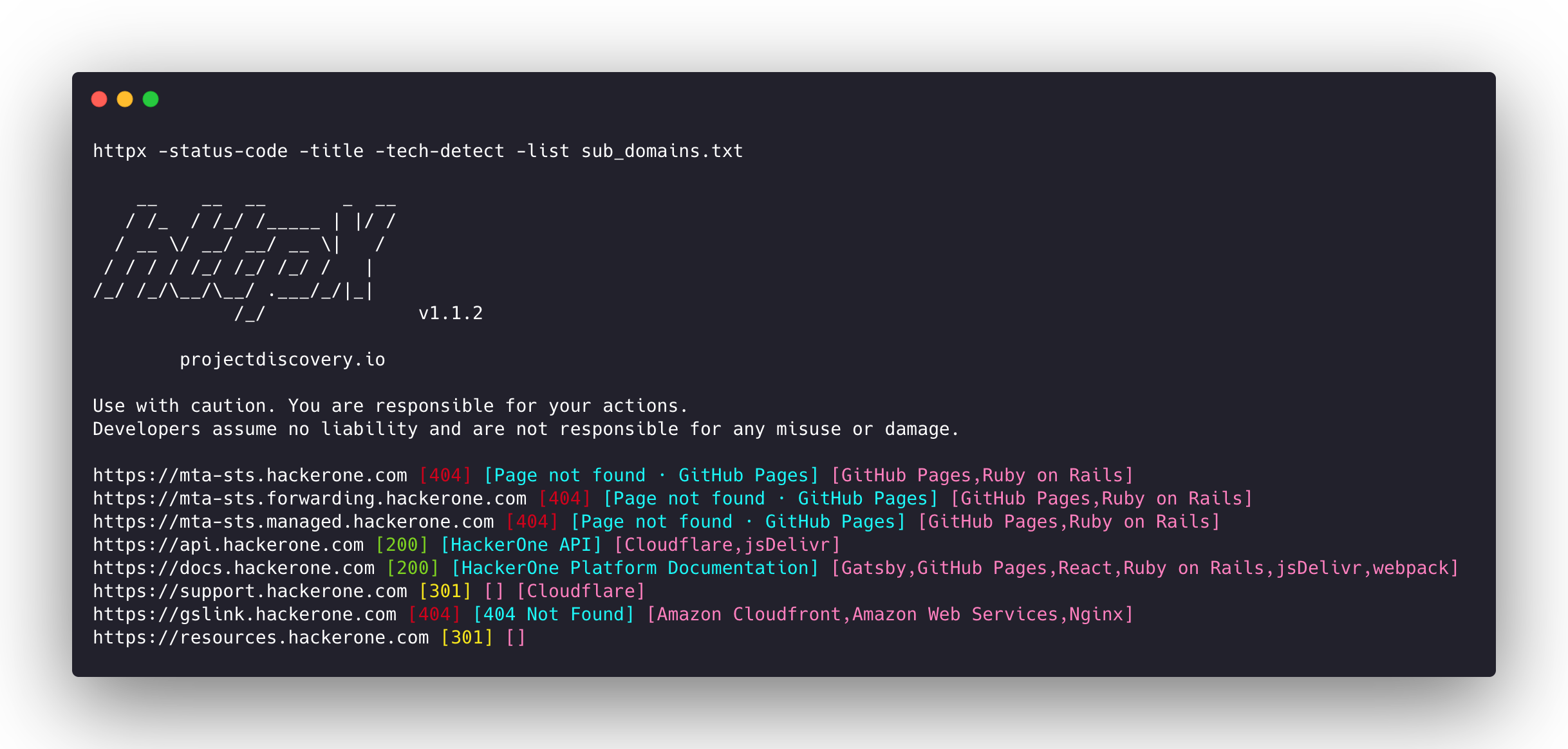
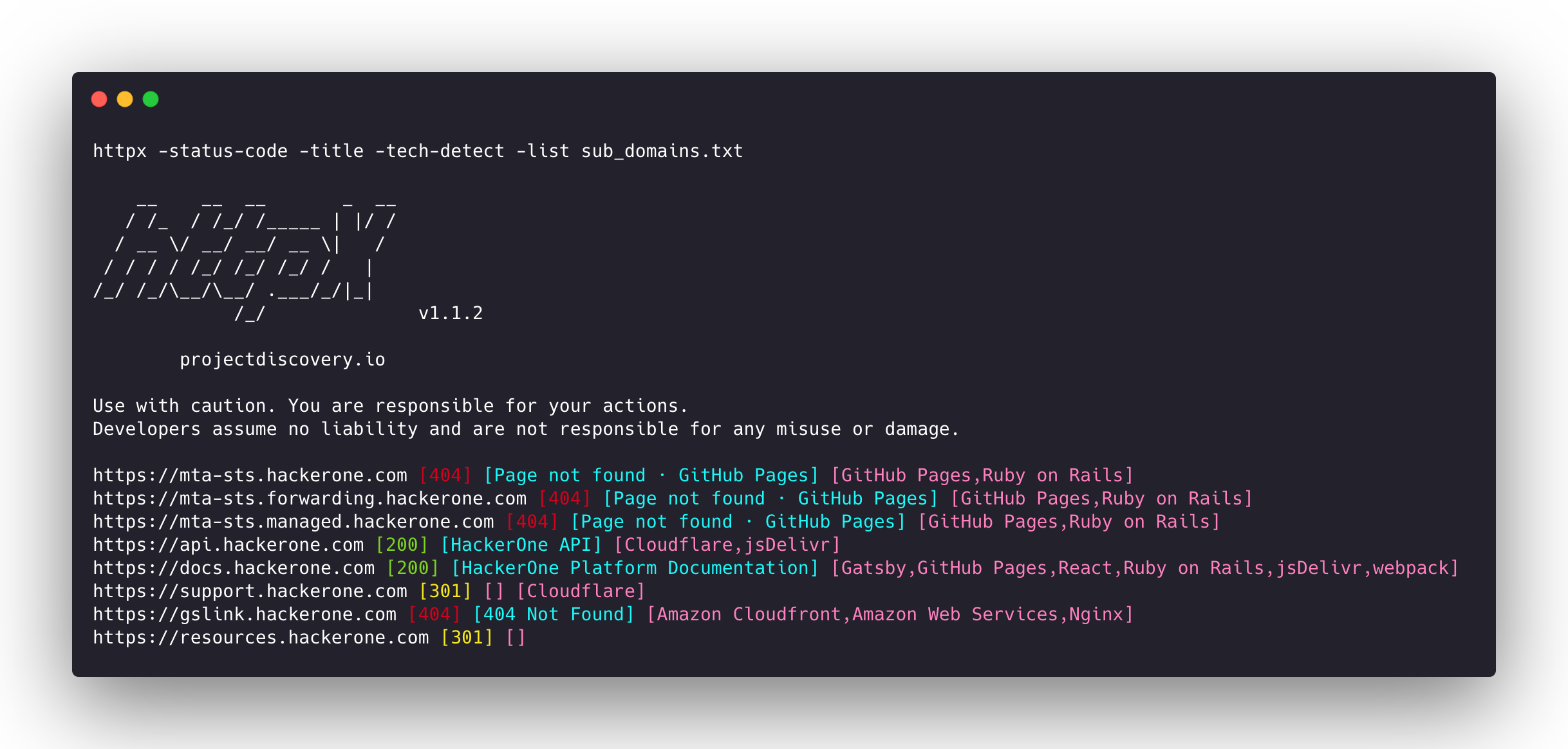
httpx هي مجموعة أدوات HTTP سريعة ومتعددة الأغراض تتيح تشغيل عدة فحوصات باستخدام مكتبة retryablehttp. وهي مصممة للحفاظ على موثوقية النتائج مع زيادة عدد الخيوط.
الميزات
- قاعدة شيفرة بسيطة ومعيارية تسهّل المساهمة.
- أعلام سريعة وقابلة للتهيئة بالكامل لفحص عناصر متعددة.
- يدعم عدة فحوصات قائمة على HTTP.
- تراجع تلقائي ذكي من https إلى http افتراضيًا.
- يدعم المضيفين وعناوين URL وCIDR كمدخلات.
- يتعامل مع الحالات الاستثنائية عبر إعادة المحاولة والتراجع وغيرها للتعامل مع WAFs.
الفحوصات المدعومة
| الفحوصات | الفحص الافتراضي | الفحوصات | الفحص الافتراضي |
|---|---|---|---|
| URL | true | IP | true |
| Title | true | CNAME | true |
| Status Code | true | Raw HTTP | false |
| Content Length | true | HTTP2 | false |
| TLS Certificate | true | HTTP Pipeline | false |
| CSP Header | true | Virtual host | false |
| Line Count | true | Word Count | true |
| Location Header | true | CDN | false |
| Web Server | true | Paths | false |
| Web Socket | true | Ports | false |
| Response Time | true | Request Method | true |
| Favicon Hash | false | Probe Status | false |
| Body Hash | true | Header Hash | true |
| Redirect chain | false | URL Scheme | true |
| JARM Hash | false | ASN | false |
تعليمات التثبيت
يتطلب httpx go >=1.26.10 للتثبيت بنجاح. نفّذ الأمر التالي للحصول على المستودع:
go install -v github.com/projectdiscovery/httpx/cmd/httpx@latest
لمعرفة المزيد حول تثبيت httpx، راجع https://docs.projectdiscovery.io/tools/httpx/install.
| ❗ إخلاء المسؤولية |
|---|
| هذا المشروع قيد التطوير النشط. توقّع تغييرات كاسرة مع الإصدارات. راجع سجل التغييرات قبل التحديث. |
| بُني هذا المشروع في المقام الأول لاستخدامه كأداة CLI مستقلة. قد يشكّل تشغيله كخدمة مخاطر أمنية. يُوصى باستخدامه بحذر مع اتخاذ تدابير أمنية إضافية. |
الاستخدام
httpx -h
سيعرض هذا المساعدة الخاصة بالأداة. إليك جميع المفاتيح التي تدعمها.
httpx is a fast and multi-purpose HTTP toolkit that allows running multiple probes using the retryablehttp library.

Usage:
  ./httpx [flags]

Flags:
INPUT:
   -l, -list string              input file containing list of hosts to process
   -rr, -request string          file containing raw request
   -u, -target string[]          input target host(s) to probe
   -im, -input-mode string       mode of input file (burp)

PROBES:
   -sc, -status-code                      display response status-code
   -cl, -content-length                   display response content-length
   -ct, -content-type                     display response content-type
   -location                              display response redirect location
   -favicon                               display mmh3 hash for '/favicon.ico' file
   -hash string                           display response body hash (supported: md5,mmh3,simhash,sha1,sha256,sha512)
   -jarm                                  display jarm fingerprint hash
   -rt, -response-time                    display response time
   -lc, -line-count                       display response body line count
   -wc, -word-count                       display response body word count
   -title                                 display page title
   -bp, -body-preview                     display first N characters of response body (default 100)
   -server, -web-server                   display server name
   -td, -tech-detect                      display technology in use based on wappalyzer dataset
   -cff, -custom-fingerprint-file string  path to a custom fingerprint file for technology detection
   -kb, -knowledge-base                   enable knowledge base classification
   -method                                display http request method
   -ws, -websocket                        display server using websocket
   -ip                                    display host ip
   -cname                                 display host cname
   -extract-fqdn, -efqdn                  get domain and subdomains from response body and header in jsonl/csv output
   -asn                                   display host asn information
   -cdn                                   display cdn/waf in use (default true)
   -probe                                 display probe status

HEADLESS:
   -ss, -screenshot                 enable saving screenshot of the page using headless browser
   -system-chrome                   enable using local installed chrome for screenshot
   -ho, -headless-options string[]  start headless chrome with additional options
   -esb, -exclude-screenshot-bytes  enable excluding screenshot bytes from json output
   -ehb, -exclude-headless-body     enable excluding headless header from json output
   -no-screenshot-full-page         disable saving full page screenshot
   -st, -screenshot-timeout value   set timeout for screenshot in seconds (default 10s)
   -sid, -screenshot-idle value     set idle time before taking screenshot in seconds (default 1s)
   -jsc, -javascript-code string[]  execute JavaScript code after navigation
الفئات
أدوات عامةالاستخبارات مفتوحة المصدر (OSINT)الاستطلاعماسحات الثغرات الأمنية للويبتخطيط الشبكةمسح المنافذتحليل الثغرات الأمنيةبروكسيات الويب والاعتراضتعداد DNS والنطاقات الفرعيةتحليل الشفرة الديناميكي (DAST)البرمجة النصية والأتمتةاستغلال تطبيقات الويباختبار أمان APIجمع المعلوماتتجاوز WAFأمن الويباختبار الاختراقالأدوات والمكوناتتعداد النطاقات الفرعيةزاحف الويبأمن واجهات برمجة التطبيقات