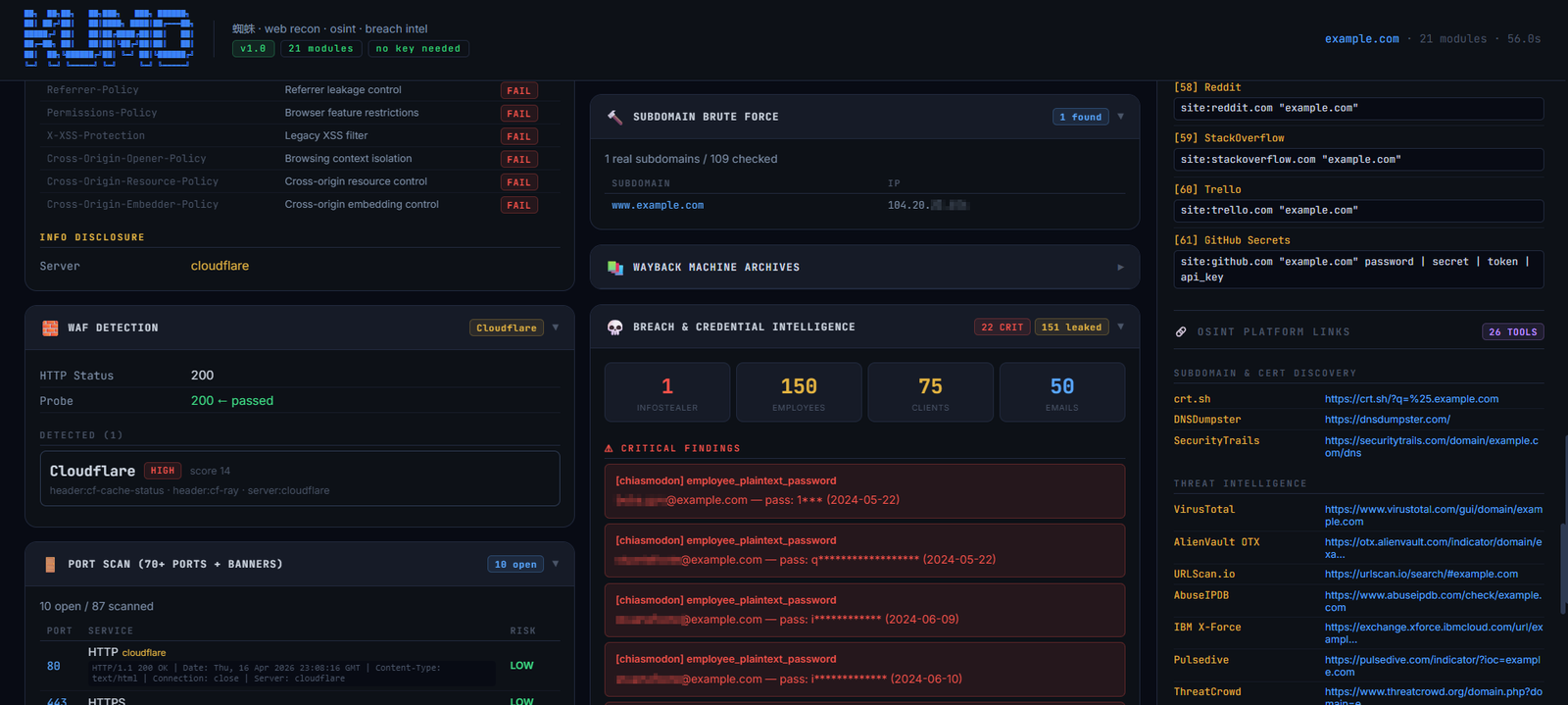


Domain OSINT and security reconnaissance framework running 26 parallel modules for DNS, ports, subdomains, leaked credentials, exposed endpoints, CVEs, and technology fingerprinting.










Give Kumo a domain and it maps everything reachable about it in one pass: DNS and email security, certificates and subdomains from CT logs, open ports, technology fingerprints, leaked credentials and infostealer infections, cloud buckets, and 419 vulnerability checks against known exposures. Twenty-nine modules run in parallel, each one streaming its own card the moment it lands — in the terminal or in the browser.
No API key is required for any of it.
pip install flask requests dnspython urllib3

python3 kumo.py                    # home screen — pick modules by number
python3 kumo.py --web              # web dashboard → http://127.0.0.1:8888
python3 kumo.py example.com        # straight to a full scan

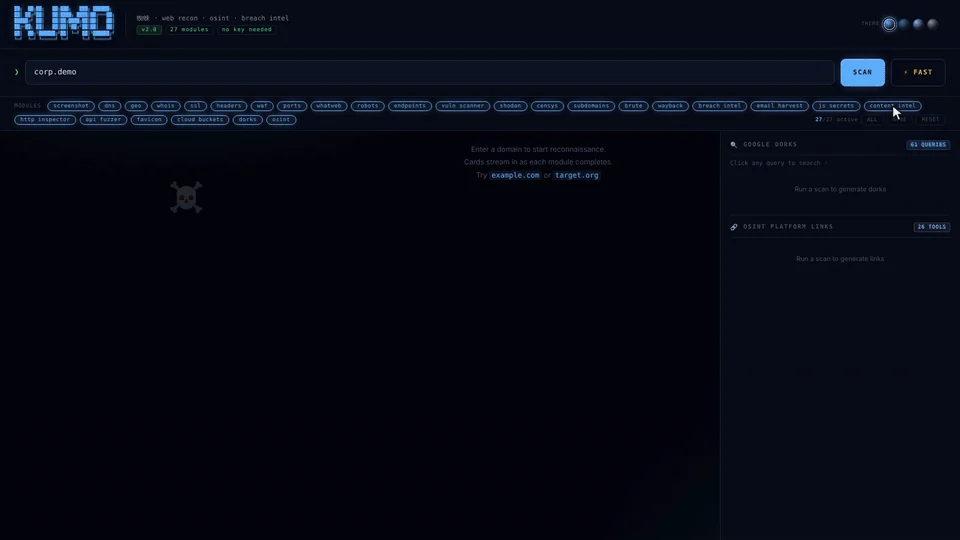
The dashboard mid-scan: cards stream in as each module finishes,
glowing by severity, with the vulnerability scanner leading on findings.
| OS | Linux, macOS or Windows |
| Python | 3.8+ |
| Rights | none — Kumo never needs root |
| API keys | none required |
git clone https://github.com/karim852/KUMO-Domain-Recon-Tool
cd KUMO-Domain-Recon-Tool
pip install flask requests dnspython urllib3
Optional extras, each used by a single module and skipped cleanly when absent:
pip install brotli zstandard playwright
Nothing to configure. There is no config file, no key file and no database. Kumo reads what it needs from public sources at run time.
python3 kumo.py
With no target, Kumo opens its home screen: every module numbered and grouped, with the web interface on top.
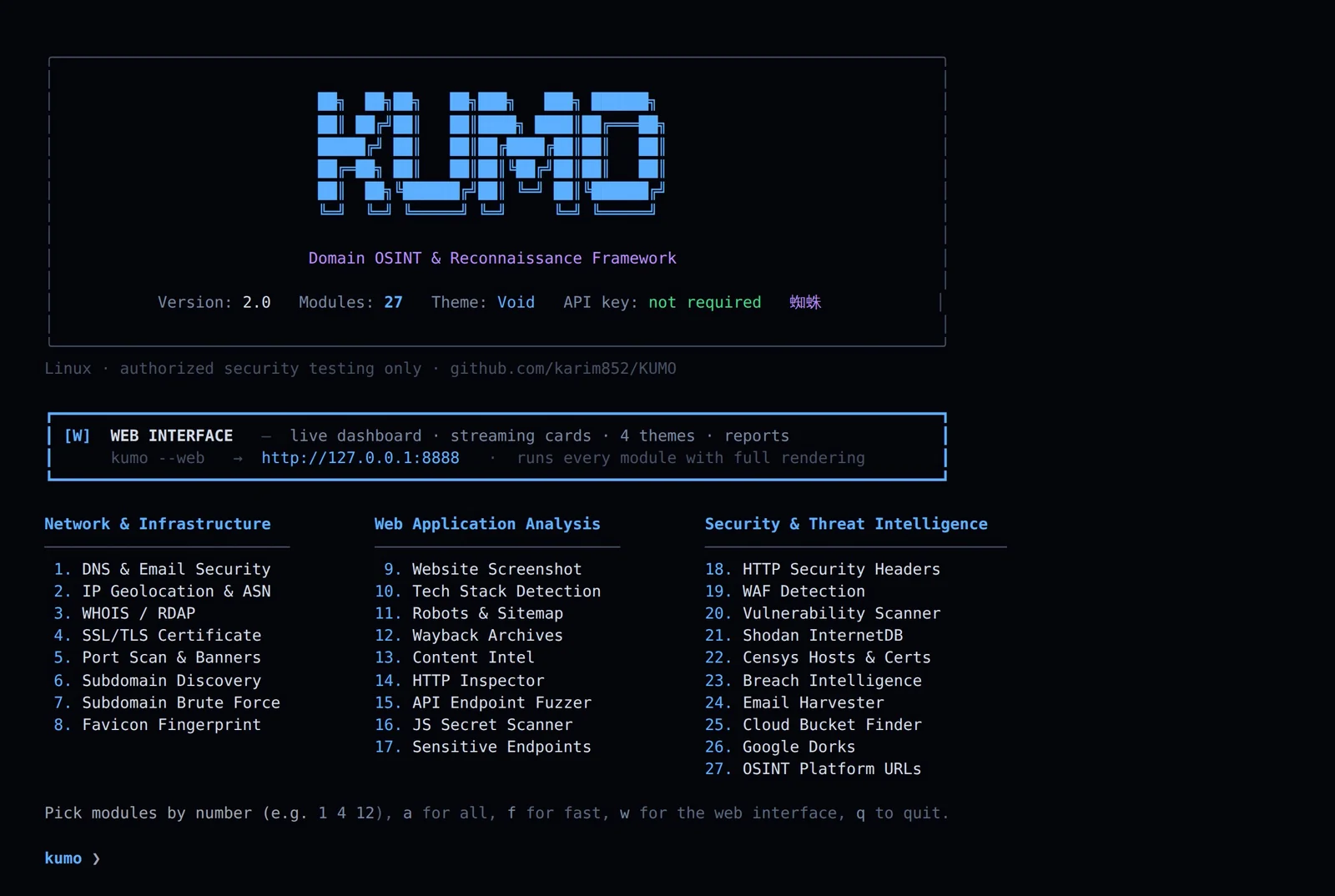
| Input | Runs |
|---|---|
1 4 12 | just those modules |
a | all 29 |
f | fast scan — skips the slow modules |
w | the web dashboard |
q | quit |
Then enter the domain when prompted. Or skip the menu entirely:
python3 kumo.py example.com -m dns ssl
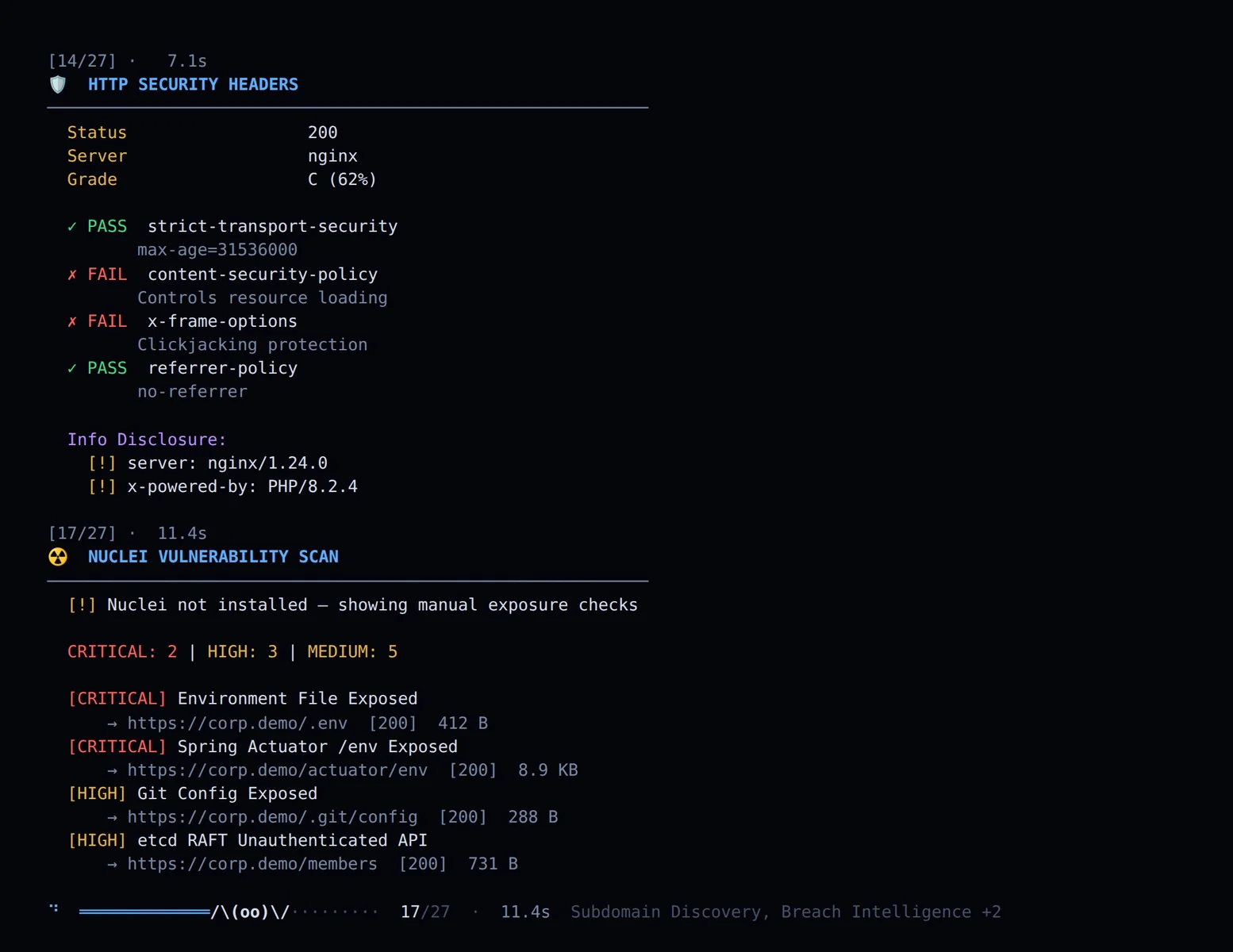
Modules run in parallel, so results do not arrive in order. A spider crawls the strand while they run, spinning silk behind it as each one lands, with the modules still in flight trailing the counter.
python3 kumo.py example.com -o report.json
The terminal is not a fallback — every module renders in full, with its own layout, tables and severity colouring.
| Home screen | all modules numbered, grouped, sized to the terminal |
| Selection | by number, or a / f / w |
| Themes | four palettes in 24-bit colour, --theme or KUMO_THEME |
python3 kumo.py --web             # → http://127.0.0.1:8888
python3 kumo.py --web -p 9000     # custom port
Each module gets a card that appears immediately, shows a rotating edge while it is still running, then fills and takes on the colour of what it found — red for critical, amber for warnings, green for clean.
| Streaming | cards arrive as modules finish, no waiting for the slowest |
| Severity glow | card colour is derived from the badges it renders |
| Module pills | click to enable or disable before scanning |
| Export | JSON, or a standalone HTML report |
| Themes | four, switchable live, remembered across reloads |
Four palettes, in both the dashboard and the terminal. Click a dot in the header, or press Ctrl+Shift+T to cycle. The choice is saved and survives a reload.
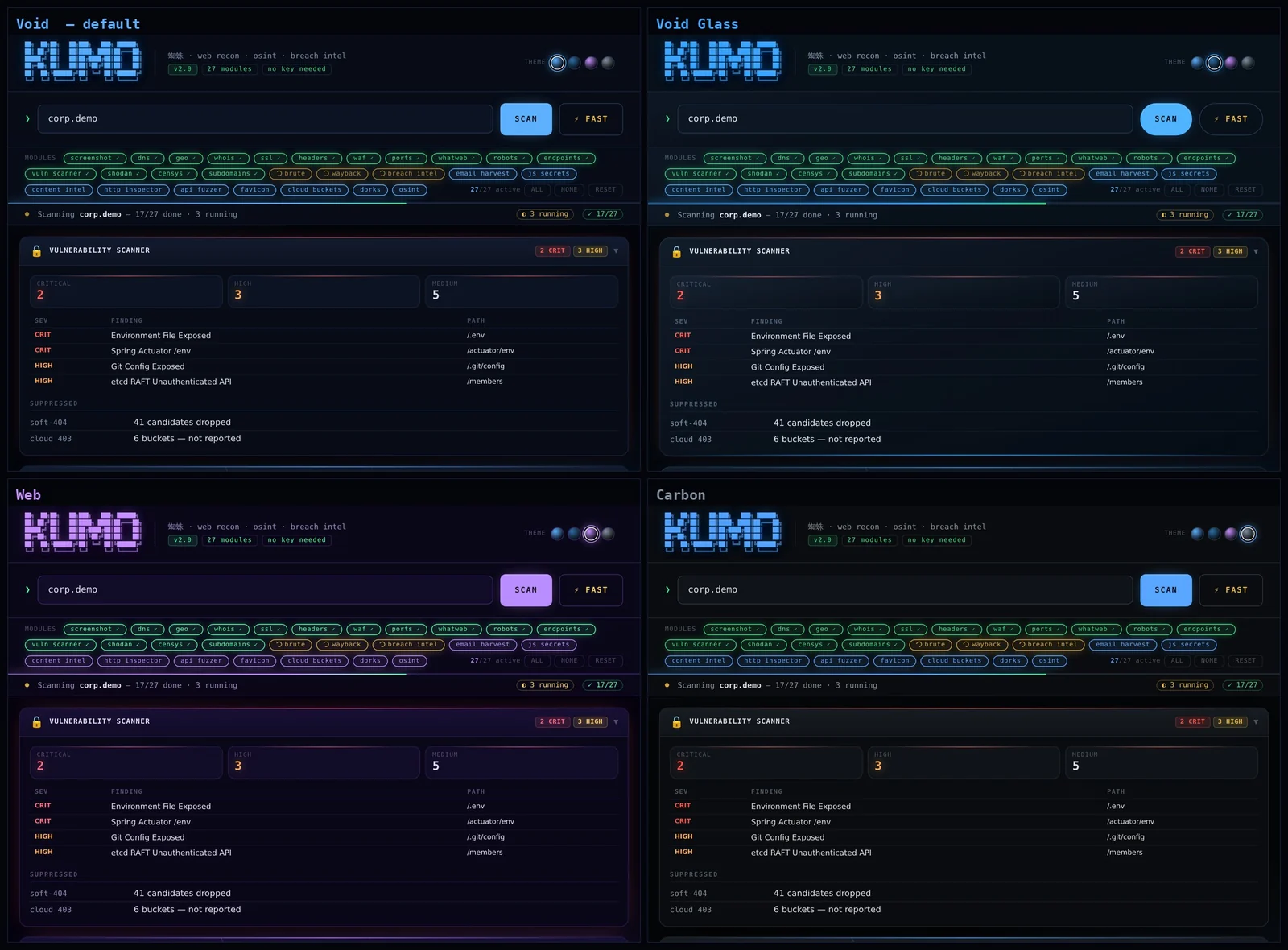
| Theme | Character |
|---|---|
| Void (default) | deepest navy, cyan bloom, flat surfaces |
| Void Glass | lit card edges, under-glow, larger radius |
| Web 蜘蛛 | violet accent, strongest glow |
| Carbon | neutral surfaces, restrained glow — best for client screenshots |
In the terminal:
python3 kumo.py --theme carbon example.com
export KUMO_THEME=web
Adding a fifth theme is one palette block plus one dot — every renderer reads its colours through the same token set.
419 checks, no external tool and no template directory to sync. The engine
mirrors nuclei's matcher model — status, word, regex, size and a small
dsl, combined with matchers_condition.

29 modules, every one running in parallel. Click a module to see what it returns on a real scan.
Run them by number from the home screen, or by name: python3 kumo.py corp.demo -m dns ssl nuclei
