 honeylabshq/spip-go
Spip network sensor written in Go

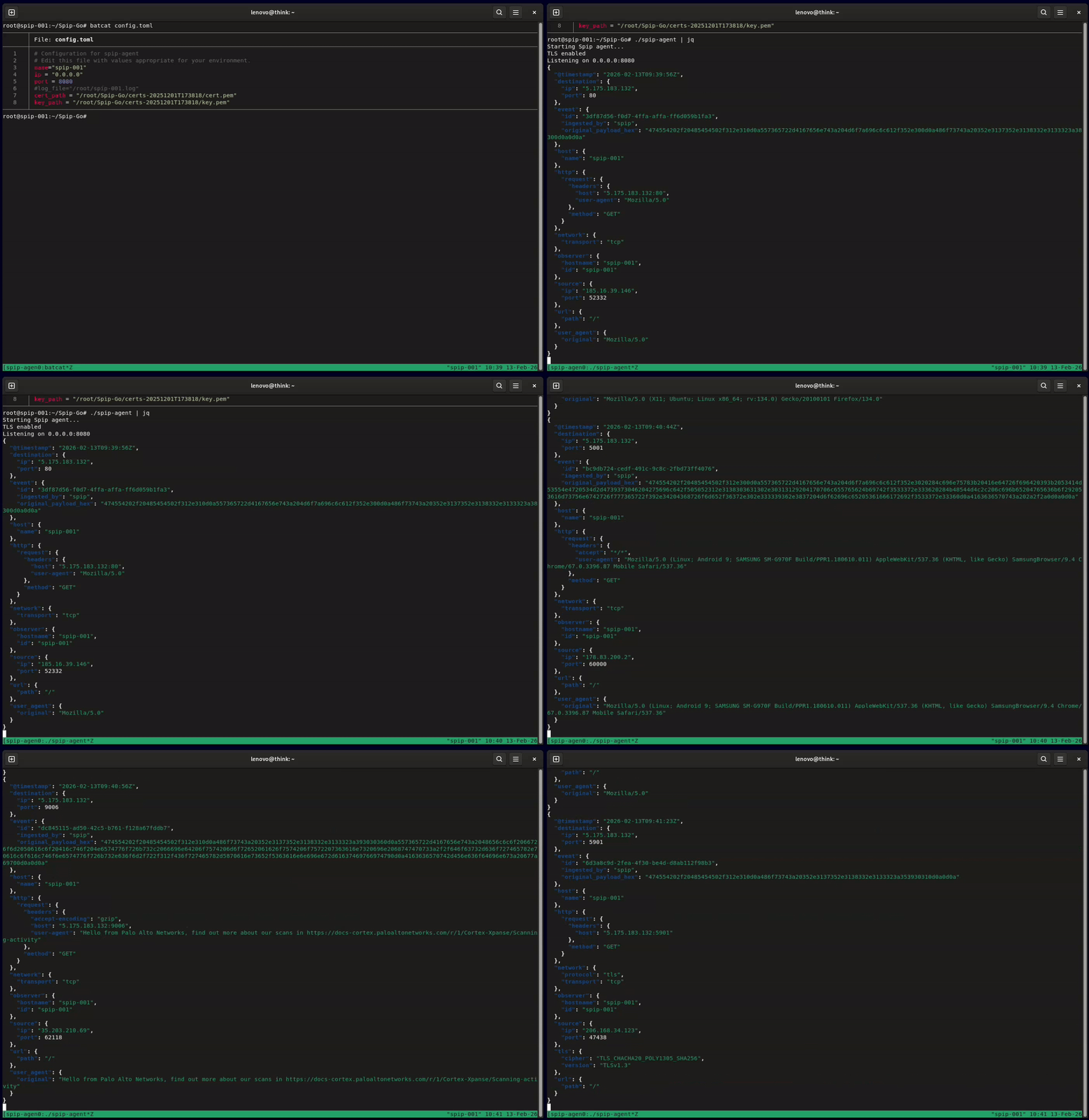
Spip is a low-interaction network honeypot sensor for Linux, written in Go. It accepts TCP connections on any port the host redirects to it, plain or TLS, answers just enough to make a client send its next message, and writes each exchange as one JSON record with ECS field names, ready for a SIEM or data lake. Optional UDP capture records datagrams and never answers them.
HoneyLabs runs Spip to collect the data published on honeylabs.net.
Prerequisites:
iptables and root access to install the redirect rulesgit clone https://github.com/honeylabshq/Spip-Go.git
cd Spip-Go
go build -o spip-agent ./cmd/spip-agent
To set the version reported in observer.version and agent.version (default dev), add -ldflags "-X main.version=v1.2.3".
sudo ./scripts/initial_setup.sh
See Initial setup helper below.
config.toml
Minimal config.toml:name = "spip-agent"
ip = "0.0.0.0"
port = 8080
Optional configuration keys:
cert_path / key_path: enable TLS if both are set. Relative paths resolve against the directory of the config file.log_file: append records to this file instead of stdout. See Log output below.[loom]: also ship records over HTTP. See Loom below.read_timeout_seconds / write_timeout_seconds: idle read timeout and write timeout per connection.rate_limit_per_second / rate_limit_burst: rate limit on new TCP connections, shared by all sources. A connection over the limit is closed unread.community_id_seed: optional 16-bit seed for Community ID v1 flow hashing (omit or 0 for the default).capture_client_hello: set false to leave out tls.client.hello_hex. See Fingerprinting.ignore_sources: addresses or networks whose connections and datagrams are closed or discarded before anything is read, so they are never logged, fingerprinted or shipped. Bare addresses and CIDR, IPv4 or IPv6:
ignore_sources = ["192.0.2.10", "198.51.100.0/24", "2001:db8::/32"]. A honeypot on a rented host gets polled by that host's own monitoring, and counting those scrapes distorts port rankings and scanner counts. An entry that does not parse stops the agent from starting, because a typo here would silently record traffic you believe is dropped. Drops are counted per source and reported in the log every hour and at shutdown.udp_enabled and the udp_* keys: see UDP capture.If these runtime tuning fields are omitted or set to 0, Spip applies the following defaults:
read_timeout_seconds: 30write_timeout_seconds: 10rate_limit_per_second: 20rate_limit_burst: 50000sudo iptables -t nat -F
sudo iptables -t nat -A PREROUTING -p tcp --dport 22 -j RETURN
sudo iptables -t nat -A PREROUTING -p tcp -j REDIRECT --to-port 8080
The first command flushes the whole nat table. Leave it out on a host that has NAT rules of its own. The same two rules with ip6tables cover IPv6. Spip reads each connection's original destination from the kernel's connection tracking and records it as destination.ip and destination.port.
./spip-agent -config config.toml
-config is the only flag and defaults to config.toml in the working directory. SIGINT or SIGTERM stops the listener, waits up to 15 seconds for open connections and writes any pending Loom batch to the spool, giving it 5 seconds to send; the rest is sent at the next start.
Spip picks a responder by the original destination port. Each one says only enough to make the client send its next message: credentials, a command or a mail envelope.
| Ports | Response |
|---|---|
| 23, 2323 | Telnet option negotiation and a login: prompt, then Password:, then Login incorrect and close |
| 21, 990 | FTP greeting, a password request after the first line, then 530 Login incorrect. and close |
| 25, 465, 587 | SMTP greeting, 250 replies to the first three lines, 354 to the fourth, then close. Nothing is relayed and no outbound connection is made. |
| 110, 995 | POP3 greeting, +OK after the first line, -ERR invalid login after the second, then close |
| 143, 993 | IMAP greeting, then * BAD Login failed and close |
| 6379, 6380, or any payload that looks like a Redis command | +PONG to PING, +OK to everything else |
| any other port | HTTP/1.1 200 OK with the client's IP address as the body for an HTTP request, the bare IP address for anything else |
A client that sends SSH-2.0 without a key exchange message gets the banner SSH-2.0-spip, and Spip waits up to 2 seconds for the key exchange so it can compute the client fingerprint.
The telnet, FTP, SMTP, POP3 and IMAP greetings are sent on connect. With TLS enabled, Spip first reads one byte to tell TLS from plain text, so those greetings only go out after the client has sent something.
Spip writes ECS logs to a single local destination and can also send the same records to a Loom server:
| Destination | Config | Behaviour |
|---|---|---|
| Local | log_file | Omitted or empty: stdout. Set to a path: records are appended to that file. Always on. |
| Loom | [loom] with enabled = true | Optional. The same records are batched and POSTed to your Loom ingest URL in addition to the local output. |
The local output also carries the agent's own log lines, such as hourly drop counts and warnings, as {"timestamp": <unix seconds>, "level": "INFO", "message": "...", "target": "...", "record_type": "log"}. Only connection records go to Loom. Startup messages go to stderr.
Spip writes each record as a single line of JSON with ECS field names, using only what it can derive from the connection itself (no ASN or geo enrichment). A connection that sends several messages produces one record per message, all with the same event.id. Fields include:
@timestamp: RFC 3339 time of the record, in whole secondsevent.id: per-connection session identifier; event.sequence: the record's position in the session, starting at 1event.duration: nanoseconds since the connection openedevent.module, event.dataset (spip.tcp or spip.udp), event.kind, event.category, event.type: let a SIEM select Spip's recordsobserver.vendor, observer.product, observer.type, observer.version, agent.type, agent.versionobserver.hostname, observer.id and host.name: the agent name from configsource.ip, source.port, destination.ip, destination.portsource.bytes, destination.bytes, network.bytes: bytes received and sent in the session so farnetwork.transport (tcp or udp) and network.protocol (tls, dns, netbios or quic) where knownhttp.request.method, http.request.headers, http.request.body.content, http.request.body.bytes, url.path, url.domain, url.port: when the payload is an HTTP requestuser_agent.original: when availableevent.summary: the payload as text, for payloads that are not HTTP requestsevent.original_payload_hex: the raw payload in hex, always keptnetwork.community_id, tls.client.*, ssh.client.hash.hassh and http.request.hash.akin when they apply.