 acebond/reversesocks5
Singolo eseguibile proxy SOCKS5 inverso scritto in Golang.

Proxy SOCKS5 inverso in Golang.
Usage of ReverseSocks5.exe:
  -cert string
        Certificate file if using TLS on the server
  -connect string
        Connect address for socks agent address:port
  -k
        Skip TLS certificate verification when using -tls (insecure)
  -key string
        Private key file if using TLS on the server
  -listen string
        Listen address for socks agents address:port (default ":10443")
  -password string
        Password used for SOCKS5 authentication. No authentication required if not configured.
  -psk string
        Pre-shared key for encryption and authentication between the agent and server (default "password")
  -socks string
        Listen address for socks server address:port (default "127.0.0.1:1080")
  -tls
        Connect with TLS instead of TCP, the server must be using certificates
  -username string
        Username used for SOCKS5 authentication
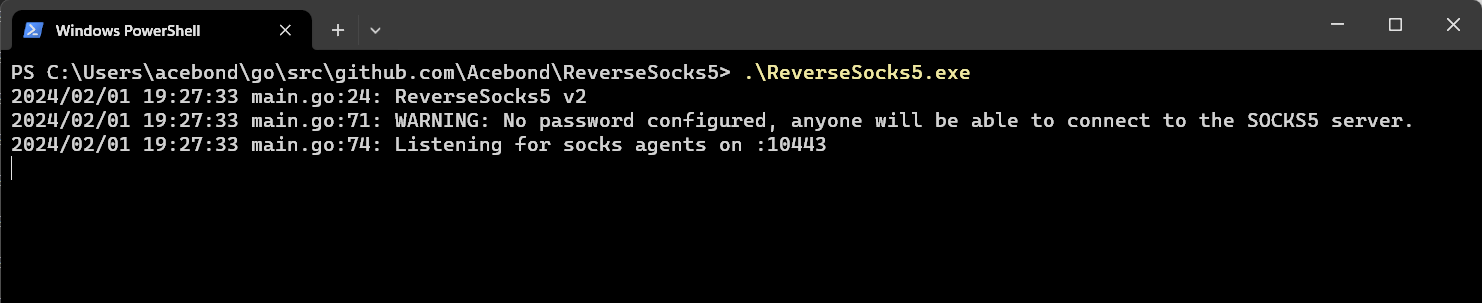 Questo aprirà la porta SOCKS5 su
 127.0.0.1:1080 e resterà in ascolto di un agent su :10443. Nota che la porta SOCKS5 sarà accessibile solo dopo che un agent si sarà connesso.
 Questo si connetterà al server e diventerà il punto di uscita per il traffico SOCKS5, esponendo di fatto la rete interna dell'agent a chiunque possa accedere alla porta SOCKS5 sul server.
Per connettersi con TLS saltando la verifica del certificato, usa:
ReverseSocks5.exe -connect server:10443 -tls -k
La verifica del certificato è abilitata per impostazione predefinita. Il flag -k influisce solo sulle connessioni TLS dell'agent.
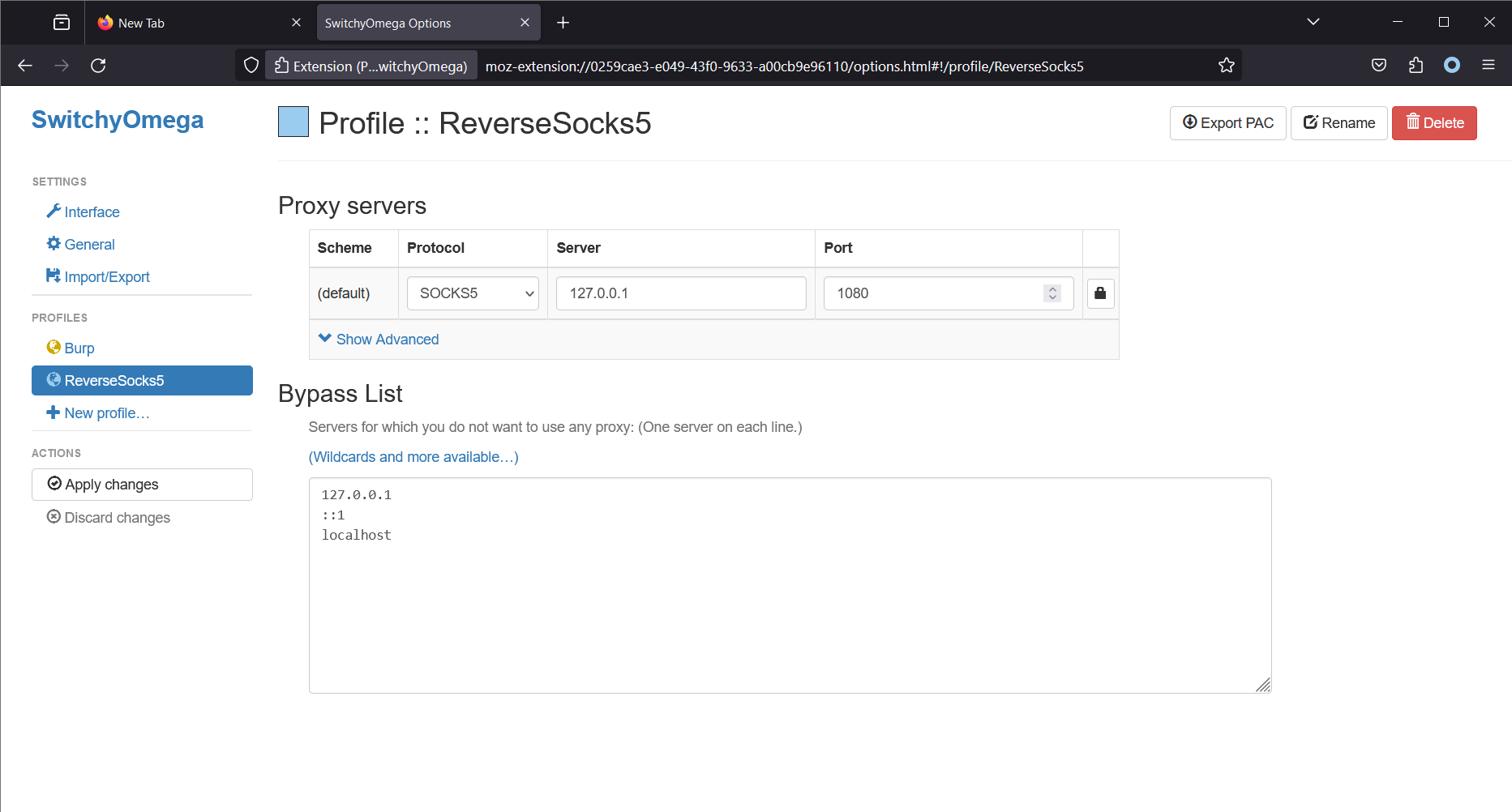 Nota che Firefox è in esecuzione sulla stessa macchina del server SOCKS5. Questo farà sì che Firefox (utilizzando l'estensione Proxy SwitchyOmega) effettui tutte le connessioni tramite il server SOCKS5. Su Linux, uno strumento comune per accedere al proxy SOCKS5 è
 proxychains4.
