
httpx v1.10.0
Toolkit HTTP veloce e multi-sonda per ricognizione e raccolta di informazioni. Sonda TLS, CSP, header, stack tecnologico e CDN. Supporta matcher, filtri e output JSON per test di sicurezza automatizzati.



Funzionalità • Installazione • Utilizzo • Documentazione • Note • Unisciti a Discord
httpx è un toolkit HTTP veloce e multiuso che consente di eseguire più probe utilizzando la libreria retryablehttp. È progettato per mantenere l'affidabilità dei risultati con un numero maggiore di thread.
Funzionalità
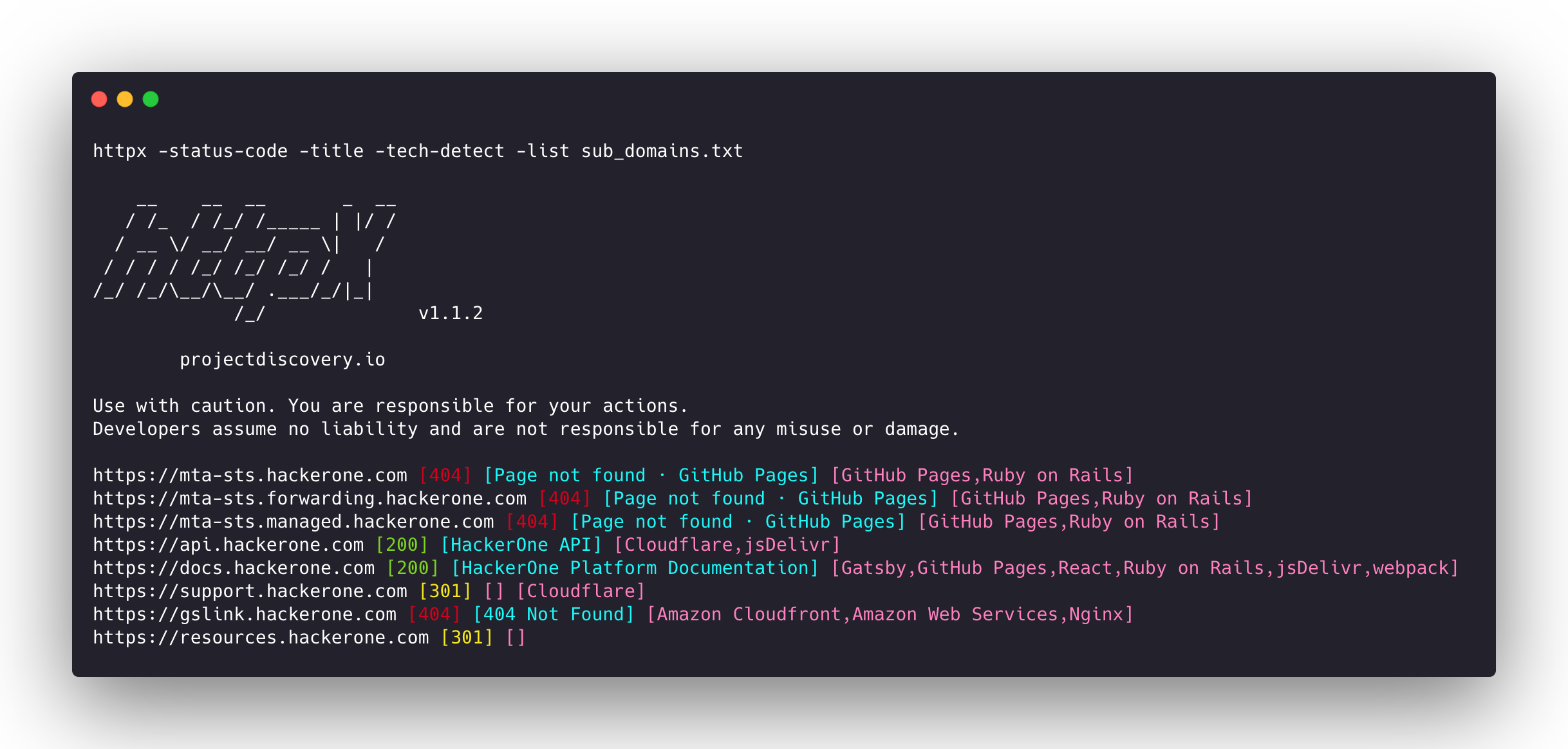
- Base di codice semplice e modulare che ne facilita il contributo.
- Flag veloci e completamente configurabili per sondare più elementi.
- Supporta più tipi di probing basati su HTTP.
- Fallback automatico intelligente da https a http per impostazione predefinita.
- Supporta host, URL e CIDR come input.
- Gestisce i casi limite eseguendo retry, backoff ecc. per gestire i WAF.
Probe supportate
| Probe | Controllo predefinito | Probe | Controllo predefinito |
|---|---|---|---|
| URL | true | IP | true |
| Titolo | true | CNAME | true |
| Codice di stato | true | HTTP grezzo | false |
| Lunghezza contenuto | true | HTTP2 | false |
| Certificato TLS | true | Pipeline HTTP | false |
| Header CSP | true | Virtual host | false |
| Conteggio righe | true | Conteggio parole | true |
| Header Location | true | CDN | false |
| Web Server | true | Percorsi | false |
| Web Socket | true | Porte | false |
| Tempo di risposta | true | Metodo di richiesta | true |
| Hash Favicon | false | Stato probe | false |
| Hash del body | true | Hash dell'header | true |
| Catena di redirect | false | Schema URL | true |
| Hash JARM | false | ASN | false |
Istruzioni per l'installazione
httpx richiede go >=1.26.10 per essere installato correttamente. Esegui il seguente comando per ottenere il repository:
go install -v github.com/projectdiscovery/httpx/cmd/httpx@latest
Per saperne di più sull'installazione di httpx, consulta https://docs.projectdiscovery.io/tools/httpx/install.
| ❗ Disclaimer |
|---|
| Questo progetto è in fase di sviluppo attivo. Aspettati modifiche che rompono la compatibilità con le release. Consulta il changelog prima di aggiornare. |
| Questo progetto è stato creato principalmente per essere utilizzato come strumento CLI autonomo. Eseguirlo come servizio può comportare rischi per la sicurezza. Si consiglia di utilizzarlo con cautela e con misure di sicurezza aggiuntive. |
Utilizzo
httpx -h
Questo mostrerà la guida per lo strumento. Ecco tutti gli switch supportati.
httpx is a fast and multi-purpose HTTP toolkit that allows running multiple probes using the retryablehttp library.

Usage:
  ./httpx [flags]

Flags:
INPUT:
   -l, -list string              input file containing list of hosts to process
   -rr, -request string          file containing raw request
   -u, -target string[]          input target host(s) to probe
   -im, -input-mode string       mode of input file (burp)

PROBES:
   -sc, -status-code                      display response status-code
   -cl, -content-length                   display response content-length
   -ct, -content-type                     display response content-type
   -location                              display response redirect location
   -favicon                               display mmh3 hash for '/favicon.ico' file
   -hash string                           display response body hash (supported: md5,mmh3,simhash,sha1,sha256,sha512)
   -jarm                                  display jarm fingerprint hash
   -rt, -response-time                    display response time
   -lc, -line-count                       display response body line count
   -wc, -word-count                       display response body word count
   -title                                 display page title
   -bp, -body-preview                     display first N characters of response body (default 100)
   -server, -web-server                   display server name
   -td, -tech-detect                      display technology in use based on wappalyzer dataset
   -cff, -custom-fingerprint-file string  path to a custom fingerprint file for technology detection
   -kb, -knowledge-base                   enable knowledge base classification
   -method                                display http request method
   -ws, -websocket                        display server using websocket
   -ip                                    display host ip
   -cname                                 display host cname
   -extract-fqdn, -efqdn                  get domain and subdomains from response body and header in jsonl/csv output
   -asn                                   display host asn information
   -cdn                                   display cdn/waf in use (default true)
   -probe                                 display probe status

HEADLESS:
   -ss, -screenshot                 enable saving screenshot of the page using headless browser
   -system-chrome                   enable using local installed chrome for screenshot
   -ho, -headless-options string[]  start headless chrome with additional options
   -esb, -exclude-screenshot-bytes  enable excluding screenshot bytes from json output
   -ehb, -exclude-headless-body     enable excluding headless header from json output
   -no-screenshot-full-page         disable saving full page screenshot
   -st, -screenshot-timeout value   set timeout for screenshot in seconds (default 10s)
   -sid, -screenshot-idle value     set idle time before taking screenshot in seconds (default 1s)
   -jsc, -javascript-code string[]  execute JavaScript code after navigation