Análisis de Vulnerabilidad sshole (CVE-2026-123158) y Resolución Forense — Sherlock: SSHole
Role: SOC Analyst / DFIR
Plataforma: Hack The Box (Sherlock: SSHole)
Question: What specific combination of components at the operating system and network services level (
libc, authentication manager, and SSH daemon) is strictly necessary for an environment to be vulnerable to sshole, and why are traditionalglibc-based systems with PAM support exempt from this flaw?
For an environment to be vulnerable to sshole (CVE-2026-123158), it must strictly meet the following combination of components at the operating system and network services level:
Standard C library (libc): The operating system must be compiled against musl libc (characteristic of lightweight distributions such as Alpine Linux frequently used in containers).
SSH daemon: A vulnerable version of OpenSSH (sshd) compiled and dynamically linked against musl.
Authentication manager: The SSH service must run without PAM support (Pluggable Authentication Modules, i.e., UsePAM no or compiled without the --with-pam flag), delegating credential verification directly to reading /etc/shadow and to the crypt() function of musl.
By contrast, traditional glibc-based systems (Debian, Ubuntu, RHEL) with PAM support are exempt for two technical reasons:
Error return in glibc: When faced with invalid passwords or passwords that exceed the allowed limits, the crypt() function of glibc returns NULL or specific failure strings (*0 or *1), preventing any accidental match with the status characters stored in /etc/shadow.
Isolation through PAM: By delegating authentication to PAM (UsePAM yes), modules such as pam_unix.so explicitly check whether an account is locked (* or !) before evaluating hashes and apply strict controls on the length of input strings.
Question: Explain in detail how a very long password, cryptographic salt handling in OpenSSH, and error handling of the
crypt()function inmuslinteract to generate a false authentication positive.
The exploitation occurs due to a logic flaw in the credential validation chain when I send a password longer than 256 characters to an account with no password assigned or a locked account:
Extraction of the stored salt / hash: When attempting to authenticate with an account with no password assigned on Alpine Linux, sshd queries /etc/shadow, extracts the locked-account marker (*), and passes it as the salt parameter to the crypt(password, salt) function.
Error handling in musl crypt(): The implementation of crypt() in musl libc imposes an internal limit of 256 characters for the plaintext password. Upon receiving a string that exceeds this threshold, musl aborts the cryptographic computation and literally returns the standardized string "*" as an error code.
False positive in the comparison: OpenSSH receives the result of crypt() ("*") and compares it via strcmp() against the hash originally stored in /etc/shadow ("*"). When an exact match occurs ("*" == "*"), sshd interprets the validation as successful and grants immediate interactive access without having verified any real password.
Question: Apart from applying the official OpenSSH package update patch, mention and instrument at least two defense-in-depth mitigation measures at the configuration level that drastically reduce the exposure surface to this attack vector.
In addition to applying the official OpenSSH package update patch, I implemented the following defense-in-depth measures in /etc/ssh/sshd_config to drastically reduce the exposure surface:
Completely disable password authentication (PasswordAuthentication no): By restricting access exclusively to the use of asymmetric cryptographic keys (PubkeyAuthentication yes), the SSH daemon is prevented from invoking the /etc/shadow reading routines and the crypt() function.
PasswordAuthentication no
ChallengeResponseAuthentication no
PubkeyAuthentication yes
Block direct root access and define allowlists (PermitRootLogin no / AllowUsers): Since system and service accounts usually have the * marker in /etc/shadow, prohibiting root login and restricting access only to explicit users prevents the exploitation of administrative or service accounts.
PermitRootLogin no
AllowUsers adminsvc
Prompt (4. Incident Forensic Analysis): Simulating the role of a SOC/DFIR analyst facing an intrusion in a containerized environment based on this vulnerability, investigate the log artifacts provided in the Sherlock-type forensic lab (sshole) and add images of the result.
After downloading and extracting the artifacts from the SSHole forensic lab on my Windows analysis workstation, I performed an initial inspection of the directory structure recovered from the compromised container (dev-jumpbox). I identified the critical Linux filesystem paths: etc, home, root, and var.
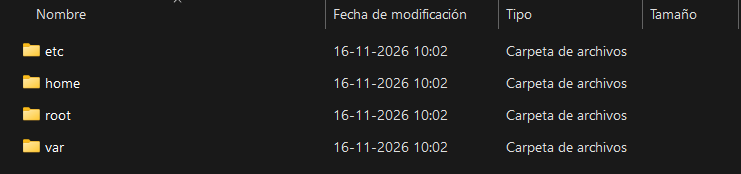
Figure 1: Root structure of the filesystem extracted from the compromised container (etc, home, root, var).
musl + Locked Accounts)To confirm that the system met the architectural requirements of CVE-2026-123158, I located the /etc/os-release file inside the etc folder and inspected its contents. I confirmed that the environment corresponded to an Alpine Linux distribution (built on musl libc).
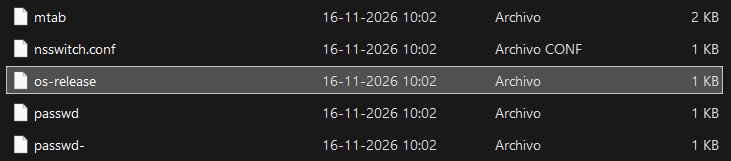
Figure 2: Location of the operating system identification file at \etc\os-release.
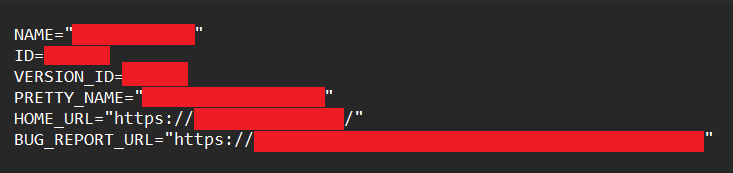
Figure 3: Contents of /etc/os-release confirming the lightweight distribution based on musl libc.
Subsequently, I located the /etc/shadow file and used PowerShell (Get-Content .\shadow | Select-String ":\*:") to filter the accounts that had the * character in the password field, corroborating that the target account had the hash configured with the marker susceptible to the collision.

Figure 4: Location of the /etc/shadow file in the extracted artifacts.

Figure 5: PowerShell filtering (Select-String ":\*:") on shadow confirming the accounts with the * lock marker.
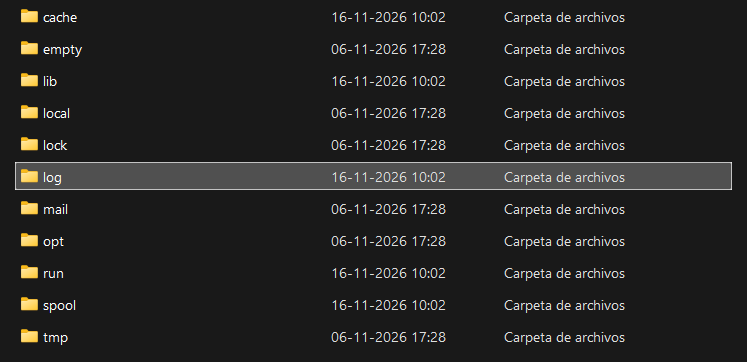
Once the environment's vulnerability was confirmed, I navigated to \var\log\ to inspect the messages file (the main syslog record in Alpine Linux).