
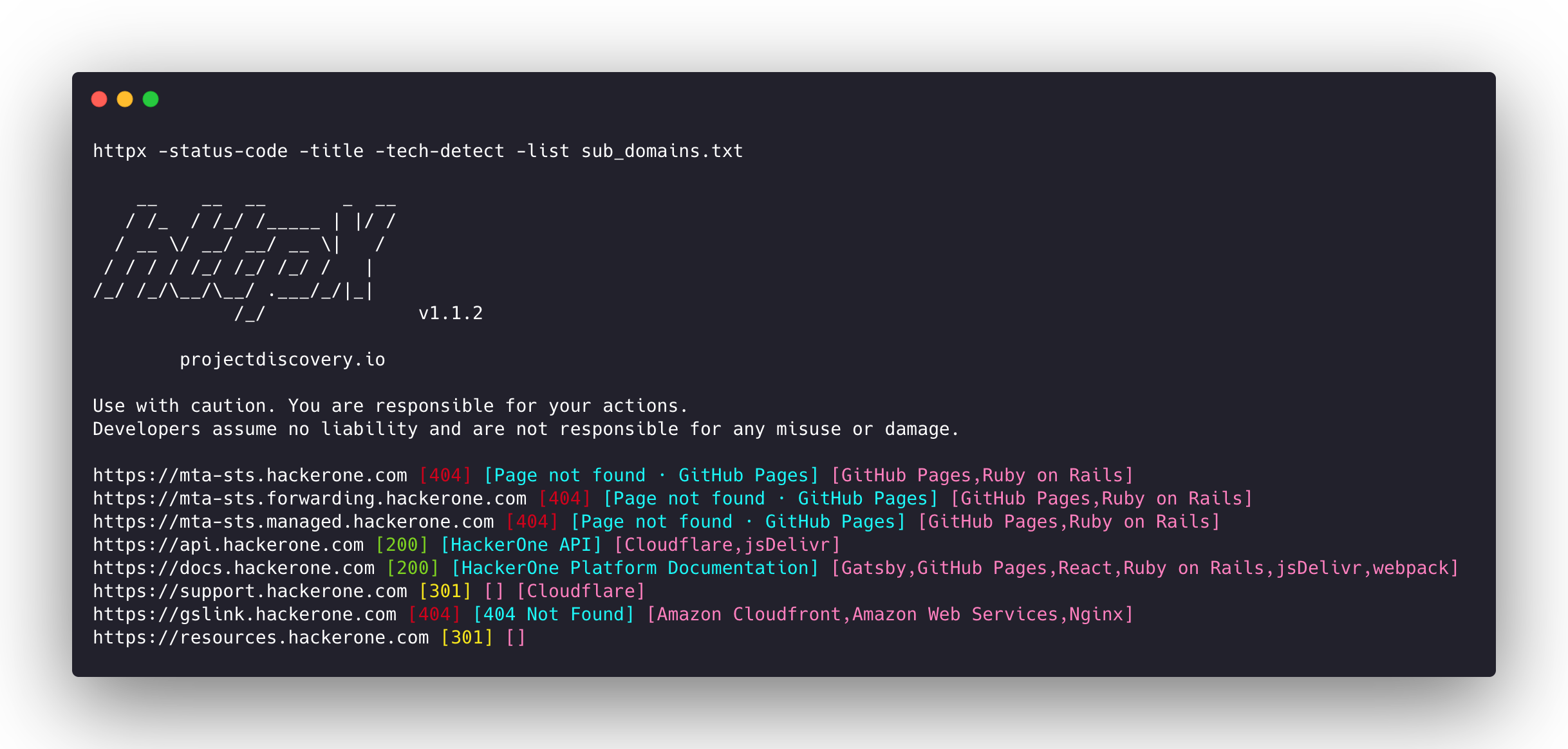
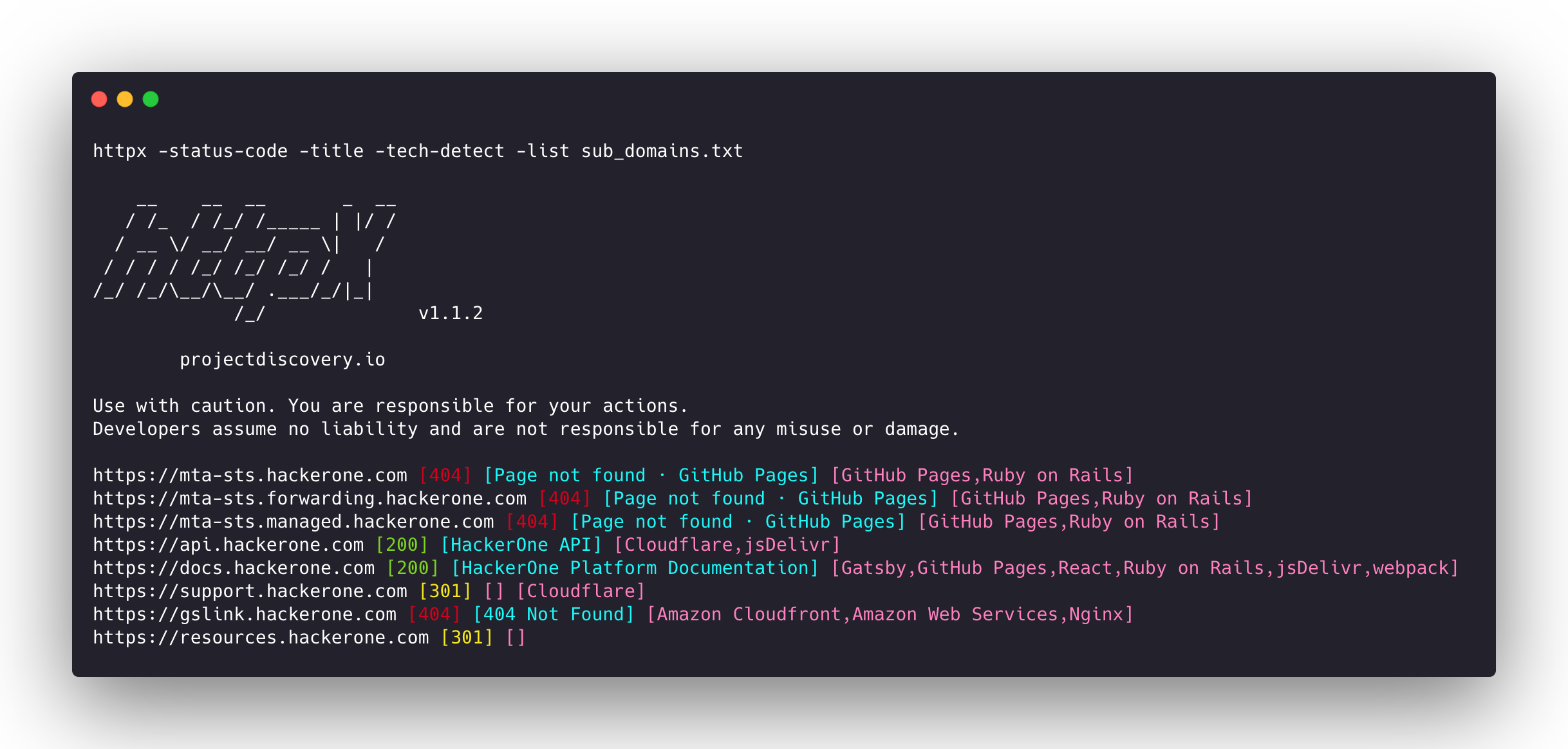
httpx v1.11.0
तेज़, बहु-जांच HTTP टूलकिट जो टोही और सूचना संग्रह के लिए है। TLS, CSP, हेडर, तकनीकी स्टैक और CDN की जांच करता है। स्वचालित सुरक्षा परीक्षण के लिए मैचर्स, फ़िल्टर और JSON आउटपुट का समर्थन करता है।



Features • Installation • Usage • Documentation • Notes • Join Discord
httpx is a fast and multi-purpose HTTP toolkit that allows running multiple probes using the retryablehttp library. It is designed to maintain result reliability with an increased number of threads.
Features
- Simple and modular code base making it easy to contribute.
- Fast And fully configurable flags to probe multiple elements.
- Supports multiple HTTP based probings.
- Smart auto fallback from https to http by default.
- Supports hosts, URLs and CIDR as input.
- Handles edge cases doing retries, backoffs etc for handling WAFs.
Supported probes
| Probes | Default check | Probes | Default check |
|---|---|---|---|
| URL | true | IP | true |
| Title | true | CNAME | true |
| Status Code | true | Raw HTTP | false |
| Content Length | true | HTTP2 | false |
| TLS Certificate | true | HTTP Pipeline | false |
| CSP Header | true | Virtual host | false |
| Line Count | true | Word Count | true |
| Location Header | true | CDN | false |
| Web Server | true | Paths | false |
| Web Socket | true | Ports | false |
| Response Time | true | Request Method | true |
| Favicon Hash | false | Probe Status | false |
| Body Hash | true | Header Hash | true |
| Redirect chain | false | URL Scheme | true |
| JARM Hash | false | ASN | false |
Installation Instructions
httpx requires go >=1.26.10 to install successfully. Run the following command to get the repo:
go install -v github.com/projectdiscovery/httpx/cmd/httpx@latest
To learn more about installing httpx, see https://docs.projectdiscovery.io/tools/httpx/install.
| ❗ Disclaimer |
|---|
| This project is in active development. Expect breaking changes with releases. Review the changelog before updating. |
| This project was primarily built to be used as a standalone CLI tool. Running it as a service may pose security risks. It's recommended to use with caution and additional security measures. |
Usage
httpx -h
This will display help for the tool. Here are all the switches it supports.
httpx is a fast and multi-purpose HTTP toolkit that allows running multiple probes using the retryablehttp library.

Usage:
  ./httpx [flags]

Flags:
INPUT:
   -l, -list string              input file containing list of hosts to process
   -rr, -request string          file containing raw request
   -u, -target string[]          input target host(s) to probe
   -im, -input-mode string       mode of input file (burp)

PROBES:
   -sc, -status-code                      display response status-code
   -cl, -content-length                   display response content-length
   -ct, -content-type                     display response content-type
   -location                              display response redirect location
   -favicon                               display mmh3 hash for '/favicon.ico' file
   -hash string                           display response body hash (supported: md5,mmh3,simhash,sha1,sha256,sha512)
   -jarm                                  display jarm fingerprint hash
   -rt, -response-time                    display response time
   -lc, -line-count                       display response body line count
   -wc, -word-count                       display response body word count
   -title                                 display page title
   -bp, -body-preview                     display first N characters of response body (default 100)
   -server, -web-server                   display server name
   -td, -tech-detect                      display technology in use based on wappalyzer dataset
   -cff, -custom-fingerprint-file string  path to a custom fingerprint file for technology detection
   -kb, -knowledge-base                   enable knowledge base classification
   -method                                display http request method
   -ws, -websocket                        display server using websocket
   -ip                                    display host ip
   -cname                                 display host cname
   -extract-fqdn, -efqdn                  get domain and subdomains from response body and header in jsonl/csv output
   -asn                                   display host asn information
   -cdn                                   display cdn/waf in use (default true)
   -probe                                 display probe status

HEADLESS:
   -ss, -screenshot                 enable saving screenshot of the page using headless browser
   -system-chrome                   enable using local installed chrome for screenshot
   -ho, -headless-options string[]  start headless chrome with additional options
   -esb, -exclude-screenshot-bytes  enable excluding screenshot bytes from json output
   -ehb, -exclude-headless-body     enable excluding headless header from json output
   -no-screenshot-full-page         disable saving full page screenshot
   -st, -screenshot-timeout value   set timeout for screenshot in seconds (default 10s)
   -sid, -screenshot-idle value     set idle time before taking screenshot in seconds (default 1s)
   -jsc, -javascript-code string[]  execute JavaScript code after navigation