Skip to content
KitploitKITPLOIT
HerramientasExploitsBlog
Log in
Enviar
HerramientasExploitsBlog
Enviar

¡Herramientas de Hacking, PenTest y Ciberseguridad para tu Arsenal de Seguridad!

Kitploit es un directorio de herramientas de hacking, ciberseguridad y pentesting. Descubre las últimas actualizaciones de proyectos para encontrar vulnerabilidades, analizar sistemas, automatizar pruebas y fortalecer tu seguridad.

FeedsContactoPrivacidad© 2026 Kitploit

Directorio de Herramientas

Categorías

Ver todas las categorías
Loading categories
ARTEX — LLM multi-agent autonomous penetration testing platform with planner/worker agents, asset and exploration graphs, MITM traffic recording, and vulnerability retesting. | Kitploit
Herramientas/GitHubGitHub/baarai/artex
Penetration Testing FrameworksReconnaissanceVulnerability ScannersNetwork MappingVulnerability AnalysisWeb Proxies & InterceptionScripting & AutomationWeb Application ExploitationInformation GatheringPenetration TestingRed TeamingAI Security
13.9k5.4k543hace 16h 51mRevisado por Kitploit
GitHubbaarai/artex

ARTEX

LLM multi-agent autonomous penetration testing platform with planner/worker agents, asset and exploration graphs, MITM traffic recording, and vulnerability retesting.

Ver Repositorio

Más Populares

Ver todos →

Descubre las herramientas más usadas por nuestra comunidad.

  • 1

    OsintHunter

    letox4/osinthunter

    🎯 El kit de herramientas OSINT definitivo: grafo de investigación, puntuación de confianza, familias de alias, mapa, línea de tiempo e informes. 49 módulos, más de 400 sitios, sin necesidad de claves API.

    1.1k
  • 2

    ghostlock-app

    yukonga/ghostlock-app

    # Aplicación de Ejecución con un Solo Toque GhostLock (CVE-2026-43499)

    618
  • 3

    looking-glass

    anonghosty/looking-glass

    Plataforma CSIRT que ingiere informes de Shadowserver en MongoDB y los reproduce como mapas interactivos, análisis, hallazgos, avisos y paneles ejecutivos.

    411
  • 4

    ARTEX

    baarai/artex

    Plataforma de pruebas de penetración autónoma multiagente basada en LLM con agentes planificadores/trabajadores, grafos de activos y de exploración, registro de tráfico MITM y reevaluación de vulnerabilidades.

    328
  • 5

    jumpserver

    jumpserver/jumpserver

    JumpServer es una plataforma de gestión de accesos privilegiados (PAM) de código abierto que proporciona a los equipos de DevOps y TI acceso seguro y bajo demanda a endpoints SSH, RDP, Kubernetes, base de datos y RemoteApp a través de un navegador web.

    314
  • 6

    Aliens_eye

    arxhr007/aliens_eye

    Motor de OSINT impulsado por IA para descubrir y mapear más de 7.700 identidades en redes sociales en toda la web

    275

Explora todas las herramientas

Explora nuestra colección de herramientas

Ver todas las herramientas →
Compartir
Contenido no disponible en el idioma solicitado. Mostrando versión en inglés.
ARTEX logo

ARTEX

Autonomous penetration testing that keeps its receipts.

(upstream: Autumn-27/ARTEX, AGPL-3.0)

Self-hosted multi-agent offensive security. A planner explores, workers run real tools, and every finding stays bound to the assets and HTTP traffic that prove it.


Release License CI Go

Quick start · Screenshots · How it works · Install · Configuration · Security


ARTEX is a self-hosted, LLM-driven penetration testing platform. It is not a chat wrapper around a scanner: a planner splits a goal into intents, workers execute them with real tools, and the results are written back into two linked graphs: one for what you know about the target, one for how the test is progressing. Every finding can carry the captured request and response that justify it, and every autonomous action passes through scope rules, approval gates and budgets.

  • It explores, it doesn't chat. Goal decomposition, intent dispatch, worker execution and write-back form a closed loop that keeps advancing until the goal is proven.
  • Two graphs, one audit trail. The shared asset graph says what exists; the per-task exploration graph says what was tried, what it produced, and why. Anchors link the two.
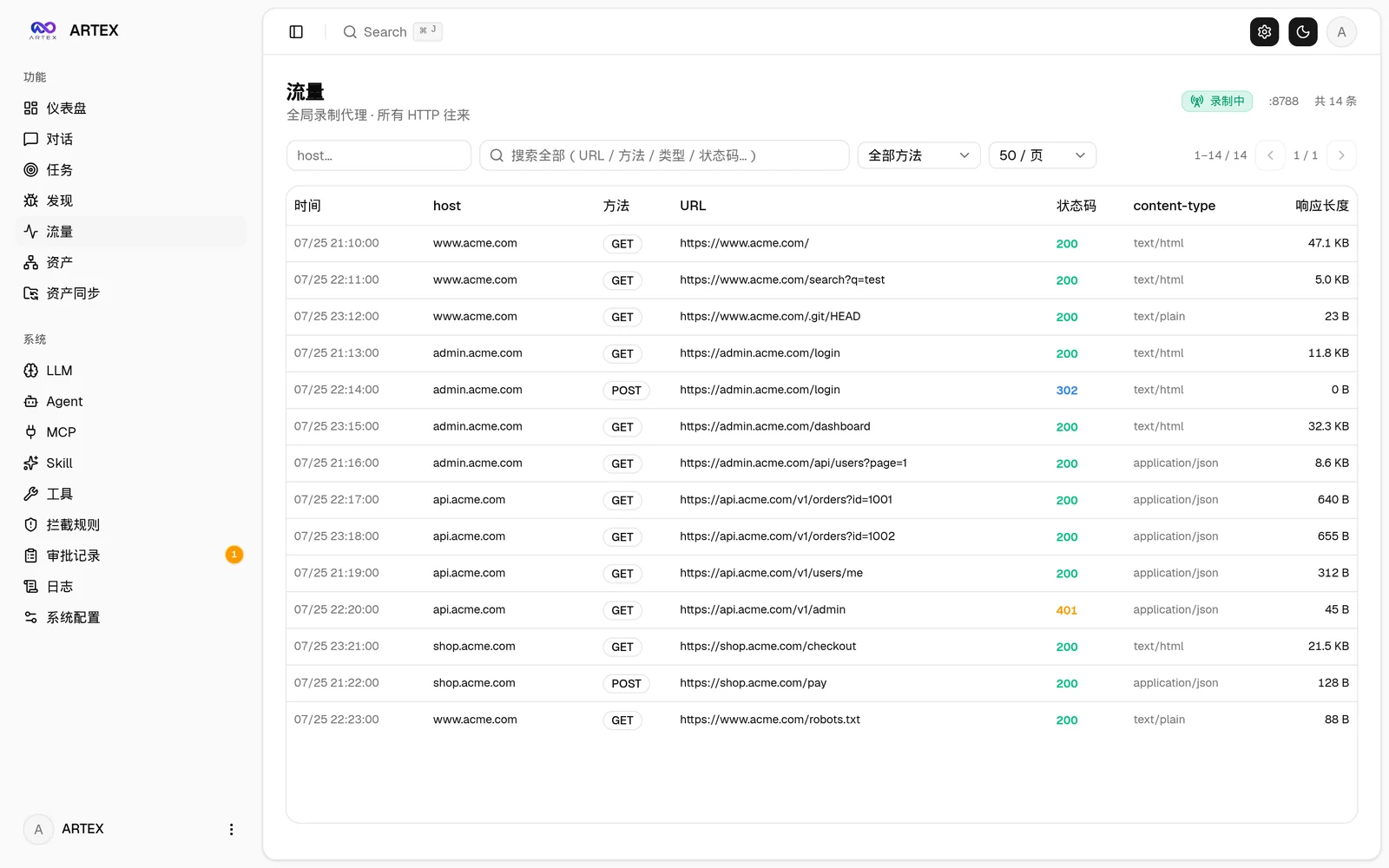
  • Findings with evidence. A recording MITM proxy and a browser extension capture real traffic; findings, evidence quotes and retests are tied to the exact request/response.
  • Autonomy with brakes. Human-in-the-loop approvals, argv-prefix rules, scope/deny gates, token and turn budgets, a target noise governor, and prompt-injection framing on tool output.
  • Self-hosted and model-agnostic. One Go binary with the Next.js UI embedded, PostgreSQL, your own Anthropic/OpenAI-compatible endpoint, or a local Ollama.

Quick start

git clone https://github.com/BaaRai/ARTEX.git
cd ARTEX
cp .env.example .env            # set POSTGRES_PASSWORD (and optionally an LLM key)
docker compose up -d --build    # builds from this checkout, starts PostgreSQL

Open http://localhost:8787. On the first visit /setup asks for the one-time setup token printed at startup:

docker compose logs artex | grep "Setup token"

There is no prebuilt Docker image to pull: the image is always built from your checkout. For all installation paths (script, binaries, source, release archives), see Installation.


Multi-provider workers

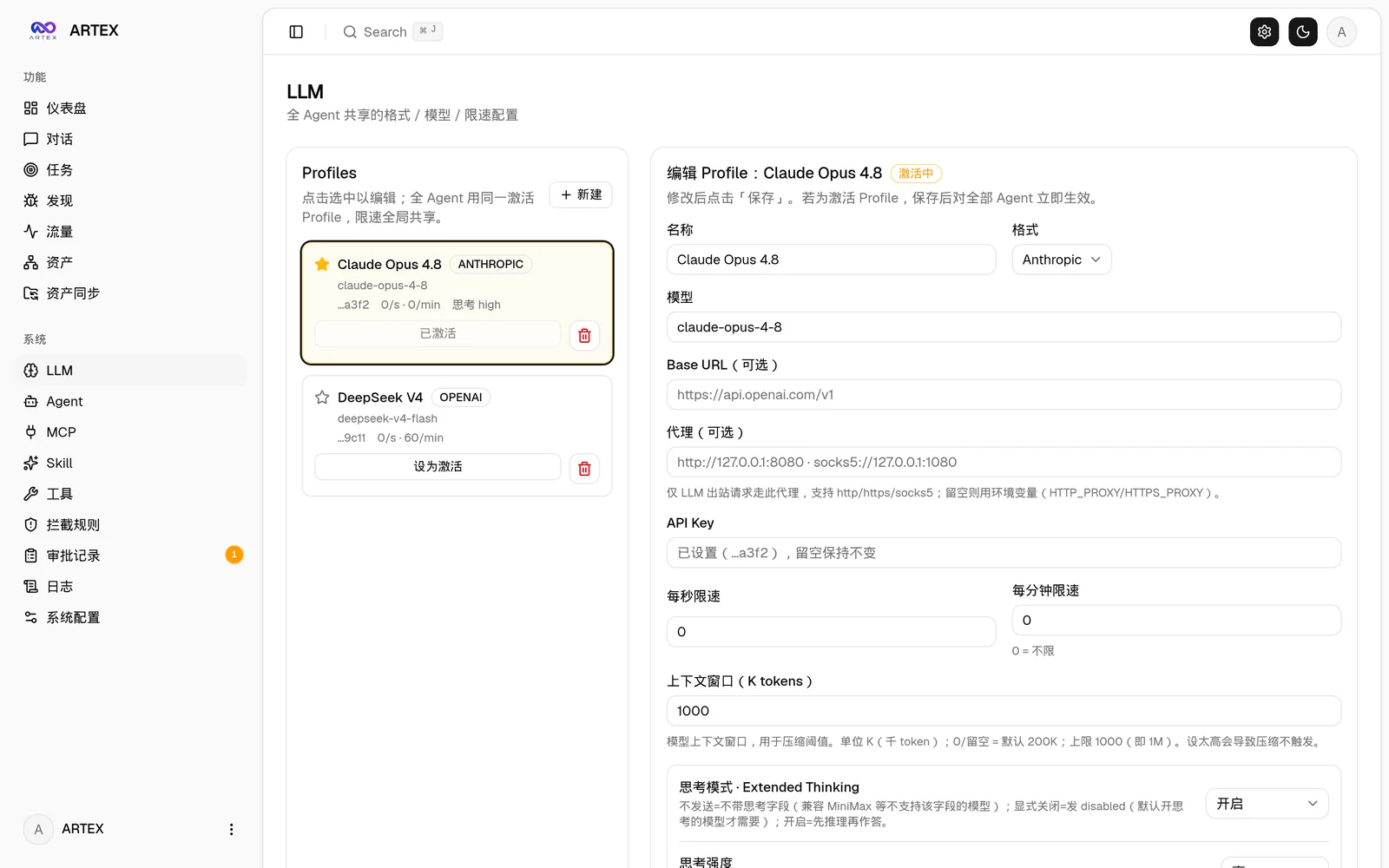
In System → LLM, configure the profiles you want to use. In System → Settings, set the concurrent worker count to at least 2 before starting a task (the count applies to subsequently started tasks). In System → Agents → Worker, leave the model set to follow the task; a fixed Worker model takes precedence over rotation.

When creating a task, select both profiles in LLM config chain, arrange their order, and enable Enable multi-LLM worker rotation. For an existing task, open its LLM config control, change the switch or profile order, and save.

Rotation assigns successive worker intents A, B, A, B, regardless of completion order. Separate intents can run concurrently on different providers; each intent keeps its selected provider unless it fails over. Planner and other unbound roles continue using the task's current profile. Turning rotation off restores ordered task-level failover. An excluded provider is skipped, so an intent pinned to an exhausted profile falls back to the task's current profile instead of retrying it; rotation keeps cycling the whole list and does not rebalance around a dead provider. Saving the chain resets their failure state. Changes do not interrupt in-flight calls. The rotation cursor starts again after a server restart and saving the chain does not reset it; the profile order and switch remain persisted.

The task creation and PUT /api/tasks/{id}/llm APIs accept llm_rotate: true alongside the ordered llm_profile_ids. Omitting llm_rotate on an update preserves its value.

Screenshots

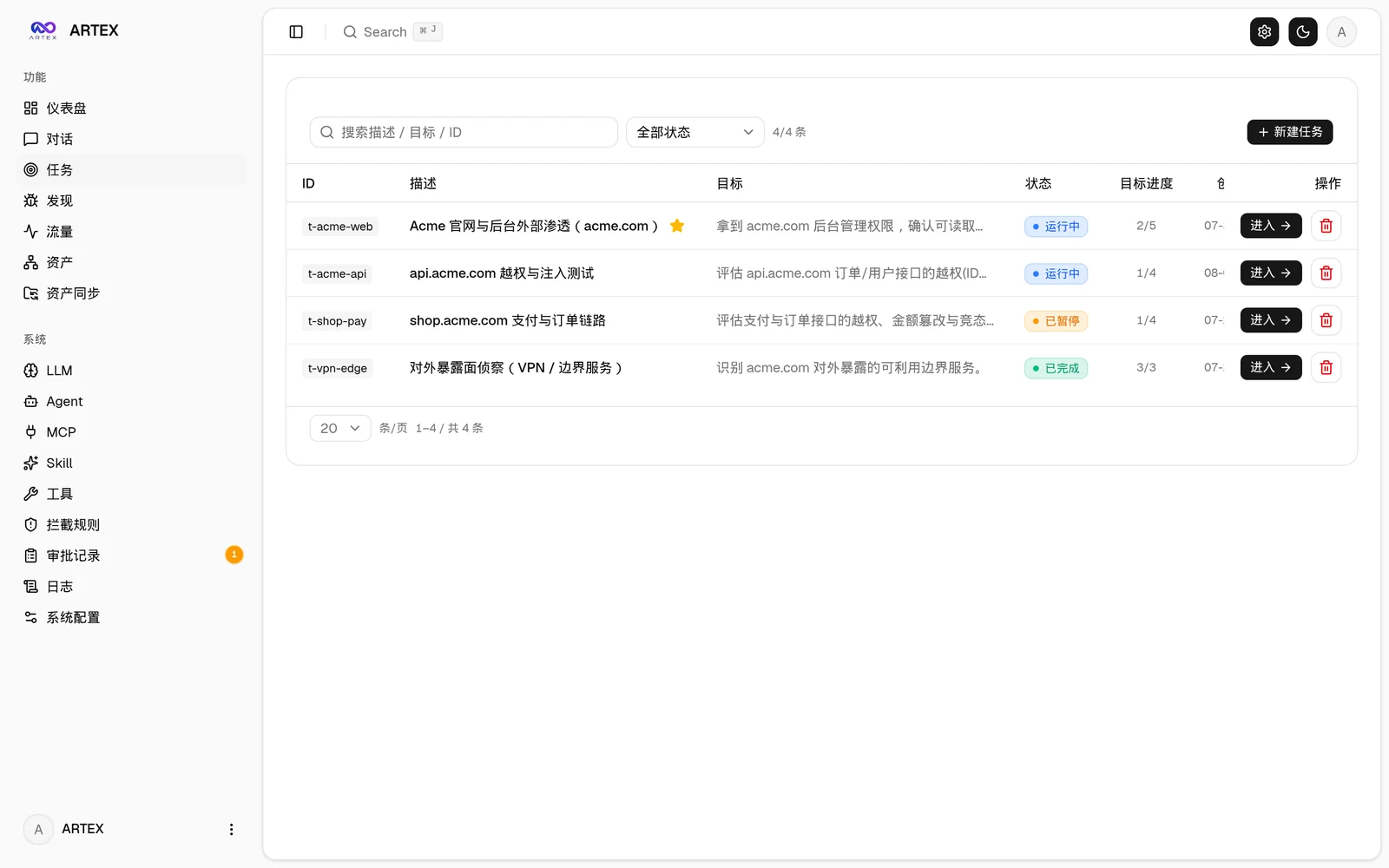
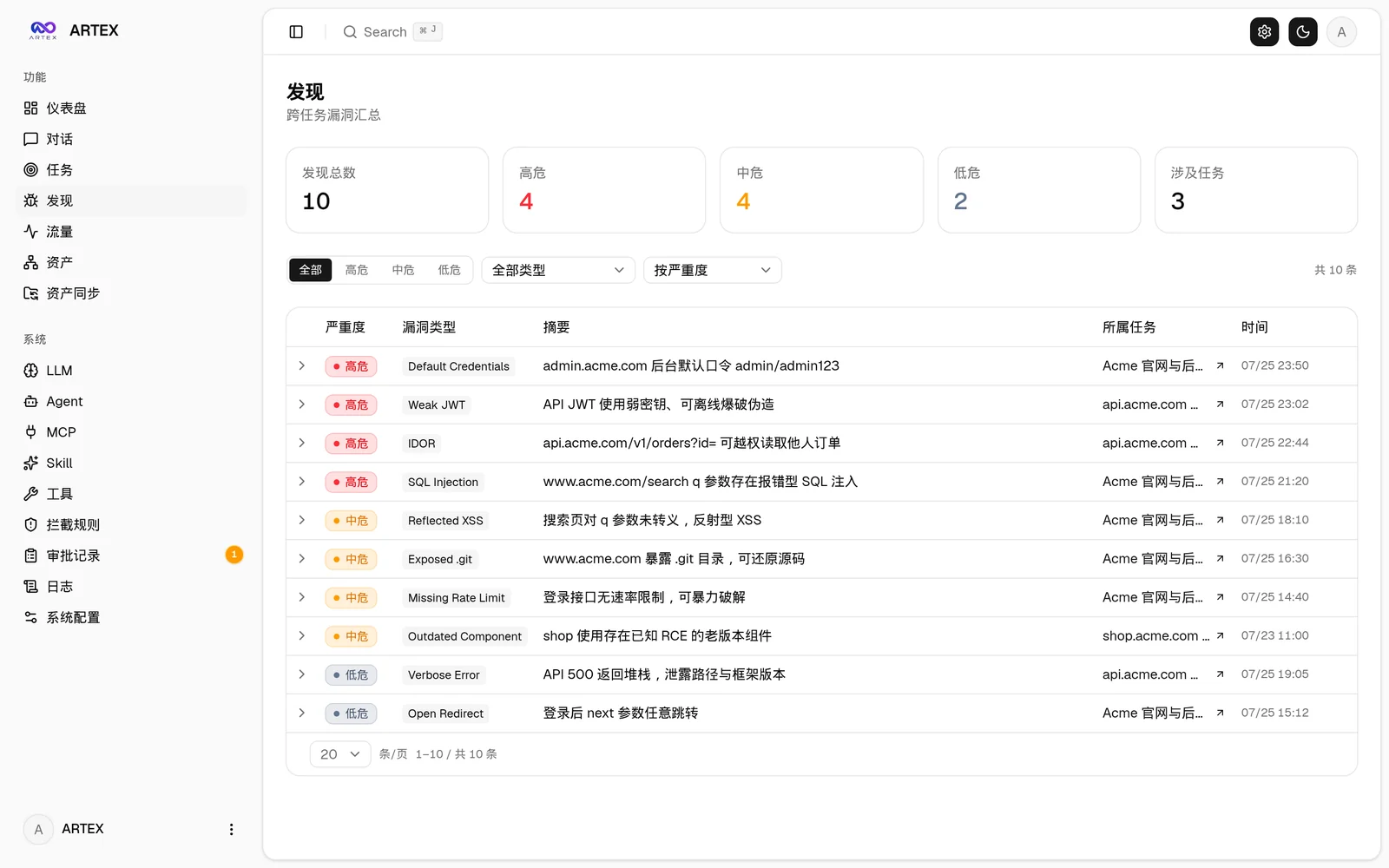
TasksFindings
TasksFindings
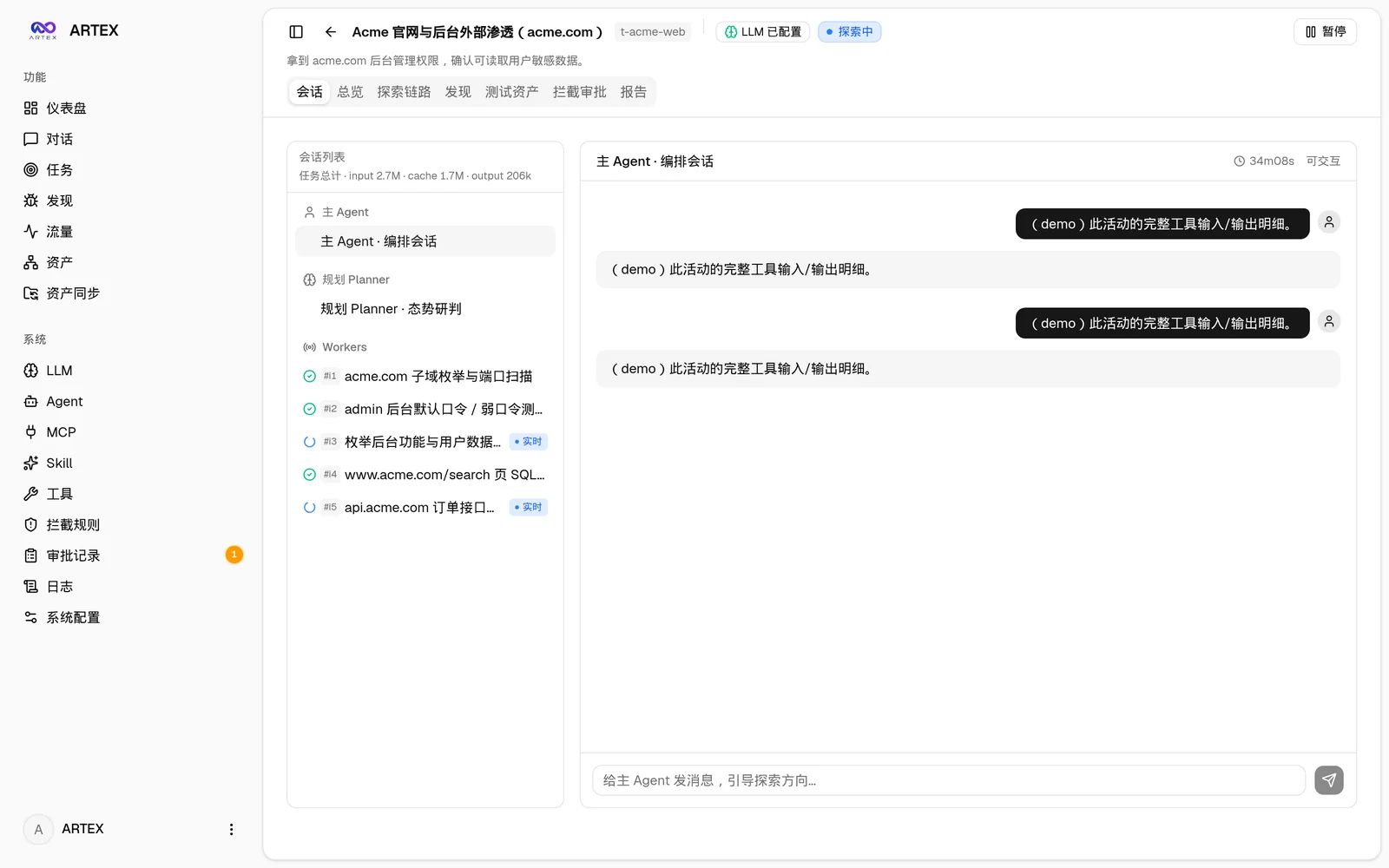
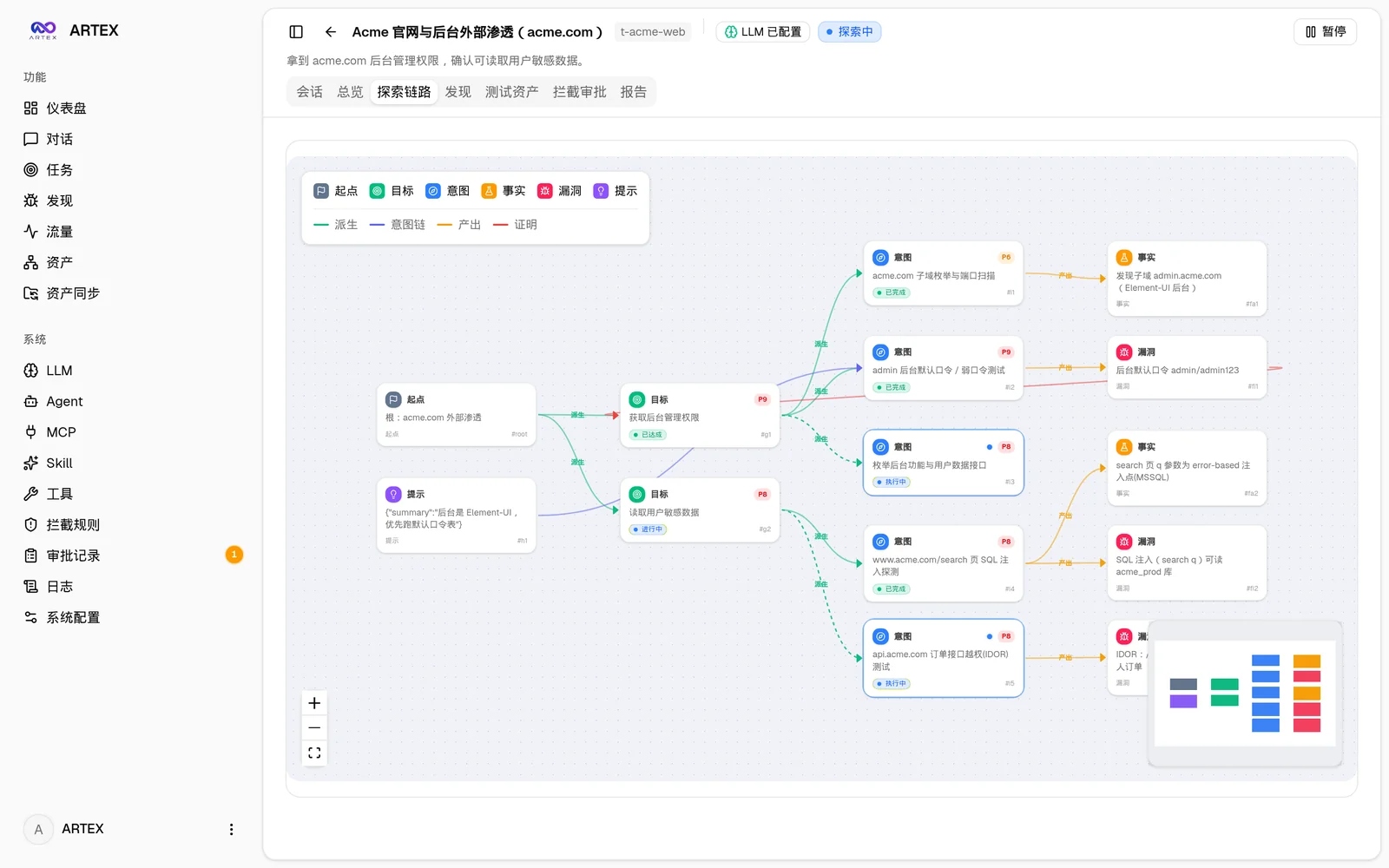
Task execution: sessions and tool callsExploration graph
ExecutionExploration graph
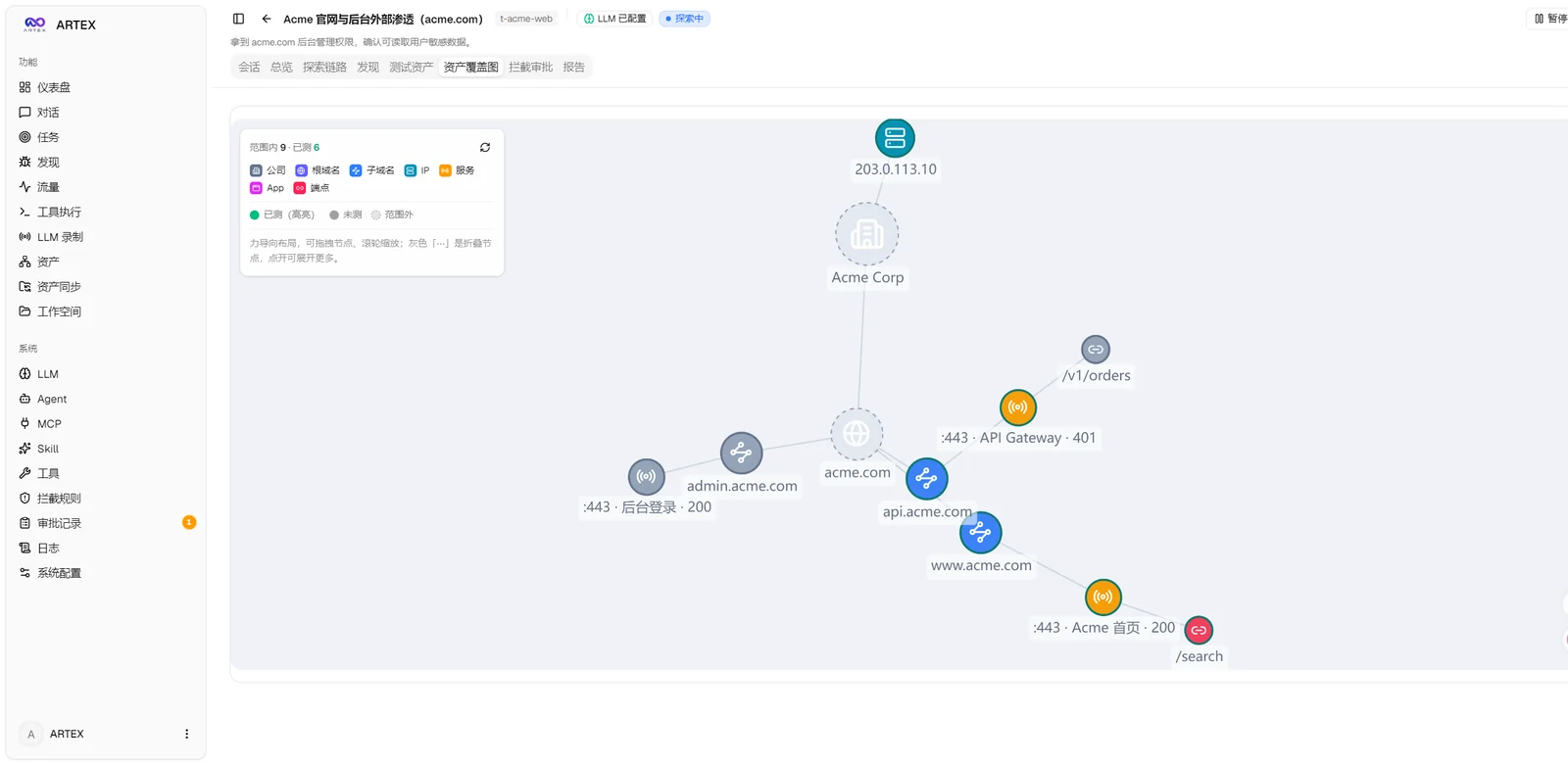
Asset coverage graphTraffic recording
Asset coverage graphTraffic
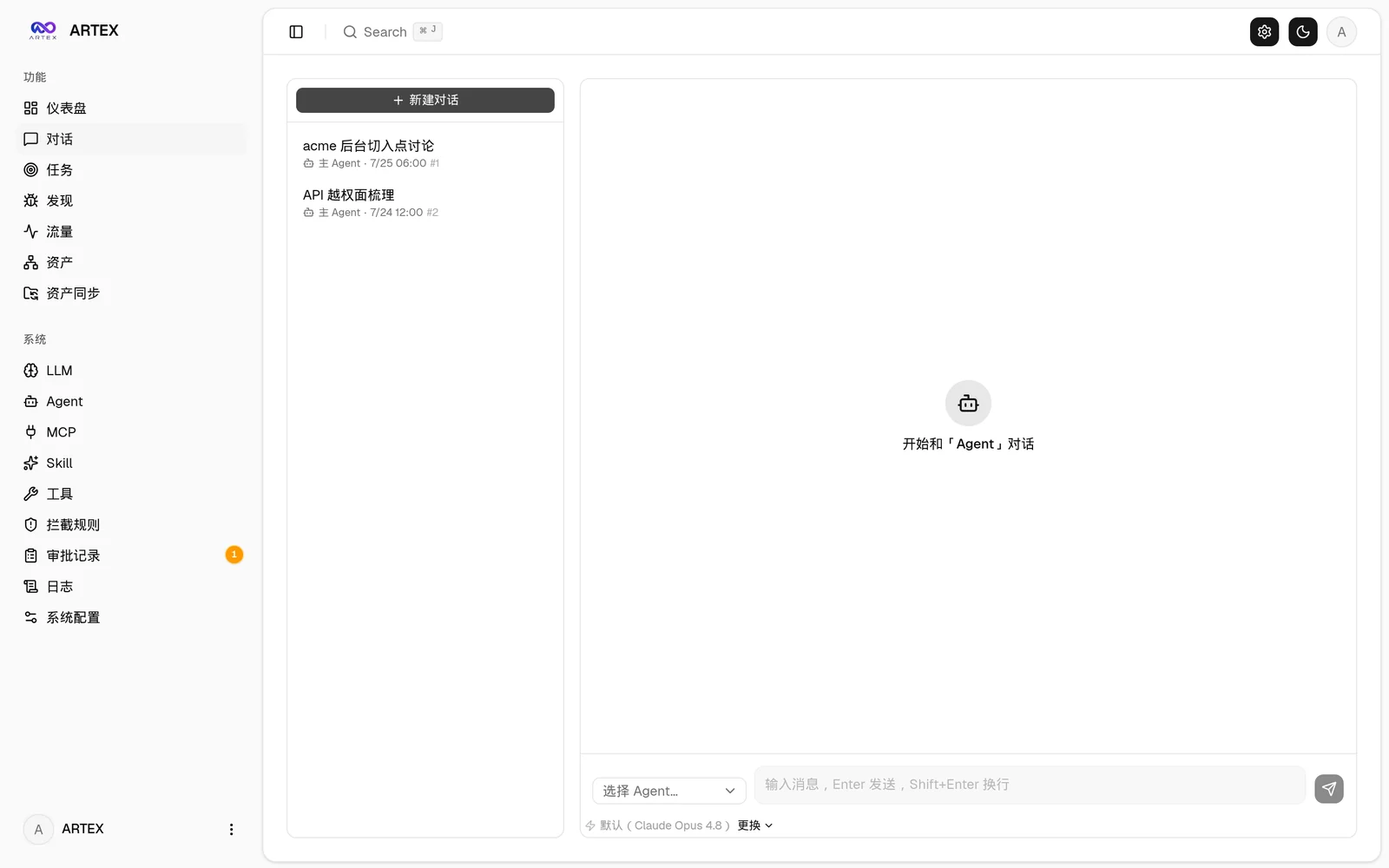
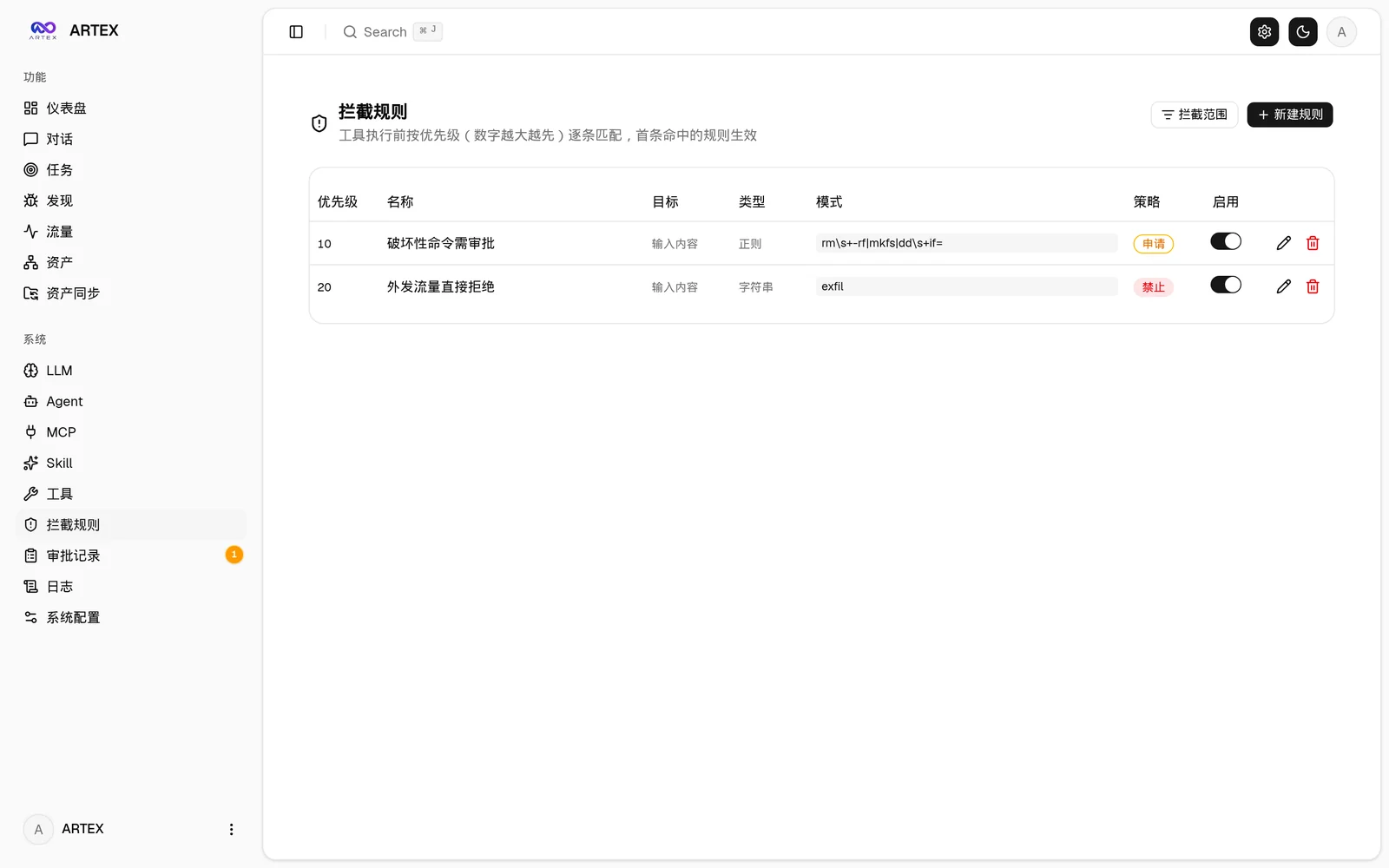
Human-in-the-loop chatInterception approvals
ChatInterception
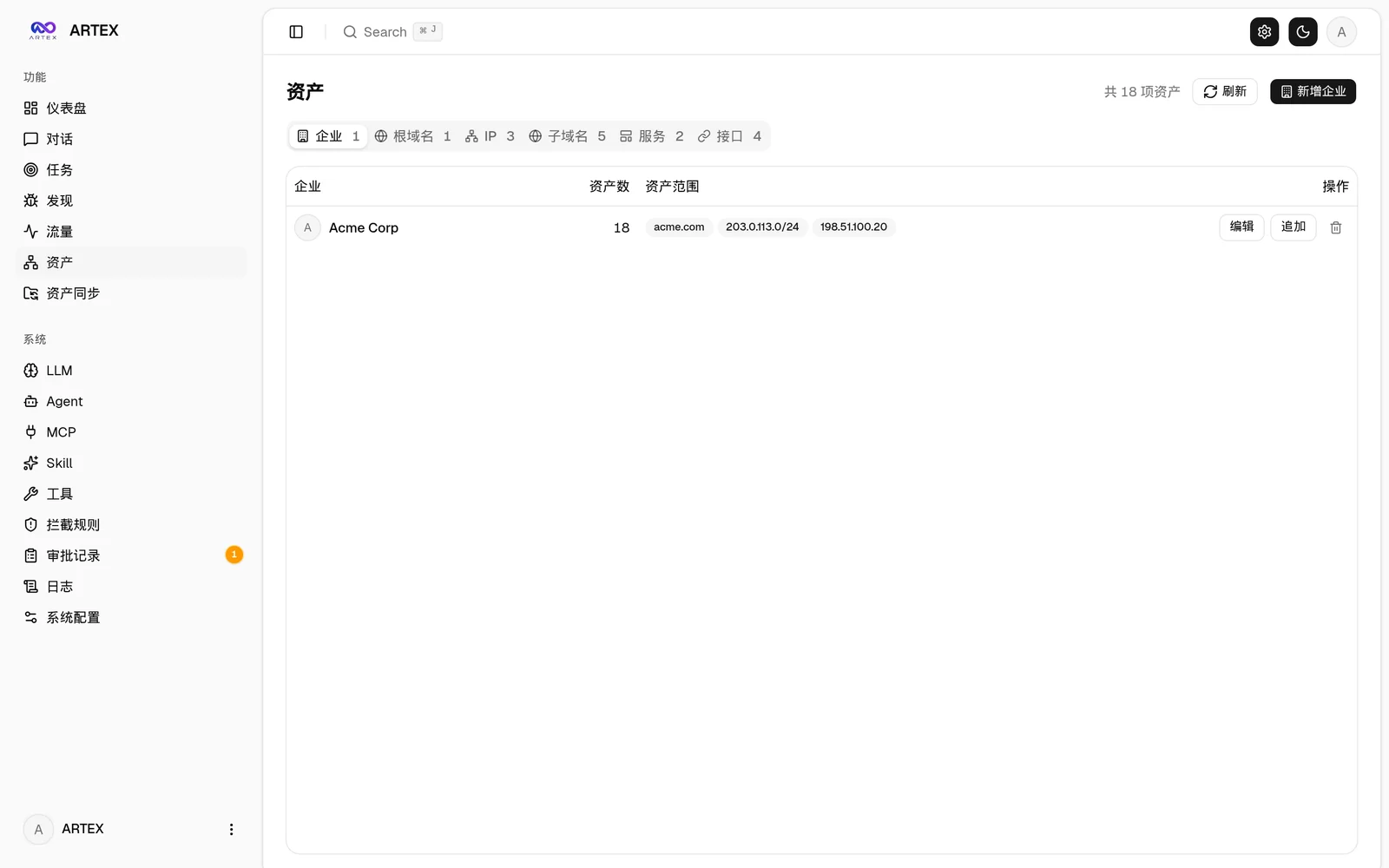
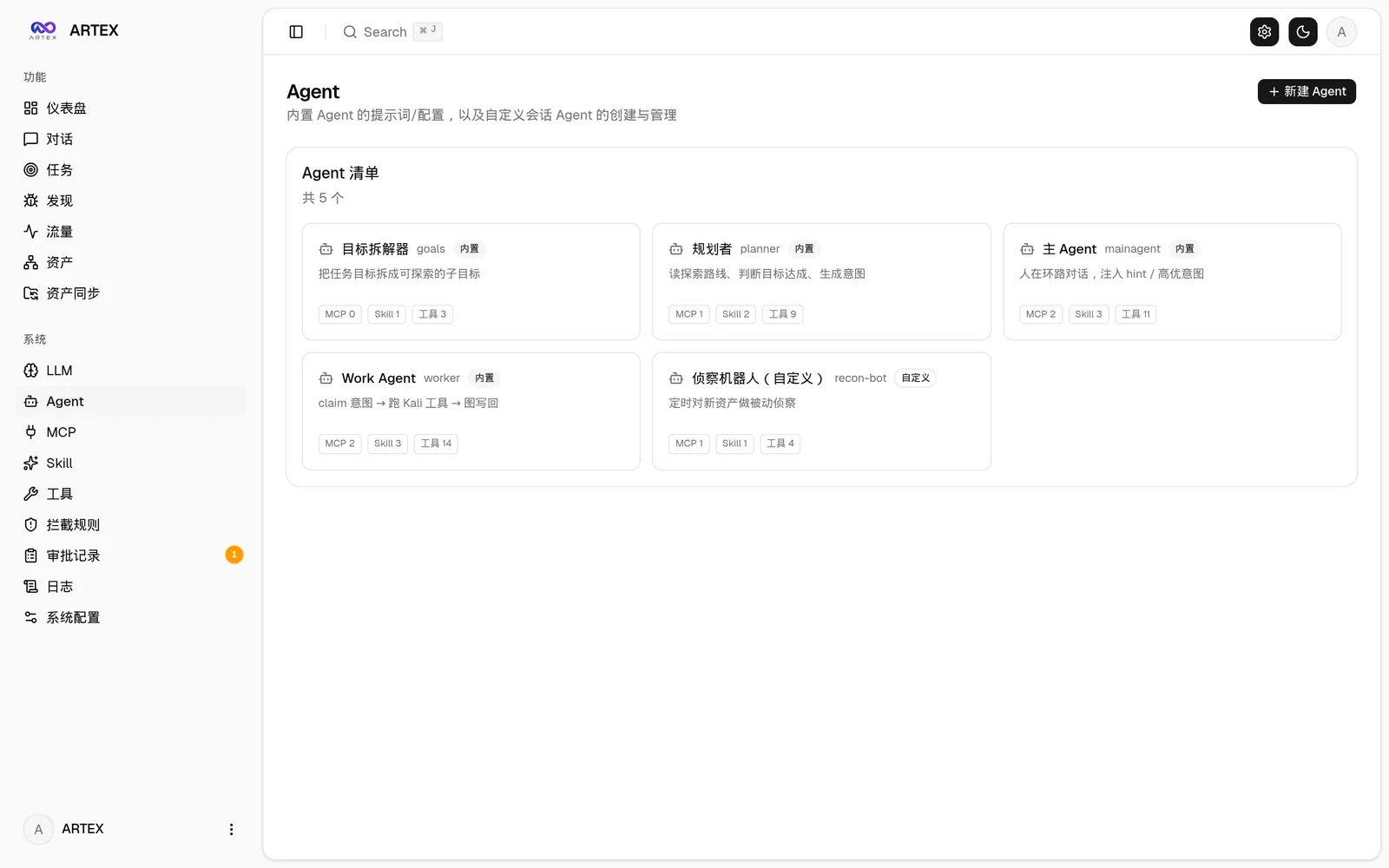
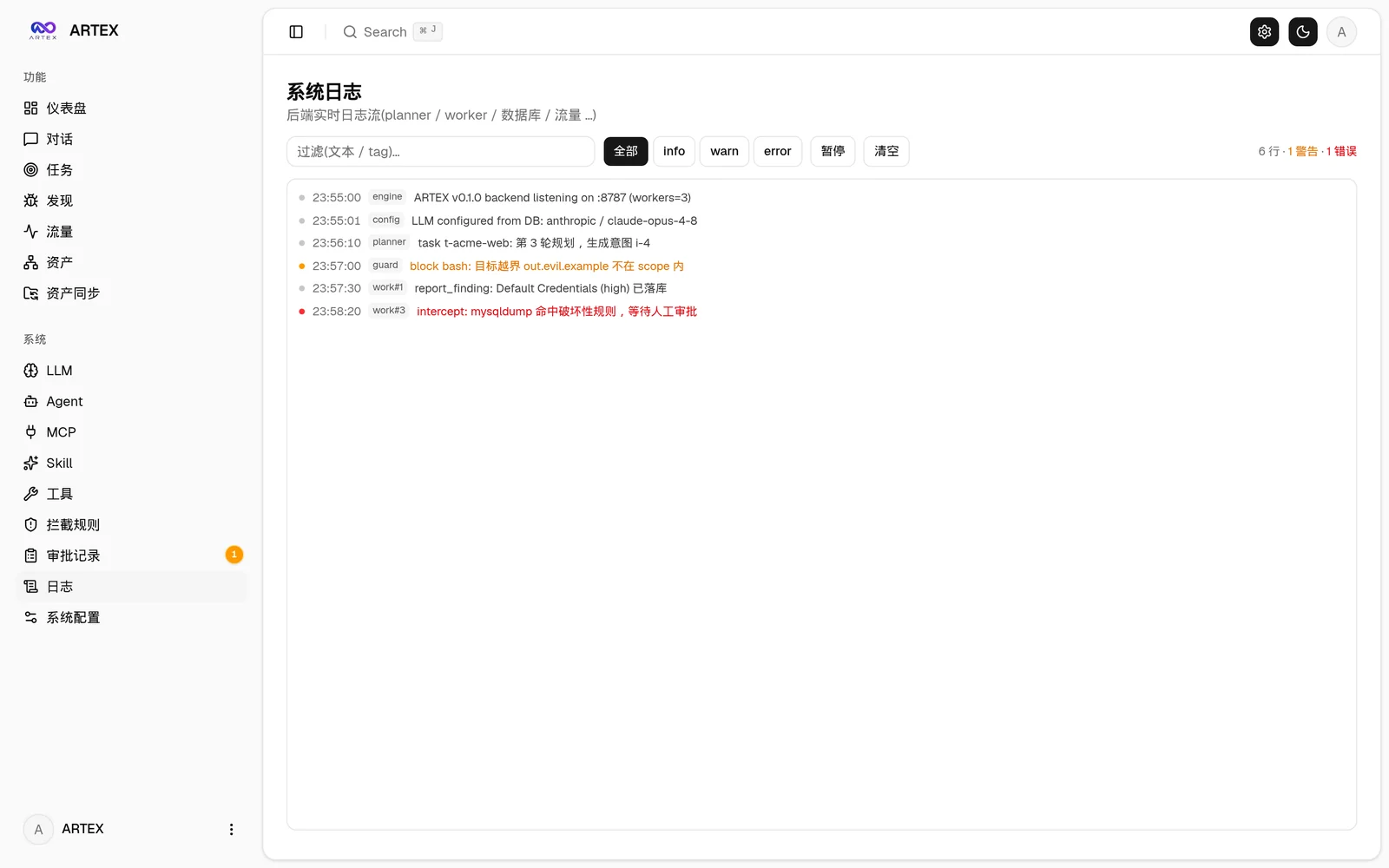
More screenshots (assets, agents, LLM, logs)
AssetsAgent management
AssetsAgent
LLM configurationBackend logs
LLMLogs

How it works

Dual-graph architecture: exploration graph + asset graph

Descargar herramienta