 wagga40/zircolite
A standalone SIGMA-based detection tool for EVTX, Auditd and Sysmon for Linux logs


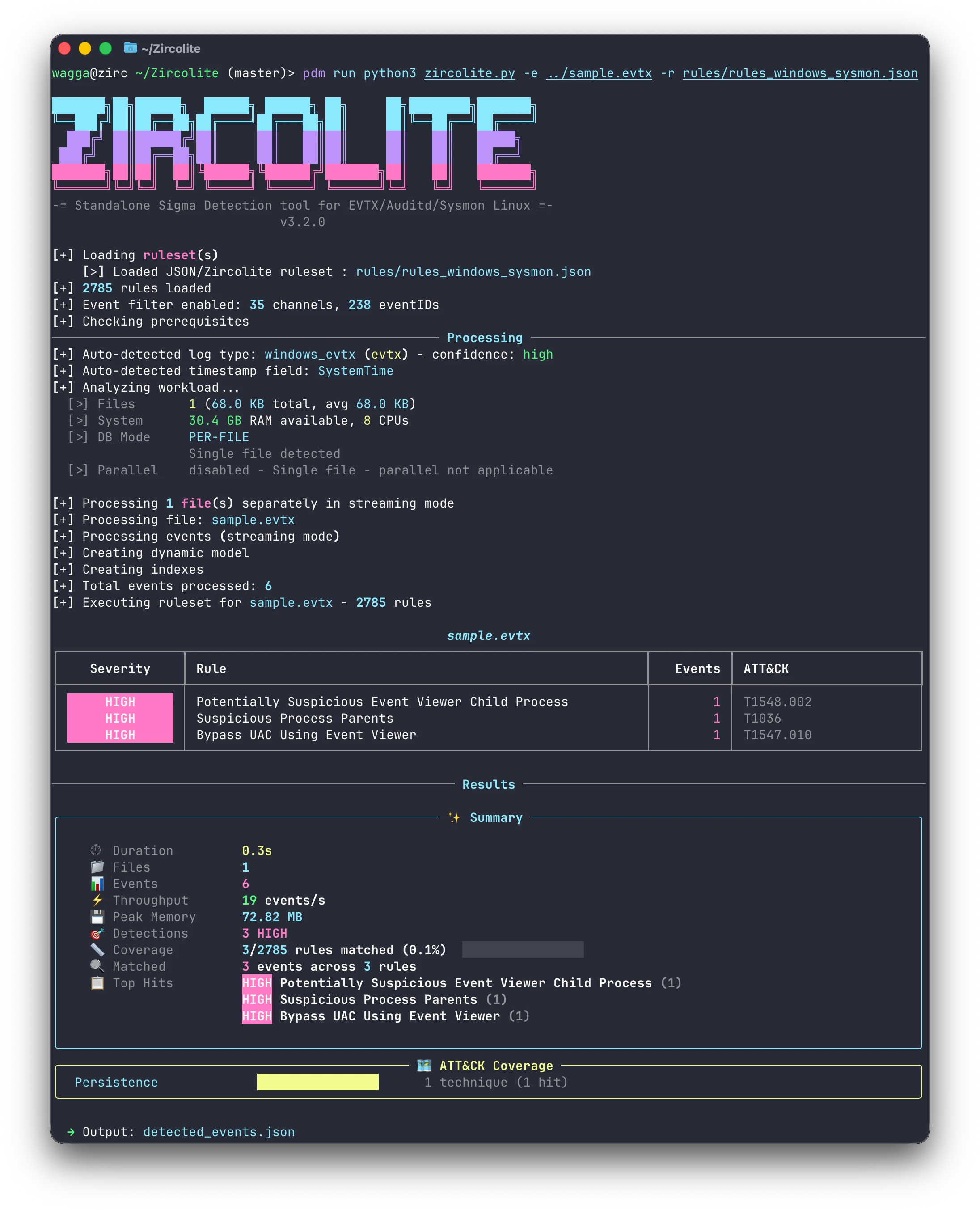
Zircolite runs Sigma rules over your logs. It flattens events into SQLite, turns each rule into an SQL query and reports what matches, offline, in one command.
rules/. Correlation rules included.--timeline).📖 Read the documentation, also in docs/.
Standalone binary, nothing to install: download the zip for your platform from the releases (Linux x64 and ARM64, macOS Apple silicon, Windows x64 and ARM64).
Docker:
docker pull wagga40/zircolite:latest
From source with PDM, Python 3.11 to 3.14:
git clone https://github.com/wagga40/Zircolite.git
cd Zircolite
pdm use -f 3.14
pdm install
pdm use keeps PDM away from Python 3.15 and free-threaded builds, which are
not supported yet; any of 3.11 to 3.13 works as well. With
uv:
git clone https://github.com/wagga40/Zircolite.git
cd Zircolite
uv sync --python 3.14+gil
Source installs compile a native flattening kernel and need a C compiler for it; without one they fall back to a slower Python kernel. See Installation for compiler packages, binary details (macOS quarantine, checksums) and Docker permissions.
# Windows logs, with the default ruleset (rules/rules_windows_merged.json)
python3 zircolite.py --events sysmon.evtx

# Linux logs: the format is detected
python3 zircolite.py --events auditd.log --ruleset rules/rules_linux.json

# Native Sigma rules, through pySigma pipelines
python3 zircolite.py --events logs/ --ruleset ./sigma/rules/windows/process_creation \
    --pipeline sysmon --pipeline windows-logsources

# Every event and detection, for the Zircolite Viewer
python3 zircolite.py --events logs/ --package

# The detections as a timeline, for Timeline Explorer or a spreadsheet
python3 zircolite.py --events logs/ --timeline
With a binary, run ./Zircolite instead of python3 zircolite.py. From source, prefix the
command with pdm run (or uv run) unless the environment is active. With
Docker, mount the logs and give absolute paths:
docker run --rm --tty -v $PWD:/case/input:ro -v $PWD:/case/output \
    wagga40/zircolite:latest --events /case/input -o /case/output/detected_events.json
On a Linux host, add --user "$(id -u):$(id -g)" and -l /case/output/zircolite.log: the
image runs as an unprivileged user that cannot write to a directory you own.
Detections go to detected_events.json. For logs to try it on, see
EVTX-ATTACK-SAMPLES.
[!IMPORTANT] The default rulesets can contain noisy or slow rules. Select rules for your environment, and update them with
python3 zircolite.py -U.
Zircolite flattens each event into a row of an SQLite table, converts every Sigma rule into an SQL query over that table, and reports the rows that match.


--package writes one zip holding every event of the run, with the detections and
correlation alerts linked to them. Extract it and open index.html: the viewer runs offline
and offers an overview, the detections, a searchable event table, a timeline, the ATT&CK
matrix, entities, process trees and an SQL console. Share a package as you would the logs it
came from. See Zircolite Viewer.
Median wall time on a 10-core Apple M1 Max, each tool at its defaults with its own rules:
| Tool | 4 Sysmon EVTX, 478 MB | 8 EVTX over 11 channels, 13.3 GB |
|---|---|---|
| Zircolite | 7.7 s | 30.2 s |
| Hayabusa 4.2.0 | 23.3 s | 500.3 s |
| Chainsaw 2.17.1 | 48.3 s | 183.0 s |
Zircolite uses more memory than the others, through its parallel workers (--no-parallel
turns them off), and the rule sets differ, so detection counts do not compare. See
Benchmark for memory, setup and how to reproduce it.
Tutorials, written for earlier versions:
References:

