 g4bri-3l3/idwolf
Read-only Active Directory & Microsoft Entra ID hygiene auditor in pure PowerShell. Collect once, analyze offline: deterministic findings, attack paths, NIS2/ISO 27001/DORA/GDPR mapping, HTML/CSV/JSONL reports, optional AI analysis

                     .
                    / V\
                  / `  /
                 <<   |                IDWolf
                 /    |                Active Directory / Entra hygiene
               /      |
             /        |
           /    \  \ /
          (      ) | |
  ________|   _/_  | |
<__________\______)\__)

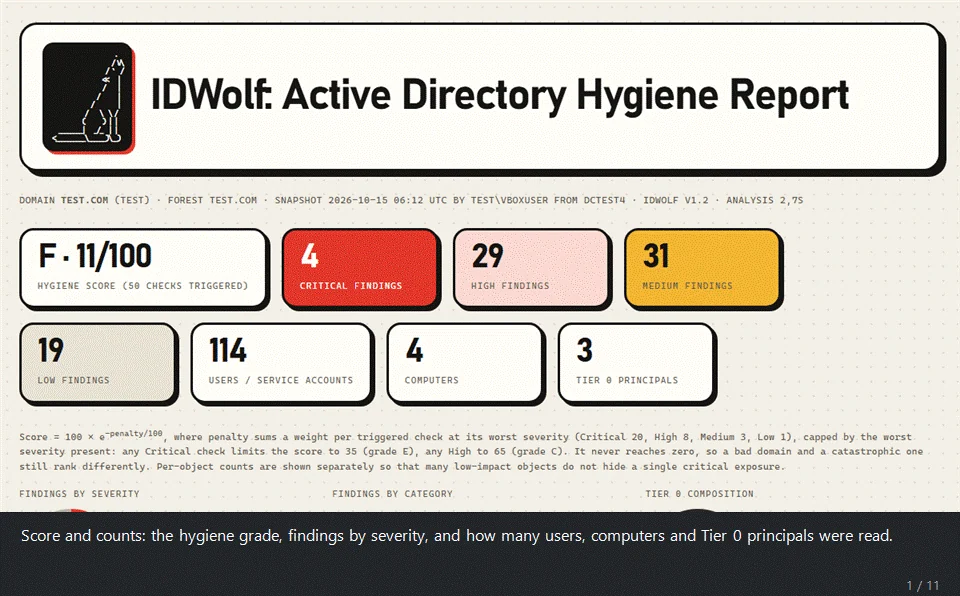
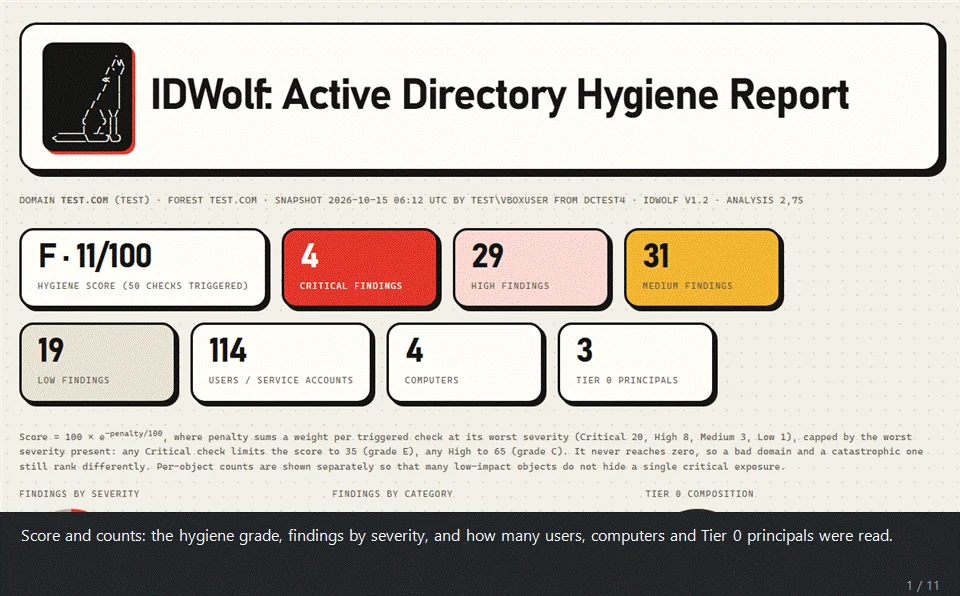
A real report from a throw-away lab domain: the score, the charts, the AI summary with its verdict on chaining the findings into domain compromise, the attack vectors seen in recent attacks, the attack-path map, the Tier 0 members and the findings.
IDWolf is tested on a real Active Directory lab, not only on synthetic data: a
domain populated with Vulnerable-AD
and with the project's own scripts in tests/lab/, which plant ACL chains,
delegation and other misconfigurations.
IDWolf is a hygiene audit for Active Directory and Microsoft Entra ID, written in plain PowerShell. It takes a read-only snapshot of your directory using nothing but the native ActiveDirectory module, then analyzes that snapshot offline and gives you an HTML report, a findings CSV and, if you want, JSON Lines for your SIEM.
On the AD side it runs 169 checks: Kerberos, privileged access, account hygiene, domain configuration, permissions, DNS, AD CS (ESC1-5, 9, 10, 13, 15), operational health (replication, DHCP, backups), host hardening read from the GPOs (SMB and LDAP signing, NTLM, LM hash, user rights) and password quality, all without ever handling a password hash. A separate collector covers Microsoft Entra ID with 90 checks, mapped to the CIS Microsoft 365 benchmark.
If you like, a Gemini step can write an executive summary and a remediation plan. The findings themselves are always computed on your machine, and every directory name is replaced by a token before anything is sent.
The report is one self-contained HTML file, built to be read by the people who have to act on it, not only by the person who ran the audit. A dashboard tab has a score and a grade, an attack-path map and a trust map drawn as SVG, the Tier 0 members, NIS2 / ISO 27001 / DORA / GDPR cards, categories, top risks and charts; a details tab has every finding with its fix. No external libraries, no CDN, nothing loaded from the internet: it opens offline and can be mailed as it is.
GitHub shows HTML files as plain text, so download the samples and open them in a browser:
examples/lab_report.html is the report in the GIF. It comes from the lab
domain (populated with Vulnerable-AD and the tests/lab/ scripts) and
includes the optional Gemini summary.examples/demo_report.html is built on a fictional domain, with
a deep collection and password quality. Its findings CSV and JSON Lines sit
next to it.examples/entra_report.html is the fictional Entra tenant.| Script | Runs on | Needs | Produces |
|---|---|---|---|
Start-IDWolf.ps1 (or Start-IDWolf.cmd) | anywhere | nothing | a menu for everything below |
Collect-ADSnapshot.ps1 | a domain-joined machine | ActiveDirectory module (RSAT), a domain account | AD snapshot JSON |
Collect-EntraSnapshot.ps1 | any machine | Microsoft Graph SDK, Global Reader | Entra snapshot JSON |
Export-PasswordQuality.ps1 | any machine that can reach the PDC (trusted admin host or DC), or an offline NTDS.dit | DSInternals, DCSync rights | password-quality JSON (no hashes) |
IDWolf.ps1 | anywhere | nothing | HTML + CSV + JSONL report |
Export-BloodHound.ps1 | anywhere | nothing | BloodHound CE zip (beta) |
Invoke-IDWolfScheduled.ps1 | a scheduled task | as the collector | collect + analyze with no prompts, a SIEM feed |
You don't have to tell IDWolf.ps1 whether a snapshot is AD or Entra. It
works that out by itself.
| Area | Checks | What's in it |
|---|---|---|
| Kerberos | 14 | Kerberoasting, AS-REP roasting, RC4/DES, delegation (unconstrained, constrained, RBCD, orphan targets open to SPN-jacking), krbtgt age, Protected Users |
| Privileged access | 18 | Tier 0 membership by SID through nesting and primary group, dormant / foreign / computer admins, operator groups, DnsAdmins, RID 500, silos, GPOs making everyone local admin, RODC password replication policy and Tier 0 credentials cached on RODCs |
| Account hygiene | 19 | inactive and never-used accounts, passwords not required / never expiring / in descriptions, sIDHistory, LAPS deployment and rotation, obsolete OS |
| Domain configuration | 28 | password policies and FGPPs, functional level, Recycle Bin, anonymous LDAP, trusts, DNS zones and WPAD records, DC hygiene |
| Permissions | 17 | DCSync rights, dangerous ACEs on Tier 0 (or anywhere with -Deep: including write access to logon script, profile path, certificate mapping, account flags and account restrictions, the RBCD attribute), owners, DirSync readers of confidential attributes (SyncLAPSPassword), GPP passwords, script secrets, gMSA and LAPS readers, Shadow Credentials, dMSA creation rights (BadSuccessor), write access to the SCCM System Management container, GPO takeover, GPO scripts and tasks run from shares |
| Certificate services | 19 | ESC1-5, 9, 10, 13, 15, 17 (WSUS over HTTPS), weak CA keys, expiring CAs; ESC6, 7, 8, 11 and 16 read on the CA itself (admin rights on the CA host), with a manual-look note for any CA that could not be read |
| Host hardening (GPO) | 40 | SMB/LDAP signing and channel binding, NTLM/LM, WDigest, LSA protection, audit policy, logging, ZeroLogon, LLMNR, mDNS, NBT-NS (live on DCs), null sessions, Spooler, WebClient (GPO and live on DCs), noPac patch level and coercion interfaces (live on DCs), Point and Print (PrintNightmare), cached logons, AlwaysInstallElevated, autologon passwords in GPOs, WSUS over HTTP, RDP (NLA, Restricted Admin), Credential Guard, application control, IPv6 / mitm6, WPAD auto-discovery, Windows Script Host, force logoff |
| Password quality | 5 | duplicate, empty, default, breached and reversible passwords, without ever handling a hash |
| Operational health | 9 | replication, backups, DHCP on a DC, FSMO holders, unreachable DCs, clock skew between DCs, disk space and stopped services on DCs |
| Entra ID | 90 | MFA (registration, strength, Authenticator settings), Conditional Access (legacy auth, device code, risk, managed devices, locations, token protection, session limits), PIM (standing access, approval, activation and assignment settings, PIM for Groups owners), admins (cloud-only, licences, inactive, emergency access), devices (join, local admins, LAPS, BitLocker), guests, apps (consent, permissions, credential policy), password settings, risky app consents, app owners, groups behind Conditional Access exclusions and admin roles, the Entra Connect app, look-alike app names, credentials on Microsoft apps, sync health, federation, B2B direct connect, access packages and the roles on their catalogs, apps still on the retired Azure AD Graph, workload identity Conditional Access, Intune roles that can run code on devices and Multi Admin Approval for device wipes and scripts (not yet verified on a real tenant); every CIS Microsoft 365 v7 control that Graph can read |
The full list of checks is further down. How they map to CIS, PingCastle, the
InfosecMatter Top 16 and common attack techniques is in COVERAGE.md.
