
Skip to content
KitploitKITPLOIT
ToolsExploitsBlog
Log in
Submit
ToolsExploitsBlog
Submit

Hacking, PenTest, and Cybersecurity Tools for Your Security Arsenal!

Kitploit is a directory of hacking, cybersecurity, and pentesting tools. Discover the latest project updates to find vulnerabilities, analyze systems, automate testing, and strengthen your security.

FeedsContactPrivacy© 2026 Kitploit

Tool Directory

Categories

View all categories
Loading categories
HostBadger — Windows host hardening auditor and remediation tool in PowerShell: CIS, DISA STIG, Essential Eight checks, reversible fixes, optional AI analysis | Kitploit
Tools/GitHubGitHub/g4bri-3l3/hostbadger
Defensive ToolsPrivilege EscalationVulnerability ScannersVulnerability AnalysisConfiguration AuditingPapers & ResearchMisconfigurationIncident ResponseLog Analysis
GitHubg4bri-3l3/hostbadger

HostBadger

2741085 days agoReviewed by Kitploit
Share

Windows host hardening auditor and remediation tool in PowerShell: CIS, DISA STIG, Essential Eight checks, reversible fixes, optional AI analysis

View Repository
     _.--""--._
   .'  |    |  '.
  /    |    |    \      HostBadger
 |  (o)|    |(o)  |     Windows host hardening
 |     |    |     |
  \    '.__.'    /
   '._   \/   _.'
      '--..--'

License: MIT OpenSSF Baseline

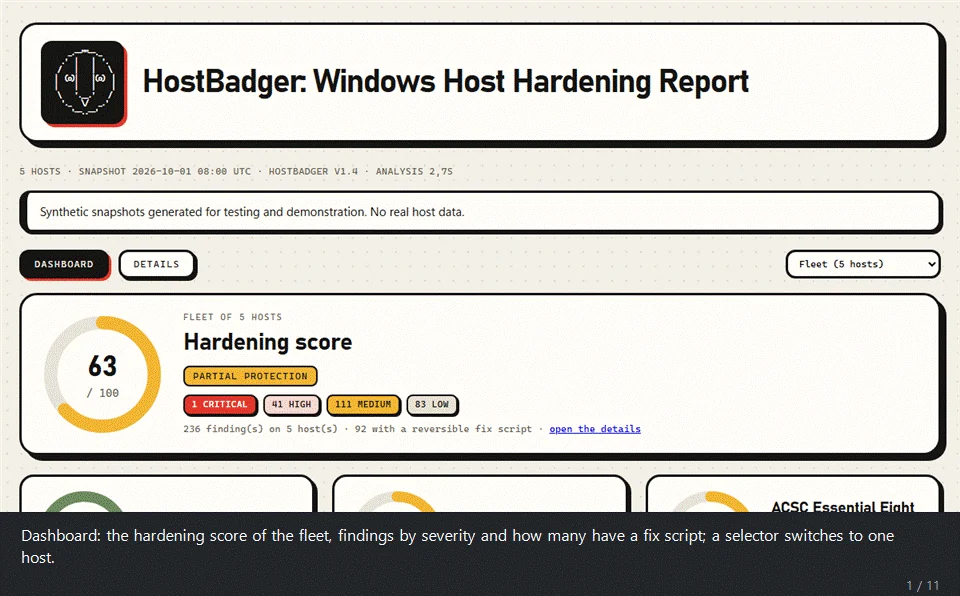
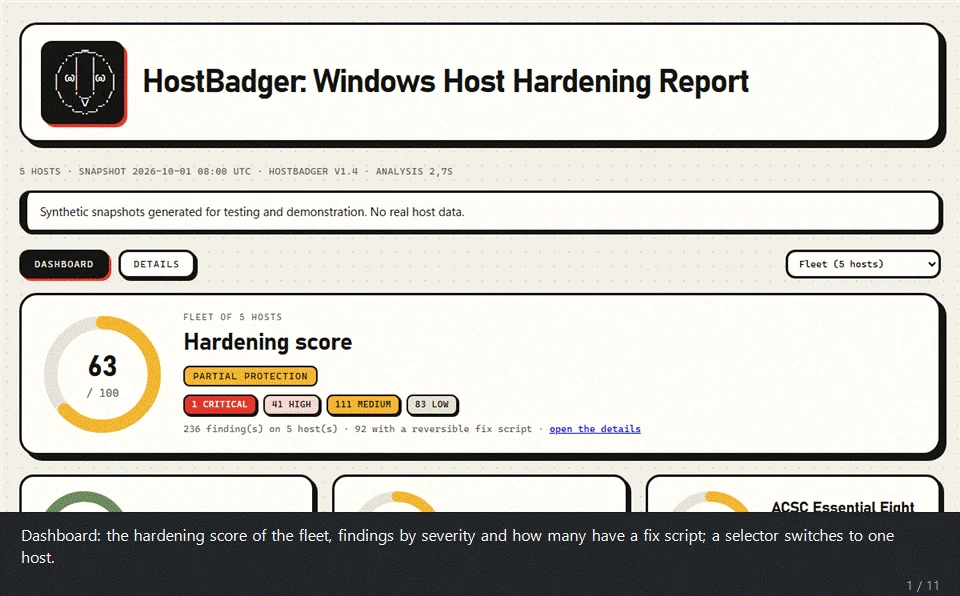
A tour of the demo report

Summary

HostBadger audits the security settings of Windows machines and tells you what is weak. It works in two steps. A single PowerShell script takes a read-only snapshot of a host. The analyzer then reads the snapshots offline and writes an HTML report, a findings CSV and, if you want it, JSON Lines for a SIEM. Hand it one snapshot or a folder with hundreds and you get the whole fleet in one report, or one report per host.

  • 223 checks and about 1,600 settings: 210 hand-written checks plus 1475 DISA STIG registry rules, with the CIS Windows 11 benchmark as the baseline, and the drivers matched against 2,198 known vulnerable or malicious driver files (LOLDrivers).
  • Collect anywhere, analyze anywhere: the collector is one .ps1 file, with no module and no prompt, that runs as SYSTEM or as an administrator through any tool that can run a PowerShell script on your hosts (an EDR's live response such as CrowdStrike Falcon RTR, an RMM, Configuration Manager or Intune scripts, a Group Policy startup script, PowerShell remoting) and takes about 15 seconds per host.
  • Read only: it changes nothing and starts nothing, and it makes no network call unless you ask for one: -CheckUpdates (the Windows Update service searches for missing updates), -KevOnline (downloads the CISA KEV catalog, www.cisa.gov), -DriversOnline (downloads the LOLDrivers catalog, www.loldrivers.io), -EolOnline (downloads software lifecycle data, endoflife.date), -ChocoOnline (downloads program versions, community.chocolatey.org), -CveOnline (downloads CVEs and EPSS scores, services.nvd.nist.gov and epss.empiricalsecurity.com), -ExtensionsOnline (downloads the list of browser extensions removed from the stores, raw.githubusercontent.com), -ExploitsOnline (downloads the Metasploit and Exploit-DB references, raw.githubusercontent.com and gitlab.com) and -SendToAI (Gemini). Each one is named where it is offered. Test-HostBadgerSafety.ps1 proves the rest from the code.
  • Honest about gaps: what could not be read is listed as not evaluated, never as clean.
  • Nothing to install: Windows PowerShell 5.1 or PowerShell 7.
  • Windows 10, Windows 11 and Windows Server: every host gets the general checks and the STIGs of Defender, Firewall, Edge, Chrome, Firefox and Office (when installed); a Windows 10 host also gets the Windows 10 STIG and a Windows 11 host the Windows 11 STIG. The CIS rule numbers are those of the host's own benchmark: Windows 11, Windows 10, Windows Server 2022, 2019 or 2016 (other versions keep the Windows 11 numbers). A Windows Server 2016, 2019, 2022 or 2025 host gets its own STIG, the domain controller or the member server rules by role (other server versions get no Windows STIG); its user rights are judged against the member server or domain controller list of the CIS Server benchmark.

It reads what a host actually does, which is not always what policy says it should.

Features

Security areas

Download Tool

Most Popular

View all →

Discover the most used tools by our community.

  • 1

    OsintHunter

    letox4/osinthunter

    🎯 The ultimate OSINT toolkit: investigation graph, confidence scoring, alias families, map, timeline and reports. 49 modules, 400+ sites, no API keys required.

    795
  • 2

    ghostlock-app

    yukonga/ghostlock-app

    GhostLock One-Tap Execution App (CVE-2026-43499)

    520
  • 3

    ARTEX

    baarai/artex

    LLM multi-agent autonomous penetration testing platform with planner/worker agents, asset and exploration graphs, MITM traffic recording, and vulnerability retesting.

    439
  • 4

    redforge

    cybersecurity91/redforge

    Browser-side red team toolkit with 102 offline tools for recon, payload generation, credential attacks, crypto, encoding and engagement reporting.

    346
  • 5

    looking-glass

    anonghosty/looking-glass

    CSIRT platform that ingests Shadowserver reports into MongoDB and replays them as interactive maps, analysis, findings, advisories and executive dashboards.

    267
  • 6

    CyberStrikeAI

    ed1s0nz/cyberstrikeai

    The system of action for AI-native cybersecurity—where intent becomes governed execution, evidence becomes operational memory, and every operation improves the next.

    264

Explore all tools

Browse our collection of tools

View all tools →






