
Skip to content
KitploitKITPLOIT
ToolsExploitsBlog
Log in
Submit
ToolsExploitsBlog
Submit

Hacking, PenTest, and Cybersecurity Tools for Your Security Arsenal!

Kitploit is a directory of hacking, cybersecurity, and pentesting tools. Discover the latest project updates to find vulnerabilities, analyze systems, automate testing, and strengthen your security.

FeedsContactPrivacy© 2026 Kitploit

Tool Directory

Categories

View all categories
Loading categories
Aegis — Open-source EDR for AI agents. Monitors processes, file access, network activity, and behavioral anomalies in real time with 110 agent signatures and 73 detection rules. Local-only, no telemetry. | Kitploit
Tools/GitHubGitHub/antropos17/aegis
Defensive ToolsNetwork SecurityThreat IntelligenceLearning & EducationIncident ResponseAI SecurityAnomaly Detection
GitHubantropos17/aegis

Aegis

Open-source EDR for AI agents. Monitors processes, file access, network activity, and behavioral anomalies in real time with 110 agent signatures and 73 detection rules. Local-only, no telemetry.


View Repository
142202052 days agoReviewed by Kitploit
Share
Website

AEGIS. Your agents have access. You deserve visibility. A local security dashboard for AI coding agents.

AEGIS — See what your AI agents are doing

Your agents have access. You deserve visibility.

AEGIS puts local AI-agent activity in one desktop dashboard. Follow detected Claude Code, Codex, Cursor and other agent processes, investigate sensitive-file observations and network connections, and review a project or skill before you run it. Open source. Windows first. No subscription for monitoring.

Download the Windows beta →   ·   Explore AEGIS   ·   See the interface

CI status MIT license Windows beta Monitoring data stays local

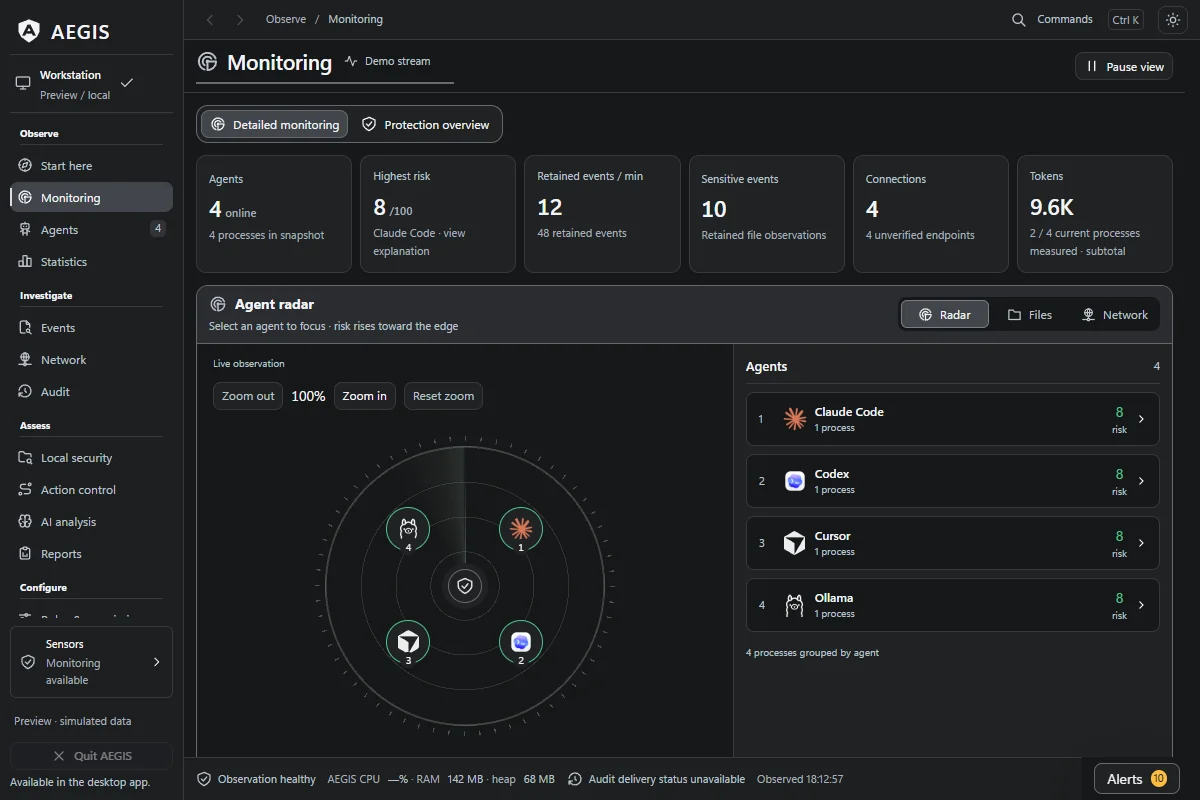
AEGIS Monitoring workspace: agent activity, resource charts and investigation tools

Interface preview with simulated data, captured 11 October 2026. Screenshots and provenance.

From “what just happened?” to something you can inspect

  • Follow the agent behind the activity. Explore detected processes, parent/child trees, file observations and TCP endpoints in one place.
  • Investigate sensitive activity. Open an alert, examine its evidence and attribution, then keep a report for later review.
  • Check a project before the next run. Review a selected project, skill or agent profile for static findings, configuration evidence and changes since a saved snapshot.
  • Understand Claude Code usage. Inspect measured token subtotals from matching local sessions and estimated costs alongside resource charts.
  • Add controls where you choose. Configure explicit action policies and validating MCP gateways for selected routes. Scope and setup.

Monitoring runs without an agent plugin. It observes and records; automatic blocking requires a separately configured supported route. Recognition and attribution can be incomplete. Windows is the primary platform; macOS and Linux remain experimental. Capabilities and limits.

Install · Use AEGIS · FAQ · Roadmap · Documentation · Contribute

Current source version: 0.25.0-beta Each installer contains the features at its release tag. Verify your download · Beta readiness

0.25.0-beta highlights

The Windows beta published on 12 November 2026 (UTC) includes a signed installer manifest and these improvements:

  • Choose from eight interface languages. English, Brazilian Portuguese, Spanish, French, German, Japanese, Simplified Chinese and Russian are available in Settings. The six new catalogs use machine translations with targeted corrections; missing messages fall back to English. Language details.
  • Read translated anomaly notifications. Anomaly toasts now use the interface translation catalog, with English fallback for missing messages.
  • Read captured results in your selected locale. Local security, imported-result and container-capture timestamps follow the selected interface language.

The release retains safer JSON/CSV export replacement, explicit pricing uncertainty, Local security result comparison and the explicitly configured Windows owner-console route. Release notes also list the runtime and development dependency updates.

The readiness record distinguishes release integrity, source checks and the runtime scenarios tested on specific earlier packages.

Start here

For a first desktop session: install a verified beta, open Monitoring while your coding agent runs, then select an agent to inspect its observed activity. For a review before running unfamiliar code, open Local security and select the project folder. No provider API key is needed for these workflows.

Your next stepWhere to go
Explore the interfaceView screenshots without installing, or run the browser preview from source. Both use simulated data.
Use the Windows desktop appChoose a published release and verify its installer, then follow the desktop workflows.
Help improve AEGISFind a contribution by skill, check active PRs for overlap, or ask a question.

What AEGIS does

AreaCoverage
Processes112 agents (265 process-name signatures), process trees, IDE-host and extension detection; Windows primary, macOS/Linux experimental
FilesChanges in configured sensitive directories and agent config paths; Windows open-handle and Restart Manager observations
NetworkTCP endpoints for detected agent PIDs, endpoint names and allowlisted / unknown / flagged verdicts
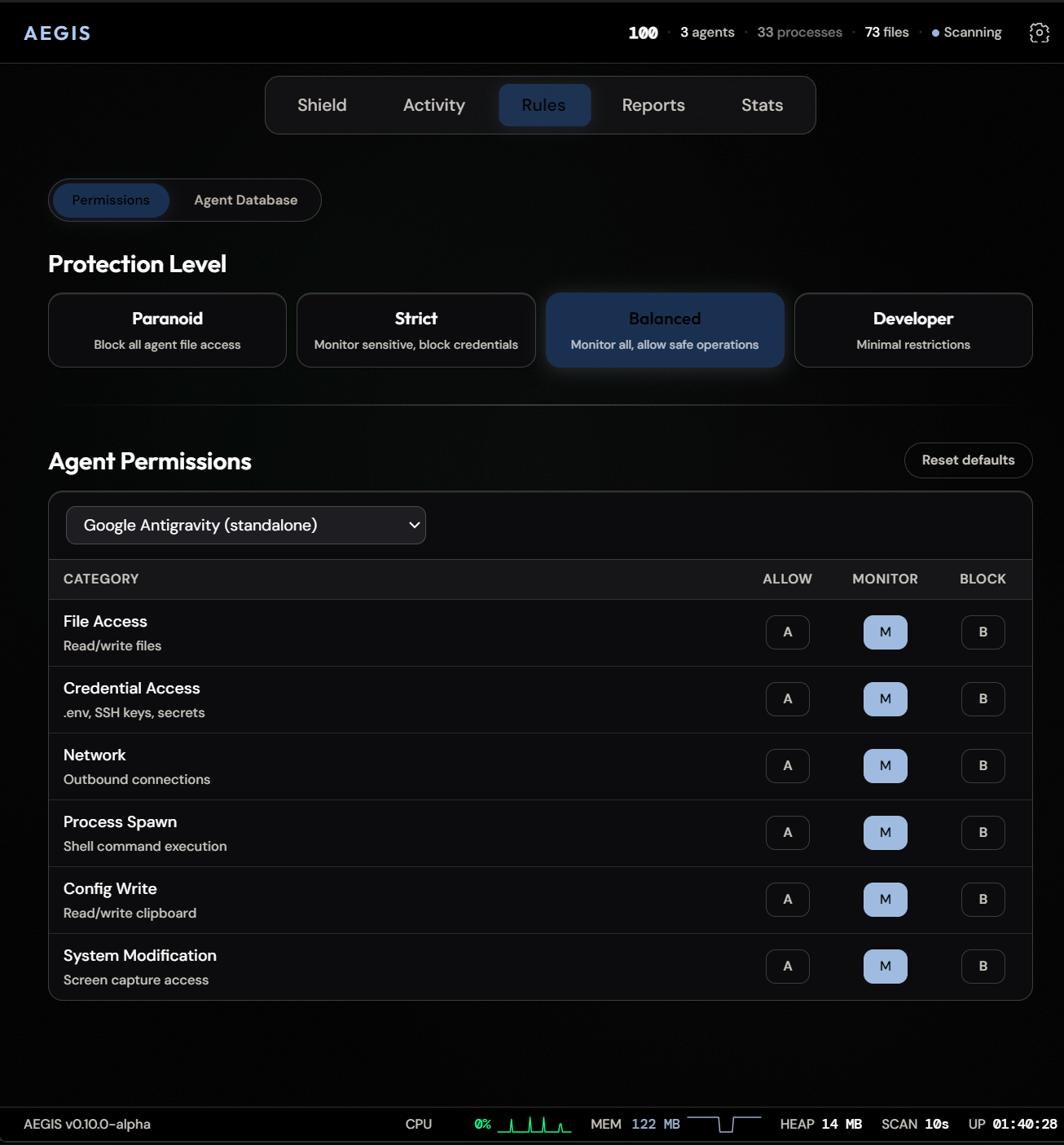
Behavior73 sensitive-path detection rules across 8 categories, rolling 10-session baselines, anomaly scoring and sequence evidence
Resources and usageCPU/RAM charts, local LLM probes, Claude Code token subtotals and estimated costs
Runtime inventoryRunning WSL distribution names and local Docker/Linux-native Podman candidates; explicit freshness, no guest process inspection
Local reviewProject, skill and profile inventory; static findings, saved snapshot comparison and offline report import
InvestigationAgent instances, file/network views, alerts, audit history, statistics and JSON/CSV/HTML/ZIP exports
Download Tool

Most Popular

View all →

Discover the most used tools by our community.

  • 1

    OsintHunter

    letox4/osinthunter

    🎯 The ultimate OSINT toolkit: investigation graph, confidence scoring, alias families, map, timeline and reports. 49 modules, 400+ sites, no API keys required.

    795
  • 2

    ghostlock-app

    yukonga/ghostlock-app

    GhostLock One-Tap Execution App (CVE-2026-43499)

    520
  • 3

    ARTEX

    baarai/artex

    LLM multi-agent autonomous penetration testing platform with planner/worker agents, asset and exploration graphs, MITM traffic recording, and vulnerability retesting.

    439
  • 4

    redforge

    cybersecurity91/redforge

    Browser-side red team toolkit with 102 offline tools for recon, payload generation, credential attacks, crypto, encoding and engagement reporting.

    346
  • 5

    looking-glass

    anonghosty/looking-glass

    CSIRT platform that ingests Shadowserver reports into MongoDB and replays them as interactive maps, analysis, findings, advisories and executive dashboards.

    267
  • 6

    CyberStrikeAI

    ed1s0nz/cyberstrikeai

    The system of action for AI-native cybersecurity—where intent becomes governed execution, evidence becomes operational memory, and every operation improves the next.

    264

Explore all tools

Browse our collection of tools

View all tools →