
Skip to content
KitploitKITPLOIT
ToolsExploitsBlog
Log in
Einreichen
ToolsExploitsBlog
Einreichen

Hacking-, PenTest- und Cybersicherheits-Tools für Ihr Sicherheitsarsenal!

Kitploit ist ein Verzeichnis von Hacking-, Cybersicherheits- und Pentesting-Tools. Entdecken Sie die neuesten Projekt-Updates, um Schwachstellen zu finden, Systeme zu analysieren, Tests zu automatisieren und Ihre Sicherheit zu stärken.

FeedsKontaktDatenschutz© 2026 Kitploit

Tool-Verzeichnis

Kategorien

Alle Kategorien anzeigen
Loading categories
ogi — Open Source Link Analysis & OSINT Framework | Kitploit

Tools/GitHubGitHub/khashashin/ogi
OSINT (Open Source Intelligence)ReconnaissanceInformation GatheringWeb SecuritySocial EngineeringThreat IntelligenceEmail HarvestingLearning & EducationCrawlerDNS Analysis
GitHubkhashashin/ogi

ogi

Open Source Link Analysis & OSINT Framework
Repository anzeigenWebseite
2803748vor 2 TagenVon Kitploit geprüft
Teilen
Inhalt in der angeforderten Sprache nicht verfügbar. Englische Version wird angezeigt.
OGI Mascot

OpenGraph Intel (OGI)

Open-source visual link analysis and OSINT framework. Free, self-hostable, and community-driven.

License: AGPL v3 CI Docker Python 3.14+ TypeScript React FastAPI Version

Features • Screenshots • Quick Start • Docker • Transform Hub • Architecture • Contributing


Heads up: This project is actively evolving. It has solid core capabilities and test coverage, and we continue to improve documentation, hardening, and feature depth with each release. Contributions, bug reports, and feedback are very welcome.

Features

  • Visual graph investigation — drag-and-drop entities, explore connections interactively, 14 layout presets
  • 25+ built-in transforms — DNS, WHOIS, SSL certificates, geolocation, web, email, hash, people, and location enrichment
  • Transform Hub — browse and install community transforms from the registry
  • AI Investigator — prompt-driven agentic investigations that plan transform runs, stream progress live, and summarize findings with auditability
  • Map view — geolocated entities on an interactive map, with clustering and routes
  • Timeline and events — filter the graph by time window and review every transform run in the project's activity log
  • Import / Export — import JSON, CSV, GraphML, and MTGX; export JSON, CSV, GraphML, and PNG images of the graph
  • Graph analysis — degree, betweenness, and closeness centrality, PageRank, and connected components
  • Light and dark themes — pick dark, light, or follow your system setting
  • Real-time collaboration — projects, sharing, and live sync via Supabase Realtime
  • Async transform jobs — Redis/RQ queue with WebSocket progress updates
  • Plugin system — directory-based plugin discovery with YAML manifests
  • CLI tool — search, install, and manage transforms from the terminal
  • Runs anywhere — local SQLite mode (zero config) or PostgreSQL + Supabase for team/cloud setups
  • Docker ready — one-command deployment with docker compose up

Screenshots

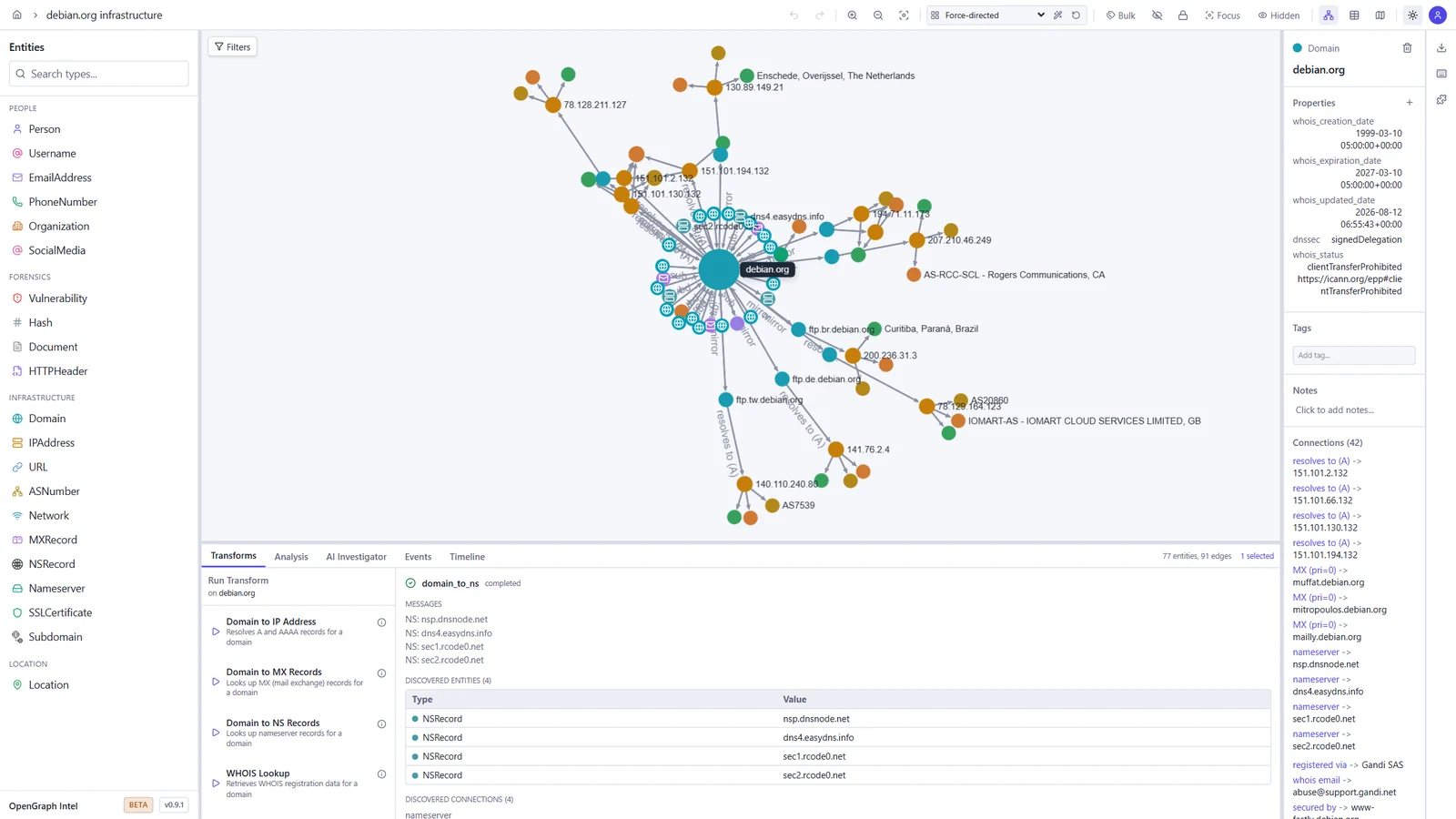
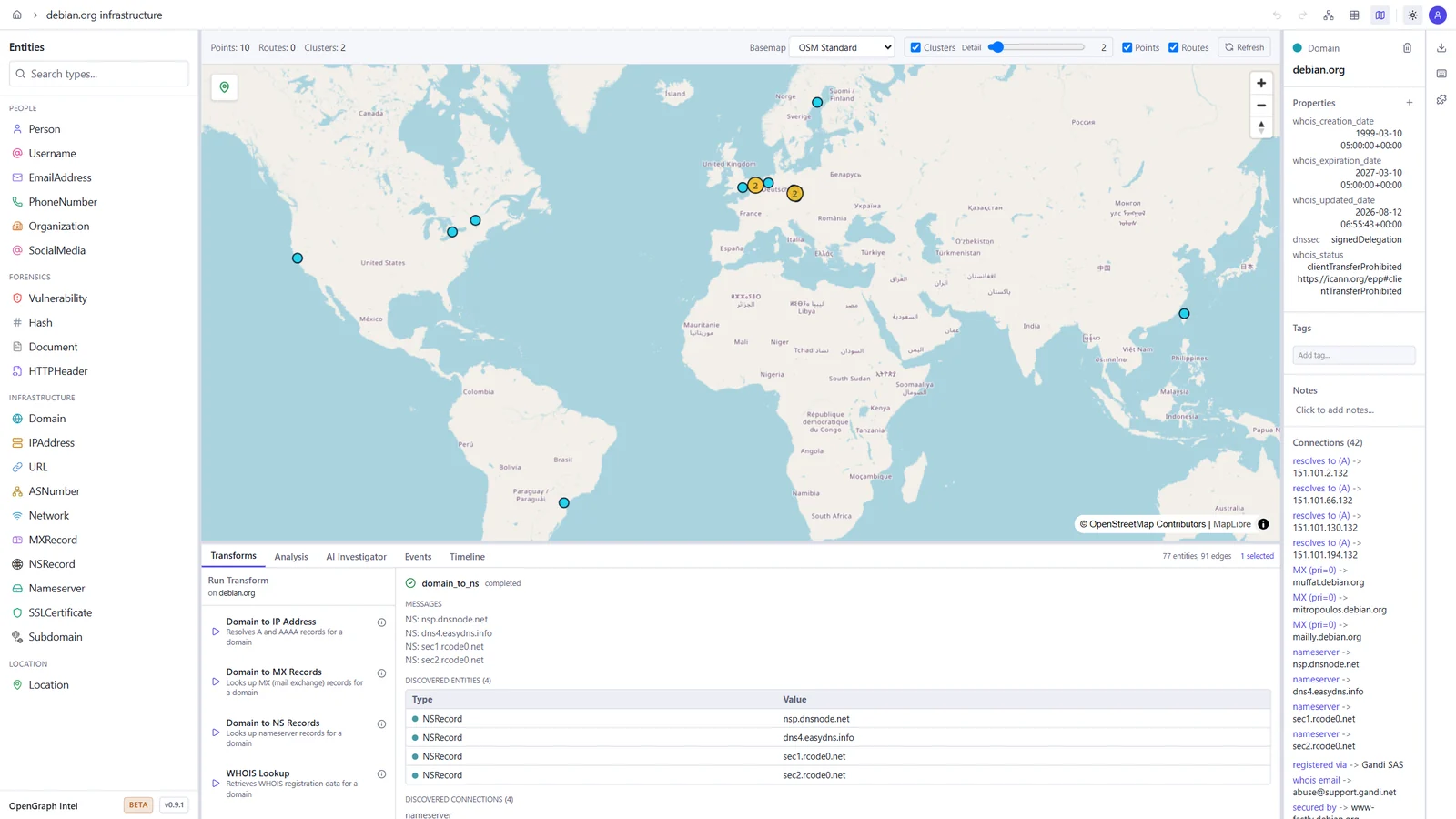
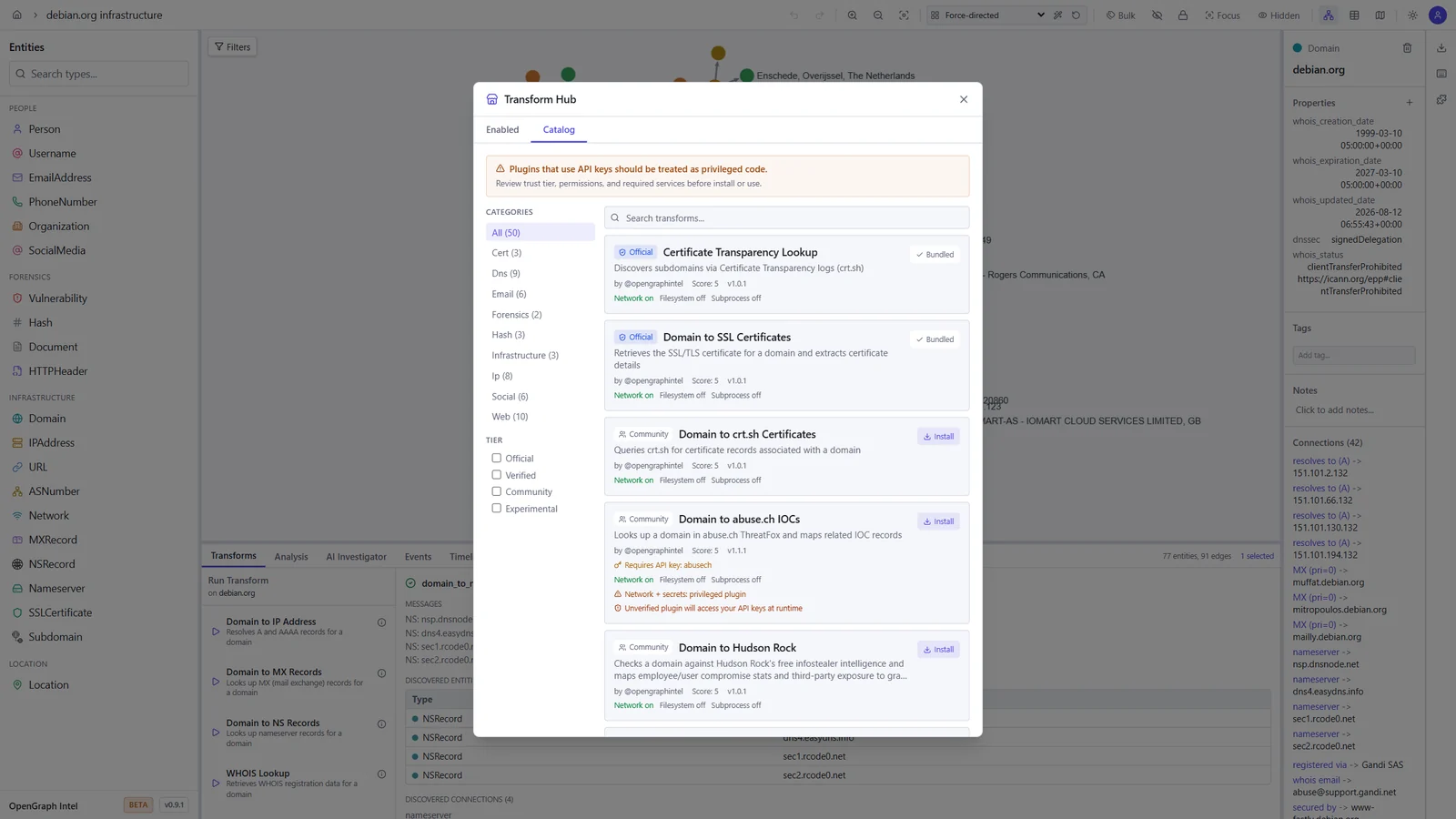
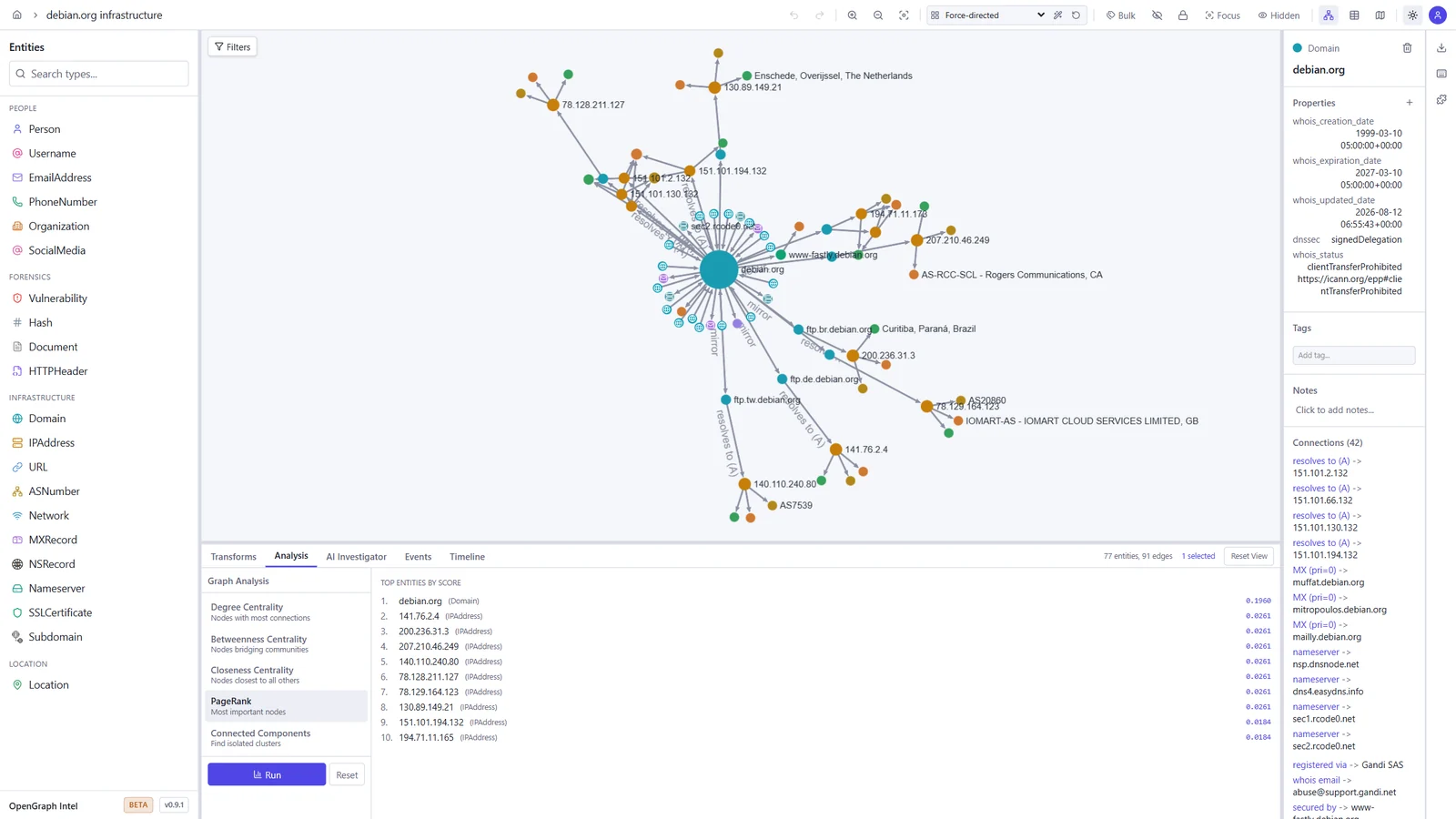
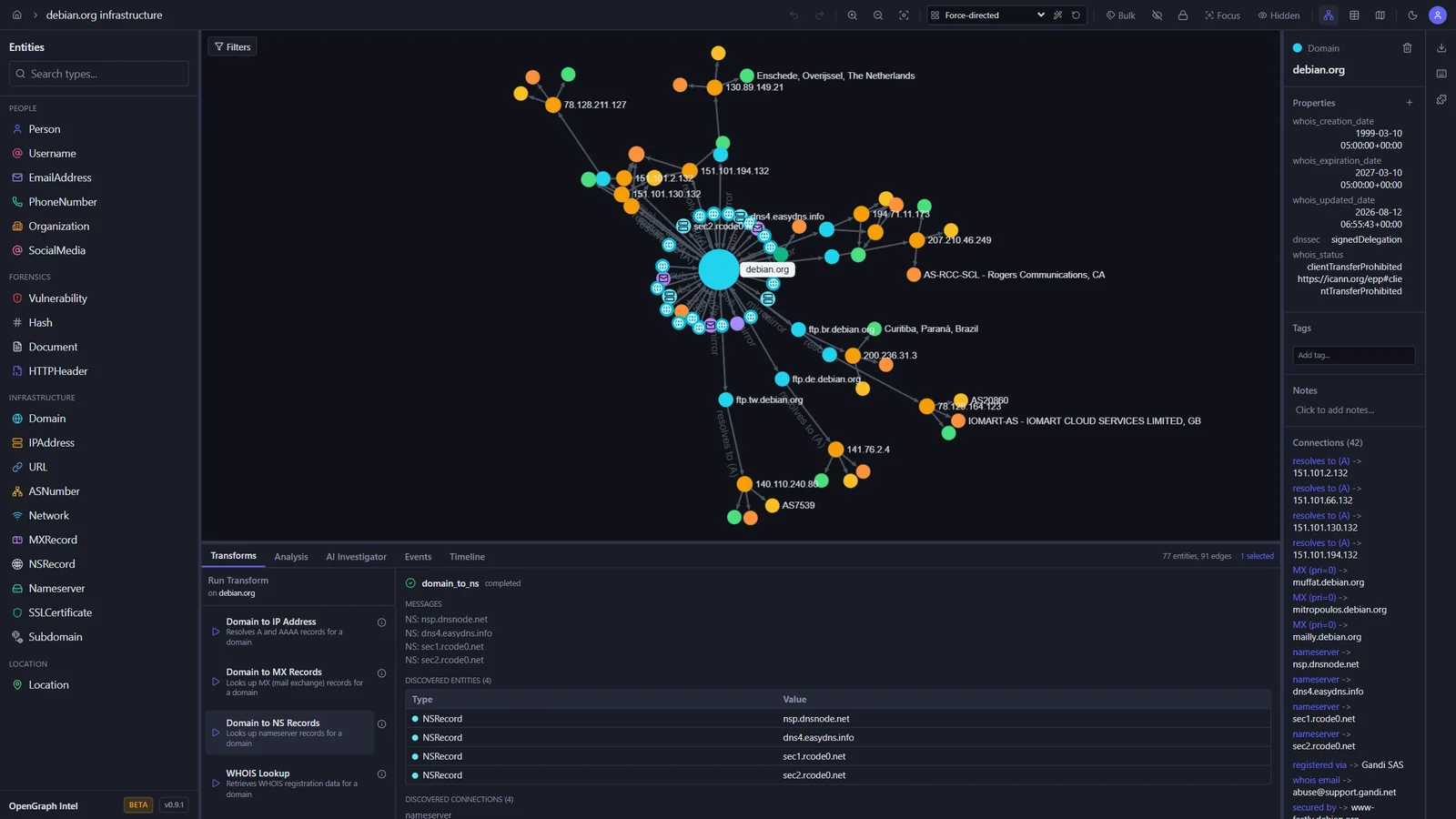
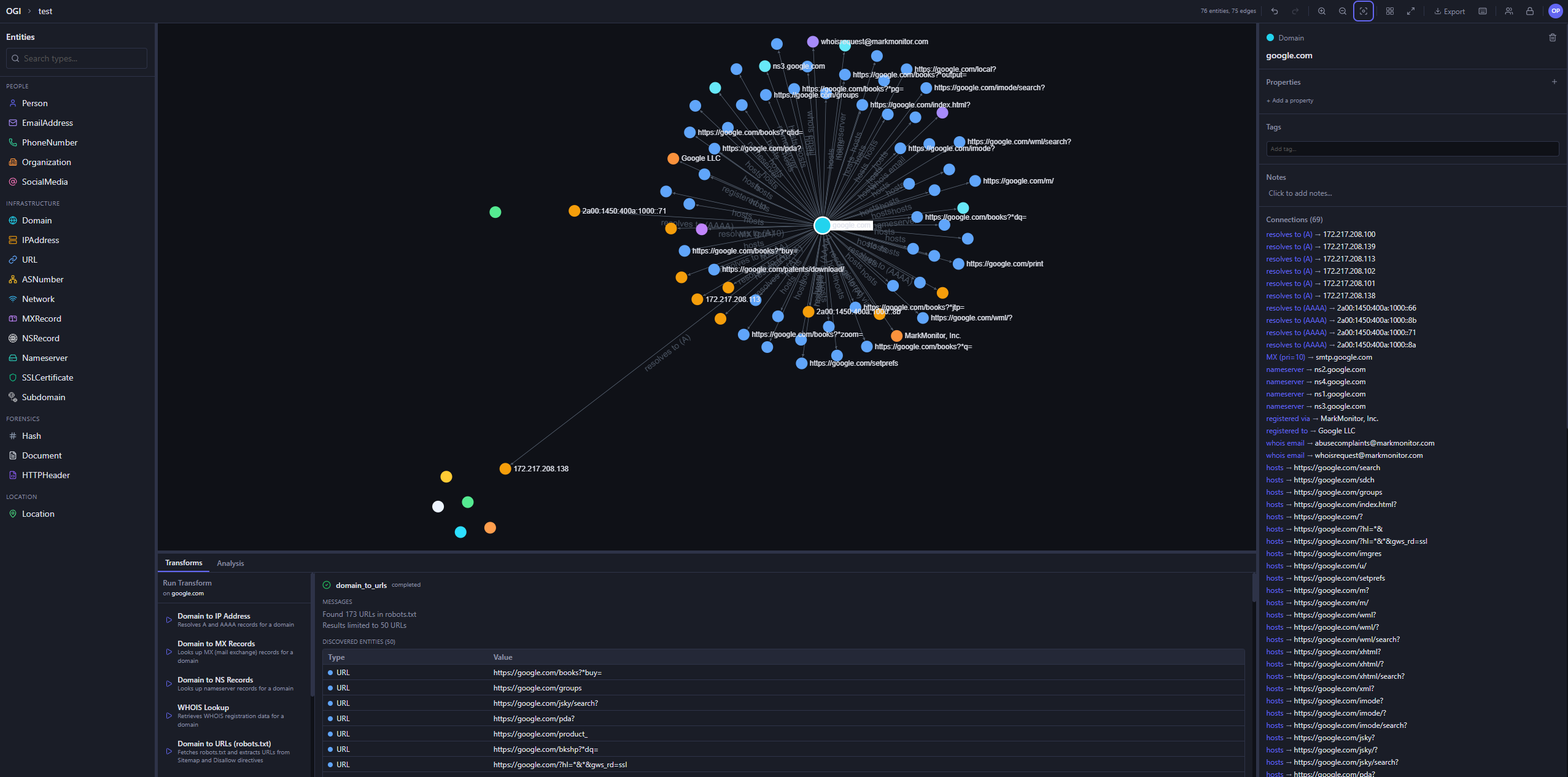
These screenshots show an investigation of the public debian.org infrastructure, built with the built-in transforms.

Graph investigation Map view
Graph of debian.org with its IP addresses, mail and name servers, subdomains, and mirrors, and the output of a DNS transform World map with the geolocated Debian mirror servers
Transform Hub Graph analysis
Transform Hub catalog with official and community transforms, trust tiers, and permissions PageRank results ranking the most important entities in the graph

Light and dark themes

The toggle in the toolbar switches between dark, light, and your system setting.

Dark Light
The graph workspace in the dark theme The graph workspace in the light theme

Quick Start

Prerequisites

ToolVersion
Python3.14+
uvlatest
Node.js24 LTS (22.22+ also works)
pnpm10.x

Backend

cd backend
uv sync
uv run uvicorn ogi.main:app --reload

The API will be available at http://localhost:8000.

For local transform execution, Redis and the transform worker must also be running. Redis alone is not enough.

Start Redis:

docker run -d --name ogi-redis -p 6379:6379 redis:7-alpine

Start the transform worker in a second terminal:

cd backend
uv run python -m ogi.worker.run_worker

If you see Job queue not available or Redis not available, verify that:

  • OGI_REDIS_URL points to redis://localhost:6379/0 for local host-based runs
  • the backend was restarted after Redis came up
  • the separate worker process is running
  • you are not using the Docker-only hostname redis outside Docker Compose

If you run the backend against PostgreSQL (OGI_USE_SQLITE=false), startup will automatically apply Alembic migrations before serving requests. Docker deployments do the same in the backend container entrypoint.

Tool herunterladen

Beliebteste

Alle anzeigen →

Entdecken Sie die meistgenutzten Tools unserer Community.

  • 1

    OsintHunter

    letox4/osinthunter

    🎯 Das ultimative OSINT-Toolkit: Untersuchungsgraph, Konfidenzbewertung, Alias-Familien, Karte, Zeitleiste und Berichte. 49 Module, 400+ Websites, keine API-Schlüssel erforderlich.

    640
  • 2

    ghostlock-app

    yukonga/ghostlock-app

    GhostLock One-Tap Execution App (CVE-2026-43499)

    479
  • 3

    ARTEX

    baarai/artex

    LLM-basierte Multi-Agenten-Plattform für autonome Penetrationstests mit Planer-/Worker-Agenten, Asset- und Explorationsgraphen, MITM-Verkehrsaufzeichnung und Schwachstellen-Retesting.

    391
  • 4

    redforge

    cybersecurity91/redforge

    Browser-seitiges Red-Team-Toolkit mit 102 Offline-Tools für Recon, Payload-Generierung, Credential-Angriffe, Krypto, Encoding und Engagement-Reporting.

    335
  • 5

    CyberStrikeAI

    ed1s0nz/cyberstrikeai

    Das System der Handlung für KI-native Cybersicherheit – wo Absicht zu gesteuerter Ausführung wird, Beweise zu operativem Gedächtnis werden und jeder Einsatz den nächsten verbessert.

    258
  • 6

    antifox

    antifox-ai/antifox

    KI-Multi-Agenten-Plattform für autonome Penetrationstests, die Recon, Angriffsflächen-Erkennung, Exploit-Validierung und evidenzbasierte Berichtserstellung durchführt.

    249

Alle Tools erkunden

Durchsuchen Sie unsere Tool-Sammlung

Alle Tools anzeigen →