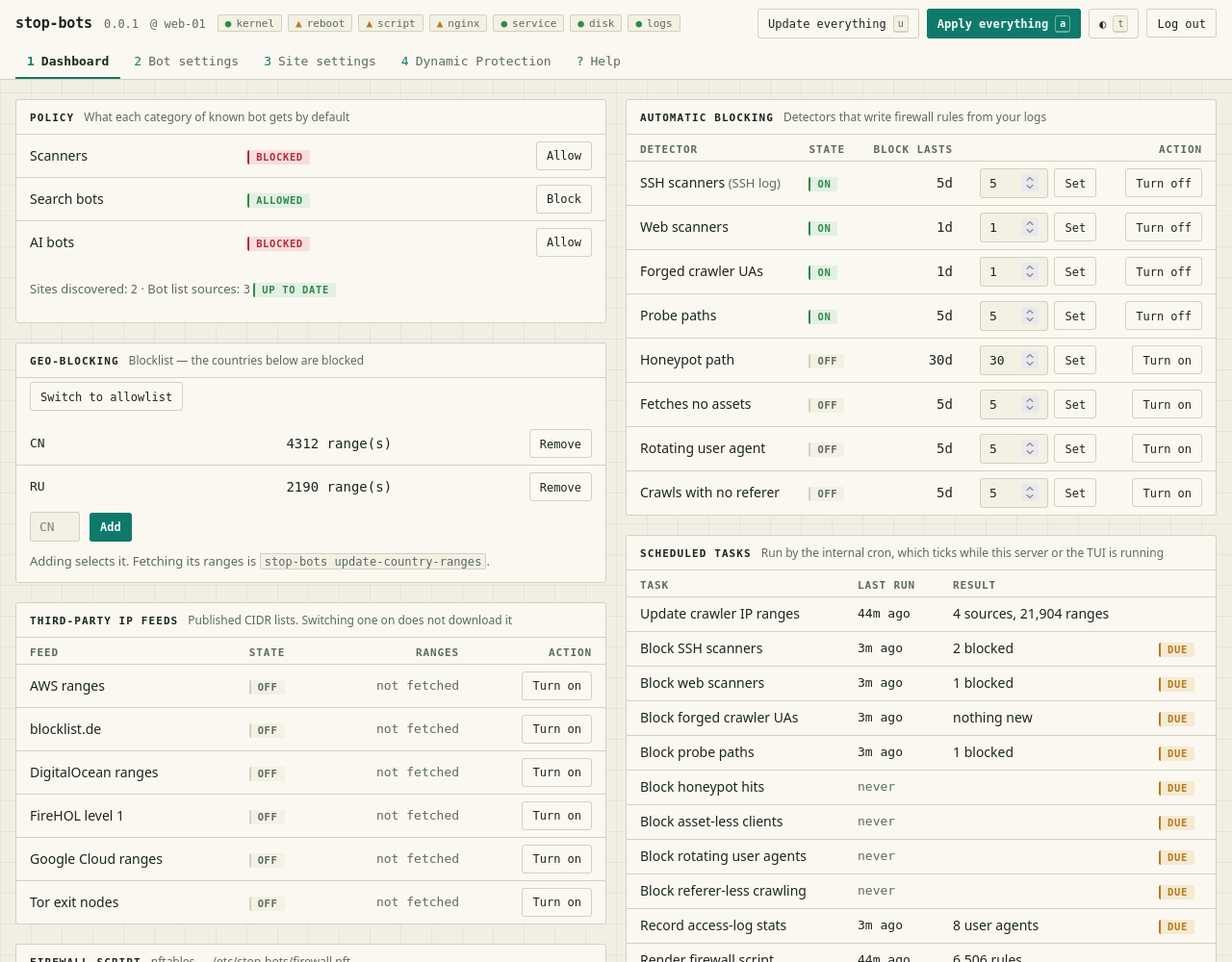
 ivankovic/stop-bots
Automate stopping bad bots from accessing your server



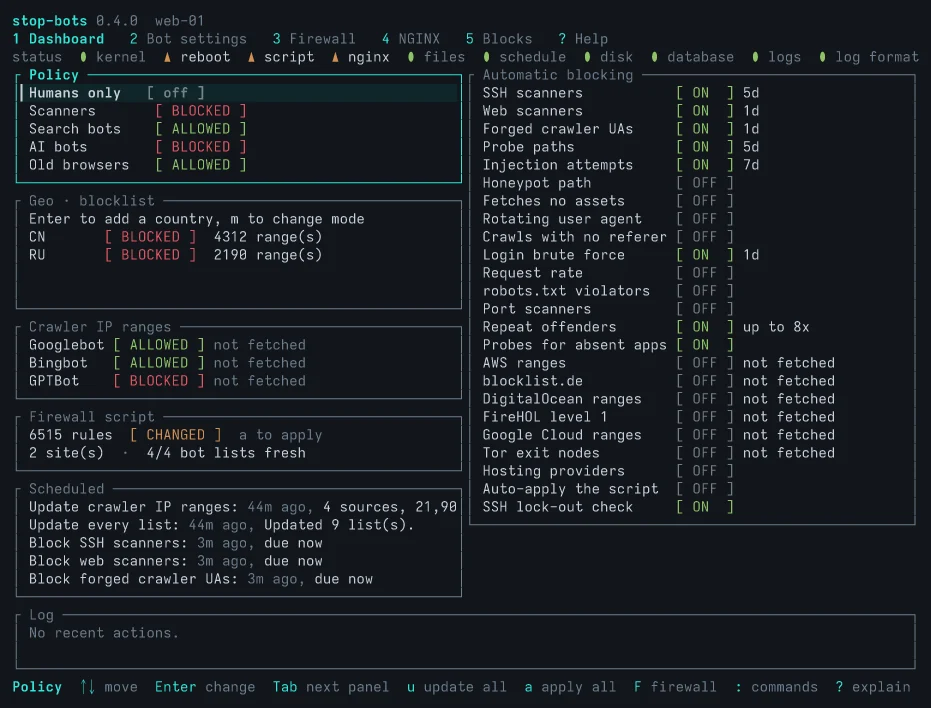
A TUI and a CLI that help you configure your server to stop bad bots without hiding behind a CDN. It is a fancy UI for your existing web server (nginx, Apache or Traefik) and your firewall (nftables or iptables). For those of us that don't want to hide behind Cloudflare and give one company the keys to all kingdoms.
It protects you in two ways:
It tries to keep you from doing something self-destructive. You will always see what changes
first before you apply it, and you can use the --dry-run flag for extra safety. But I suspect
eventually you will want to enable auto-apply, for convenience. Because of this, the app also tries
not to lock you out. IP addresses with successful SSH logins are never blocked, webserver configs
are always tested before application and it tries to recognize apps running behind HTTP proxies and
adapts the dynamic detection rules to the apps.
Big red button: sudo stop-bots uninstall all
The rest of this readme was written by the AI. Feel free to ask your own AI to summarize it, I won't mind.
Installing starts nothing, and nothing is written until you apply. On the first apply, with the settings a new database starts with:
And this is what gets written where:
| What | Where |
|---|---|
| The blocking rule | inside each site's server block, between # BEGIN stop-bots and # END stop-bots |
Files the rule needs, when a setting needs one (robots.txt, rate limiting) | /etc/stop-bots/nginx/ and NGINX's conf.d (for Apache, /etc/stop-bots/apache/ and conf-enabled) |
| On Traefik, both of those | one file of its own, stop-bots.yml, in the directory Traefik's file provider reads; no file of yours is edited |
| The firewall script | /etc/stop-bots/firewall.next.nft (or .next.sh for iptables), copied to firewall.nft once applied; it only touches its own inet stop_bots table |
| Settings, blocks and why each exists | /var/lib/stop-bots/db.sqlite3 |
Here is sudo stop-bots batch --dry-run --diff on a fresh database and a one-site NGINX,
trimmed (the real user-agent pattern is a few hundred names long):
Dry run: nothing is downloaded, scanned, written, applied or recorded. Against the database as it is, `batch` would:
NGINX: 1 file(s) would change:
  /etc/nginx/sites-enabled/example.com
Firewall (nftables): 0 rule(s), 0 kernel entries; no applied script at /etc/stop-bots/firewall.nft yet, so all of it is new
lockout check passed: the SSH log was read, and no connected client would be blocked
would write 0 rule(s) to /etc/stop-bots/firewall.next.nft; not applied — review it, then apply it (“Apply everything” or `stop-bots render-firewall --apply`)
--- /etc/nginx/sites-enabled/example.com
+++ /etc/nginx/sites-enabled/example.com
@@ -1,4 +1,10 @@
 server {
+    # BEGIN stop-bots (DO NOT EDIT)
+    if ($http_user_agent ~* "AgentReadinessScanner|AIScan|ArgusScanner|…|xAI-Grok|zmap-proxy-probe") {
+        return 403;
+    }
+    # END stop-bots
+
     listen 443 ssl;
     server_name example.com;
     root /var/www/example.com;
--- /etc/stop-bots/firewall.nft (does not exist)
+++ /etc/stop-bots/firewall.next.nft
@@ -0,0 +1,29 @@
+#!/usr/sbin/nft -f
+# Generated by stop-bots 0.2.0. Not executed automatically — review, then run
+# with: nft -f <this file>
…
+add table inet stop_bots
+delete table inet stop_bots
+add table inet stop_bots
+add chain inet stop_bots bot_block { type filter hook input priority -1; policy accept; }
…
On Debian or Ubuntu, from the APT repository:
curl -fsSL https://ivankovic.github.io/stop-bots/key.gpg \
  | sudo tee /usr/share/keyrings/stop-bots.gpg > /dev/null
echo "deb [signed-by=/usr/share/keyrings/stop-bots.gpg] \
https://ivankovic.github.io/stop-bots stable main" \
  | sudo tee /etc/apt/sources.list.d/stop-bots.list
sudo apt update && sudo apt install stop-bots
Or cargo install stop-bots with Rust 1.88 or newer, or a static binary for x86_64 or
aarch64 Linux from the GitHub releases,
each with a checksum and a build provenance attestation
(verifying a download).
Installing starts nothing.
It is tested on Debian and Ubuntu with systemd, and NGINX, Apache or Traefik. It needs
nft, or iptables-restore and ip6tables-restore, for the firewall. Caddy is not supported.
NGINX is the default. On an Apache host, say so once, and enable mod_rewrite, which the
blocks are written in:
sudo stop-bots set-web-server apache
sudo a2enmod rewrite
Apache support is newer than NGINX's and has been tested on the Debian and Ubuntu layout
(/etc/apache2). A few features are NGINX-only, rate limiting among them.
On a Traefik 3 host, point it at the directory Traefik's file provider reads, and tell Traefik's access log to keep the user agent, which it drops by default and most detectors need:
sudo stop-bots set-web-server traefik --root /etc/traefik/dynamic
sudo stop-bots set-log-paths --access-log /var/log/traefik/access.log
# In Traefik's static config
accessLog:
  filePath: /var/log/traefik/access.log
  fields:
    headers:
      names:
        User-Agent: keep
        Referer: keep
It writes high-priority routers that answer a blocked request with a 403 before any site's own
router sees it. Traefik reads the file by itself, so no reload is run. Sites from Docker labels
get the host-wide settings; a site gets settings of its own only when its router is in a file
under that directory. Traefik can only answer 403, and cannot serve the generated robots.txt
or rate limit.
Apache and Traefik are less well tested than NGINX. I run NGINX myself, so that is the backend with real traffic behind it. Apache and Traefik are tested in containers against the real servers, but not in daily use. If something looks wrong on either, please open an issue.
From a clone of this repository, with Podman (or STOP_BOTS_CONTAINER_RUNTIME=docker) and a
Rust toolchain:
make demo

