
Skip to content
KitploitKITPLOIT
ToolsExploitsBlog
Log in
Einreichen
ToolsExploitsBlog
Einreichen

Hacking-, PenTest- und Cybersicherheits-Tools für Ihr Sicherheitsarsenal!

Kitploit ist ein Verzeichnis von Hacking-, Cybersicherheits- und Pentesting-Tools. Entdecken Sie die neuesten Projekt-Updates, um Schwachstellen zu finden, Systeme zu analysieren, Tests zu automatisieren und Ihre Sicherheit zu stärken.

FeedsKontaktDatenschutz© 2026 Kitploit

Tool-Verzeichnis

Kategorien

Alle Kategorien anzeigen
Loading categories
medusa — Mobile Edge-Dynamic Unified Security Analysis | Kitploit

Tools/GitHubGitHub/ch0pin/medusa
Android SecurityDynamic Analysis (Sandboxing)iOS SecurityExploitationReverse EngineeringInformation GatheringFuzzingMalware AnalysisPenetration TestingMobile SecurityRed Teaming
GitHubch0pin/medusa

medusa

Mobile Edge-Dynamic Unified Security Analysis

Repository anzeigenWebseite
2.3k31853vor 11h 6mVon Kitploit geprüft
Teilen
Inhalt in der angeforderten Sprache nicht verfügbar. Englische Version wird angezeigt.

Sponsored by:


Sponsor logo

MEDUSA

A modular automation framework and script repository for runtime testing and investigating Android and iOS apps, designed for penetration testers and malware analysts. It lets you plug in modules to bypass protections (like SSL pinning), inspect network/WebView activity, trace API calls, examine memory/crypto, and monitor malware behavior — all from a single coordinated script. It runs on FRIDA under the hood and ships with 100+ reusable modules so tests scale and repeat easily.

Installation

System requirements:

  • Linux or macOS (limited functionality available on Windows)
  • Python 3.12 or newer
  • Node.js and npm (for building the Java and ObjC bridges)
  • adb and a Frida-compatible Android or iOS device
  • FRIDA server (running on the mobile device)

Installing from github:

  1. Clone this repository.
  2. CD into the medusa directory.
  3. Install dependencies:

For the unified development version, use the dev branch. Replace /path/to/medusa below with the absolute path to your checkout.

python3 -m venv /path/to/medusa/.venv
/path/to/medusa/.venv/bin/python -m pip install -r /path/to/medusa/requirements.txt 
# Or for mcp support
/path/to/medusa/.venv/bin/python -m pip install -r /path/to/medusa/requirements-mcp.txt 
npm --prefix /path/to/medusa ci
npm --prefix /path/to/medusa run build:bridges

The bridge build produces the Java and ObjC agents used with Frida 17. Rebuild them after changing their npm dependencies. The Python runtime and development lockfiles record the tested dependency sets.

Or download the latest stable version from here

Usage

Medusa consists of two modules: medusa and mango. What follows is a description about their usage.

MEDUSA

Use the unified launcher for Android and iOS:

/path/to/medusa/medusa

After start, MEDUSA will enumerate available devices and let you pick one.

Device OS detection selects the Android or iOS commands. Use loaddevice to switch platforms within the same process, retaining each platform's staged work. An explicit override is available through --platform android or --platform ios.

Development checks

/path/to/medusa/.venv/bin/python -m pip install -r /path/to/medusa/requirements-dev.lock.txt
/path/to/medusa/.venv/bin/python -B -m unittest discover -s /path/to/medusa/tests

Ruff and mypy are configured in the project metadata with an incremental scope for the new CLI/core code. Tests cover original command definitions, startup output, platform switching, generated-agent retention, compilation output, and script lifecycle behavior. Device-specific runtime coverage remains separate from these host tests.

Common interactive workflow

# list available commands or get help about a specific command
medusa> help      # or help <command-name>

# list available modules
medusa> show all 

# get quick help/details about a module
medusa> info http_communications/ssl-pinning-bypass

# add a module (Tab completes module paths)
medusa> use http_communications/      # press [Tab] to autocomplete

# list installed packages on the device
medusa> list

# instrument a package (by package name)
medusa> run -f com.my.app

# show available devices and select one
medusa> loaddevice

MANGO

Medusa’s lightweight companion CLI for static prep and automation — manifest parsing, attack-surface enumeration, app tracking, and simple device/proxy automation.

Run python3 mango.py <database-name> to create or load a database for storing Mango’s results.

# show available devices and select one
mango> loaddevice

# pull an app (by package name)
mango> pull com.my.app 

# import an app for analysis
mango> import /path/to/apk

MCP Server Support

This is optional and not required for the standard Medusa CLI workflow.

To use the Android MCP server (medusa_android_mcp.py), install the MCP requirements and run:

MEDUSA_MCP_TRANSPORT=streamable-http python medusa_android_mcp.py

Configuration:

"medusa-android": {
   "type": "http",
   "url": "http://127.0.0.1:8000/mcp"
}

For advanced usage and examples, see our wiki. For quick tips and introductory workflows, check the demos below:

  • MEDUSA | Android Penetration tool (credits @ByteTheories)
  • MEDUSA | Android Malware Analysis 101 (credits @ByteTheories)
  • Unpacking Android malware with Medusa (credits @cryptax)
  • Unpacking Android APKs with Medusa (credits @LaurieWired)
  • #Medusa - Extensible binary instrumentation framework based on #FRIDA for Android applications (credits @AndroidAppSec)
  • Memory inspection with Medusa
  • Bypassing root detection

How to Contribute:

You can contribute to this project by:

  • Becoming a sponsor
  • Creating a medusa module (see how to)
  • Making a pull request
  • Reporting an error/issue
  • Suggesting an improvement
  • Making this project more popular by sharing it or giving a star

Screenshots

  • SSL Unpinning

ssl unpinning

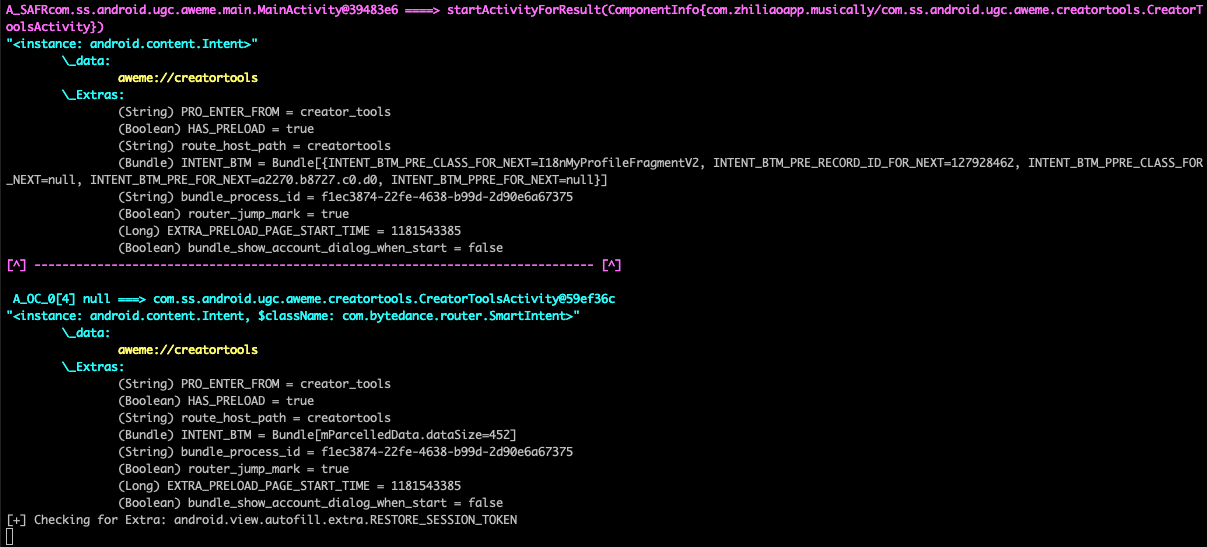
  • Intent Monitoring

Intent monitoring

  • Webview Monitoring

Webview monitoring

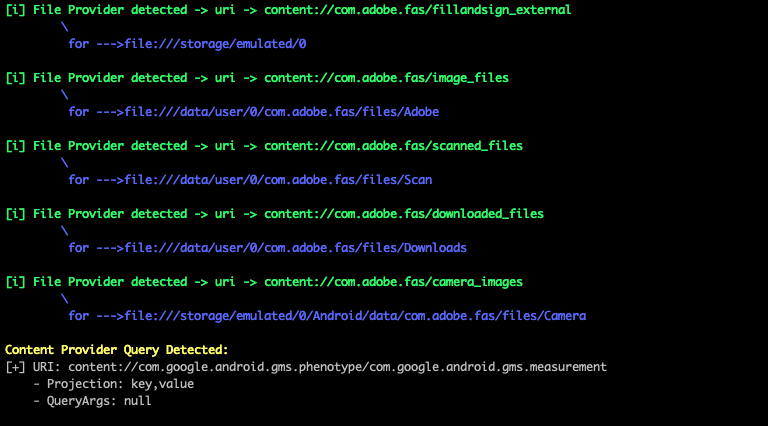
  • File/Content provider monitoring

File and content providers

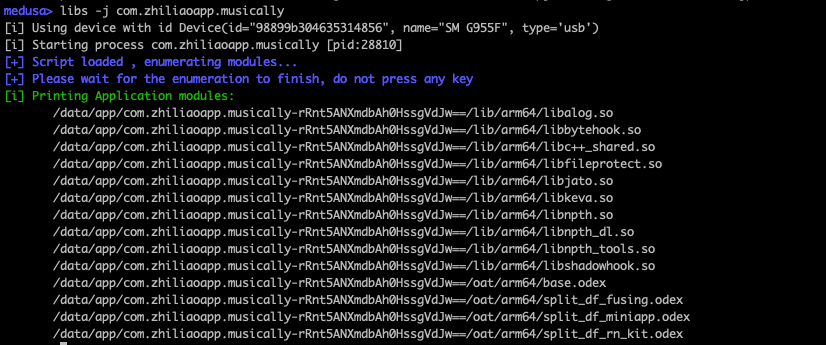
  • Native Libraries Enumeration

Screenshot 2020-09-22 at 16 41 10

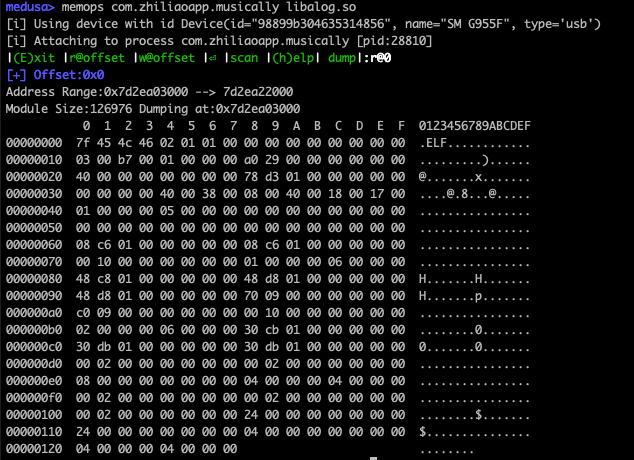
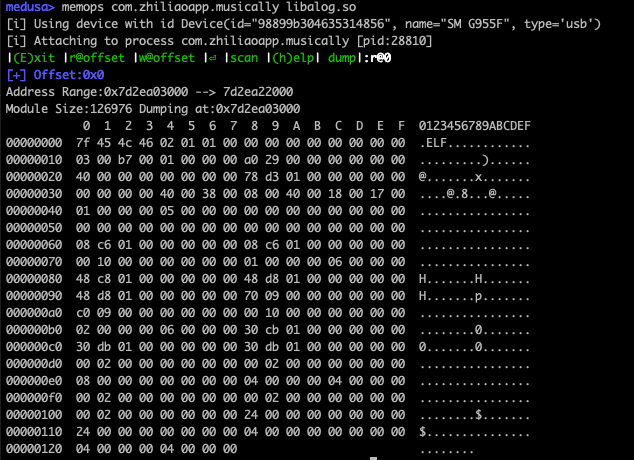
  • Memory READ/WRITE/SEARCH (interactive mode):

Screenshot 2020-09-22 at 16 41 10

CREDITS:

  • Special Credits to @rscloura for his contributions
  • Logo Credits: https://www.linkedin.com/in/rafael-c-ferreira
  • https://github.com/frida/frida
  • https://github.com/dpnishant/appmon
  • https://github.com/brompwnie/uitkyk
  • https://github.com/shivsahni/APKEnum
  • https://github.com/0xdea/frida-scripts
  • https://github.com/Areizen/JNI-Frida-Hook
Tool herunterladen

Beliebteste

Alle anzeigen →

Entdecken Sie die meistgenutzten Tools unserer Community.

  • 1

    OsintHunter

    letox4/osinthunter

    🎯 Das ultimative OSINT-Toolkit: Untersuchungsgraph, Konfidenzbewertung, Alias-Familien, Karte, Zeitleiste und Berichte. 49 Module, 400+ Websites, keine API-Schlüssel erforderlich.

    513
  • 2

    ghostlock-app

    yukonga/ghostlock-app

    GhostLock One-Tap Execution App (CVE-2026-43499)

    471
  • 3

    ARTEX

    baarai/artex

    LLM-basierte Multi-Agenten-Plattform für autonome Penetrationstests mit Planer-/Worker-Agenten, Asset- und Explorationsgraphen, MITM-Verkehrsaufzeichnung und Schwachstellen-Retesting.

    345
  • 4

    redforge

    cybersecurity91/redforge

    Browser-seitiges Red-Team-Toolkit mit 102 Offline-Tools für Recon, Payload-Generierung, Credential-Angriffe, Krypto, Encoding und Engagement-Reporting.

    311
  • 5

    estorides

    grisuno/estorides

    Aggregiert 99+ kostenlose OSINT-Quellen parallel, löst Entitäten in einen Knowledge Graph auf und exportiert STIX 2.1, MISP oder GraphML mit LLM-gestützter Analyse.

    303
  • 6

    opencti

    opencti-platform/opencti

    Offene Plattform für Cyber-Bedrohungsinformationen

    303

Alle Tools erkunden

Durchsuchen Sie unsere Tool-Sammlung

Alle Tools anzeigen →