
Skip to content
KitploitKITPLOIT
ToolsExploitsBlog
Log in
Einreichen
ToolsExploitsBlog
Einreichen

Hacking-, PenTest- und Cybersicherheits-Tools für Ihr Sicherheitsarsenal!

Kitploit ist ein Verzeichnis von Hacking-, Cybersicherheits- und Pentesting-Tools. Entdecken Sie die neuesten Projekt-Updates, um Schwachstellen zu finden, Systeme zu analysieren, Tests zu automatisieren und Ihre Sicherheit zu stärken.

FeedsKontaktDatenschutz© 2026 Kitploit

Tool-Verzeichnis

Kategorien

Alle Kategorien anzeigen
Loading categories
cartography — Pulls infrastructure assets and their relationships from 30+ cloud, identity, and SaaS platforms into a Neo4j graph for security queries and rule-based analysis. | Kitploit
Tools/GitHubGitHub/cartography-cncf/cartography
Cloud Infrastructure SecurityContainer SecurityNetwork MappingVulnerability AnalysisConfiguration AuditingInformation GatheringCloud SecurityDevSecOpsThreat IntelligenceIdentity & Access Management (IAM)Supply Chain Security
4.2k611140vor 12h 50mVon Kitploit geprüft
GitHubcartography-cncf/cartography

cartography

Pulls infrastructure assets and their relationships from 30+ cloud, identity, and SaaS platforms into a Neo4j graph for security queries and rule-based analysis.

Repository anzeigenWebseite

Beliebteste

Alle anzeigen →

Entdecken Sie die meistgenutzten Tools unserer Community.

  • 1

    OsintHunter

    letox4/osinthunter

    🎯 Das ultimative OSINT-Toolkit: Untersuchungsgraph, Konfidenzbewertung, Alias-Familien, Karte, Zeitleiste und Berichte. 49 Module, 400+ Websites, keine API-Schlüssel erforderlich.

    989
  • 2

    ghostlock-app

    yukonga/ghostlock-app

    GhostLock One-Tap Execution App (CVE-2026-43499)

    576
  • 3

    looking-glass

    anonghosty/looking-glass

    CSIRT-Plattform, die Shadowserver-Berichte in MongoDB einliest und sie als interaktive Karten, Analysen, Findings, Advisories und Executive-Dashboards wiedergibt.

    354
  • 4

    redforge

    cybersecurity91/redforge

    Browser-seitiges Red-Team-Toolkit mit 102 Offline-Tools für Recon, Payload-Generierung, Credential-Angriffe, Krypto, Encoding und Engagement-Reporting.

    339
  • 5

    ARTEX

    baarai/artex

    LLM-basierte Multi-Agenten-Plattform für autonome Penetrationstests mit Planer-/Worker-Agenten, Asset- und Explorationsgraphen, MITM-Verkehrsaufzeichnung und Schwachstellen-Retesting.

    323
  • 6

    CyberStrikeAI

    ed1s0nz/cyberstrikeai

    Das System der Handlung für KI-native Cybersicherheit – wo Absicht zu gesteuerter Ausführung wird, Beweise zu operativem Gedächtnis werden und jeder Einsatz den nächsten verbessert.

    315

Alle Tools erkunden

Durchsuchen Sie unsere Tool-Sammlung

Alle Tools anzeigen →
Teilen
Inhalt in der angeforderten Sprache nicht verfügbar. Englische Version wird angezeigt.
Cartography

OpenSSF Scorecard OpenSSF Best Practices build

Documentation

Cartography is a Python tool that pulls infrastructure assets and their relationships into a Neo4j graph database.

What it connects: AWS, GCP, Azure, Kubernetes, GitHub, Okta, Entra ID, CrowdStrike, and 30+ more platforms.

Questions it answers:
  • Which identities have access to which datastores? How about across multiple tenants, or providers?
  • Am I affected by any critical vulnerabilities or compromised software packages?
  • What are the network paths in and out of my environment?
  • Which compute instances are exposed to the internet?
  • What AI agents are running in production, and what permissions do they have?

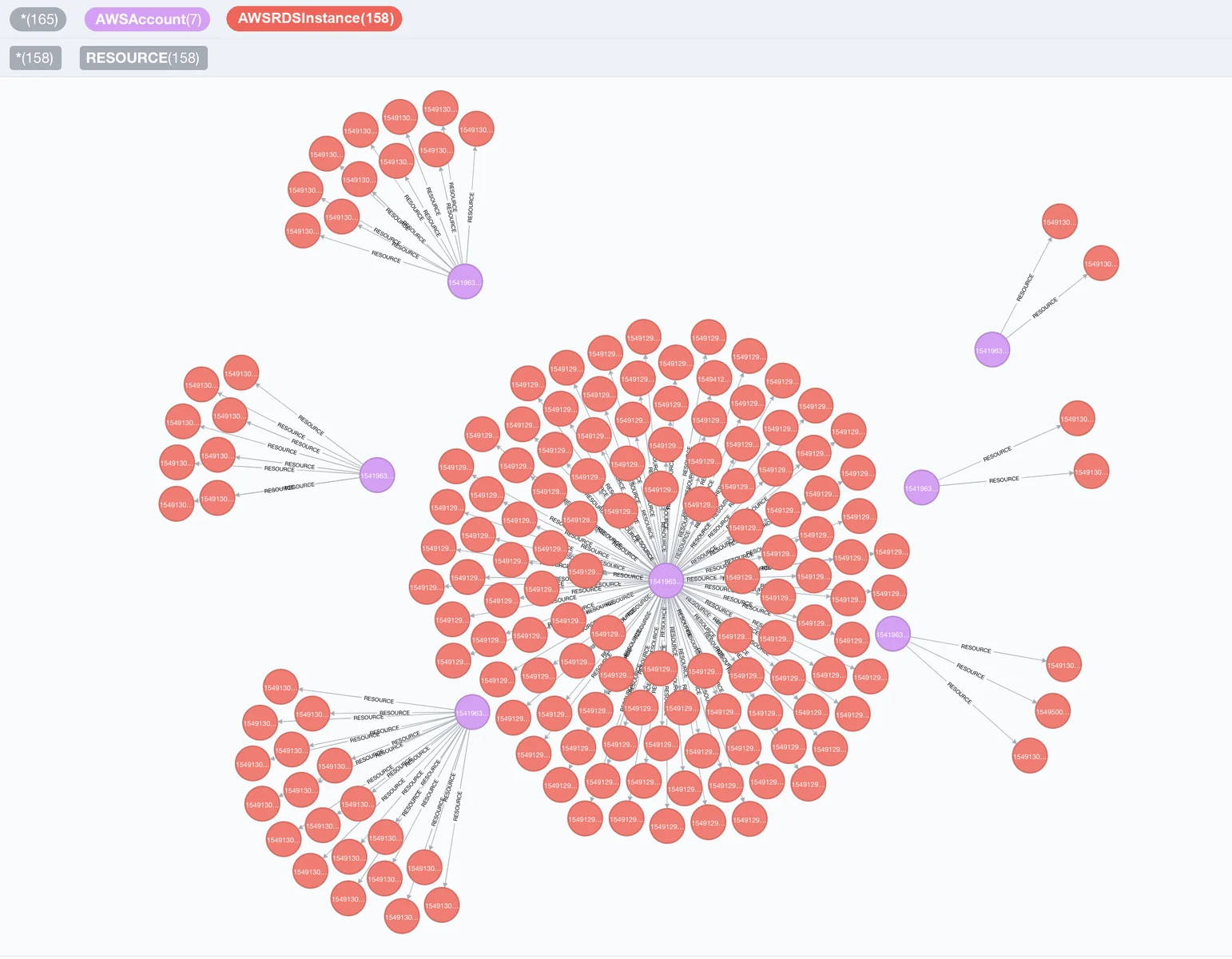
Visualization of RDS nodes and AWS nodes

Quick Start

Install Cartography

pip install cartography

Install cartography[neo4j-rust] instead to swap in Neo4j's Rust Bolt codec, which cuts sync time by roughly 20-30%. See Faster Neo4j driver.

Start Neo4j database

docker run -d --publish=7474:7474 --publish=7687:7687 -v data:/data --env=NEO4J_AUTH=none neo4j:5-community

Confirm that http://localhost:7474 is up.

Sync your first data source (AWS example)

Ensure your AWS credentials and default region are configured (e.g. via AWS_PROFILE, AWS_DEFAULT_REGION, or ~/.aws/config). See AWS credentials docs for reference.

Run Cartography:

cartography --neo4j-uri bolt://localhost:7687 --selected-modules aws

See the full install guide for other platforms.

Query the graph

Open http://localhost:7474 and try:

// Find unencrypted RDS instances by account
MATCH (a:AWSAccount)-[:RESOURCE]->(rds:AWSRDSInstance{storage_encrypted:false})
RETURN a.name, rds.id
// Find EC2 instances exposed to the internet
MATCH (instance:AWSEC2Instance{exposed_internet: true})
RETURN instance.instanceid, instance.publicdnsname

See the querying tutorial and data schema for more use-cases.

Run security rules

Once Cartography has populated the reachable Neo4j graph, list, inspect, and run security rules. This quickstart uses the no-auth Neo4j container started above, so no password is required:

cartography-rules list
cartography-rules list object_storage_public
cartography-rules run object_storage_public

For authenticated Neo4j, set NEO4J_PASSWORD or use one of the other secure password options in the rules docs.

Supported platforms

Click to expand full list of 30+ supported platforms
Tool herunterladen







