这是一个用纯 Rust 实现的硬件模拟器 + 操作系统进程模拟器。
这种方法对于恶意软件分析和其他用途(PE、shellcode 等)非常方便。
支持 x86 32/64 位和 AArch64 架构。主要目标操作系统是 Windows(完整的进程模拟,包括 PEB/TEB/LDR、WinAPI 和系统调用拦截),并且对 Linux 和 macOS 的支持也在不断增长(系统调用、ELF/Mach-O 加载器、libc 垫片)。

该项目已从 scemu 重命名为 mwemu。
r2con2025 使用 mwemu 中的 radare2 在模拟过程中进行静态分析和可视化。
📦 Rust 安全性,适合模拟恶意软件。
⚡ 非常快速的模拟
make test_speed(构建 release 版本并模拟 enigma 的 2000 万条指令,报告耗时)由 iced-x86 Rust 反汇编器这个出色的库提供支持。
命令行工具、Rust 库和 Python 库。
迭代检测器。
内存和寄存器跟踪。
彩色输出。
在特定时刻停止并查看状态或修改它。
实现了 339 条 CPU 指令。
实现了 15 个 dll 中的 260 个 winapi 32 位函数。
实现了 10 个 dll 中的 204 个 winapi 64 位函数。
所有 Linux 系统调用。
SEH 链。
向量化异常处理程序。
PEB、TEB 结构。
动态链接。
IAT 绑定。
延迟加载。
内存分配器。
对 int3 做出反应。
非调试 cpuid。
32 位和 64 位 shellcode 模拟。
pe32 和 pe64 可执行文件模拟。
对已知载荷的完整模拟:
对复杂恶意软件函数的部分模拟:
在模拟过程中,你可以看到已模拟的 CPU 指令数量,这是模拟时刻的唯一 ID。
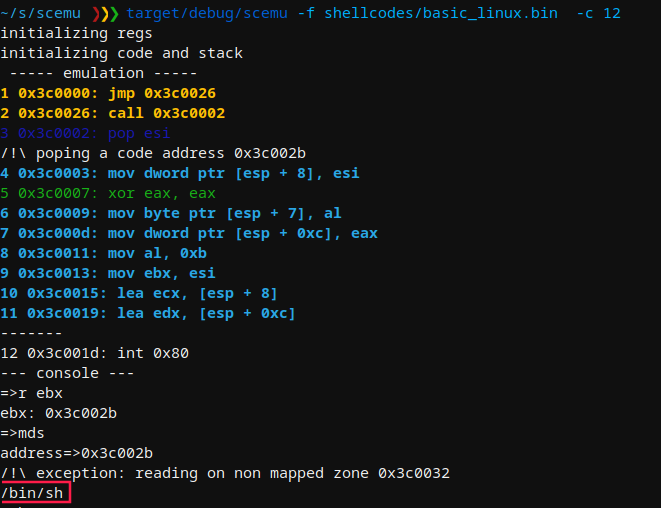
使用 -c 标志,你可以在特定时刻停止模拟,并通过控制台检查正在发生的情况。
MWEMU emulator for malware 0.7.11
@sha0coder

USAGE:
    mwemu [FLAGS] [OPTIONS]

FLAGS:
    -6, --64bits         enable 64bits architecture emulation
        --banzai         skip unimplemented instructions, and keep up emulating what can be emulated
        --flags          trace the flags hex value in every instruction.
    -F, --fpu            trace the fpu states.
    -h, --handle         handle Ctrl+C to spawn console
        --help           Prints help information
    -l, --loops          show loop interations, it is slow.
    -m, --memory         trace all the memory accesses read and write.
    -n, --nocolors       print without colors for redirectin to a file >out
    -r, --regs           print the register values in every step.
    -p, --stack_trace    trace stack on push/pop
    -t, --test           test mode
        --version        Prints version information
    -v, --verbose        -vv for view the assembly, -v only messages, without verbose only see the api calls and goes
                         faster

OPTIONS:
    -A, --args <ARGS>                  provide arguments to the EXE like: --args '"aa" "bb"'
        --cmd <COMMAND>                launch a console command
    -b, --base <ADDRESS>               set base address for code
    -c, --console <NUMBER>             select in which moment will spawn the console to inspect.
    -C, --console_addr <ADDRESS>       spawn console on first eip = address
    -d, --dump <FILE>                  load from dump.
    -a, --entry <ADDRESS>              entry point of the shellcode, by default starts from the beginning.
    -e, --exit <POSITION>              exit position of the shellcode
    -f, --filename <FILE>              set the shellcode binary file.
    -i, --inspect <DIRECTION>          monitor memory like: -i 'dword ptr [ebp + 0x24]
        --iso <ISO>                    extract genuine system32 DLLs from a Windows ISO and use them as the maps folder, e.g. --iso ~/Downloads/win11.iso
    -L, --log <LOG_FILENAME>           log output to file
    -M, --maps <PATH>                  select the memory maps folder
        --mxcsr <MXCSR>                set mxcsr register
        --r10 <R10>                    set r10 register
        --r11 <R11>                    set r11 register
        --r12 <R12>                    set r12 register
        --r13 <R13>                    set r13 register
        --r14 <R14>                    set r14 register
        --r15 <R15>                    set r15 register
        --r8 <R8>                      set r8 register
        --r9 <R9>                      set r9 register
        --rax <RAX>                    set rax register
        --rbp <RBP>                    set rbp register
        --rbx <RBX>                    set rbx register
        --rcx <RCX>                    set rcx register
        --rdi <RDI>                    set rdi register
        --rdx <RDX>                    set rdx register
    -R, --reg <REGISTER1,REGISTER2>    trace a specific register in every step, value and content
        --rflags <RFLAGS>              set rflags register
        --rsi <RSI>                    set rsi register
        --rsp <RSP>                    set rsp register
    -x, --script <SCRIPT>              launch an emulation script, see scripts_examples folder
        --stack_address <ADDRESS>      set stack address
    -s, --string <ADDRESS>             monitor string on a specific address
    -T, --trace <TRACE_FILENAME>       output trace to specified file
    -S, --trace_start <TRACE_START>    start trace at specified position
    -V, --verbose_at <NUMBER>          start displaying assembly at specific position (is like -vv enabled in specific
                                       moment)
64位需要 -6 标志,-vv 用于查看 ASM,-c 用于在特定时刻启动控制台:
cargo run --release -- -f /tmp/shellcode.bin -6 -vv -c 19291
cargo run --release -- -f /bin/ls -6 -A '"-l"' -v
cargo run --release -- -f calc.exe -6 --winver win11
cargo run --release -- -f calc.exe -6 --winver win11 --syscall-mode
make tests
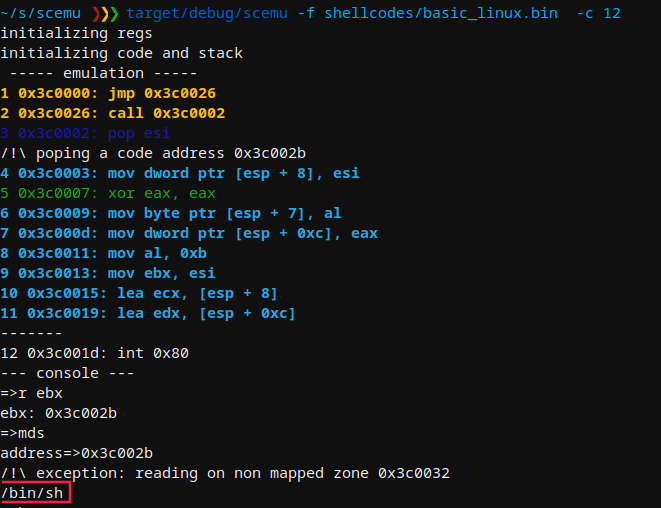
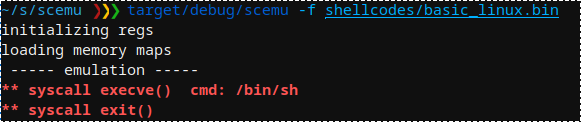
mwemu 模拟一个简单的 shellcode,用于检测 execve() 中断。
注意,我将此工具从 scemu 重命名为 mwemu(在意大利语中 scemu 是一个脏话)
我们选择要停止并检查内存的行。
在 linux 中模拟 GuLoader win32 的近 200 万条指令后,途中伪造 cpuid 和其他技巧,到达一个 sigtrap 以迷惑调试器。
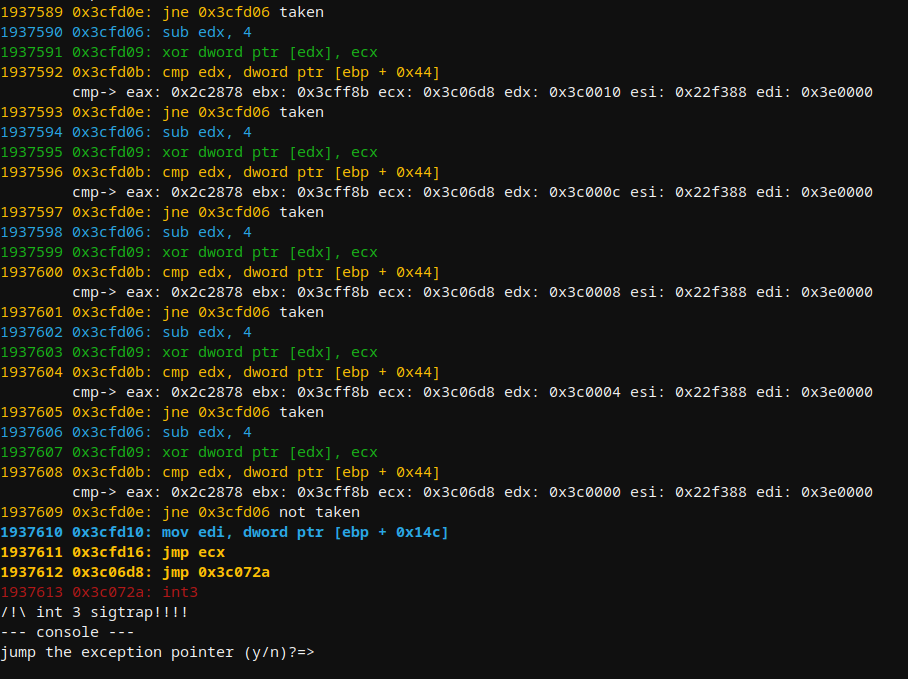
api 加载器上的内存转储示例。
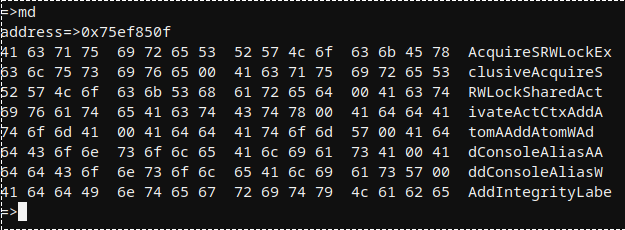
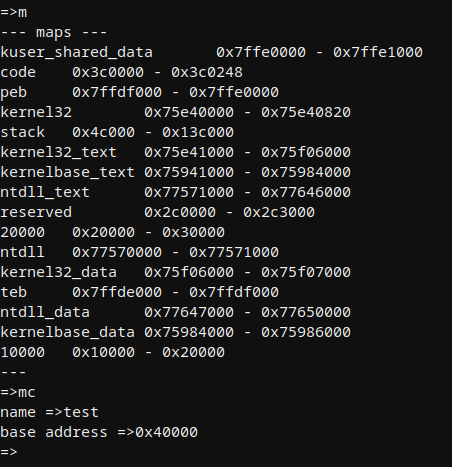
默认情况下有多个映射,可以通过 LoadLibraryA 等 api 或从控制台手动创建更多映射。