
 getkern/kern
Rootless container runtime and sandbox that launches kernel-enforced OCI images in milliseconds with no daemon, featuring resource profiles, seccomp allowlists, and compose support for untrusted and AI-generated code.





kern: fast, rootless container runtime and sandbox with no daemon and full NVIDIA GPU support. Runs untrusted code and AI agent tool calls under kernel-enforced isolation.
A real, kernel-enforced container in a few milliseconds, out of one static binary with no daemon.
MCP support for Claude Code, Cursor, Claude Desktop and LM Studio, through Kern Sandbox.

0 RAM at rest · no daemon, no socket, nothing to start · one static binary, libc its only Rust dependency
# Linux and macOS. Windows below.
curl -fsSL https://raw.githubusercontent.com/getkern/kern/main/install.sh | sh
A rootless container runtime in one static binary, with no daemon. The same binary is the sandbox an agent's code runs in, called from Python, Node or any MCP client. kern calls a container a box.
pull, build, commit, push, save/load. A box starts in single-digit
milliseconds.docker-compose.yml, unchanged, or kern's own stack.toml.--gpus all, --gpus 2, --gpus device=0,1,
and compose's deploy.resources.reservations.devices, on Linux and WSL2.kern run puts the same caps on a plain process on the host.
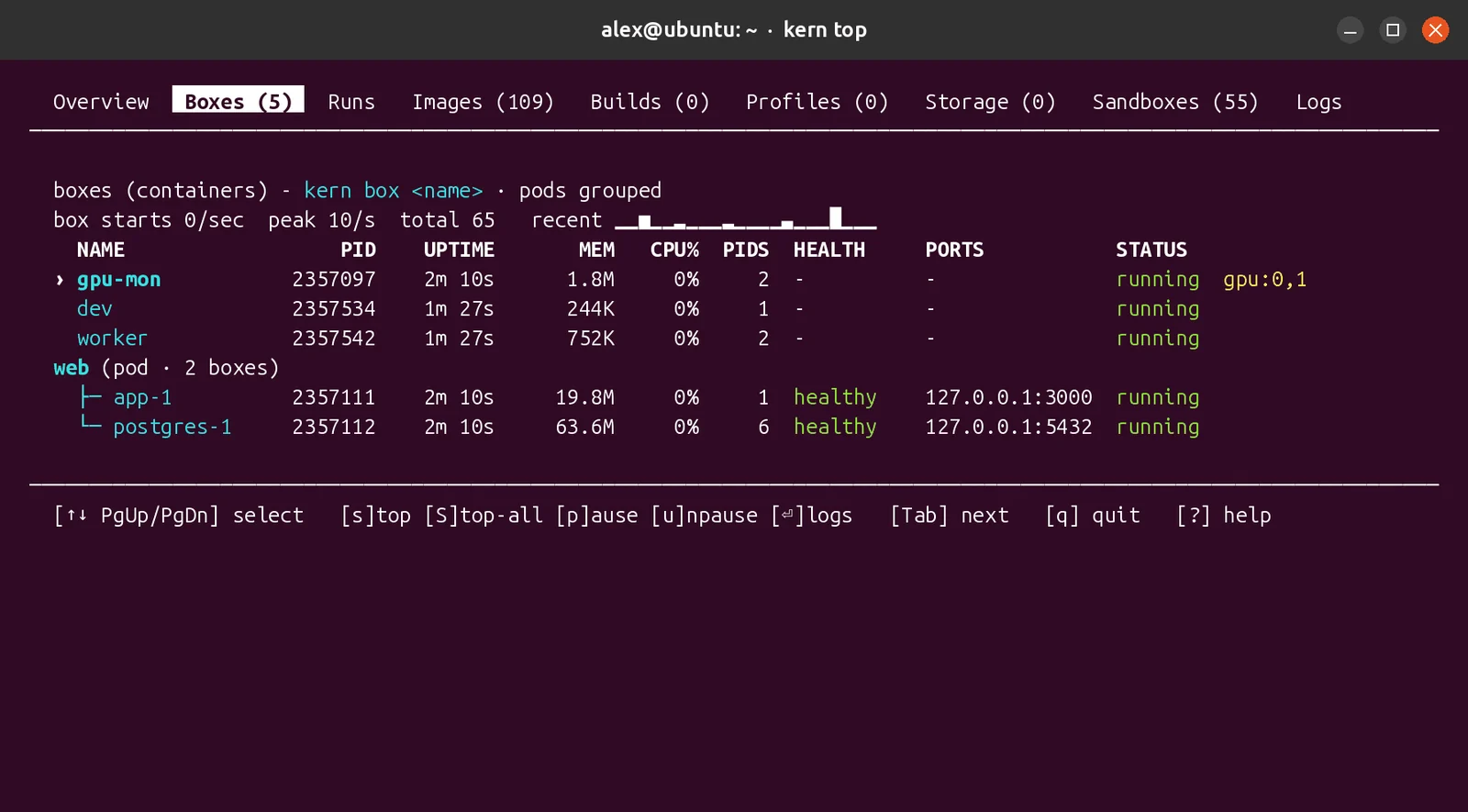
docs/RESOURCES.mdps, logs, exec, stats, inspect, top, doctor.
curl -fsSL https://raw.githubusercontent.com/getkern/kern/main/install.sh | sh

irm https://raw.githubusercontent.com/getkern/kern/main/install.ps1 | iex

curl -fsSL https://raw.githubusercontent.com/getkern/kern/main/install.sh | sh
On macOS kern runs in a small Lima VM, created automatically, with no Docker inside; kern on the
Mac runs it there, in the current directory. Kern Sandbox goes in the VM, with the code that calls
it: limactl shell kern, then pip install kern-sandbox there.
Then kern doctor checks the host and says what to fix. Ubuntu 23.10 and newer need one root step
first: docs/INSTALL.md.
| What it does | Command |
|---|---|
| A shell in a real OCI image | kern box dev --image alpine -it -- sh |
| A service, published on the host | kern box svc --image nginx:alpine -d -p 8080:80 |
| Untrusted code, with the strict profile | kern box job --image python:3.12-slim --security-profile untrusted -- python3 -c "print('hi')" |
What is running (--json too) | kern ps |
--security-profile untrusted is the seccomp allowlist, --cap-drop ALL and --read-only in one
flag. examples/ holds 96 runnable scripts, one per thing kern does.
In a terminal:
python3 -m venv .venv && . .venv/bin/activate
pip install -U kern-sandbox
Then in a Python file:
import kern_sandbox as kern

r = kern.run_code("print(sum(range(100)))")
print(r.stdout, r.fault)   # 4950  None
Your code runs in a container of its own, for one call or for a whole session, and a timeout or an
out-of-memory comes back as a typed fault. On Linux, pip brings kern with it, and so does
npm install kern-sandbox for Node.
On a GPU. gpus="all" (or "2", or "device=0,1") hands the sandbox NVIDIA cards, with the
host's driver:
r = kern.run_code(
    "import ctypes; cuda = ctypes.CDLL('libcuda.so.1'); n = ctypes.c_int()\n"
    "cuda.cuInit(0); cuda.cuDeviceGetCount(ctypes.byref(n)); print(n.value)",
    gpus="all",
)
print(r.stdout)   # 2, on a host with two NVIDIA cards
The same from a terminal:
kern box --rm --gpus all --image nvidia/cuda:12.9.0-base-ubuntu24.04 -- nvidia-smi -L

These three and three more, ready to copy: the Python SDK, the same for Node.
MCP server for Claude Code, Cursor, Claude Desktop and LM Studio. The same block goes in
claude_desktop_config.json, in Cursor's or LM Studio's mcp.json, or in .mcp.json at your
project root for Claude Code:
{
  "mcpServers": {
    "kern": { "command": "uvx", "args": ["--from", "kern-sandbox", "kern-mcp"] }
  }
}
Every option: docs/MCP.md.
docker-compose.yml, unchanged# stack.toml - one table per service, keys spelled like the `kern box` flags
[box.cache]
image = "redis:7-alpine"
[box.web]
image = "nginx:alpine"
ports = ["8080:80"]
depends_on = ["cache"]
kern compose stack.toml up            # start it (or point it at your compose.yaml)
kern compose stack.toml ps            # what is running, and what each service publishes
kern compose stack.toml port web 80   # the host address serving a port






