
trufflehog v3.99.3
查找、验证和分析泄露的凭证
TruffleHog
查找泄露的凭据。


🔎 正在扫描

🌐 TruffleHog 企业版
您是否有兴趣持续监控 Git、Jira、Slack、Confluence、Microsoft Teams、Sharepoint(以及更多) 中的凭据?我们有一款企业级产品可以帮到您!请访问 https://trufflesecurity.com/trufflehog-enterprise 了解更多信息。
我们将企业版产品的收入用于资助更多出色的开源项目,让整个社区都能从中受益。
什么是 TruffleHog 🐽
TruffleHog 是最强大的机密发现、分类、验证和分析工具。在此语境下,机密指的是机器用于向另一台机器进行身份验证的凭据。这包括 API 密钥、数据库密码、私有加密密钥等。
发现 🔍
TruffleHog 可以在许多地方查找机密,包括 Git、聊天记录、wiki、日志、API 测试平台、对象存储、文件系统等。
分类 📁
TruffleHog 可对 800 多种机密类型进行分类,并将其映射回所属的具体身份。它是 AWS 机密?Stripe 机密?Cloudflare 机密?Postgres 密码?SSL 私钥?有时仅凭观察很难判断,因此 TruffleHog 会对其发现的所有内容进行分类。
验证 ✅
对于 TruffleHog 能够分类的每一种机密,它还可以登录以确认该机密是否仍然有效。这一步对于判断是否存在当前活跃的危险至关重要。
分析 🔬
对于约 20 种最常见的泄露凭据类型,TruffleHog 不会只发送一个请求来检查机密能否登录,而是可以发送多个请求,以了解有关该机密的全部信息。是谁创建的?它可以访问哪些资源?它对这些资源拥有哪些权限?
📢 加入我们的社区
有疑问?有反馈?加入 Slack 或 Discord,与我们交流。
加入我们的 Slack 社区
📺 演示
docker run --rm -it -v "$PWD:/pwd" trufflesecurity/trufflehog:latest github --org=trufflesecurity
💾 安装
有多种选项可供你选择:
MacOS 用户
brew install trufflehog
Docker:
在执行以下命令前,请确保 Docker 引擎正在运行:
Unix
docker run --rm -it -v "$PWD:/pwd" trufflesecurity/trufflehog:latest github --repo https://github.com/trufflesecurity/test_keys
Windows 命令提示符
docker run --rm -it -v "%cd:/=\%:/pwd" trufflesecurity/trufflehog:latest github --repo https://github.com/trufflesecurity/test_keys
Windows PowerShell
docker run --rm -it -v "${PWD}:/pwd" trufflesecurity/trufflehog github --repo https://github.com/trufflesecurity/test_keys
M1 和 M2 Mac
docker run --platform linux/arm64 --rm -it -v "$PWD:/pwd" trufflesecurity/trufflehog:latest github --repo https://github.com/trufflesecurity/test_keys
二进制发布版本
Download and unpack from https://github.com/trufflesecurity/trufflehog/releases
从源码编译
git clone https://github.com/trufflesecurity/trufflehog.git
cd trufflehog; go install
使用安装脚本
curl -sSfL https://raw.githubusercontent.com/trufflesecurity/trufflehog/main/scripts/install.sh | sh -s -- -b /usr/local/bin
使用安装脚本,验证校验和签名(需要安装 cosign)
curl -sSfL https://raw.githubusercontent.com/trufflesecurity/trufflehog/main/scripts/install.sh | sh -s -- -v -b /usr/local/bin
使用安装脚本安装特定版本
curl -sSfL https://raw.githubusercontent.com/trufflesecurity/trufflehog/main/scripts/install.sh | sh -s -- -b /usr/local/bin <ReleaseTag like v3.56.0>
🔐 验证构建产物
所有构建产物都会生成校验和,生成的校验和文件使用 cosign 进行签名。
验证签名需要以下工具:
验证步骤如下:
-
下载你需要的构建产物文件,以及 releases 页面中的以下文件。
- trufflehog_{version}_checksums.txt
- trufflehog_{version}_checksums.txt.pem
- trufflehog_{version}_checksums.txt.sig
-
验证签名:
cosign verify-blob <path to trufflehog_{version}_checksums.txt> \ --certificate <path to trufflehog_{version}_checksums.txt.pem> \ --signature <path to trufflehog_{version}_checksums.txt.sig> \ --certificate-identity-regexp 'https://github\.com/trufflesecurity/trufflehog/\.github/workflows/.+' \ --certificate-oidc-issuer "https://token.actions.githubusercontent.com" -
一旦确认签名有效,你就可以继续验证 SHA256 校验和是否与下载的构件一致:
sha256sum --ignore-missing -c trufflehog_{version}_checksums.txt
将 {version} 替换为已下载文件的版本
或者,如果您使用的是安装脚本,请传入 -v 选项以执行签名验证。
这需要事先安装 Cosign 二进制文件,然后再运行安装脚本。
🚀 快速开始
1:仅扫描仓库中已验证的密钥
命令:
trufflehog git https://github.com/trufflesecurity/test_keys --results=verified
预期输出:
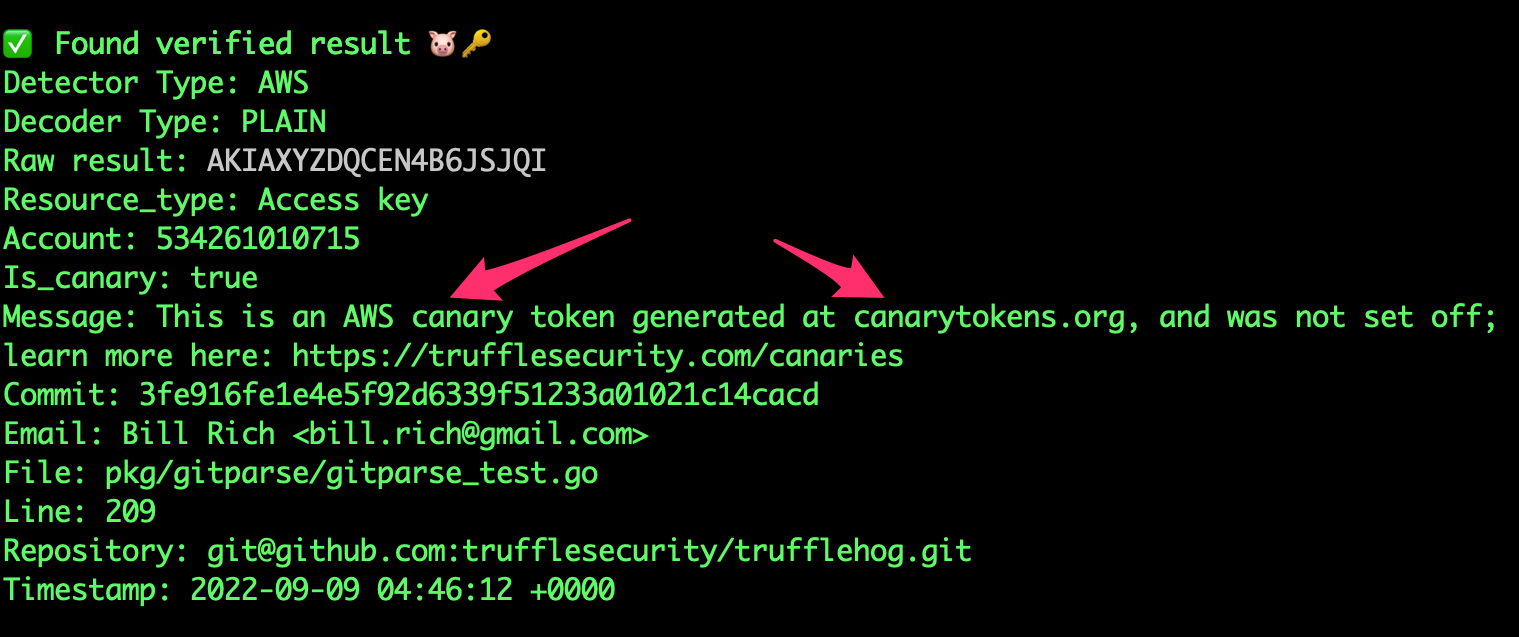
🐷🔑🐷  TruffleHog. Unearth your secrets. 🐷🔑🐷

Found verified result 🐷🔑
Detector Type: AWS
Decoder Type: PLAIN
Raw result: AKIAYVP4CIPPERUVIFXG
Line: 4
Commit: fbc14303ffbf8fb1c2c1914e8dda7d0121633aca
File: keys
Email: counter <[email protected]>
Repository: https://github.com/trufflesecurity/test_keys
Timestamp: 2022-06-16 10:17:40 -0700 PDT
...
2:扫描 GitHub 组织,仅查找已验证的密钥
trufflehog github --org=trufflesecurity --results=verified
3:扫描 GitHub 组织,排除已归档的仓库
trufflehog github --org=trufflesecurity --exclude-archived
4:仅扫描 GitHub 仓库中已验证的密钥并获取 JSON 输出
命令:
trufflehog git https://github.com/trufflesecurity/test_keys --results=verified --json
预期输出:
{"SourceMetadata":{"Data":{"Git":{"commit":"fbc14303ffbf8fb1c2c1914e8dda7d0121633aca","file":"keys","email":"counter \[email protected]\u003e","repository":"https://github.com/trufflesecurity/test_keys","timestamp":"2022-06-16 10:17:40 -0700 PDT","line":4}}},"SourceID":0,"SourceType":16,"SourceName":"trufflehog - git","DetectorType":2,"DetectorName":"AWS","DecoderName":"PLAIN","Verified":true,"Raw":"AKIAYVP4CIPPERUVIFXG","Redacted":"AKIAYVP4CIPPERUVIFXG","ExtraData":{"account":"595918472158","arn":"arn:aws:iam::595918472158:user/canarytokens.com@@mirux23ppyky6hx3l6vclmhnj","user_id":"AIDAYVP4CIPPJ5M54LRCY"},"StructuredData":null}
...
TruffleHog 也可以使用 --sarif 代替 --json 来输出 SARIF。GitHub 代码扫描原生支持 SARIF,因此上传后可在拉取请求差异中内联展示发现结果,并在仓库的 Security 标签页中显示,同时跨扫描将发现结果跟踪为新增/已修复,而不是每次运行都报告同一条结果——有关如何上传,请参阅下方的 TruffleHog Github Action 部分。请注意,与其他输出格式不同,SARIF 结果会在整个扫描过程中缓冲在内存中,并在结束时写出,因为 SARIF 需要单个 JSON 文档而非流——对于典型扫描来说没问题,但产生大量结果的扫描将按比例使用更多内存。
5:扫描 GitHub 仓库及其 Issues 和 Pull Requests
trufflehog github --repo=https://github.com/trufflesecurity/test_keys --issue-comments --pr-comments
6:扫描 S3 存储桶以获取高置信度结果(已验证 + 未知)
trufflehog s3 --bucket=<bucket name> --results=verified,unknown
7:使用 IAM Roles 扫描 S3 存储桶
trufflehog s3 --role-arn=<iam role arn>
8:在 Docker 中使用 SSH 认证扫描 Github 仓库
docker run --rm -v "$HOME/.ssh:/root/.ssh:ro" trufflesecurity/trufflehog:latest git ssh://github.com/trufflesecurity/test_keys
9:扫描单个文件或目录
trufflehog filesystem path/to/file1.txt path/to/file2.txt path/to/dir
10:扫描本地 git 仓库
克隆该 git 仓库。例如 test keys 仓库。
git clone [email protected]:trufflesecurity/test_keys.git
从父目录(git 仓库之外)运行 trufflehog。
trufflehog git file://test_keys --results=verified,unknown