 movray/meles
Malware scanner for container images: daemonless, layer-aware, ClamAV and YARA


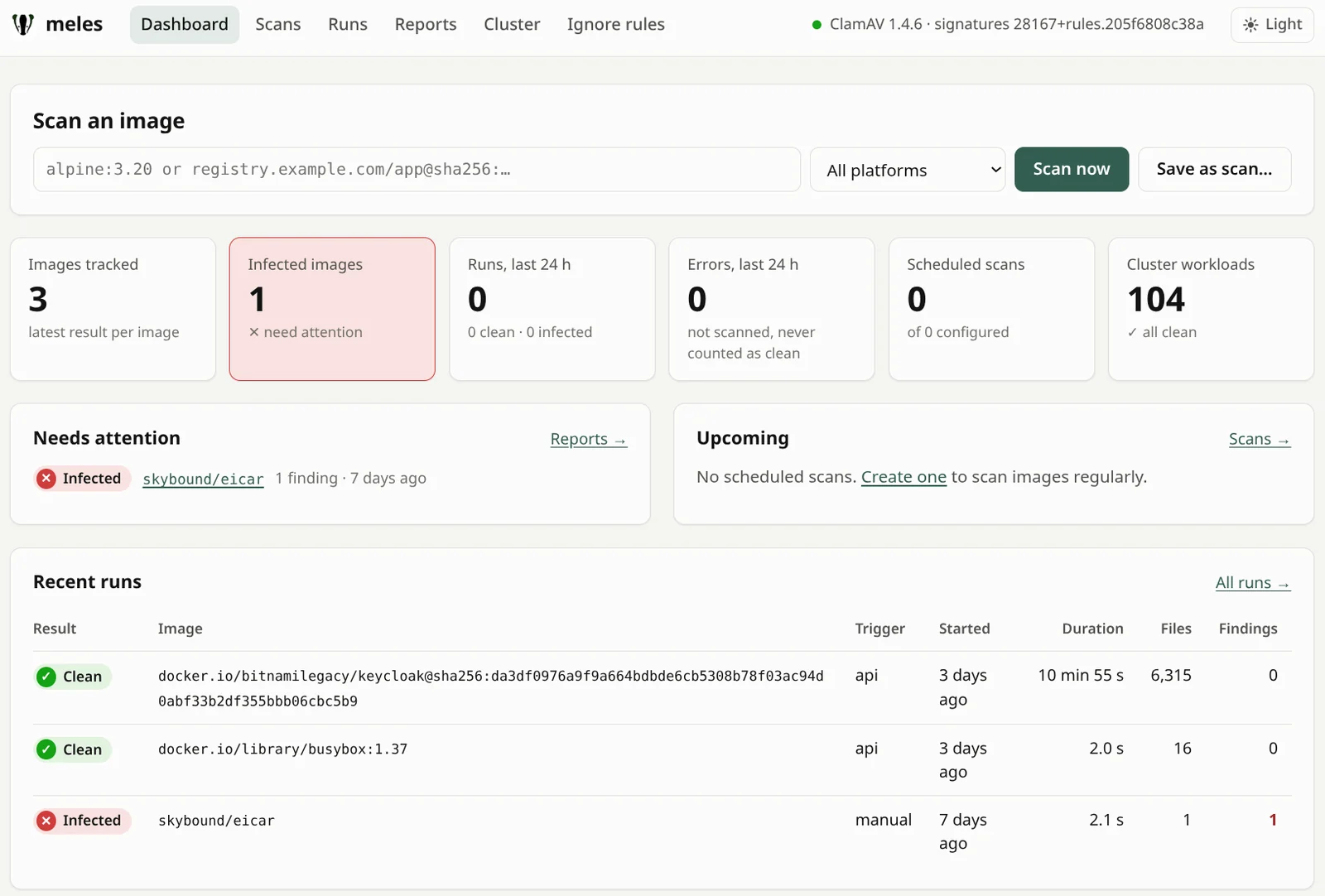
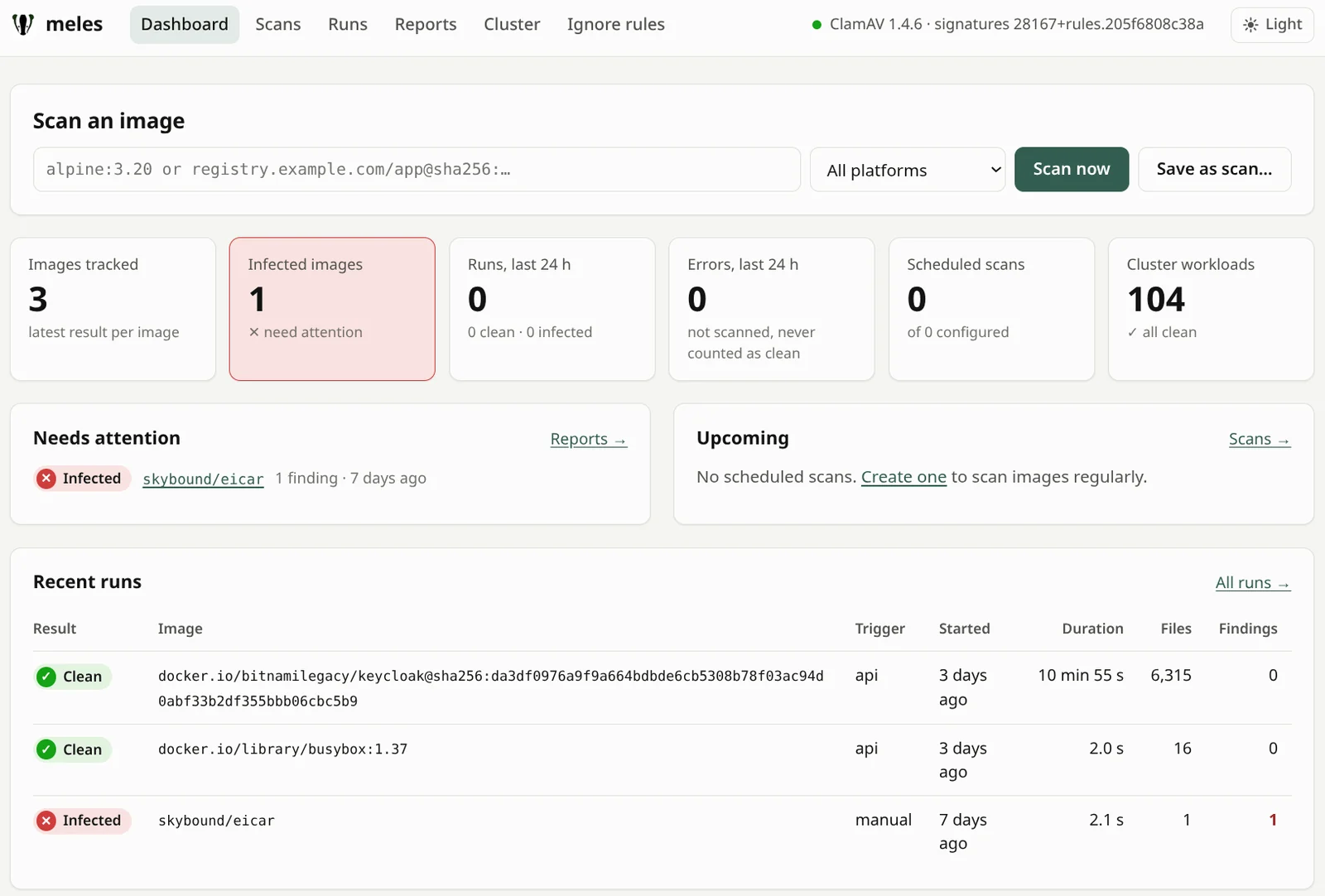
meles is a malware scanner for container images: one command on an image reference, no Docker daemon, CI-friendly exit codes. In Kubernetes it also scans every image your pods run and, if you want, holds new pods until their image is scanned.
meles inspects what an image contains before it runs. It complements vulnerability scanners and runtime detection such as Falco; it replaces neither.
The name comes from Meles meles, the European badger – it digs through the layers.
meles image <ref> fails a pipeline when it
finds malware. Output as table, JSON or SARIF, with
ignore rules for false positives.MalwareReport next to the workload, with optional Prometheus alerts.Try it on your machine (Linux amd64, Docker, bash):
curl -fsSL https://github.com/movray/meles/releases/download/v0.3.3/meles_0.3.3_linux_amd64.tar.gz | tar -xz meles
docker run -d --name clamd -p 127.0.0.1:3310:3310 clamav/clamav:1.4
export MELES_CLAMD=tcp://127.0.0.1:3310
until (exec 3<>/dev/tcp/127.0.0.1/3310 && printf 'zPING\0' >&3 && head -c4 <&3 | grep -q PONG) 2>/dev/null; do sleep 5; done
./meles selftest
./meles image alpine:3.20
Or in a cluster (cluster admin, a default StorageClass, about 2 GB of free memory on a node):
kubectl create namespace meles
kubectl label namespace meles pod-security.kubernetes.io/enforce=baseline
helm install meles oci://ghcr.io/movray/charts/meles --version 0.3.3 -n meles --set operator.enabled=true
kubectl -n meles rollout status deploy/meles-clamd --timeout=15m
kubectl get malwarereports -A                            # every image running in your cluster
kubectl -n meles port-forward svc/meles-server 8080:80   # http://localhost:8080/
The operator now pulls and scans the image of every pod, which counts
against the pull limits of your registries; it only reports and does not touch
your pods. Reports appear within minutes. A very large binary can end as
Incomplete, which is never clean: see
Reading the results.
The port-forward is only the quickest way to have a look. For permanent use,
expose the UI with server.ingress or server.httpRoute and put a login in
front of it with server.oauth2Proxy, all in the chart's values:
Login for the web UI. meles has no login of its
own, so do not expose the UI without one.
A step-by-step tour, from a file hidden by a later layer to the scan gate in Kubernetes: docs/getting-started.md.
clamd over its socket protocol. meles does not
link against libclamav and stays Apache-2.0 licensed.By default meles only reports, and it never deletes anything. It is no substitute for image signing, SBOMs or runtime detection.
Each release comes with binaries for Linux and macOS (amd64, arm64), a multi-arch image and the Helm chart:
VERSION=0.3.3
# Binary
curl -fsSLO https://github.com/movray/meles/releases/download/v$VERSION/meles_${VERSION}_linux_amd64.tar.gz
tar -xzf meles_${VERSION}_linux_amd64.tar.gz meles
# Image (linux/amd64, linux/arm64; no shell, runs as non-root)
docker run --rm ghcr.io/movray/meles:$VERSION version
# Helm chart (see Kubernetes below)
helm install meles oci://ghcr.io/movray/charts/meles --version $VERSION -n meles -f my-values.yaml
# From source
go install github.com/movray/meles/cmd/meles@v$VERSION
Binaries, image and chart are built by the release workflow and carry signed build provenance. The image is scanned with meles and Trivy before it is published. Check the provenance with the GitHub CLI:
gh attestation verify meles_${VERSION}_linux_amd64.tar.gz -R movray/meles
gh attestation verify oci://ghcr.io/movray/meles:$VERSION -R movray/meles
gh attestation verify oci://ghcr.io/movray/charts/meles:$VERSION -R movray/meles
Image and chart are also signed with cosign (keyless), so admission
policies such as Kyverno or the Sigstore policy-controller can check them.
The signatures are Sigstore bundles stored as OCI referrers: verify with
cosign 3 (cosign 2 needs --new-bundle-format):
cosign verify ghcr.io/movray/meles:$VERSION \
  --certificate-oidc-issuer https://token.actions.githubusercontent.com \
  --certificate-identity-regexp '^https://github.com/movray/meles/\.github/workflows/release\.yml@refs/tags/v'
You need a running clamd. With apt install clamav-daemon meles finds its
socket (/run/clamav/clamd.ctl) on its own; the clamav/clamav image works,
too (see TL;DR; loading the signatures takes a minute or two).






