 gleeda/memtriage
Windows 머신에서 RAM 아티팩트를 신속하게 조회할 수 있습니다

실행 중인 Windows 머신에서 RAM 아티팩트를 빠르게 조회할 수 있게 해줍니다
이 도구는 물리 메모리에 접근하기 위해 Winpmem 드라이버를, 분석을 위해 Volatility를 사용합니다.
주의사항:
현재 다음이 지원됩니다:
usage: memtriage.exe [-h] [--unload] [--load] [--debug] [--service SERVICE]
                     [--output OUTPUT] [--dumpdir DUMPDIR] [--base BASE]
                     [--offset OFFSET] [--memory MEMORY] [--pid PID] [--leave]
                     [--plugins PLUGINS] [--physoffset PHYSOFFSET]
                     [--physical] [--ignore] [--regex REGEX] [--name NAME]
                     [--keepname] [--outfile OUTFILE] [--yararules YARARULES]
                     [--yarafile YARAFILE] [--kernel] [--all] [--case]
                     [--wide] [--size SIZE] [--reverse REVERSE]

Memtriage options:

optional arguments:
  -h, --help            show this help message and exit
  --unload              Unload the driver and exit
  --load                Load the driver and exit
  --debug               Output debug messages while running
  --service SERVICE     Change the service name (default: pmem)
  --output OUTPUT       Output type: json/text/csv
  --dumpdir DUMPDIR     Directory to dump files to
                        (dlldump,procdump,moddump,vaddump,dumpfiles)
  --base BASE           Base of PE file to dump (dlldump,procdump,moddump)
  --offset OFFSET       Physical offset of process to act on
                        (dlldump,procdump,moddump,vaddump,dumpfiles)
  --memory MEMORY       Carve as a memory sample rather than exe/disk
                        (dlldump,procdump,moddump)
  --pid PID             Operate on this process ID
  --leave               Leave pmem service running with driver
  --plugins PLUGINS     Comma delimited list of plugins to run: apihooks atoms
                        cmdline dlldump dlllist driverirp dumpfiles envars
                        getsids handles ldrmodules malfind moddump modules
                        netscan privs procdump pslist psxview shimcachemem
                        svcscan vaddump vadinfo verinfo volshell yarascan
  --physoffset PHYSOFFSET
                        Dump File Object at physical address PHYSOFFSET
                        (dumpfiles)
  --physical            Display the physical address of object
                        (pslist,handles,modules)
  --ignore              Ignore case in pattern match (dumpfiles,verinfo)
  --regex REGEX         Dump files matching REGEX (dumpfiles,driverirp,privs)
  --name NAME           Name of process/object to operate on
  --keepname            Keep original file name (dumpfiles)
  --outfile OUTFILE     Combined output file (default: stdout)
  --yararules YARARULES
                        Yara rule given on the commandline (yarascan)
  --yarafile YARAFILE   Yara rules given as a file (yarascan)
  --kernel              Scan kernel memory (yarascan)
  --all                 Scan both process and kernel memory (yarascan)
  --case                Make the search case insensitive (yarascan)
  --wide                Match wide (unicode) strings (yarascan)
  --size SIZE           Size of preview hexdump in bytes (default: 256)
                        (yarascan)
  --reverse REVERSE     Reverse [REVERSE] number of bytes (default: 0)
                        (yarascan)
Memtriage는 프로필을 자동으로 파악하여 적절한 설정으로 실행하려고 시도합니다. 정확히 일치하는 항목이 없으면 Memtriage는 사용 가능한 가장 가까운 이름의 프로필을 사용하려고 시도합니다. 따라서 객체 정의(예: 프로세스 이름 등)가 정확히 일치하지 않을 가능성이 있으며, 이는 잘못된 프로필로 Volatility를 실행할 때도 볼 수 있는 현상입니다. 프로필은 Volatility 코드에 추가할 수 있으며, 실행 파일은 pyinstaller로 다시 컴파일할 수 있습니다.
기본적으로 memtriage.exe는 처음 실행될 때 드라이버를 로드하려고 시도하고, 종료될 때 언로드합니다. 그러나 --load 및 --unload 옵션을 사용하여 드라이버를 수동으로 로드하고 언로드할 수 있습니다. 또한 --leave 옵션을 사용하여 플러그인 실행이 완료된 후에도 드라이버가 로드된 상태로 유지되도록 요청할 수 있습니다.
> memtriage.exe --leave --plugins=dumpfiles --dumpdir=outdir --physoffset=1066160184 --keepname
기본적으로 생성되는 서비스 이름은 pmem입니다. --service= 옵션으로 다른 서비스 이름을 지정할 수 있습니다. 드라이버를 로드된 상태로 두는 경우 이후 호출에서도 이 --service= 옵션을 사용해야 합니다. 예:
> memtriage.exe --leave --service=somename --plugins=dlllist --pid=2924
[snip]
> memtriage.exe --unload --service=somename
--plugins= 옵션에 쉼표로 구분하여 지정하면 여러 플러그인을 동시에 실행할 수 있습니다. 예시:
> memtriage.exe --plugins=pslist,handles,dlllist
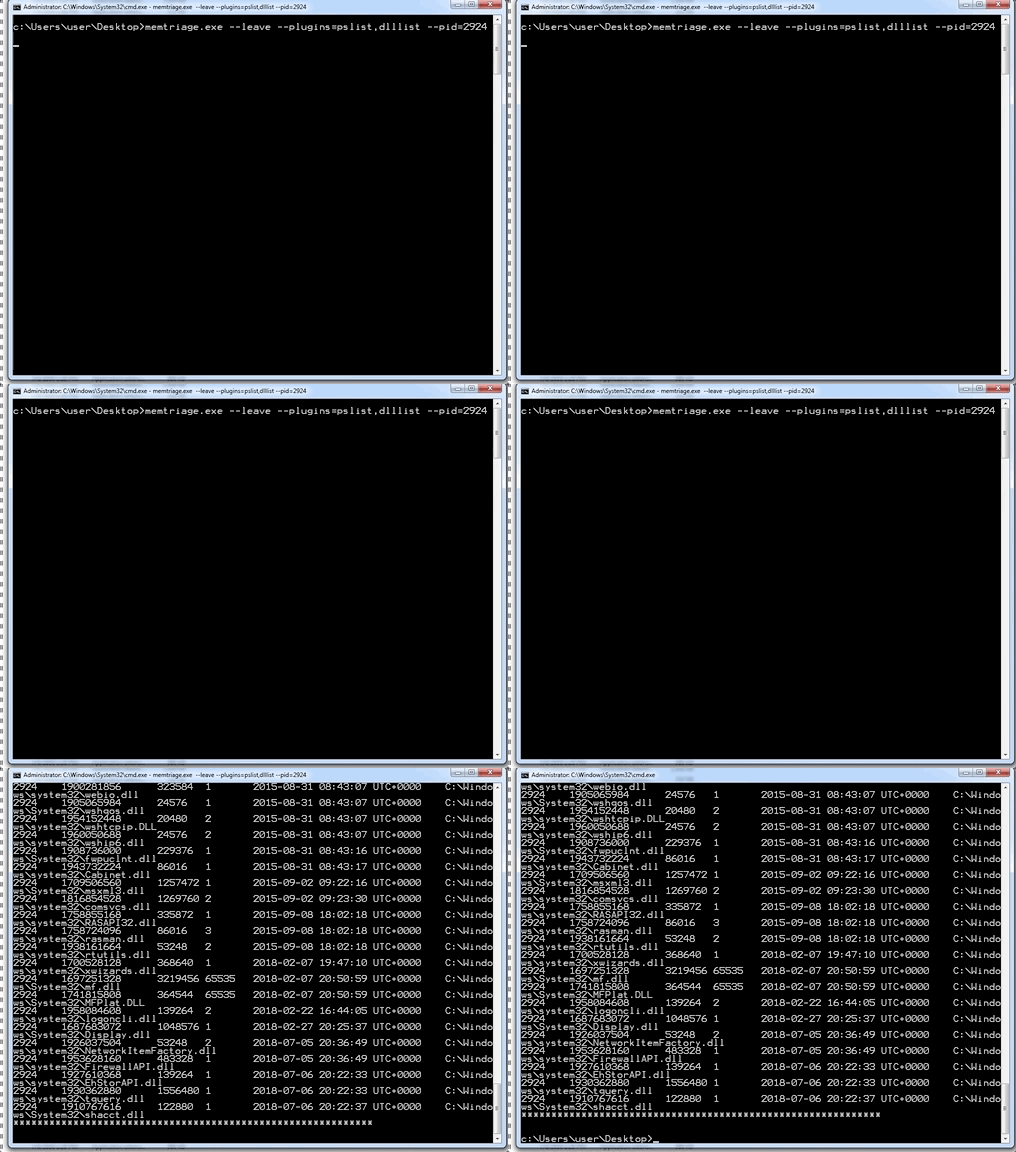
다른 옵션은 적절한 플러그인에 사용됩니다. 예:
> memtriage.exe --plugins=pslist,handles,dlllist,dlldump,dumpfiles,shimcachemem,volshell --outfile=outfile.txt --pid=2924 --dumpdir=outdir --leave --keepname --physoffset=1066160184
pyinstaller 독립 실행 파일을 포함한 릴리스는 다음에서 확인할 수 있습니다: https://github.com/gleeda/memtriage/releases






