
Skip to content
KitploitKITPLOIT
도구익스플로잇블로그
Log in
제출
도구익스플로잇블로그
제출

해킹, 침투 테스트 및 사이버 보안 도구를 당신의 보안 무기고에!

Kitploit은 해킹, 사이버 보안 및 침투 테스트 도구 디렉토리입니다. 최신 프로젝트 업데이트를 발견하여 취약점을 찾고, 시스템을 분석하고, 테스트를 자동화하고, 보안을 강화하세요.

피드문의개인정보© 2026 Kitploit

도구 디렉토리

카테고리

모든 카테고리 보기
Loading categories
cve-intel — Local CVE triage engine aggregating 25 sources (NVD, EPSS, CISA KEV, OSV, Shodan) into 0-100 risk scores, with CLI, REST API, MCP server and on-device AI explanations. | Kitploit
도구/GitHubGitHub/fazmin/cve-intel
Indicator of Compromise (IOC) ManagementOSINT (Open Source Intelligence)Vulnerability ScannersThreat Feeds & AggregatorsVulnerability AnalysisInformation GatheringDevSecOpsThreat IntelligenceSupply Chain SecurityIncident ResponseAI Security
150101212일 전Kitploit 검토 완료
공유
GitHub
fazmin/cve-intel

cve-intel

Local CVE triage engine aggregating 25 sources (NVD, EPSS, CISA KEV, OSV, Shodan) into 0-100 risk scores, with CLI, REST API, MCP server and on-device AI explanations.

저장소 보기
요청한 언어로 콘텐츠를 사용할 수 없습니다. 영어 버전을 표시합니다.

CVE Intel

Know which vulnerabilities matter, and what to do about them.
A private desktop app for vulnerability triage and scanning, written in native Rust, with a CLI, REST API and MCP server for developers and AI agents,
and a fleet mode that watches every server you run from one place.
42 MCP tools, 46 data sources, SBOMs in and out, on-device AI.

Rust Tauri 2 MCP compatible License: MIT OR Apache-2.0

What it is · Getting started · Features · Fleet mode · Install · Local AI · Data sources · Developer notes · Citing
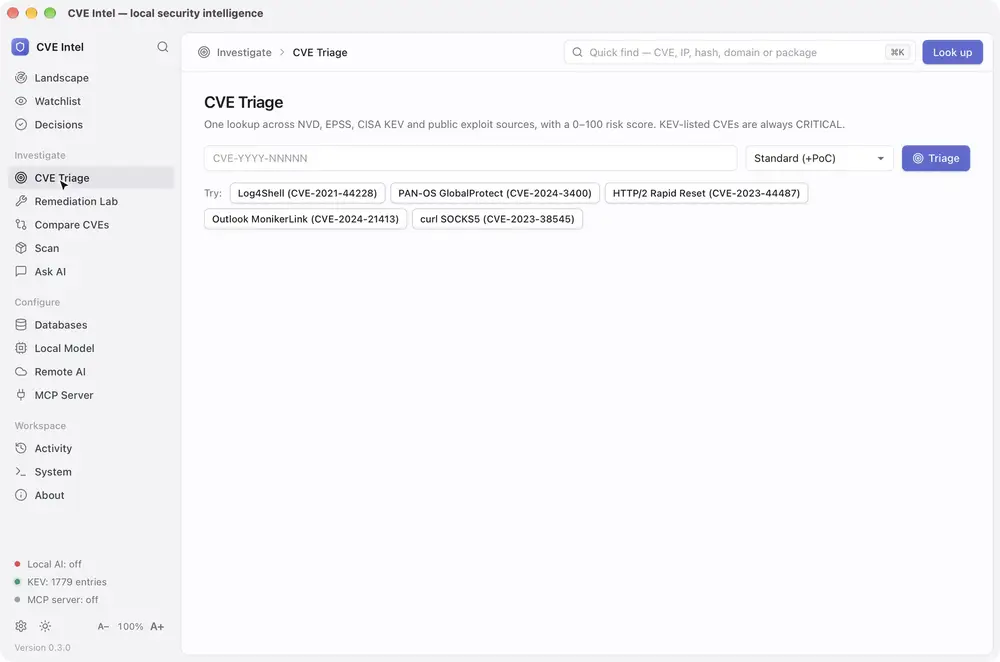
Sped-up screen recording of CVE Intel on macOS: triage of CVE-2024-6387 and its How to fix it card, then the Remediation Lab: the plan for openssh on Ubuntu 22.04 with Ubuntu's own build first, ticking the fix and opening its runbook, ticking Ubuntu's mitigation instead and watching the SSVC decision move from Attend to Track, saving that as a decision and finding it in the ledger, then PAN-OS 10.2.8 with its hotfix and workaround, RHEL 8 as not affected, log4j-core, and Plan fix from a scan of lodash 4.17.20

Sped-up demo on macOS (video, or the full-length recording): from a triage result to a remediation plan for what you run, its runbook, a mitigation tried in What if and saved as a decision, and Plan fix from a scan. A second demo, of the landscape, decisions, scans and the watchlist, is under Features.

What is CVE Intel?

Every known software vulnerability gets a public ID, such as CVE-2024-3400. For each one, security, IT and development teams face the same question: does this affect us, and do we fix it now or can it wait? Answering it usually means checking NVD, CISA, FIRST, GitHub and vendor advisories by hand, one browser tab at a time.

Why it matters now

CVE publication keeps rising (48,185 in 2025, 20.6% more than 2024, and over 86,000 by 27 October 2026), and in April 2026 NIST said the National Vulnerability Database cannot keep up, so it will enrich CVEs in CISA's Known Exploited Vulnerabilities (KEV) catalog, federal-use software and critical software first, and move its unenriched backlog from before 1 March 2026 to "Not Scheduled". Meanwhile, Mandiant's M-Trends 2026 estimates the mean time to exploit at −7 days, so exploitation routinely begins before a patch is released, and exploits were the most common initial infection vector for the sixth year running (32% of intrusions).

What it does

Give CVE Intel a CVE ID, a project folder, a lockfile or SBOM, a container image, the software on this computer, your own domains, or a suspicious IP address, file hash or domain. It queries up to 46 public sources, including CISA KEV, FIRST's EPSS and ENISA's EU Vulnerability Database alongside NVD, and returns what the vulnerability is, a risk score from 0 to 100, whether attackers are already using it, the evidence behind each signal and what to do next. It also shows what changed this week across those sources, and watches the vendors, products and packages you run.

  • 46 data sources for vulnerability, exploit, network and threat intelligence, listed under Data sources. Many need no API key.
  • 42 MCP tools for AI agents and coding assistants. The same program is also a command line and a REST API (see Developer notes).
  • SBOMs in and out. It reads CycloneDX and SPDX SBOMs along with lockfiles, and Save SBOM (or scan deps . --format cyclonedx) writes any scan as a CycloneDX 1.5 SBOM with the findings, their risk signals and your recorded decisions.
  • Local. There is no CVE Intel account or hosted service. Lookups go straight from your computer to the public sources, and the AI assistant runs on a local model unless you choose a remote provider. Fleet mode runs on a server you own.

It is for security analysts, IT and operations teams, developers checking their dependencies, and anyone learning vulnerability management.

One machine or a whole fleet

The desktop app checks the computer it runs on and whatever you give it. To watch your servers as well, run fleet mode: a small agent on each machine sends what is installed there to a CVE Intel server you run. That server checks every machine when its software changes and again every day, records what became new, riskier or fixed, and answers which of our machines have this CVE? The desktop app's Fleet view shows it all from your own computer.
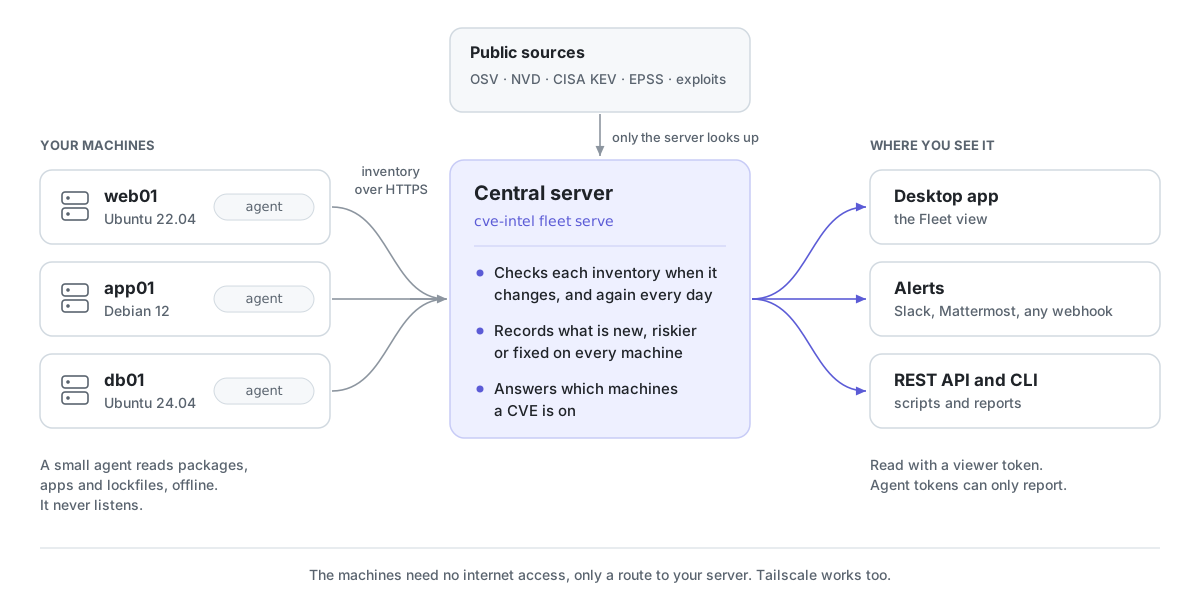
How fleet mode works: an agent on each machine (web01 on Ubuntu 22.04, app01 on Debian 12, db01 on Ubuntu 24.04) reads its packages, apps and lockfiles offline and sends the inventory over HTTPS to your central server, cve-intel fleet serve. Only the server looks the software up in the public sources (OSV, NVD, CISA KEV, EPSS and exploit feeds). It checks each inventory when it changes and every day, records what is new, riskier or fixed, and answers which machines a CVE is on. The desktop app's Fleet view, webhook alerts to Slack, Mattermost or anything else, and the REST API and command line read the results with a viewer token. Agents never listen, and the machines need no internet access, only a route to your server.

Fleet mode under Features has screenshots and a demo, and the fleet guide shows how to set it up.

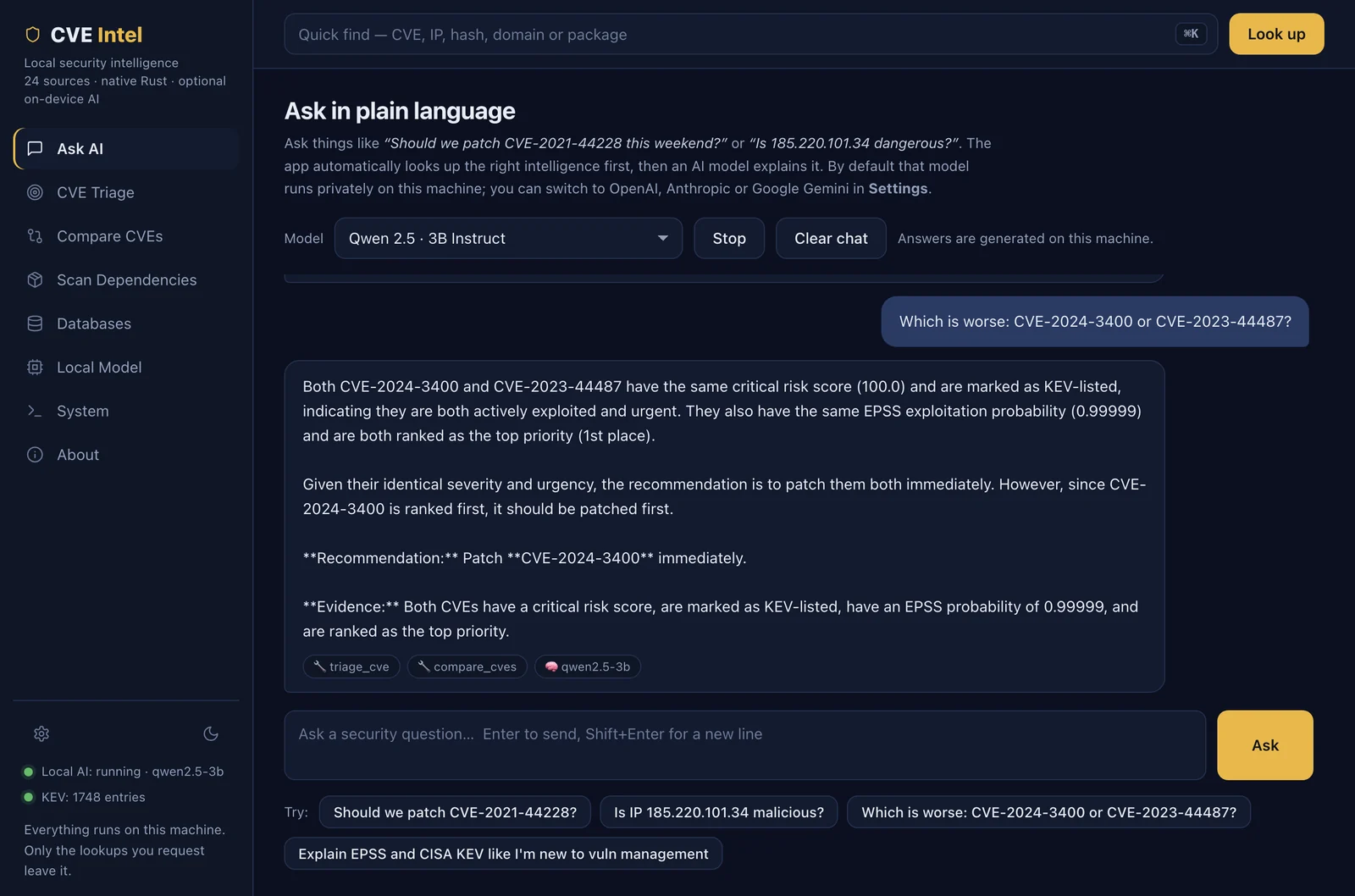
What it helps you do

도구 다운로드

인기

모두 보기 →

커뮤니티에서 가장 많이 사용되는 도구를 찾아보세요.

  • 1

    OsintHunter

    letox4/osinthunter

    🎯 궁극의 OSINT 툴킷: 조사 그래프, 신뢰도 점수 산정, 별칭 패밀리, 지도, 타임라인 및 보고서. 49개 모듈, 400개 이상 사이트, API 키 불필요.

    786
  • 2

    ghostlock-app

    yukonga/ghostlock-app

    # GhostLock 원탭 실행 앱 (CVE-2026-43499)

    506
  • 3

    ARTEX

    baarai/artex

    LLM 멀티 에이전트 자율 침투 테스트 플랫폼으로, 플래너/워커 에이전트, 자산 및 탐색 그래프, MITM 트래픽 기록, 취약점 재테스트 기능을 제공합니다.

    429
  • 4

    redforge

    cybersecurity91/redforge

    브라우저 측 레드 팀 툴킷으로, 정찰, 페이로드 생성, 자격 증명 공격, 암호화, 인코딩 및 참여 보고를 위한 102개의 오프라인 도구를 제공합니다.

    345
  • 5

    CyberStrikeAI

    ed1s0nz/cyberstrikeai

    AI 네이티브 사이버보안을 위한 행동 체계—의도가 통제된 실행이 되고, 증거가 운영 메모리가 되며, 모든 운영이 다음 운영을 개선하는 곳.

    262
  • 6

    looking-glass

    anonghosty/looking-glass

    Shadowserver 보고서를 MongoDB로 수집하고 이를 대화형 지도, 분석, 발견 사항, 권고 및 경영진 대시보드로 재생하는 CSIRT 플랫폼입니다.

    256

모든 도구 탐색

도구 컬렉션을 둘러보세요

모든 도구 보기 →








