Regenerator 2000




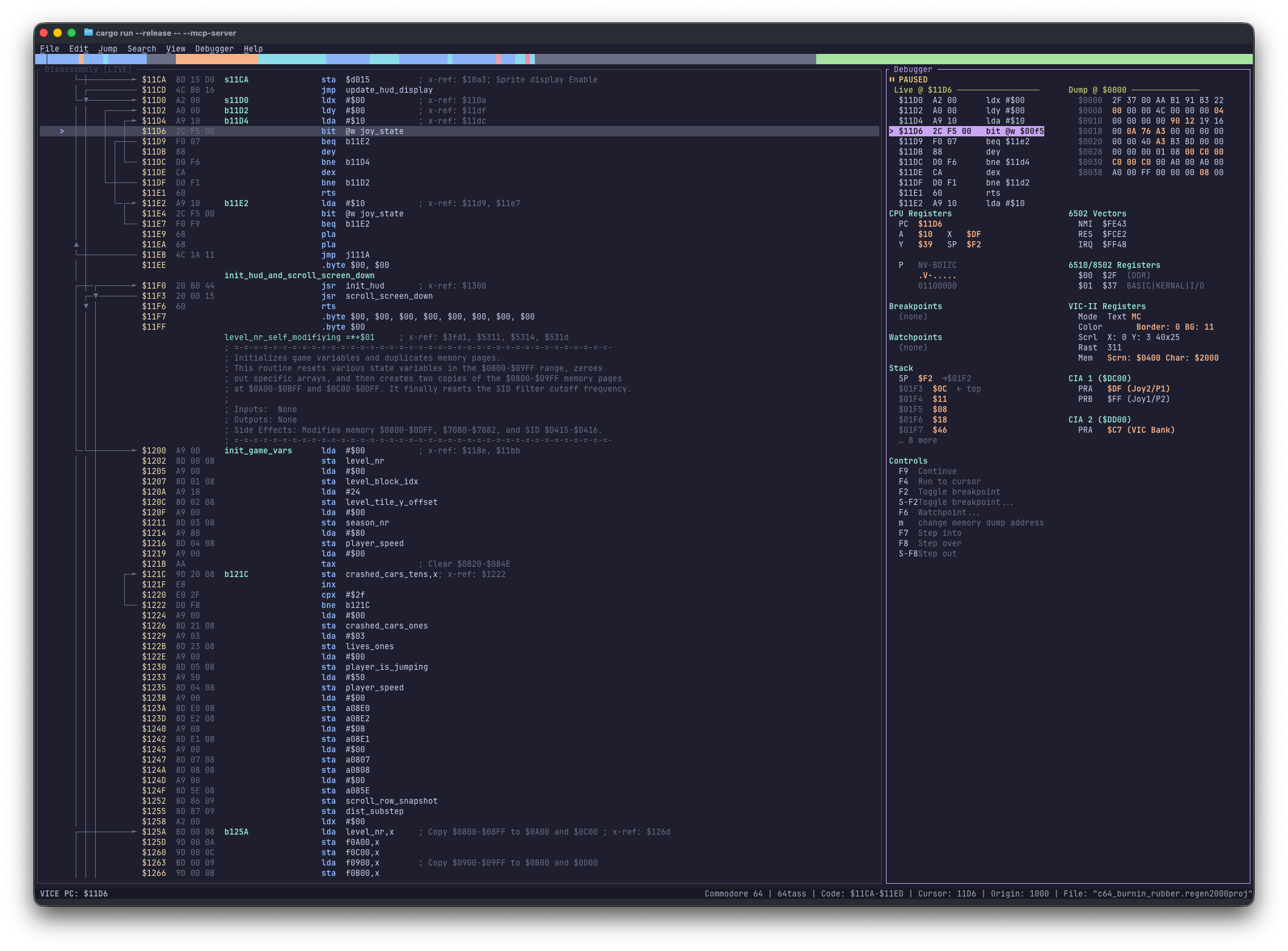
Regenerator 2000 is an interactive 6502 disassembler for Commodore 8-bit machines. It is inspired by the original Regenerator.
- ⚡ Fast — Starts immediately, navigates large binaries with zero lag, and updates control flow and cross-references in real time.
- ⏪ Non-Destructive — Tracks every edit in the undo history so you can experiment with code, data, and labels without risk.
- ⌨️ Keyboard-First — Navigate and edit with single-key shortcuts, arrow or Vim keys, and optional mouse support.
It supports two primary workflows:
- 🕹️ Manual Analysis — Use the keyboard-centric terminal interface to navigate code, define data regions, label subroutines, add comments, and refine your disassembly.
- 🤖 Automated Analysis — Use the built-in MCP Server and analysis skills so AI assistants classify blocks, trace routines, and name symbols automatically.
Use either workflow independently, or combine them. Run an initial pass with the AI, and then refine the results interactively.
See the Examples page to inspect pre-disassembled games for different Commodore platforms.
Features
Regenerator 2000 provides the following features for 6502 disassembly:
- Disassembly: Supports the full 6502 instruction set and undocumented opcodes.
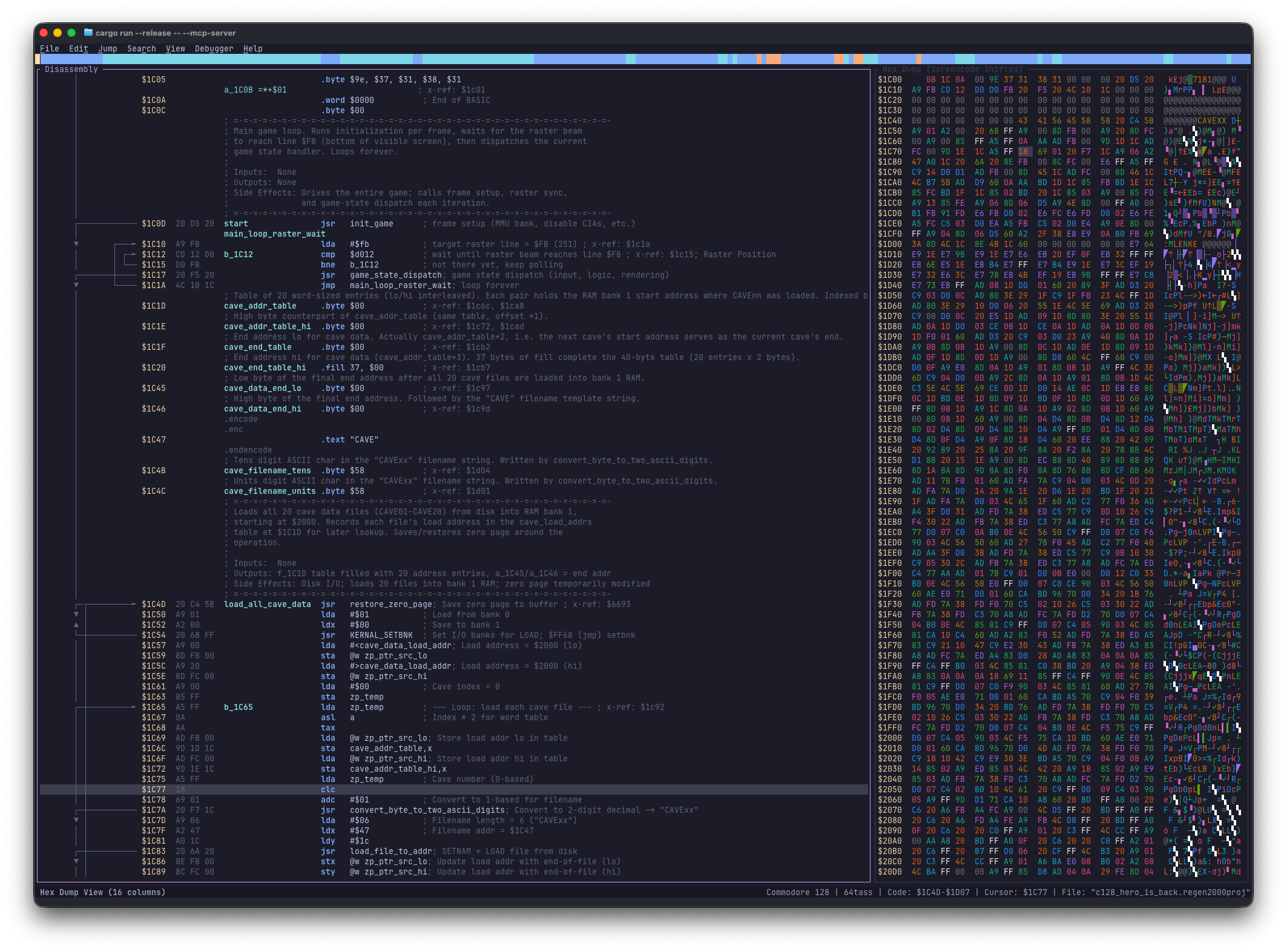
- Hex Dump:
- Displays a side-by-side view with the disassembly.
- Supports synchronized or independent navigation.
- Supports unshifted PETSCII, shifted PETSCII, and screencode character sets.
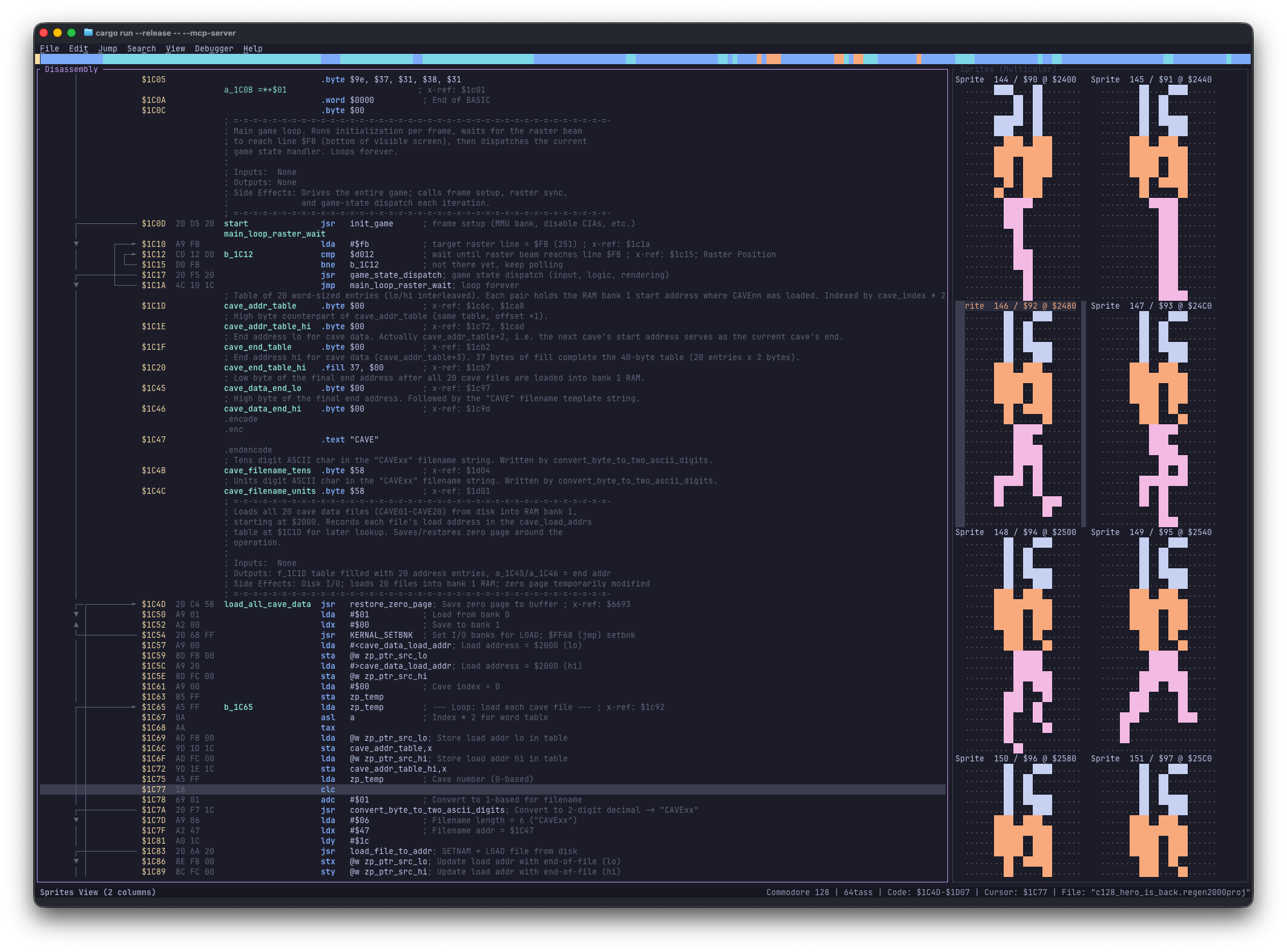
- Sprites:
- Displays a side-by-side view with the disassembly.
- Supports multicolor and single-color modes.
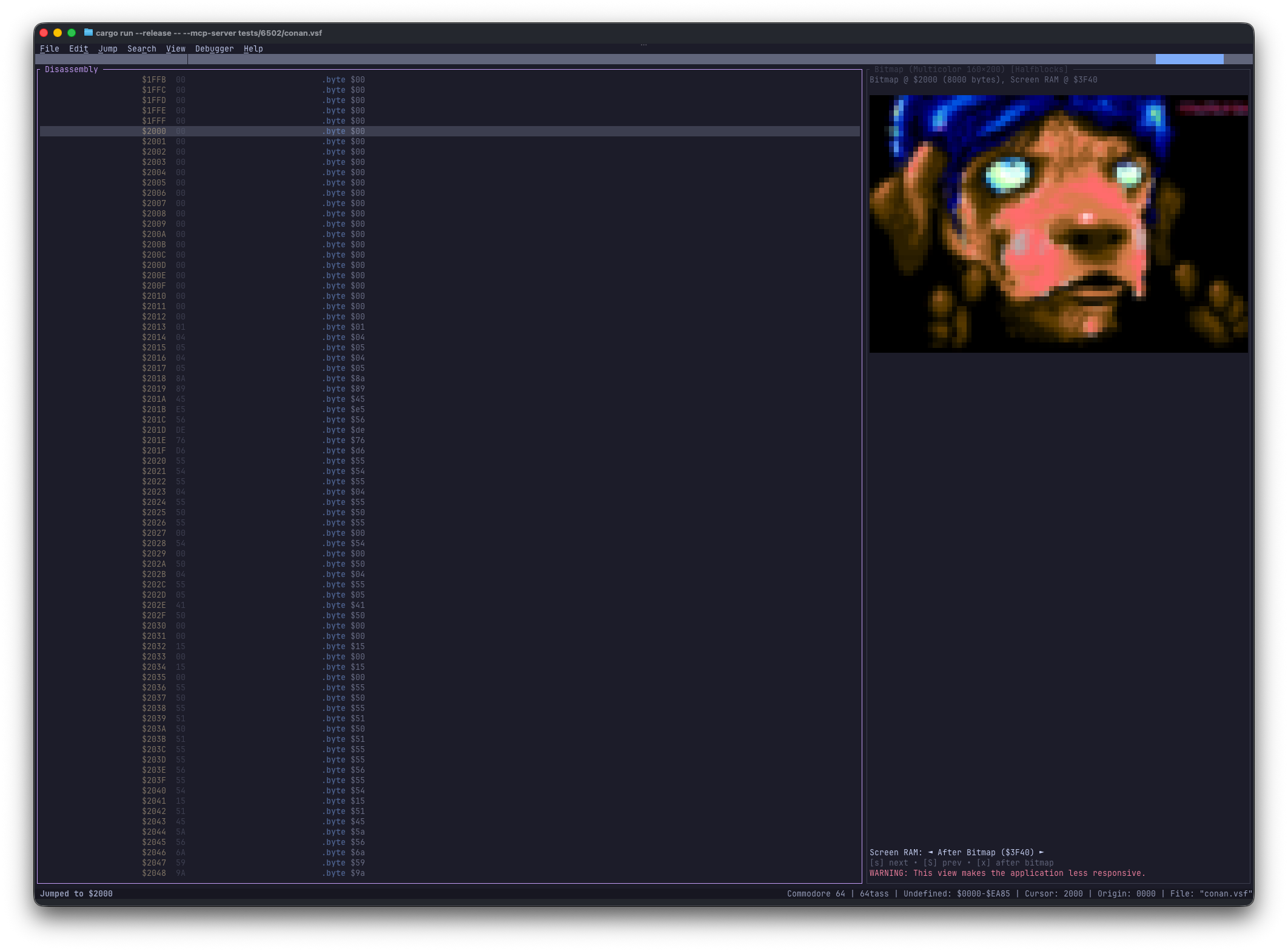
- Bitmap:
- Displays a side-by-side view with the disassembly.
- Supports high-resolution (320x200) and multicolor (160x200) modes.
- Renders pixel graphics via Kitty, iTerm2, or Sixel protocols, with Halfblocks fallback.
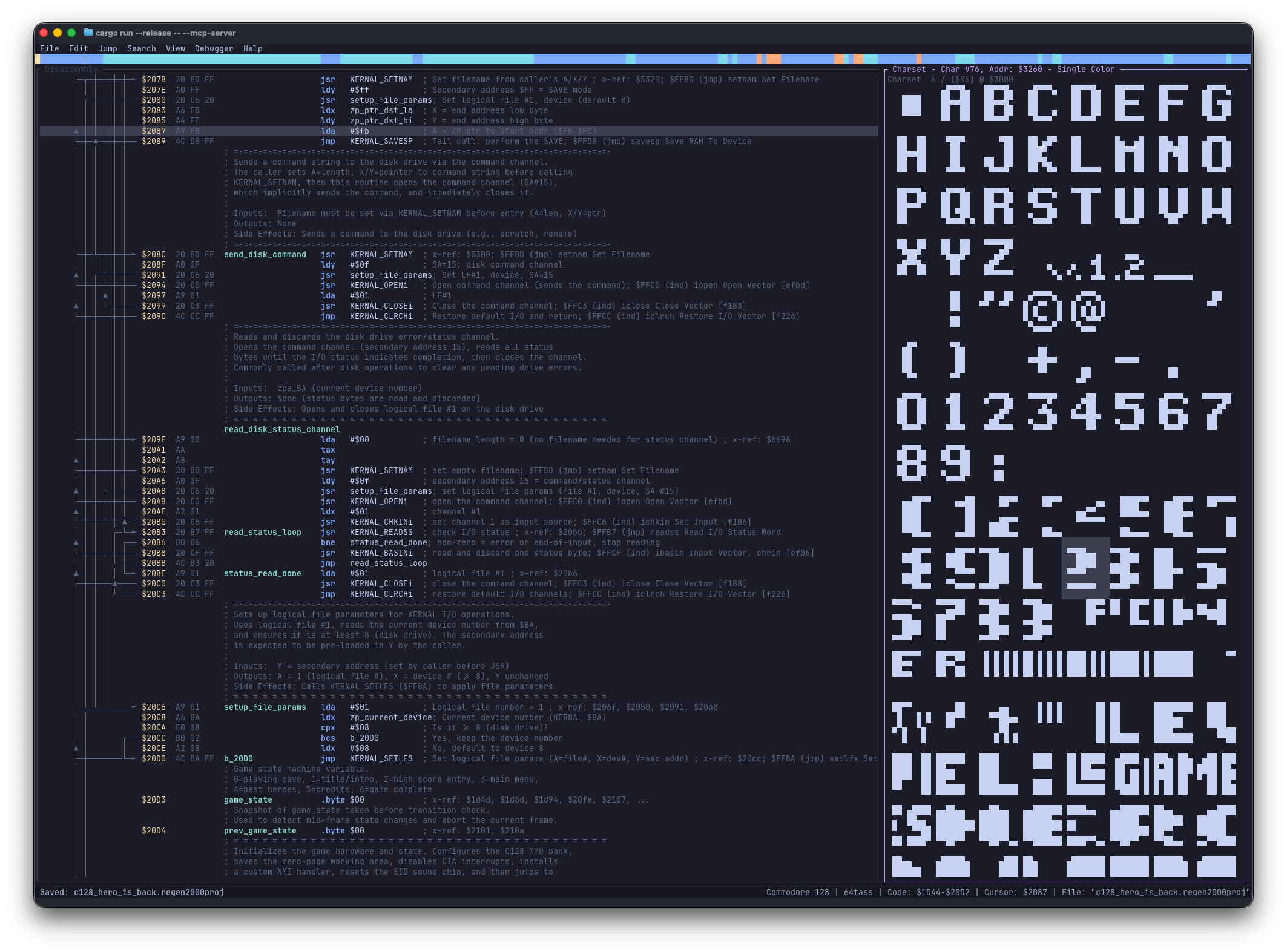
- Charset:
- Displays a side-by-side view with the disassembly.
- Supports multicolor and single-color modes.
- Blocks:
- Displays a side-by-side view with the disassembly.
- Debugger: Connects to VICE for live disassembly, breakpoints, and step controls (F2–F9) in the right pane.
- Mini map: Shows a mini map of the analyzed file.
- Systems: Supports Commodore 8-bit machines: C64, C128, VIC-20, Plus/4, PET 4.0, PET 2.0, and 1541.
- Import: Loads the following file formats:
- PRG: Standard Commodore program files.
- CRT: Cartridge images with bank selection support.
- D64: 35-track, 40-track, and 42-track disk images.
- D71: 70-track and 80-track double-sided disk images.
- D81: 80-track disk images.
- T64: Tape images.
- VSF: VICE snapshot files.
- RAW / BIN: Raw binary files.
- DIS65: 6502bench project files.
- REGEN2000PROJ: Regenerator 2000 project files.
- Binary Unpacker: Emulates a cycle-accurate 6502 sandbox to decompress packed programs automatically.
- Export: Exports projects to
.asm or HTML for the following assemblers:
- 64tass
- ACME
- Kick Assembler
- ca65
- Project Management: Saves and loads project state.
- Analysis: Runs auto-analysis to identify code and data regions.
- Editing:
- Labels: Adds, edits, and removes local and global labels.
- Enums: Defines and applies System, Global, and Project value-to-name mappings to replace numeric literals with semantic names.
- Comments: Adds side comments and line comments.
- Origin: Changes the load address (origin) of the binary.
- Data Types: Converts regions to Code, Byte, Word, Address, Lo/Hi Address, Hi/Lo Address, Lo/Hi Word, Hi/Lo Word, PETSCII Text, Screencode Text, External File, or Undefined.
- Undo/Redo: Tracks full history for all actions.
- Navigation:
- Jump: Jumps to specific addresses, line numbers, or operand targets.
- X-Ref: Inspects cross-references for labels and addresses.
- History: Returns to previous locations.
- Customization:
- Configures document settings (maximum x-refs, target system, and target assembler).
- Customizes display options (such as label visibility).
- TUI:
- Provides a keyboard-driven terminal user interface.
- Visual Mode: Supports Vim-style selection for batch operations.
- MCP Server:
- Provides Model Context Protocol (MCP) server support for programmatic access.
- Supports HTTP and stdio transport modes.
- Exposes tools for disassembly manipulation, memory search, and block operations.
- Exposes resources to access binary data and views.
- Includes analysis skills that automate block classification, routine tracing, and symbol naming.
Requirements
Recommended Terminals
Use a modern terminal to ensure full support for keyboard shortcuts and rendering.
| Platform | Recommended Terminals |
|---|
| Windows | Windows Terminal, Alacritty, WezTerm |
| macOS | iTerm2, Ghostty, Alacritty, kitty, WezTerm |
| Linux | Ghostty, Alacritty, kitty, WezTerm, GNOME Terminal |
Installation
From Crates.io
cargo install regenerator2000
From Source
git clone https://github.com/ricardoquesada/regenerator2000.git
cd regenerator2000
cargo install --path .
Quick Start with AI Agents
Use the regenerator2000-template repository to analyze binaries with an AI agent (such as Antigravity or Claude Code). This template includes the required skills and agent permissions so you can analyze binaries immediately.
Usage
Start the application with an optional file path:
regenerator2000 [OPTIONS] [path/to/file.prg]
CLI Options

 ricardoquesada/regenerator2000







