
 yukselberkay/pmanager
Memorizza e recupera le tue password da un database offline sicuro. Controlla se le tue password sono state compromesse in precedenza per prevenire attacchi mirati di riutilizzo delle password.


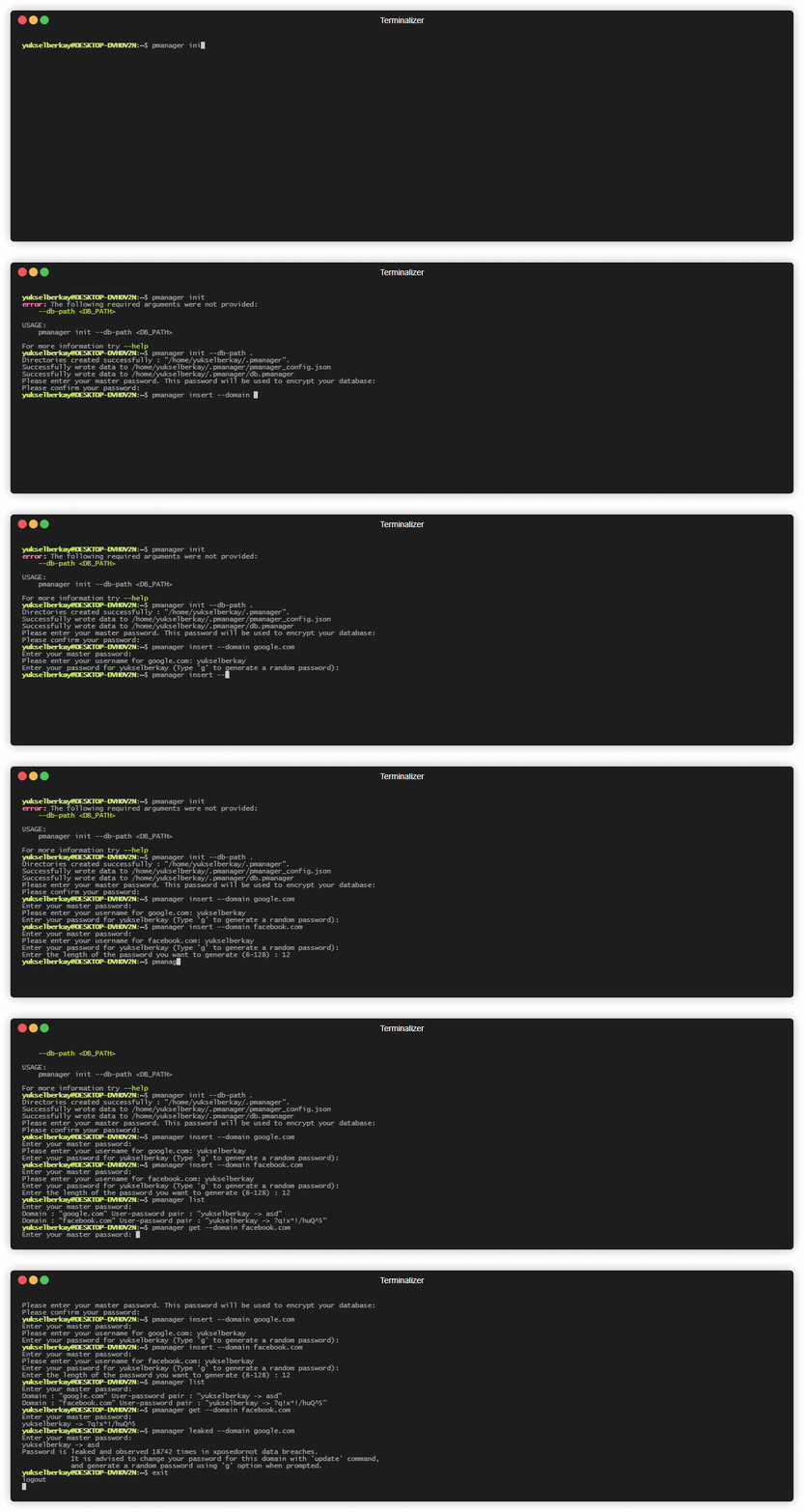
Archivia e recupera le tue password da un database offline sicuro. Verifica se le tue password sono già state compromesse in passato per prevenire attacchi mirati di riutilizzo delle password.
Pmanager dipende dai pacchetti "pkg-config" e "libssl-dev" su ubuntu. Installali semplicemente con
sudo apt install pkg-config libssl-dev -y
Scarica il file binario in base al tuo sistema operativo attuale da releases, aggiungi la posizione del binario alla variabile d'ambiente PATH e sei pronto per iniziare.
sudo apt update -y && sudo apt install curl
curl --proto '=https' --tlsv1.2 -sSf https://sh.rustup.rs | sh
sudo apt install build-essential -y
sudo apt install pkg-config libssl-dev libxcb-render0-dev libxcb-shape0-dev libxcb-xfixes0-dev git -y
git clone https://github.com/yukselberkay/pmanager
cd pmanager
make install
git clone https://github.com/yukselberkay/pmanager
cd pmanager
cargo build --release
git clone https://github.com/yukselberkay/pmanager
cd pmanager
cargo build --release
I database creati da pmanager 0.9.7 e versioni precedenti utilizzano un salt fisso e un nonce di crittografia fisso, il che indebolisce seriamente la loro protezione. La versione 0.10.0 introduce un nuovo formato di database e rifiuta di aprire i vecchi database finché non vengono migrati:
pmanager migrate
Le tue voci vengono convertite nel nuovo formato e puoi facoltativamente scegliere una nuova master password nello stesso momento. Il vecchio file viene conservato accanto al database come db.pmanager.v1.bak. Poiché è ancora protetto dal vecchio schema, eliminalo una volta verificato che tutto funzioni. La migrazione rimuove anche i file temporanei che le versioni precedenti potevano lasciare nella tua directory temp.
Innanzitutto il database deve essere inizializzato usando il comando "init".
# Initializes the database in the home directory.
pmanager init --db-path ~
# Insert a new user and password pair to the database. The password is copied to the clipboard afterwards.
pmanager insert --domain github.com
# Get a specific record by domain. This command will first copy username and then password to clipboard.
pmanager get --domain github.com
# Copy only the password of a record to clipboard.
pmanager clip --domain github.com
# List every record in the database.
pmanager list
# Update a record by domain. Press enter to keep the current username or password.
pmanager update --domain github.com
# Deletes a record associated with domain from the database.
pmanager delete --domain github.com
# Check if a password in your database is leaked before.
pmanager leaked --domain github.com
# Upgrade a database created by pmanager 0.9.7 or older to the current format.
pmanager migrate
pmanager 0.10.0

USAGE:
    pmanager <SUBCOMMAND>

OPTIONS:
    -h, --help       Print help information
    -V, --version    Print version information

SUBCOMMANDS:
    clip      Copy password to clipboard by domain
    delete    Delete a key value pair from database
    get       Copy username and then password to clipboard by domain
    help      Print this message or the help of the given subcommand(s)
    init      Initialize pmanager
    insert    Insert a user password pair associated with a domain to database
    leaked    Check if a password associated with your domain is leaked
    list      Lists every record in the database
    migrate   Upgrade a database created by pmanager 0.9.7 or older to the current, more secure format
    update    Update a record from database







