
Skip to content
KitploitKITPLOIT
StrumentiExploitsBlog
Log in
Invia
StrumentiExploitsBlog
Invia

Strumenti di Hacking, PenTest e Cybersecurity per il tuo Arsenale di Sicurezza!

Kitploit è una directory di strumenti di hacking, cybersecurity e pentesting. Scopri gli ultimi aggiornamenti dei progetti per trovare vulnerabilità, analizzare sistemi, automatizzare i test e rafforzare la tua sicurezza.

FeedContattoPrivacy© 2026 Kitploit

Directory degli strumenti

Categorie

Vedi tutte le categorie
Loading categories
geo-sleuth — Una skill per agenti che individua dove è stata scattata una foto — geometria OpenStreetMap, profili altimetrici, immagini satellitari e street view — e mostra il proprio ragionamento. Funziona con Claude Code, Codex, Cursor, Gemini CLI, OpenCode e GitHub Copilot. | Kitploit
Strumenti/GitHubGitHub/oldcircle/geo-sleuth
OSINT (Open Source Intelligence)RicognizioneOSINT per Ingegneria SocialeScripting e AutomazioneRaccolta InformazioniUtilità e FrameworkSicurezza dell'IA
GitHuboldcircle/geo-sleuth

geo-sleuth

Una skill per agenti che individua dove è stata scattata una foto — geometria OpenStreetMap, profili altimetrici, immagini satellitari e street view — e mostra il proprio ragionamento. Funziona con Claude Code, Codex, Cursor, Gemini CLI, OpenCode e GitHub Copilot.

Vedi Repository
4.6k6015121 giorno faRevisionato da Kitploit

Più Popolari

Vedi tutti →

Scopri gli strumenti più utilizzati dalla nostra community.

Esplora tutti gli strumenti

Sfoglia la nostra collezione di strumenti

Vedi tutti gli strumenti →
Condividi
Contenuto non disponibile nella lingua richiesta. Visualizzazione della versione inglese.

🧭 geo-sleuth

An agent skill that finds where a photo was taken — and shows its work.

English Simplified Chinese

License: MIT Python 3.10+ Agent Skill: SKILL.md PRs welcome GitHub stars

Works with
Claude Code Codex Cursor Gemini CLI OpenCode GitHub Copilot
…and any other agent that reads SKILL.md and runs shell commands.
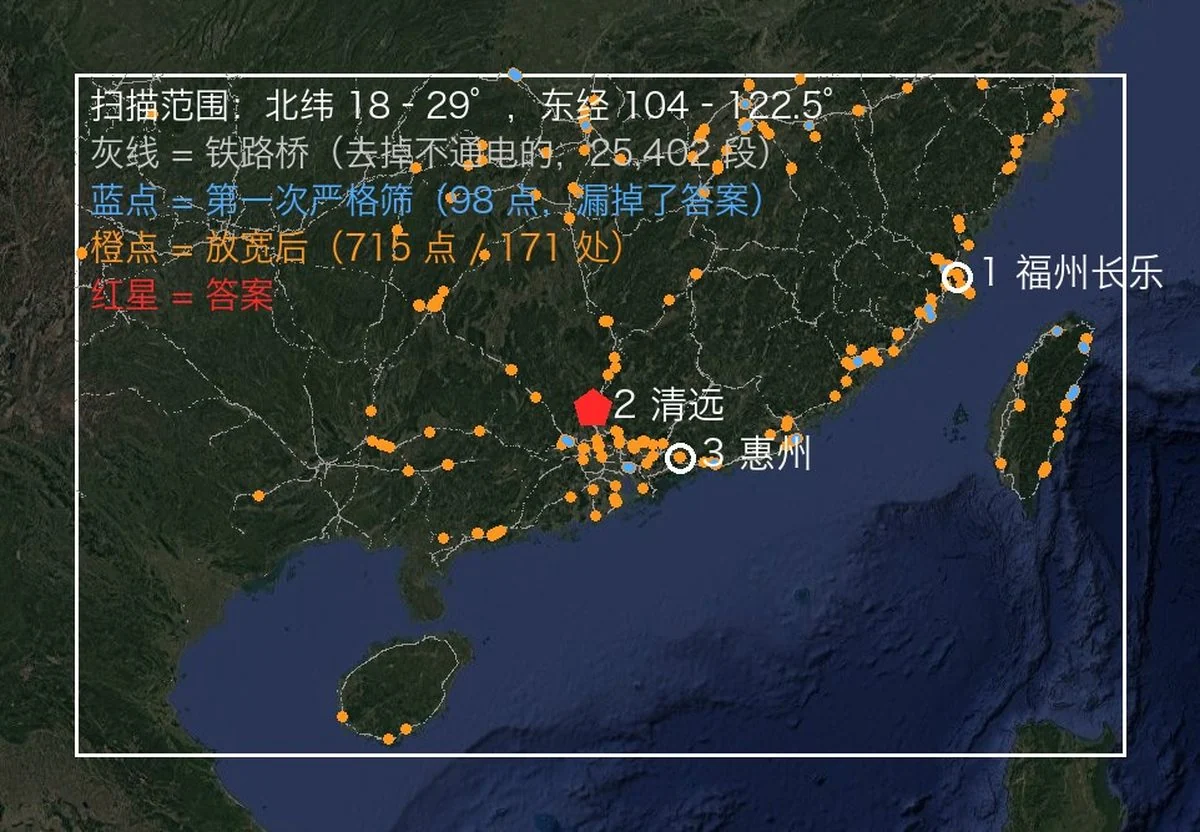
From one photo to a camera position: the photo, the region scan, the skyline overlays, the evidence image

No text. No plates. No landmarks. One bridge, one mountain. Located to within 2 m.


Quick start

npx skills add Oldcircle/geo-sleuth

Pick your agents when prompted. Then hand your agent a photo and say:

find where this photo was taken

On first use, ask the agent to run doctor.py from the installed skill’s scripts/ folder and address any failed checks (see Requirements and setup). That is the whole interface. The agent reads SKILL.md, runs the scripts, and comes back with the camera position, the direction it was facing and a satellite evidence image. Prefer to copy the folder yourself? See Installation.

Why geo-sleuth

  • One photo, one sentence. Give your agent a photo and say find where this photo was taken. You get back the camera position, the direction it was facing, and a satellite evidence image.
  • It works when there is nothing to read. No sign, no plate, no landmark: OpenStreetMap geometry, elevation data, satellite tiles and street view carry the search on their own.
  • Geometry instead of guesswork. Pier spacing becomes a distance ruler, shadows become a bearing, a ridge line becomes a fingerprint that elevation data can be matched against.
  • Every claim points at a file. A conclusion has to name the command that ran in the session and the file it produced. Population and fame are not evidence.
  • Scripts rank, the model judges. Twenty single-purpose scripts search, score and sort; the model only picks among the top few.
  • One skill, every agent. A standard Agent Skill — SKILL.md plus plain Python scripts — so the same folder runs in Claude Code, Codex, Cursor, Gemini CLI, OpenCode and GitHub Copilot.
  • Answers carry an error radius. Coordinates ± radius, the camera heading, an evidence image and a graded confidence.

Cases

None of these photos had GPS data. Each case lists what the skill read from the photo, how it narrowed the search, and how far the result landed from the confirmed camera position.

Each case is a record of one run by one model. The skill tells the agent how to work; what to query, how to filter and how many top results to check are the model's own decisions, so a different model or different decisions may not reach the same result. Under each case, Reproduction conditions and checkpoints lists the input, the hint, the key parameters and what each stage should still cover, so you can find the step where your own run diverged.
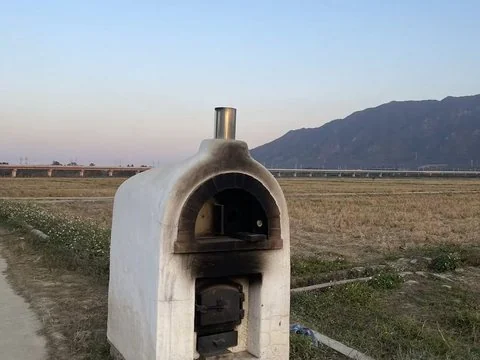
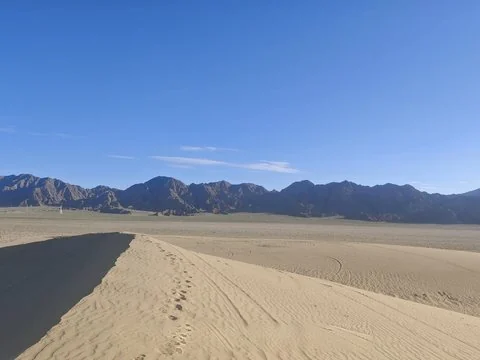
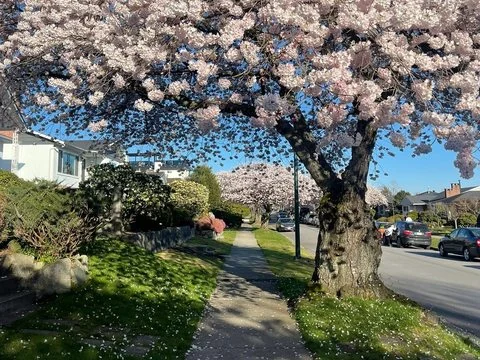
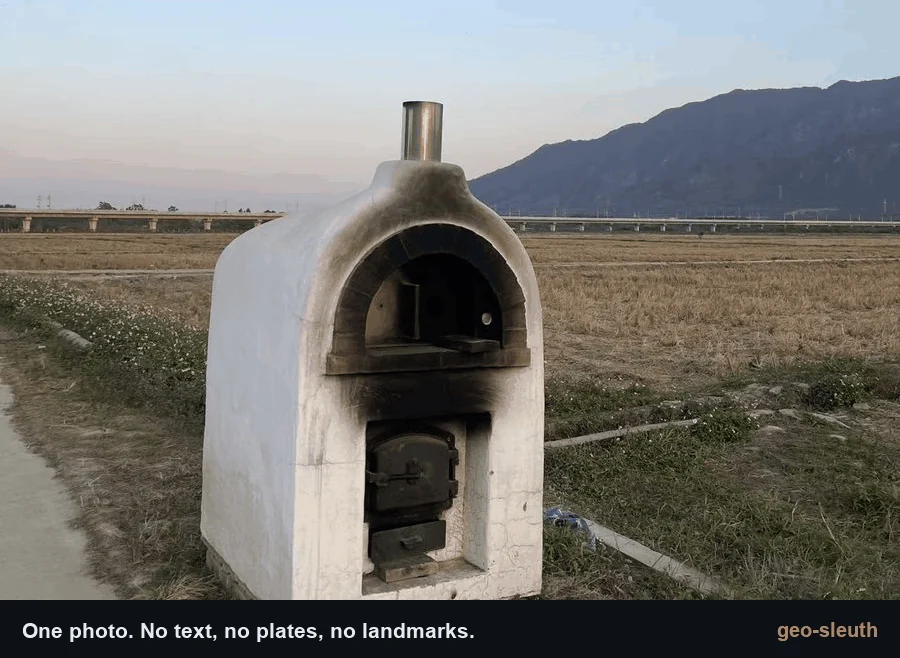
An oven at the edge of a rice paddy, a viaduct and a mountain behind A sand dune ridge and a range of bare dark mountains A flowering cherry tree over a sidewalk
1 · Rice paddy and viaduct
Railway bridges × skyline × pier count.
2 · Desert skyline
Power lines × skyline × a phone tilted by 1°.
3 · Cherry street
Street-tree open data × shadows × street view.
±2 m
Qingyuan, Guangdong
within 100 m
Da Qaidam, Qinghai
3 m
Vancouver, Canada

1. A rice paddy and a viaduct

A phone photo with the EXIF stripped: a white oven at the edge of a harvested rice paddy, a long viaduct in the distance, a steep mountain on the right. Not a single character in the frame. One message to an agent with this skill installed, and it came back with the camera position and the direction the camera was facing.

photo → 27,335 → 171 → 14,372 → 22 → 3 → 1 → ±2 m

Scarica lo strumento