mrexodia/ida-pro-mcp
Assistente di reverse engineering basato su IA che collega IDA Pro con modelli linguistici tramite MCP.
[!IMPORTANT] Consiglio invece di usare l'Official Hex-Rays IDA MCP Server!
Consulta il post di annuncio sul blog per maggiori informazioni.
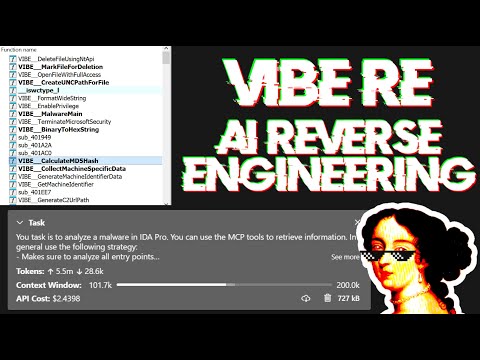
Semplice MCP Server per consentire il vibe reversing in IDA Pro.
https://github.com/user-attachments/assets/6ebeaa92-a9db-43fa-b756-eececce2aca0
I binari e il prompt per il video sono disponibili nel repository mcp-reversing-dataset.
idapyswitch per passare alla versione più recente di Pythonida-pro-mcp --config per ottenere la configurazione JSON per il tuo client.Nota: questo richiede che idalib sia attivato globalmente e che uv sia installato:```bash
uv run "C:\Program Files\IDA Professional 9.3\idalib\python\py-activate-idalib.py"
uv run "/Applications/IDA Professional 9.3.app/Contents/MacOS/idalib/python/py-activate-idalib.py"
uv run "/path/to/idapro-9.3/idalib/python/py-activate-idalib.py"
## Installazione (Claude Code)

Per installare l'ultima versione di IDA Pro MCP in Claude Code:```bash
claude plugin marketplace add mrexodia/claude-marketplace
claude plugin uninstall ida-pro-mcp@mrexodia
claude plugin install ida-pro-mcp@mrexodia
Per installare l'ultima versione di IDA Pro MCP in Codex:```bash codex plugin marketplace add mrexodia/codex-marketplace codex plugin remove ida-pro-mcp@mrexodia codex plugin add ida-pro-mcp@mrexodia
## Installazione (Kimi Code)

Per installare l'ultima versione di IDA Pro MCP in Kimi Code, esegui questo comando slash nella chat:```
/plugins install https://github.com/mrexodia/ida-pro-mcp/tree/main
/reload
Questo installa il server MCP idalib e la skill idapython. I plugin vengono copiati in
$KIMI_CODE_HOME/plugins/managed/, quindi uv deve essere nel tuo PATH. La prima sessione dopo
l'installazione è più lenta, perché uv risolve le dipendenze prima che il server risponda.
Nota: il plugin MCP non è più consigliato e verrà eventualmente deprecato. Usa idalib-mcp invece.
Se vuoi configurare manualmente il server MCP dalla GUI di IDA:```sh pip uninstall ida-pro-mcp pip install https://github.com/mrexodia/ida-pro-mcp/archive/refs/heads/main.zip
Configura i server MCP e installa il Plugin IDA:```
ida-pro-mcp --install
Importante: Assicurati di riavviare completamente IDA e il tuo client MCP affinché l'installazione abbia effetto. Alcuni client (come Claude) vengono eseguiti in background e devono essere chiusi dall'icona nella barra delle applicazioni.
Gli LLM sono inclini alle allucinazioni ed è necessario essere specifici nel proprio prompting. Per il reverse engineering, la conversione tra interi e byte è particolarmente problematica. Di seguito è riportato un esempio minimo di prompt; sentiti libero di avviare una discussione o aprire una issue se ottieni buoni risultati con un prompt diverso:```md Your task is to analyze a crackme in IDA Pro. You can use the MCP tools to retrieve information. In general use the following strategy:
int_convert MCP tool if needed!Questo prompt è stato solo il primo esperimento, condividi se hai trovato modi per migliorare l'output!
Un altro prompt di [@can1357](https://github.com/can1357):```md
Your task is to create a complete and comprehensive reverse engineering analysis. Reference AGENTS.md to understand the project goals and ensure the analysis serves our purposes.
Use the following systematic methodology:
1. **Decompilation Analysis**
- Thoroughly inspect the decompiler output
- Add detailed comments documenting your findings
- Focus on understanding the actual functionality and purpose of each component (do not rely on old, incorrect comments)
2. **Improve Readability in the Database**
- Rename variables to sensible, descriptive names
- Correct variable and argument types where necessary (especially pointers and array types)
- Update function names to be descriptive of their actual purpose
3. **Deep Dive When Needed**
- If more details are necessary, examine the disassembly and add comments with findings
- Document any low-level behaviors that aren't clear from the decompilation alone
- Use sub-agents to perform detailed analysis
4. **Important Constraints**
- NEVER convert number bases yourself - use the int_convert MCP tool if needed
- Use MCP tools to retrieve information as necessary
- Derive all conclusions from actual analysis, not assumptions
5. **Documentation**
- Produce comprehensive RE/*.md files with your findings
- Document the steps taken and methodology used
- When asked by the user, ensure accuracy over previous analysis file
- Organize findings in a way that serves the project goals outlined in AGENTS.md or CLAUDE.md
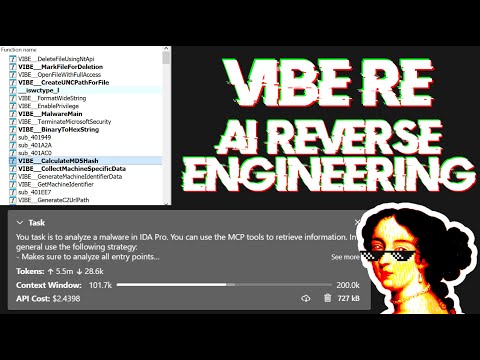
Live stream che discute di prompting e mostra un'analisi malware nel mondo reale:
I Large Language Models (LLM) sono strumenti potenti, ma a volte possono avere difficoltà con calcoli matematici complessi o mostrare "allucinazioni" (inventare fatti). Assicurati di dire all'LLM di usare lo strumento MCP int_convert e potresti anche aver bisogno di math-mcp per determinate operazioni.
Un'altra cosa da tenere a mente è che gli LLM non performano bene su codice offuscato. Prima di provare a usare un LLM per risolvere il problema, dai un'occhiata al binario e dedica del tempo (automaticamente) a rimuovere le seguenti cose: