
Skip to content
KitploitKITPLOIT
StrumentiExploitsBlog
Log in
Invia
StrumentiExploitsBlog
Invia

Strumenti di Hacking, PenTest e Cybersecurity per il tuo Arsenale di Sicurezza!

Kitploit è una directory di strumenti di hacking, cybersecurity e pentesting. Scopri gli ultimi aggiornamenti dei progetti per trovare vulnerabilità, analizzare sistemi, automatizzare i test e rafforzare la tua sicurezza.

FeedContattoPrivacy© 2026 Kitploit

Directory degli strumenti

Categorie

Vedi tutte le categorie
Loading categories
ogi — Open Source Link Analysis & OSINT Framework | Kitploit

Strumenti/GitHubGitHub/khashashin/ogi
OSINT (Open Source Intelligence)ReconnaissanceInformation GatheringWeb SecuritySocial EngineeringThreat IntelligenceEmail HarvestingLearning & EducationCrawlerDNS Analysis
GitHubkhashashin/ogi

ogi

Open Source Link Analysis & OSINT Framework
Vedi RepositorySito web
28037483 giorni faRevisionato da Kitploit
Condividi
Contenuto non disponibile nella lingua richiesta. Visualizzazione della versione inglese.
OGI Mascot

OpenGraph Intel (OGI)

Open-source visual link analysis and OSINT framework. Free, self-hostable, and community-driven.

License: AGPL v3 CI Docker Python 3.14+ TypeScript React FastAPI Version

Features • Screenshots • Quick Start • Docker • Transform Hub • Architecture • Contributing


Heads up: This project is actively evolving. It has solid core capabilities and test coverage, and we continue to improve documentation, hardening, and feature depth with each release. Contributions, bug reports, and feedback are very welcome.

Features

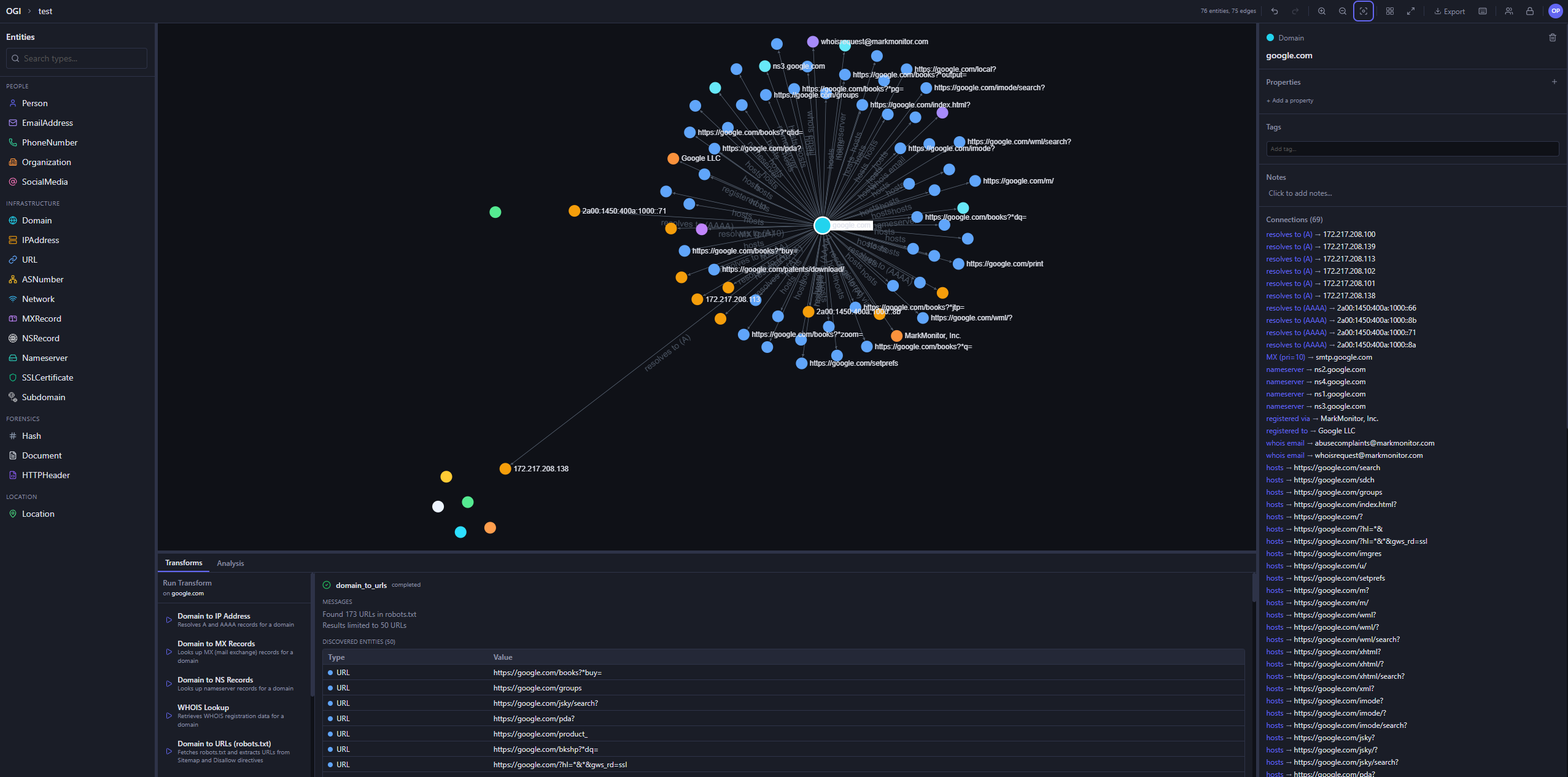
  • Visual graph investigation — drag-and-drop entities, explore connections interactively, 14 layout presets
  • 25+ built-in transforms — DNS, WHOIS, SSL certificates, geolocation, web, email, hash, people, and location enrichment
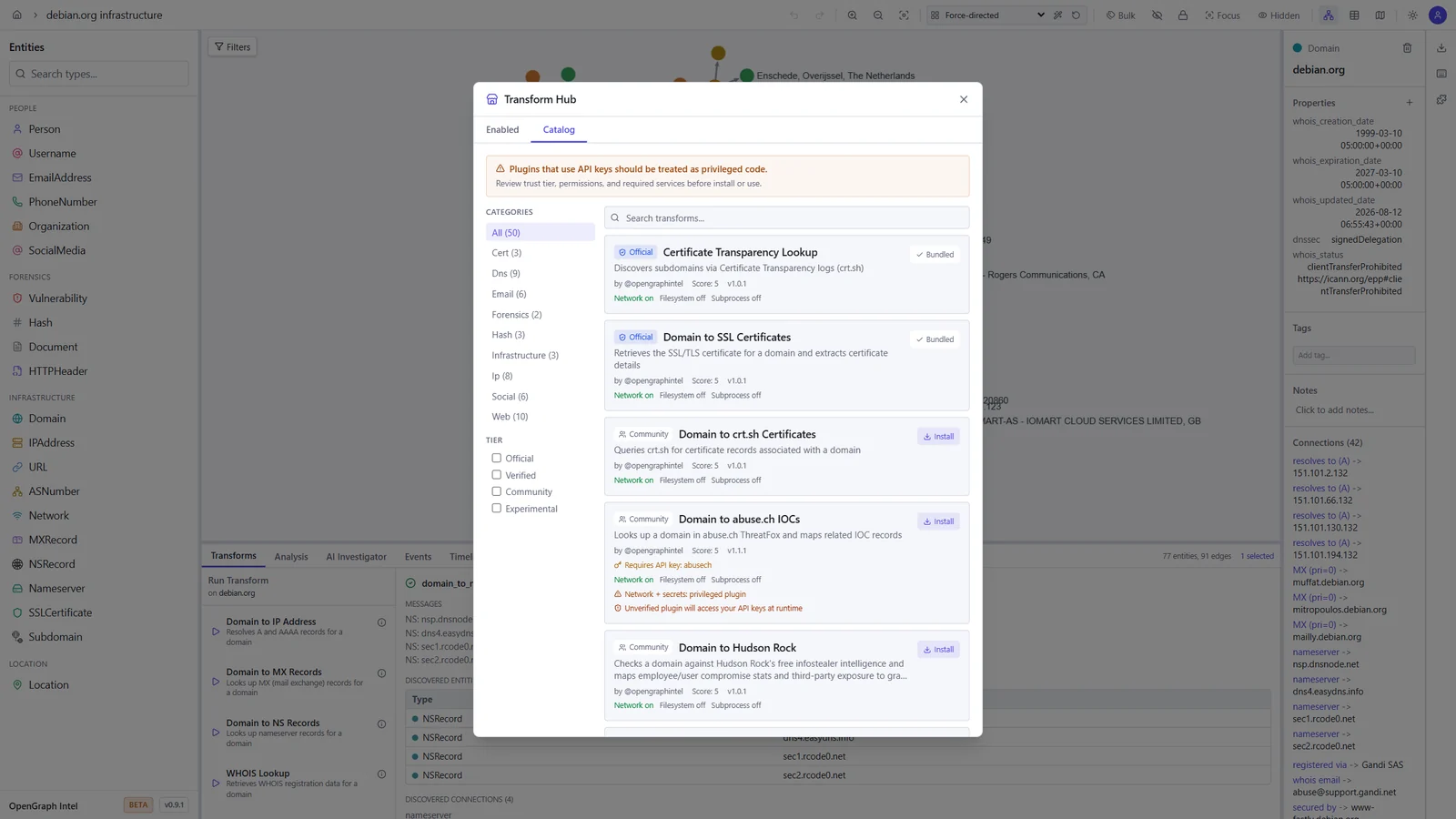
  • Transform Hub — browse and install community transforms from the registry
  • AI Investigator — prompt-driven agentic investigations that plan transform runs, stream progress live, and summarize findings with auditability
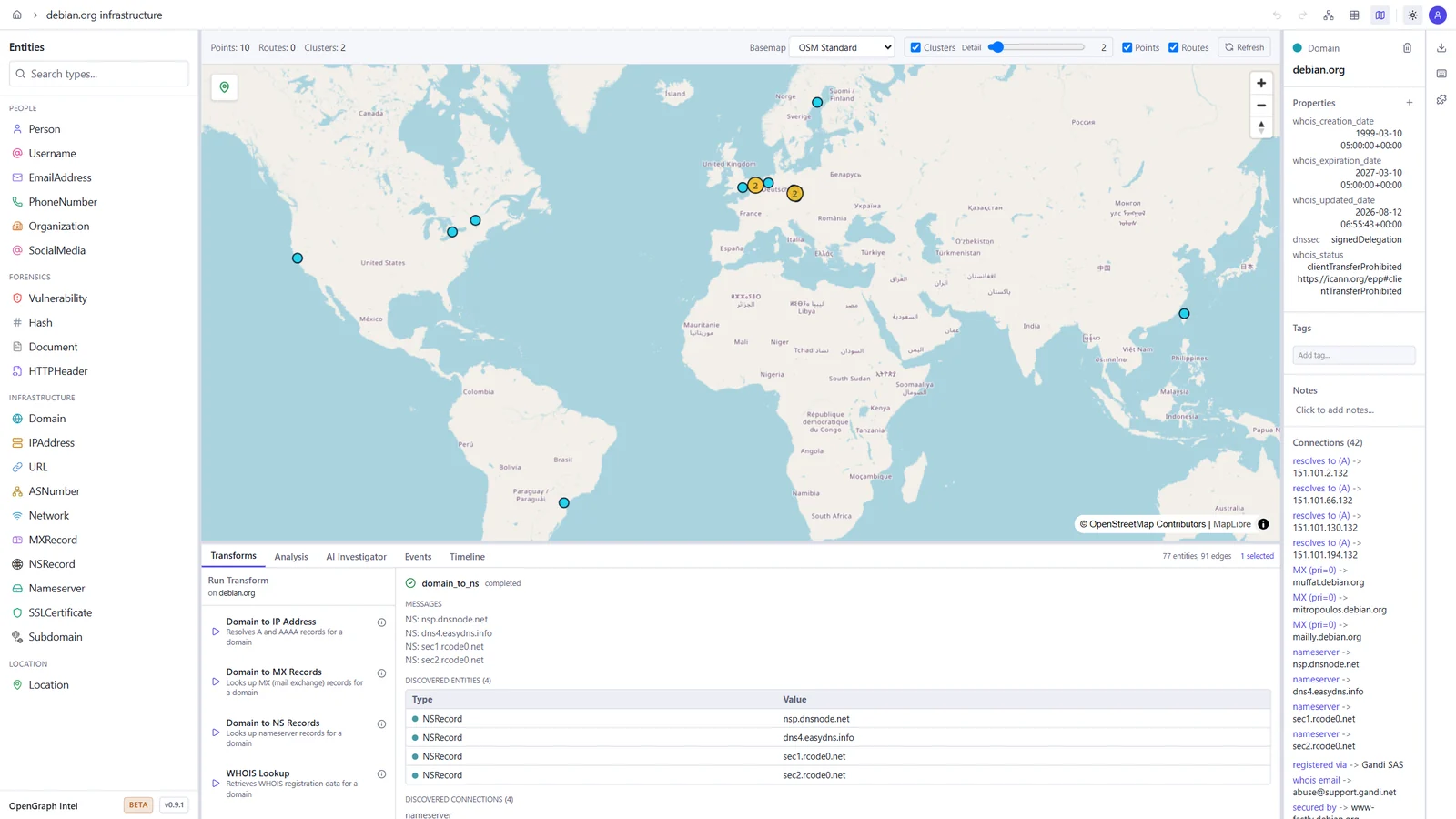
  • Map view — geolocated entities on an interactive map, with clustering and routes
  • Timeline and events — filter the graph by time window and review every transform run in the project's activity log
  • Import / Export — import JSON, CSV, GraphML, and MTGX; export JSON, CSV, GraphML, and PNG images of the graph
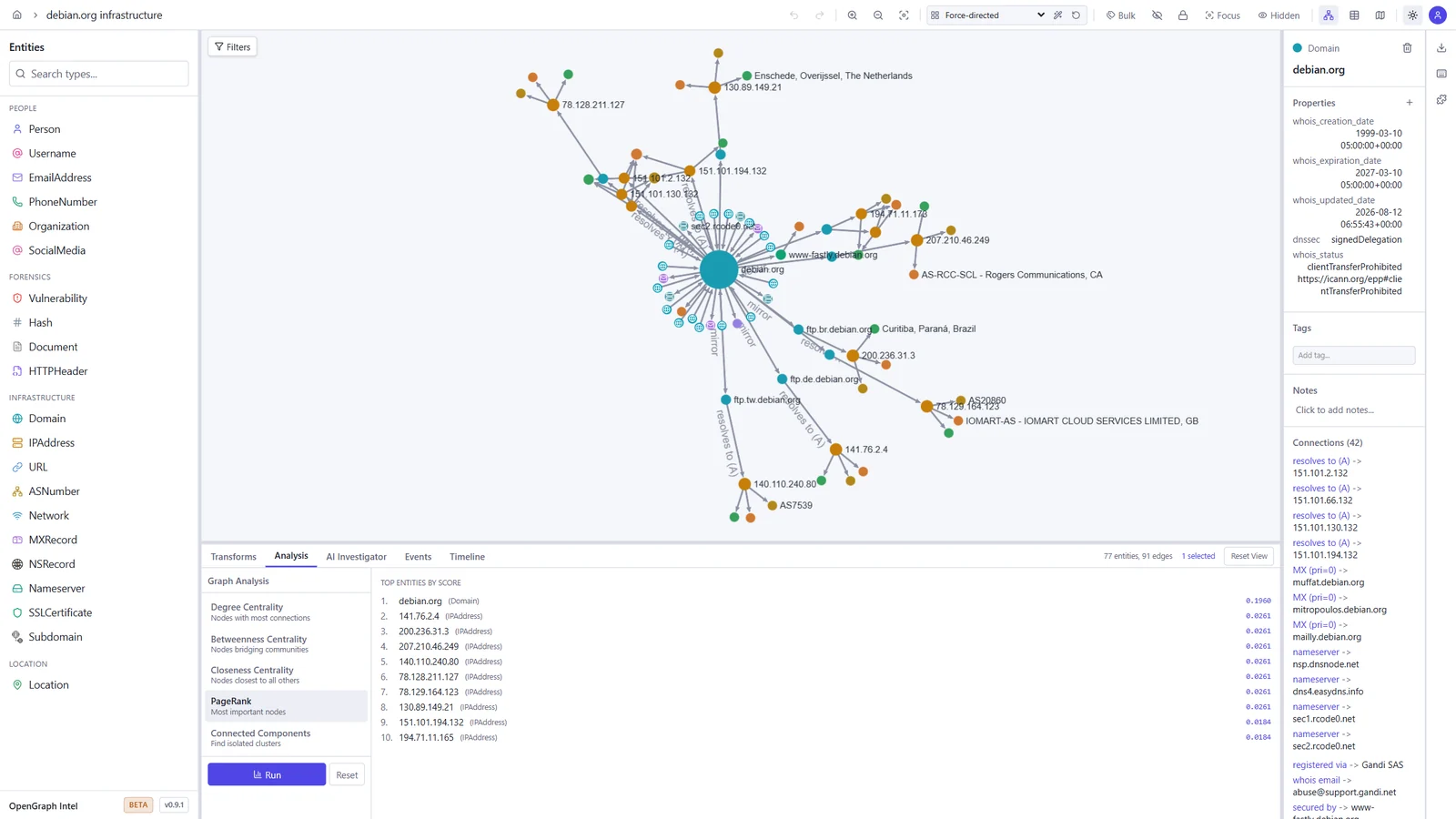
  • Graph analysis — degree, betweenness, and closeness centrality, PageRank, and connected components
  • Light and dark themes — pick dark, light, or follow your system setting
  • Real-time collaboration — projects, sharing, and live sync via Supabase Realtime
  • Async transform jobs — Redis/RQ queue with WebSocket progress updates
  • Plugin system — directory-based plugin discovery with YAML manifests
  • CLI tool — search, install, and manage transforms from the terminal
  • Runs anywhere — local SQLite mode (zero config) or PostgreSQL + Supabase for team/cloud setups
  • Docker ready — one-command deployment with docker compose up

Screenshots

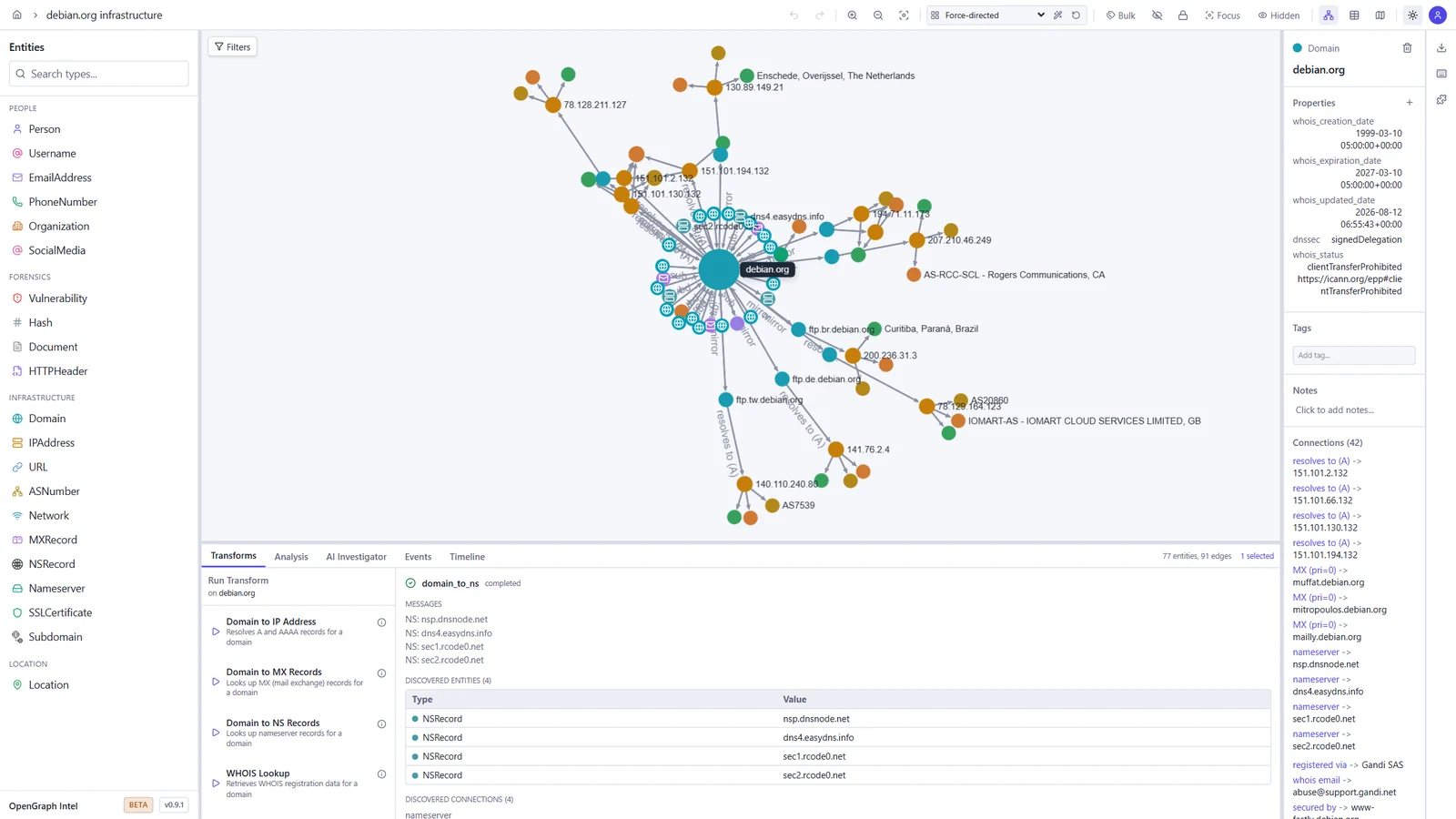
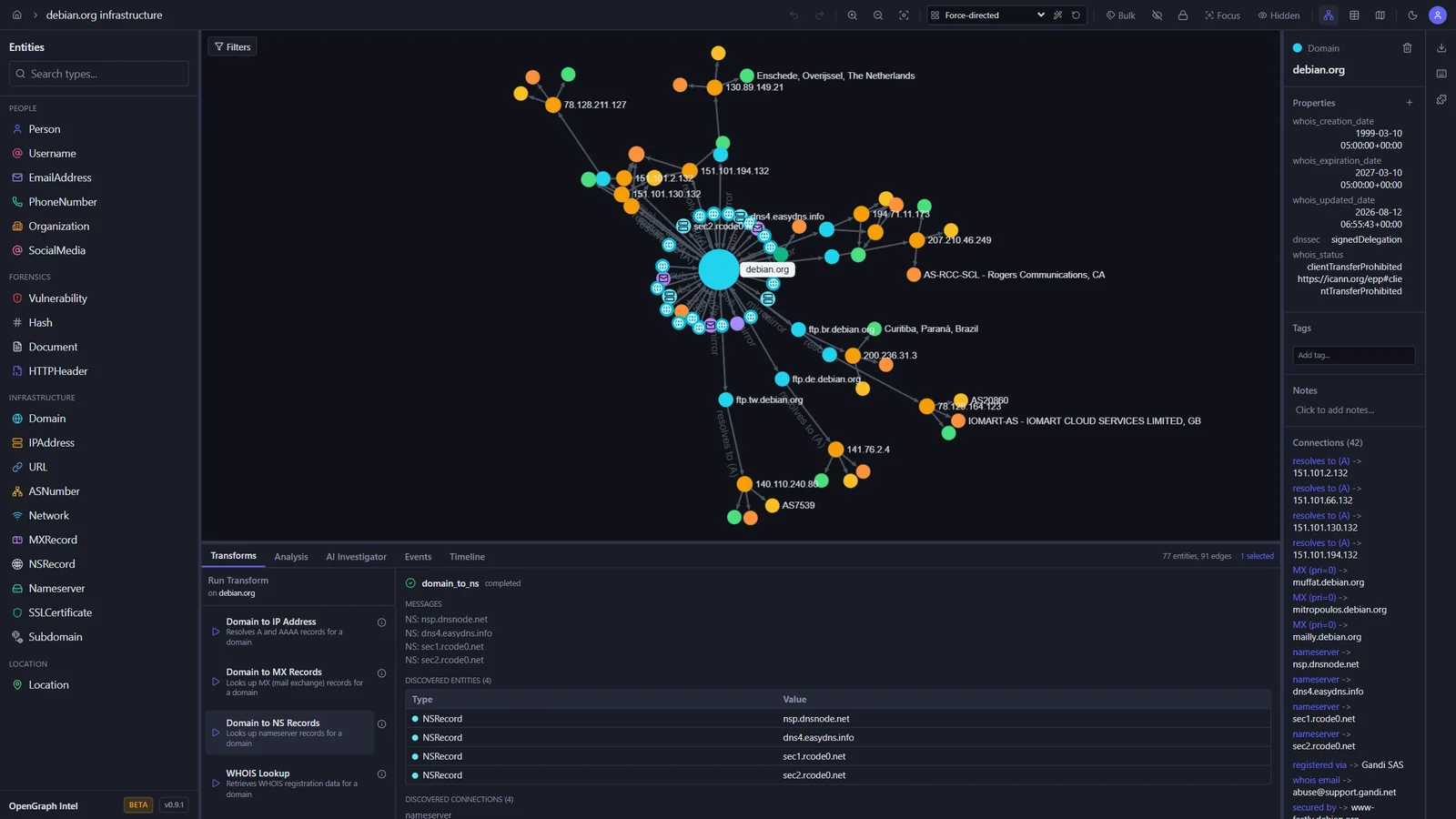
These screenshots show an investigation of the public debian.org infrastructure, built with the built-in transforms.

Graph investigation Map view
Graph of debian.org with its IP addresses, mail and name servers, subdomains, and mirrors, and the output of a DNS transform World map with the geolocated Debian mirror servers
Transform Hub Graph analysis
Transform Hub catalog with official and community transforms, trust tiers, and permissions PageRank results ranking the most important entities in the graph

Light and dark themes

The toggle in the toolbar switches between dark, light, and your system setting.

Dark Light
The graph workspace in the dark theme The graph workspace in the light theme

Quick Start

Prerequisites

ToolVersion
Python3.14+
uvlatest
Node.js24 LTS (22.22+ also works)
pnpm10.x

Backend

cd backend
uv sync
uv run uvicorn ogi.main:app --reload

The API will be available at http://localhost:8000.

For local transform execution, Redis and the transform worker must also be running. Redis alone is not enough.

Start Redis:

docker run -d --name ogi-redis -p 6379:6379 redis:7-alpine

Start the transform worker in a second terminal:

cd backend
uv run python -m ogi.worker.run_worker

If you see Job queue not available or Redis not available, verify that:

  • OGI_REDIS_URL points to redis://localhost:6379/0 for local host-based runs
  • the backend was restarted after Redis came up
  • the separate worker process is running
  • you are not using the Docker-only hostname redis outside Docker Compose

If you run the backend against PostgreSQL (OGI_USE_SQLITE=false), startup will automatically apply Alembic migrations before serving requests. Docker deployments do the same in the backend container entrypoint.

Scarica lo strumento

Più Popolari

Vedi tutti →

Scopri gli strumenti più utilizzati dalla nostra community.

  • 1

    OsintHunter

    letox4/osinthunter

    🎯 Il toolkit OSINT definitivo: grafo di indagine, punteggio di affidabilità, famiglie di alias, mappa, timeline e report. 49 moduli, oltre 400 siti, nessuna chiave API richiesta.

    916
  • 2

    ghostlock-app

    yukonga/ghostlock-app

    # App di esecuzione con un tocco GhostLock (CVE-2026-43499)

    558
  • 3

    redforge

    cybersecurity91/redforge

    Toolkit red team lato browser con 102 strumenti offline per ricognizione, generazione di payload, attacchi alle credenziali, crittografia, codifica e reportistica dell'engagement.

    370
  • 4

    ARTEX

    baarai/artex

    Piattaforma di penetration testing autonoma multi-agente basata su LLM con agenti planner/worker, grafi di asset e di esplorazione, registrazione del traffico MITM e retesting delle vulnerabilità.

    360
  • 5

    looking-glass

    anonghosty/looking-glass

    Piattaforma CSIRT che importa i report di Shadowserver in MongoDB e li riproduce come mappe interattive, analisi, risultati, avvisi e dashboard executive.

    317
  • 6

    CyberStrikeAI

    ed1s0nz/cyberstrikeai

    Il sistema d'azione per la cybersecurity nativa AI—dove l'intento diventa esecuzione governata, le evidenze diventano memoria operativa, e ogni operazione migliora la successiva.

    289

Esplora tutti gli strumenti

Sfoglia la nostra collezione di strumenti

Vedi tutti gli strumenti →