 hahwul/urx
Estrae URL dagli archivi OSINT per approfondimenti sulla sicurezza


Estrae URL dagli archivi OSINT per insight di sicurezza.




Urx raccoglie gli URL di un dominio da archivi OSINT come Wayback Machine e Common Crawl. Interroga ogni fonte in parallelo, poi filtra, verifica e formatta i risultati per attività di sicurezza.
--cdx-endpoint--from/--to, --archive-status, --archive-mime) eseguiti all'interno della query CDX--meta-*) su data di cattura, tipo MIME e stato, per ogni providerurx example.com/shop) e file di scope per bug bounty (--scope-file)--match-regex, --filter-regex) e preset (no-images, only-js, only-secrets, only-backup, only-config, only-api)--normalize-url, --merge-endpoint, --dedup-similarwordlist; --stream scrive gli URL man mano che arrivano--params, --params-by-endpoint, --fuzz-placeholder FUZZ per ffuf o dalfoxfirst_seen, last_seen, mime, archive_status, digest--files) o stdin--check-status, --check-title, --extract-links, --extract-js-endpoints--archive-body estrae link da pagine che non esistono più, una richiesta per ogni corpo distinto; --archive-body-dir li conserva--expand-specs): OpenAPI 3.x, Swagger 2.0, introspezione GraphQL--archived-discovery)-H, --cookie, --user-agent), mai inviate agli archivi--features redis-cache), scansioni --incremental, manutenzione con urx cache e webhook --notify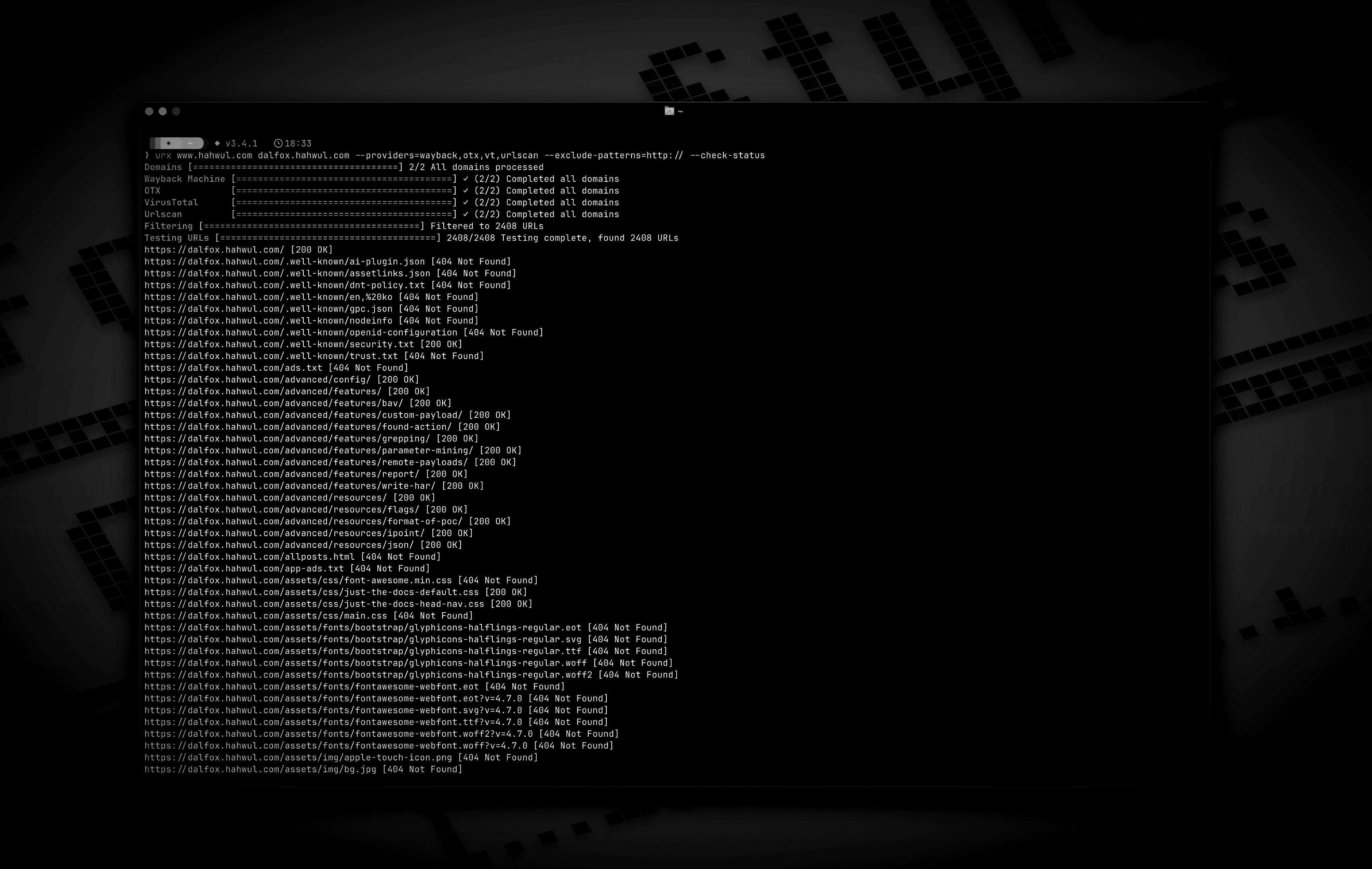
cargo install urx       # https://crates.io/crates/urx
brew install urx        # https://formulae.brew.sh/formula/urx
yay -S urx              # AUR
choco install urx       # Chocolatey (Windows)
Da sorgente (binario in target/release/urx):
git clone https://github.com/hahwul/urx.git
cd urx
cargo build --release
Docker (ghcr.io/hahwul/urx). L'immagine non ha un entrypoint, quindi inserisci ./urx dopo il nome dell'immagine:
docker run --rm ghcr.io/hahwul/urx:latest ./urx example.com
I binari precompilati per Linux, macOS e Windows, ciascuno con un file .sha256, sono disponibili nella pagina delle release.
Completamenti per la shell (bash, zsh, fish, powershell, elvish) e la pagina man:
urx --completions zsh > ~/.zfunc/_urx        # ~/.zfunc must be on $fpath
urx --completions bash > ~/.local/share/bash-completion/completions/urx
urx --completions fish > ~/.config/fish/completions/urx.fish
urx --manpage > ~/.local/share/man/man1/urx.1
urx example.com                 # one domain
urx example.com example.org     # several domains
cat domains.txt | urx           # domains from stdin
Usage: urx [OPTIONS] [DOMAINS]... [COMMAND]

Commands:
  cache  Inspect and maintain the URL cache: stats, list, prune, drop <DOMAIN>..., clear

Arguments:
  [DOMAINS]...  Domains to fetch URLs for

Options:
  -c, --config <CONFIG>           Config file to load
      --provider-config <PATH>    Separate provider config file holding only API keys (default: ~/.config/urx/provider-config.toml; %APPDATA%\urx\ on Windows). CLI/env > provider-config > main config.
      --completions <SHELL>       Print a shell completion script (bash, zsh, fish, powershell, elvish) to stdout and exit
      --manpage                   Print the roff man page to stdout and exit
  -h, --help             Print help
  -V, --version          Print version

Input Options:
      --files <FILES>...        Read URLs directly from files (supports WARC, URLTeam compressed, and text files)
      --domain-list <PATH>      File of newline-separated domains to scan (repeatable; merged with positional DOMAINS; stdin is read only when they name no domains; `#` comments allowed) [alias: --dL]

Output Options:
  -o, --output <OUTPUT>          Output file to write results
      --output-dir <PATH>        Write one file per URL host into this directory (extension matches --format). Coexists with --output / stdout. [alias: --oD]
  -f, --format <FORMAT>          Output format: "plain", "json" (one array), "jsonl" (one JSON object per line), "csv", "wordlist" (path segments and parameter names, deduplicated and sorted); anything else is a usage error [default: plain]
      --stream           Write URLs as each provider reports them instead of once at the end (unsorted; bypasses cache; rejects options needing the full result set)
      --merge-endpoint   Merge endpoints with the same path and merge URL parameters
      --normalize-url    Normalize URLs for better deduplication (sorts query parameters, removes trailing slashes)
      --dedup-similar    Collapse URLs that differ only in variable data (numeric ids, UUIDs, hashes, dates, query values)
      --params           Replace the URL list with every query parameter name the run saw, once each
      --params-by-endpoint
                         One line per endpoint: the endpoint and the comma-separated union of the parameter names seen on it (id-looking path segments collapse to `{id}`)
      --fuzz-placeholder <VALUE>
                         Replace every query parameter value with VALUE, keeping one URL per parameter signature — output you can feed straight to ffuf or dalfox
