
ffuf v2.2.1
Go में लिखा गया तेज़ वेब फ़ज़र

ffuf - Fuzz Faster U Fool
Go में लिखा गया एक तेज़ वेब फ़ज़र।
स्थापना
-
डाउनलोड करें रिलीज़ पेज से एक प्रीबिल्ट बाइनरी, अनपैक करें और चलाएँ!
या
-
यदि आप Windows पर Scoop का उपयोग कर रहे हैं, तो ffuf को इस प्रकार स्थापित किया जा सकता है:
scoop install ffufया
-
यदि आप Windows पर Winget का उपयोग कर रहे हैं, तो ffuf को इस प्रकार स्थापित किया जा सकता है:
winget install ffuf.ffufया
-
यदि आप macOS पर homebrew का उपयोग कर रहे हैं, तो ffuf को इस प्रकार स्थापित किया जा सकता है:
brew install ffufया
-
यदि आपके पास हालिया go कंपाइलर स्थापित है:
go install github.com/ffuf/ffuf/v2@latest(यही कमांड अपडेट के लिए भी काम करता है)या
-
git clone https://github.com/ffuf/ffuf ; cd ffuf ; go get ; go build
- Ffuf को Go 1.20 या उससे नए संस्करण की आवश्यकता है।
- किसी चेकआउट से किया गया go build टैग के बजाय
git-<date>-<commit>दिखाता है। स्थानीय बिल्ड आधिकारिक रिलीज़ नहीं होता, भले ही आप किसी टैग पर हों, और Go की एम्बेडेड बिल्ड जानकारी हमें कमिट देती है लेकिन टैग का नाम नहीं — इसलिए हम उस सटीक कमिट को दिखाते हैं जिससे इसे बनाया गया था। प्राधिकृत वर्शन वाली बाइनरी वही हैं जो रिलीज़ पेज पर उपलब्ध हैं।
उपयोग के उदाहरण
नीचे दिए गए उपयोग के उदाहरण केवल सबसे सरल कार्य दिखाते हैं जिन्हें आप ffuf का उपयोग करके पूरा कर सकते हैं।
अधिक विस्तृत दस्तावेज़, जिसमें कई सुविधाओं और बहुत सारे उदाहरणों को शामिल किया गया है, ffuf विकी पर उपलब्ध है: https://github.com/ffuf/ffuf/wiki
अधिक व्यापक दस्तावेज़ीकरण, वास्तविक जीवन के उपयोग के उदाहरणों और युक्तियों के साथ, इस शानदार गाइड को अवश्य देखें: "FFUF के बारे में वह सब कुछ जो आपको जानना चाहिए" Michael Skelton (@codingo) द्वारा।
आप अपने ffuf स्कैन का अभ्यास किसी लाइव होस्ट पर विभिन्न पाठों और उपयोग मामलों के साथ कर सकते हैं, या तो स्थानीय रूप से docker कंटेनर https://github.com/adamtlangley/ffufme का उपयोग करके या http://ffuf.me पर उपलब्ध लाइव होस्टेड संस्करण के विरुद्ध, जिसे Adam Langley @adamtlangley ने बनाया है।
सामान्य निर्देशिका खोज
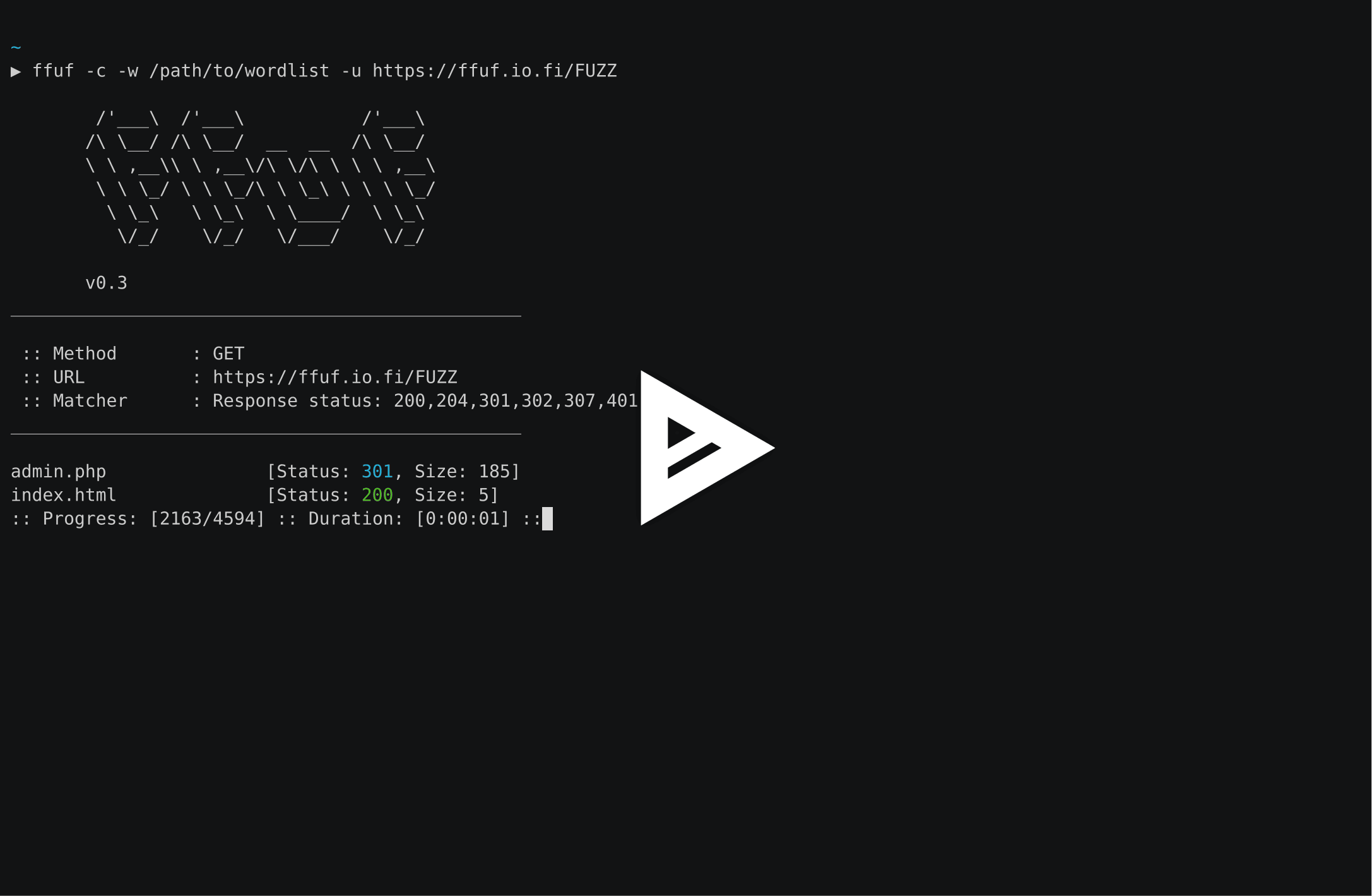
URL के अंत में FUZZ कीवर्ड का उपयोग करके (-u):
ffuf -w /path/to/wordlist -u https://target/FUZZ
वर्चुअल होस्ट खोज (DNS रिकॉर्ड के बिना)
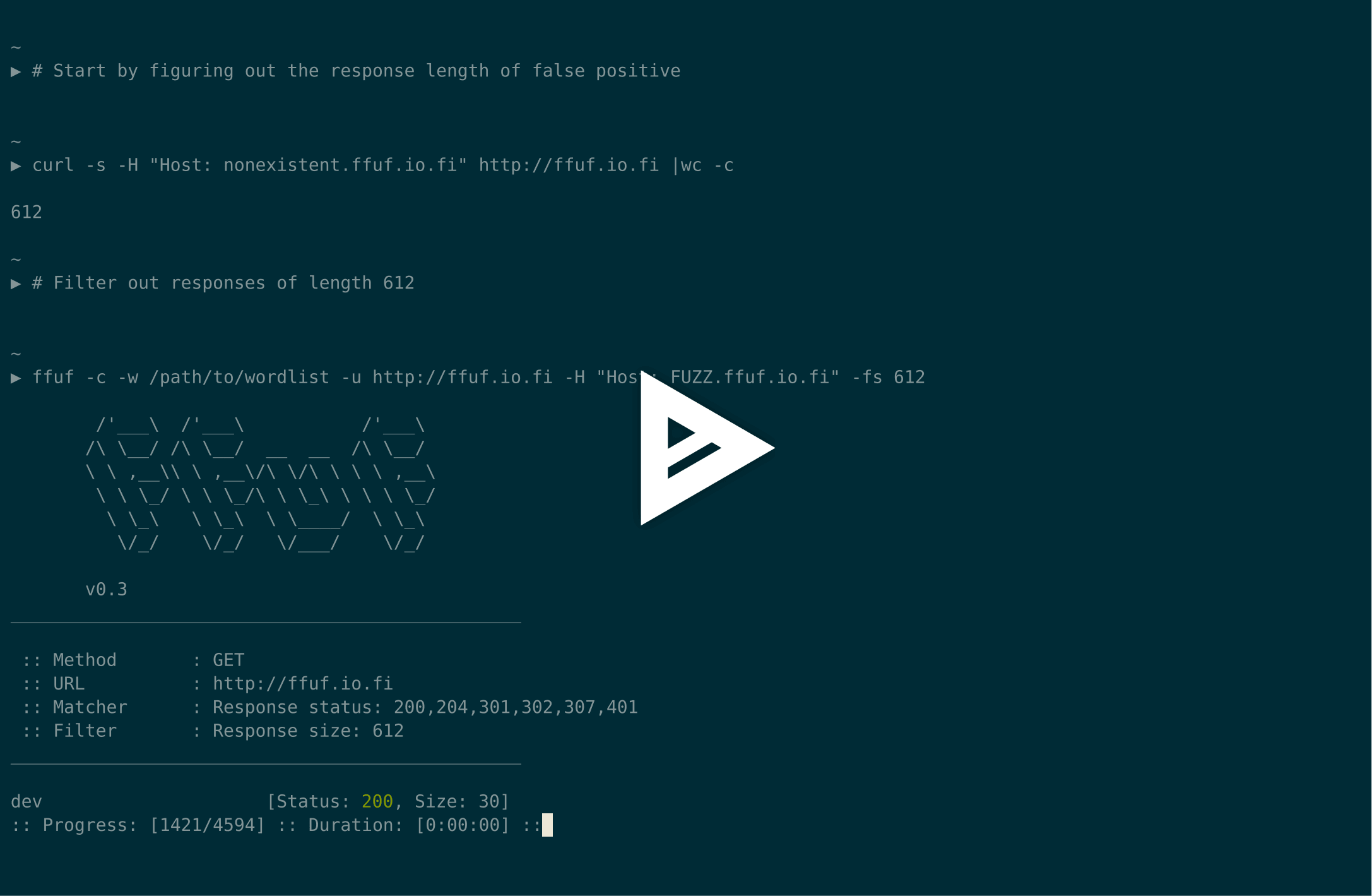
यह मानते हुए कि डिफ़ॉल्ट वर्चुअलहोस्ट प्रतिक्रिया का आकार 4242 बाइट्स है, हम Host - हेडर को फ़ज़ करते समय उस आकार की सभी प्रतिक्रियाओं को फ़िल्टर कर सकते हैं (-fs 4242):
ffuf -w /path/to/vhost/wordlist -u https://target -H "Host: FUZZ" -fs 4242
GET पैरामीटर फ़ज़िंग
GET पैरामीटर नाम फ़ज़िंग निर्देशिका खोज के समान है, और यह FUZZ कीवर्ड को URL के भाग के रूप में परिभाषित करके काम करता है। यह अमान्य GET पैरामीटर नाम के लिए 4242 बाइट्स की प्रतिक्रिया आकार भी मानता है।
ffuf -w /path/to/paramnames.txt -u https://target/script.php?FUZZ=test_value -fs 4242
यदि पैरामीटर का नाम ज्ञात है, तो मानों को उसी तरह फ़ज़ किया जा सकता है। यह उदाहरण एक गलत पैरामीटर मान मानता है जो HTTP प्रतिक्रिया कोड 401 लौटाता है।
ffuf -w /path/to/values.txt -u https://target/script.php?valid_name=FUZZ -fc 401
POST डेटा फ़ज़िंग
यह एक बहुत ही सीधा ऑपरेशन है, फिर से FUZZ कीवर्ड का उपयोग करके। यह उदाहरण POST अनुरोध के केवल भाग को फ़ज़ कर रहा है। हम फिर से 401 प्रतिक्रियाओं को फ़िल्टर कर रहे हैं।
ffuf -w /path/to/postdata.txt -X POST -d "username=admin\&password=FUZZ" -u https://target/login.php -fc 401
अधिकतम निष्पादन समय
यदि आप नहीं चाहते कि ffuf अनिश्चित काल तक चले, तो आप -maxtime का उपयोग कर सकते हैं। यह एक निश्चित समय (सेकंड में) के बाद पूरी प्रक्रिया को रोक देता है।
ffuf -w /path/to/wordlist -u https://target/FUZZ -maxtime 60
रिकर्सन के साथ काम करते समय, आप -maxtime-job का उपयोग करके प्रति कार्य maxtime को नियंत्रित कर सकते हैं। यह एक निश्चित समय (सेकंड में) के बाद वर्तमान कार्य को रोक देगा और अगले कार्य के साथ जारी रखेगा। नए कार्य तब बनते हैं जब रिकर्सन कार्यक्षमता कोई उपनिर्देशिका (subdirectory) का पता लगाती है।
ffuf -w /path/to/wordlist -u https://target/FUZZ -maxtime-job 60 -recursion -recursion-depth 2
दोनों फ़्लैग्स को मिलाकर प्रति कार्य अधिकतम निष्पादन समय के साथ-साथ समग्र निष्पादन समय को सीमित करना भी संभव है। यदि आप रिकर्सन का उपयोग नहीं करते हैं, तो दोनों फ़्लैग्स समान व्यवहार करते हैं।
परीक्षण मामले बनाने के लिए बाहरी म्यूटेटर का उपयोग
इस उदाहरण के लिए, हम POST के माध्यम से भेजे गए JSON डेटा को फ़ज़ करेंगे। म्यूटेटर के रूप में Radamsa का उपयोग किया जाता है।
जब --input-cmd का उपयोग किया जाता है, तो ffuf मैचों को उनकी स्थिति के रूप में प्रदर्शित करेगा। यही स्थिति मान कॉल करने वाले (callee) के लिए एक environment variable $FFUF_NUM के रूप में उपलब्ध होगा। हम इस स्थिति मान का उपयोग म्यूटेटर के लिए seed के रूप में करेंगे। example1.txt और example2.txt फ़ाइलों में मान्य JSON पेलोड होते हैं। हम सभी प्रतिक्रियाओं को मैच कर रहे हैं, लेकिन प्रतिक्रिया कोड 400 - Bad request को फ़िल्टर कर रहे हैं:
ffuf --input-cmd 'radamsa --seed $FFUF_NUM example1.txt example2.txt' -H "Content-Type: application/json" -X POST -u https://ffuf.io.fi/FUZZ -mc all -fc 400
बेशक, प्रत्येक पेलोड के लिए म्यूटेटर को कॉल करना बहुत कुशल नहीं है, इसलिए हम पेलोड्स को पहले से भी जनरेट कर सकते हैं, फिर भी उदाहरण के रूप में Radamsa का उपयोग करते हुए:
# Generate 1000 example payloads
radamsa -n 1000 -o %n.txt example1.txt example2.txt
# This results into files 1.txt ... 1000.txt
# Now we can just read the payload data in a loop from file for ffuf
ffuf --input-cmd 'cat $FFUF_NUM.txt' -H "Content-Type: application/json" -X POST -u https://ffuf.io.fi/ -mc all -fc 400
कॉन्फ़िगरेशन फ़ाइलें
जब ffuf चलता है, यह पहले जाँचता है कि डिफ़ॉल्ट कॉन्फ़िगरेशन फ़ाइल मौजूद है या नहीं। ffufrc फ़ाइल का डिफ़ॉल्ट पथ $XDG_CONFIG_HOME/ffuf/ffufrc है। आप इस फ़ाइल में एक या कई विकल्प कॉन्फ़िगर कर सकते हैं, और वे प्रत्येक बाद के ffuf कार्य पर लागू होंगे। ffufrc फ़ाइल का एक उदाहरण यहाँ पाया जा सकता है।
कॉन्फ़िगरेशन फ़ाइल स्थानों के बारे में अधिक विस्तृत विवरण विकी में पाया जा सकता है: https://github.com/ffuf/ffuf/wiki/Configuration
कमांड लाइन पर दिए गए कॉन्फ़िगरेशन विकल्प डिफ़ॉल्ट ffufrc फ़ाइल से लोड किए गए विकल्पों को ओवरराइड करते हैं। नोट: यह उन CLI फ़्लैग्स पर लागू नहीं होता जिन्हें एक से अधिक बार प्रदान किया जा सकता है। ऐसा ही एक उदाहरण है -H (हेडर) फ़्लैग। इस मामले में, कमांड लाइन पर दिए गए -H मान कॉन्फ़िगरेशन फ़ाइल के मानों के साथ जोड़े गए होंगे।
इसके अतिरिक्त, यदि आप विभिन्न उपयोग मामलों के लिए कई कॉन्फ़िगरेशन फ़ाइलों का उपयोग करना चाहते हैं, तो आप -config कमांड लाइन फ़्लैग का उपयोग करके कॉन्फ़िगरेशन फ़ाइल का पथ परिभाषित कर सकते हैं, जो कॉन्फ़िगरेशन फ़ाइल के फ़ाइल पथ को अपने पैरामीटर के रूप में लेता है।
उपयोग
ffuf के लिए परीक्षण मामला परिभाषित करने के लिए, FUZZ कीवर्ड का उपयोग URL (-u), हेडर (-H), या POST डेटा (-d) में कहीं भी करें।
Fuzz Faster U Fool - v2.1.0
HTTP OPTIONS:
-H Header `"Name: Value"`, separated by colon. Multiple -H flags are accepted.
-X HTTP method to use
-b Cookie data `"NAME1=VALUE1; NAME2=VALUE2"` for copy as curl functionality.
-cc Client cert for authentication. Client key needs to be defined as well for this to work
-ck Client key for authentication. Client certificate needs to be defined as well for this to work
-d POST data
-http2 Use HTTP2 protocol (default: false)
-ignore-body Do not fetch the response content. (default: false)
-r Follow redirects (default: false)
-raw Do not encode URI (default: false)
-recursion Scan recursively. Only FUZZ keyword is supported, and URL (-u) has to end in it. (default: false)
-recursion-depth Maximum recursion depth. (default: 0)
-recursion-strategy Recursion strategy: "default" for a redirect based, and "greedy" to recurse on all matches (default: default)
-replay-proxy Replay matched requests using this proxy.
-sni Target TLS SNI, does not support FUZZ keyword
-timeout HTTP request timeout in seconds. (default: 10)
-u Target URL
-x Proxy URL (SOCKS5 or HTTP). For example: http://127.0.0.1:8080 or socks5://127.0.0.1:8080
GENERAL OPTIONS:
-V Show version information. (default: false)
-ac Automatically calibrate filtering options (default: false)
-acc Custom auto-calibration string. Can be used multiple times. Implies -ac
-ach Per host autocalibration (default: false)
-ack Autocalibration keyword (default: FUZZ)
-acs Custom auto-calibration strategies. Can be used multiple times. Implies -ac
-c Colorize output. (default: false)
-config Load configuration from a file
-json JSON output, printing newline-delimited JSON records (default: false)
-maxtime Maximum running time in seconds for entire process. (default: 0)
-maxtime-job Maximum running time in seconds per job. (default: 0)
-noninteractive Disable the interactive console functionality (default: false)
-p Seconds of `delay` between requests, or a range of random delay. For example "0.1" or "0.1-2.0"
-rate Rate of requests per second (default: 0)
-s Do not print additional information (silent mode) (default: false)
-sa Stop on all error cases. Implies -sf and -se. (default: false)
-scraperfile Custom scraper file path
-scrapers Active scraper groups (default: all)
-se Stop on spurious errors (default: false)
-search Search for a FFUFHASH payload from ffuf history
-sf Stop when > 95% of responses return 403 Forbidden (default: false)
-t Number of concurrent threads. (default: 40)
-v Verbose output, printing full URL and redirect location (if any) with the results. (default: false)
MATCHER OPTIONS:
-mc Match HTTP status codes, or "all" for everything. (default: 200-299,301,302,307,401,403,405,500)
-ml Match amount of lines in response
-mmode Matcher set operator. Either of: and, or (default: or)
-mr Match regexp
-ms Match HTTP response size
-mt Match how many milliseconds to the first response byte, either greater or less than. EG: >100 or <100
-mw Match amount of words in response
FILTER OPTIONS:
-fc Filter HTTP status codes from response. Comma separated list of codes and ranges
-fl Filter by amount of lines in response. Comma separated list of line counts and ranges
-fmode Filter set operator. Either of: and, or (default: or)
-fr Filter regexp
-fs Filter HTTP response size. Comma separated list of sizes and ranges
-ft Filter by number of milliseconds to the first response byte, either greater or less than. EG: >100 or <100
-fw Filter by amount of words in response. Comma separated list of word counts and ranges
INPUT OPTIONS:
-D DirSearch wordlist compatibility mode. Used in conjunction with -e flag. (default: false)
-e Comma separated list of extensions. Extends FUZZ keyword.
-enc Encoders for keywords, eg. 'FUZZ:urlencode b64encode'
-ic Ignore wordlist comments (default: false)
-input-cmd Command producing the input. --input-num is required when using this input method. Overrides -w.
-input-num Number of inputs to test. Used in conjunction with --input-cmd. (default: 100)
-input-shell Shell to be used for running command
-mode Multi-wordlist operation mode. Available modes: clusterbomb, pitchfork, sniper (default: clusterbomb)
-request File containing the raw http request
-request-proto Protocol to use along with raw request (default: https)
-w Wordlist file path and (optional) keyword separated by colon. eg. '/path/to/wordlist:KEYWORD'
OUTPUT OPTIONS:
-debug-log Write all of the internal logging to the specified file.
-o Write output to file
-od Directory path to store matched results to.
-of Output file format. Available formats: json, ejson, html, md, csv, ecsv (or, 'all' for all formats) (default: json)
-or Don't create the output file if we don't have results (default: false)
EXAMPLE USAGE:
Fuzz file paths from wordlist.txt, match all responses but filter out those with content-size 42.
Colored, verbose output.
ffuf -w wordlist.txt -u https://example.org/FUZZ -mc all -fs 42 -c -v
Fuzz Host-header, match HTTP 200 responses.
ffuf -w hosts.txt -u https://example.org/ -H "Host: FUZZ" -mc 200
Fuzz POST JSON data. Match all responses not containing text "error".
ffuf -w entries.txt -u https://example.org/ -X POST -H "Content-Type: application/json" \
-d '{"name": "FUZZ", "anotherkey": "anothervalue"}' -fr "error"
Fuzz multiple locations. Match only responses reflecting the value of "VAL" keyword. Colored.
ffuf -w params.txt:PARAM -w values.txt:VAL -u https://example.org/?PARAM=VAL -mr "VAL" -c
More information and examples: https://github.com/ffuf/ffuf
इंटरैक्टिव मोड
ffuf निष्पादन के दौरान ENTER दबाने से, प्रक्रिया रुक जाती है और उपयोगकर्ता शेल-जैसे इंटरैक्टिव मोड में चला जाता है:
entering interactive mode
type "help" for a list of commands, or ENTER to resume.
> help
available commands:
afc [value] - append to status code filter
fc [value] - (re)configure status code filter
afl [value] - append to line count filter
fl [value] - (re)configure line count filter
afw [value] - append to word count filter
fw [value] - (re)configure word count filter
afs [value] - append to size filter
fs [value] - (re)configure size filter
aft [value] - append to time filter
ft [value] - (re)configure time filter
rate [value] - adjust rate of requests per second (active: 0)
queueshow - show job queue
queuedel [number] - delete a job in the queue
queueskip - advance to the next queued job
restart - restart and resume the current ffuf job
resume - resume current ffuf job (or: ENTER)
show - show results for the current job
savejson [filename] - save current matches to a file
help - you are looking at it
>
इस मोड में, फ़िल्टर को पुनः कॉन्फ़िगर किया जा सकता है, कतार (queue) प्रबंधित की जा सकती है और वर्तमान स्थिति डिस्क पर सहेजी जा सकती है।
फ़िल्टर (पुनः) कॉन्फ़िगर करते समय, वे बाद में लागू होते हैं और मेमोरी से उन सभी गलत सकारात्मक (false positive) मैचों को हटा दिया जाता है जिन्हें नए जोड़े गए फ़िल्टर द्वारा फ़िल्टर किया जा सकता था।
मैचों की नई स्थिति को show कमांड के साथ प्रिंट किया जा सकता है, जो सभी मैचों को वैसे ही प्रिंट करेगा जैसे वे ffuf द्वारा पाए गए होते।
चूँकि "negative" मैच मेमोरी में संग्रहीत नहीं होते, दुर्भाग्य से फ़िल्टर को ढीला करने से खोए हुए मैच वापस नहीं आ सकते। इस प्रकार के परिदृश्य के लिए, उपयोगकर्ता restart कमांड का उपयोग कर सकता है, जो स्थिति को रीसेट करता है और वर्तमान कार्य को शुरू से प्रारंभ करता है।
योगदान
बग रिपोर्ट, सुविधा अनुरोध और पुल रिक्वेस्ट का स्वागत है। आरंभ करने के लिए CONTRIBUTING.md देखें, और आर्किटेक्चर तथा परीक्षण प्रलेखन के लिए विकी का योगदान अनुभाग देखें।
लाइसेंस
ffuf MIT लाइसेंस के अंतर्गत जारी किया गया है। LICENSE देखें।

