 gleeda/memtriage
Permite consultar rápidamente una máquina Windows en busca de artefactos de RAM

Permite consultar rápidamente una máquina Windows en vivo en busca de artefactos de RAM
Esta herramienta utiliza los controladores Winpmem para acceder a la memoria física, y Volatility para el análisis.
Advertencias:
Actualmente se admiten los siguientes:
usage: memtriage.exe [-h] [--unload] [--load] [--debug] [--service SERVICE]
                     [--output OUTPUT] [--dumpdir DUMPDIR] [--base BASE]
                     [--offset OFFSET] [--memory MEMORY] [--pid PID] [--leave]
                     [--plugins PLUGINS] [--physoffset PHYSOFFSET]
                     [--physical] [--ignore] [--regex REGEX] [--name NAME]
                     [--keepname] [--outfile OUTFILE] [--yararules YARARULES]
                     [--yarafile YARAFILE] [--kernel] [--all] [--case]
                     [--wide] [--size SIZE] [--reverse REVERSE]

Memtriage options:

optional arguments:
  -h, --help            show this help message and exit
  --unload              Unload the driver and exit
  --load                Load the driver and exit
  --debug               Output debug messages while running
  --service SERVICE     Change the service name (default: pmem)
  --output OUTPUT       Output type: json/text/csv
  --dumpdir DUMPDIR     Directory to dump files to
                        (dlldump,procdump,moddump,vaddump,dumpfiles)
  --base BASE           Base of PE file to dump (dlldump,procdump,moddump)
  --offset OFFSET       Physical offset of process to act on
                        (dlldump,procdump,moddump,vaddump,dumpfiles)
  --memory MEMORY       Carve as a memory sample rather than exe/disk
                        (dlldump,procdump,moddump)
  --pid PID             Operate on this process ID
  --leave               Leave pmem service running with driver
  --plugins PLUGINS     Comma delimited list of plugins to run: apihooks atoms
                        cmdline dlldump dlllist driverirp dumpfiles envars
                        getsids handles ldrmodules malfind moddump modules
                        netscan privs procdump pslist psxview shimcachemem
                        svcscan vaddump vadinfo verinfo volshell yarascan
  --physoffset PHYSOFFSET
                        Dump File Object at physical address PHYSOFFSET
                        (dumpfiles)
  --physical            Display the physical address of object
                        (pslist,handles,modules)
  --ignore              Ignore case in pattern match (dumpfiles,verinfo)
  --regex REGEX         Dump files matching REGEX (dumpfiles,driverirp,privs)
  --name NAME           Name of process/object to operate on
  --keepname            Keep original file name (dumpfiles)
  --outfile OUTFILE     Combined output file (default: stdout)
  --yararules YARARULES
                        Yara rule given on the commandline (yarascan)
  --yarafile YARAFILE   Yara rules given as a file (yarascan)
  --kernel              Scan kernel memory (yarascan)
  --all                 Scan both process and kernel memory (yarascan)
  --case                Make the search case insensitive (yarascan)
  --wide                Match wide (unicode) strings (yarascan)
  --size SIZE           Size of preview hexdump in bytes (default: 256)
                        (yarascan)
  --reverse REVERSE     Reverse [REVERSE] number of bytes (default: 0)
                        (yarascan)
Memtriage intentará determinar el perfil automáticamente y ejecutarse con la configuración adecuada. Si no hay una coincidencia exacta, Memtriage intentará usar el perfil con nombre más cercano disponible. Por lo tanto, existe la posibilidad de que las definiciones de objetos no coincidan exactamente (como los nombres de procesos, etc.), lo cual también podría observar al ejecutar Volatility con un perfil incorrecto. Se pueden agregar perfiles al código de Volatility, y el ejecutable se puede recompilar con pyinstaller.
De forma predeterminada, memtriage.exe intentará cargar el controlador cuando se ejecute por primera vez y descargarlo cuando finalice. Sin embargo, puede cargar y descargar el controlador manualmente con las opciones --load y --unload. También puede solicitar que el controlador permanezca cargado después de que los plugins hayan terminado de ejecutarse con la opción --leave.
> memtriage.exe --leave --plugins=dumpfiles --dumpdir=outdir --physoffset=1066160184 --keepname
El nombre de servicio predeterminado que se crea es pmem. Puede especificar un nombre de servicio diferente con la opción --service=. En ese caso, deberá usar esta opción --service= en futuras invocaciones si deja el controlador cargado. Ejemplo:
> memtriage.exe --leave --service=somename --plugins=dlllist --pid=2924
[snip]
> memtriage.exe --unload --service=somename
Puedes ejecutar varios plugins a la vez especificándolos delimitados por comas con la opción --plugins=. Ejemplo:
> memtriage.exe --plugins=pslist,handles,dlllist
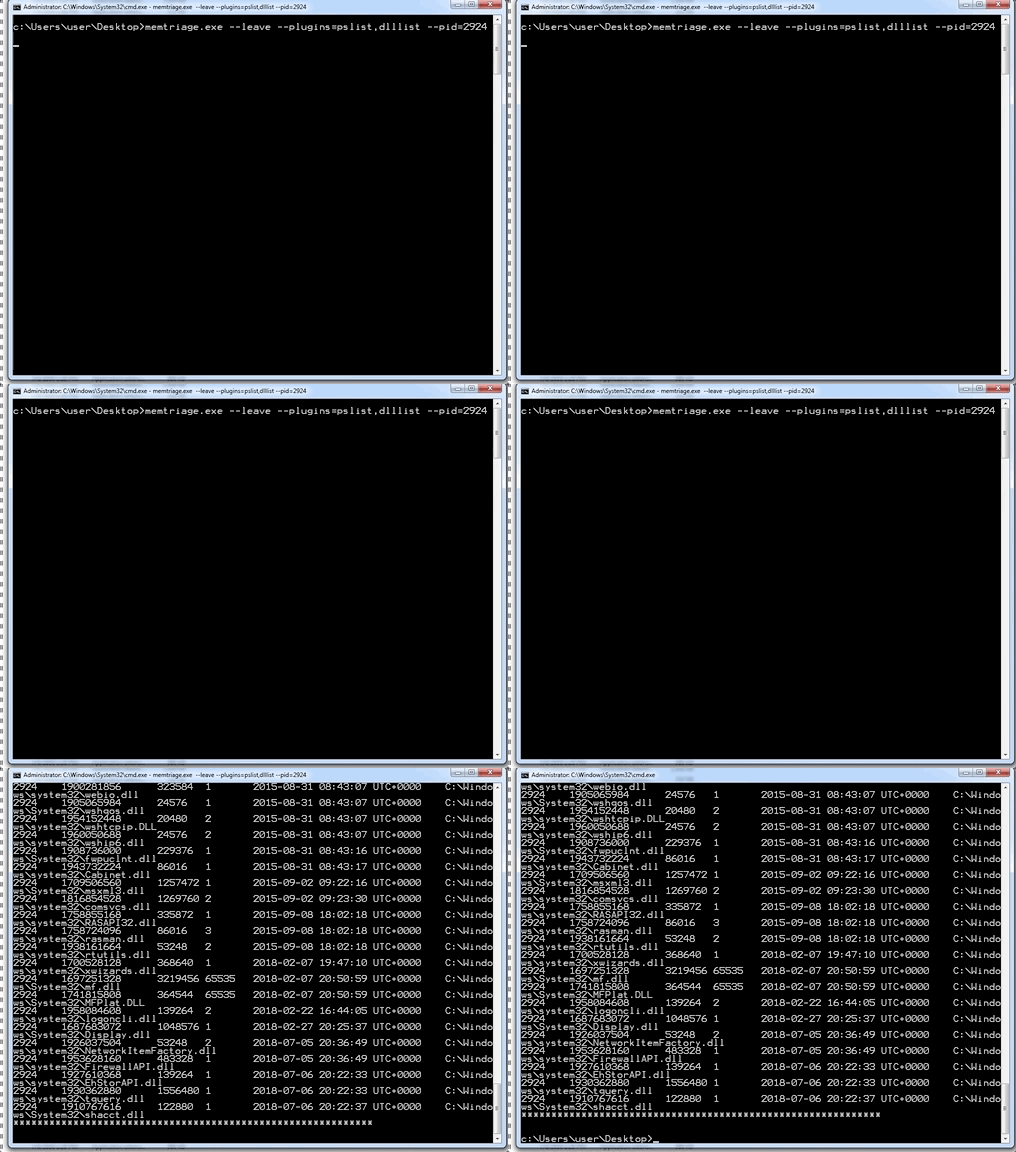
Se utilizarán otras opciones para el plugin correspondiente. Ejemplo:
> memtriage.exe --plugins=pslist,handles,dlllist,dlldump,dumpfiles,shimcachemem,volshell --outfile=outfile.txt --pid=2924 --dumpdir=outdir --leave --keepname --physoffset=1066160184
Puedes encontrar las versiones, incluido un ejecutable autónomo de pyinstaller, aquí: https://github.com/gleeda/memtriage/releases






