
CyberRAG — RAG 100% local (Ollama) sobre apuntes y libros de ciberseguridad: recuperación híbrida, respuestas con citas, asistente de pentest por fases y monitor de reindex. Sin frameworks pesados.
RAG (Retrieval-Augmented Generation) system to query your cybersecurity notes (Obsidian vault, HTB writeups, notes) with natural language. Everything runs on your machine: embeddings and generation use local Ollama, with no data leaving your network. And no langchain: every piece is your own understandable code.
Complete technical documentation →
docs/ARQUITECTURA.mdCovers the underlying concepts (RAG, embeddings, hybrid search, fair sharing, rerank), the layered architecture, format extraction, the incremental index, knowledge spaces and compute capacity.Phased pentest assistant →
docs/ASISTENTE-PENTEST.mdHTB mentor by phase (Recon / Enumeration / Exploitation / Privesc / Post / Report) and vector (web, SMB, AD, Linux, Windows…), with a help level (empuja/explica/directo) to understand by hand without autopilot, and a machine state field to paste your ports/services. Designed for authorized offensive work + ISO 27001 reporting.Architecture report (for L2/learner) →
docs/INFORME-ARQUITECTURA.mdOverview in a single read: what it is, how it's built inside and how it's used, plus a plan to teach it in 20 minutes.Server runbook →
docs/RUNBOOK-SERVIDOR.mdHost operation: non-negotiable rules, network/firewall, xRDP/faillock and GPU recovery (Xid 31).Reindex monitor →
web/monitor.py(browser dashboard: progress, rate, ETA, GPU and models live, without touching the GPU).
numpy + the Ollama HTTP API.Tus documentos (.md/.txt/.log)
│
▼
┌────────────┐ chunking con solape ┌──────────────────┐
│ Chunks │ ─────────────────────▶ │ Embeddings │
│ (pedazos) │ │ nomic-embed-text│
└────────────┘ └────────┬─────────┘
▼
┌──────────────┐
│ Índice .npz │ (output/indice.npz)
└──────┬───────┘
┌───────────────────────┘
▼
Pregunta ───▶ vector ──▶ similitud coseno ──▶ top-k chunks
│
▼
Respuesta ◀── generación con contexto ◀───────────┘
(qwen2.5-coder / mistral, local)
The 3 pieces of RAG:
search_document: ) that increases the
embedding quality in the search.nomic-embed-text, local). When faced with a question (vectorized as
search_query: ), you search for the chunks with the highest cosine similarity combined
with lexical word matching (hybrid search). Cosine alone is not
enough for comparison questions; the lexical component rescues the exact chunk
where the terms are.127.0.0.1:11434nomic-embed-text model (setup.sh downloads it automatically)qwen2.5-coder:7b. It is the one that answers
theory (citing ISO/books) AND the offensive lab topics (HTB) without
refusing. Changeable without touching code with the env var RAG_CHAT_MODEL
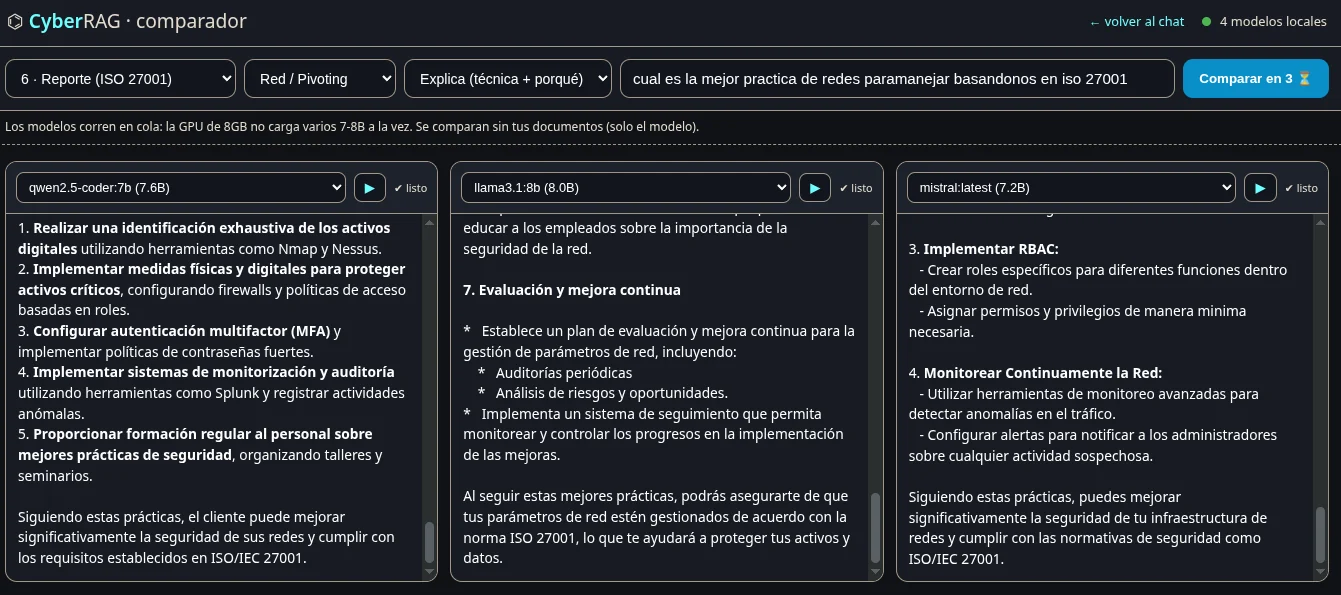
(e.g. RAG_CHAT_MODEL=llama3.1:8b rag web for fine theoretical prose — although
with offensive content it self-restricts; mistral:latest cites well but at
times pastes raw context).pdftotext (poppler-utils) if you want to index PDFs./setup.sh
# Indexar los documentos de ejemplo en document[o]s/
python3 rag_ollama.py index

# Indexar otra carpeta (ej.: tu vault de Obsidian) — en vivo, sin copiar
python3 rag_ollama.py --docs-dir ~/vault index

# Preguntar (usá SIEMPRE el mismo --docs-dir que el index)
python3 rag_ollama.py --docs-dir ~/vault ask "¿Qué flag de hashcat crackea un hash ASREProast?"

# Chat continuo contra tu base — sin repetir el comando
python3 rag_ollama.py --docs-dir ~/vault interactive

# Estadísticas del índice
python3 rag_ollama.py stats
On this machine there is also the rag alias, which maintains two knowledge
spaces: your notes (vault) and the curated book library (libros).
rag "pregunta sobre tus apuntes"     # espacio vault (default)
rag libros "pregunta sobre libros"   # espacio libros (PDFs curados)
rag --rerank "pregunta"              # con reranker local (reordena fuentes)
rag chat                             # modo interactivo (vault)
rag chat libros                      # modo interactivo (libros)
rag index                            # reindexar VAULT (incremental: rápido)
rag index libros                     # reindexar libros (tarda minutos)
rag stats                            # estado del índice del vault
rag analizar                         # dupes + solapamiento + temas (vault)
rag fuentes "término"                # en qué documentos aparece el término
The two spaces are saved in output/indices/indice_<espacio>.npz and do not
overwrite each other.
rag web        # → http://localhost:8787  (alias local en /etc/hosts)
               #   o: RAG_HOST=0.0.0.0 rag web  para exponerlo a la LAN (con UFW)
The UI (pure Python stdlib server, zero dependencies) offers:
.md/.pdf files.02-redhat-security-rh342.pdf) are displayed and cited by their human title
("Red Hat RH342 — Security: server hardening"); the prompt asks the
model to cite the source of each idea.biblioteca), books
(biblioteca-libros) or todo (both combined, the default). In
todo mode the search splits the quota between the two indexes — a space with
many chunks (~138k books) doesn't crush the small one (581 notes) — and each source
is labeled with its origin (📚 book / 📝 note).web/web.py (API + static), web/index.html, web/style.css,
web/app.js — all editable live.libros)