
Skip to content
KitploitKITPLOIT
ToolsExploitsBlog
Log in
Submit
ToolsExploitsBlog
Submit

Hacking, PenTest, and Cybersecurity Tools for Your Security Arsenal!

Kitploit is a directory of hacking, cybersecurity, and pentesting tools. Discover the latest project updates to find vulnerabilities, analyze systems, automate testing, and strengthen your security.

FeedsContactPrivacy© 2026 Kitploit

Tool Directory

Categories

View all categories
Loading categories
GAP-Burp-Extension — Burp Extension to find potential endpoints, parameters, and generate a custom target wordlist | Kitploit
Tools/GitHubGitHub/xnl-h4ck3r/gap-burp-extension
ReconnaissanceVulnerability AnalysisInformation GatheringWeb SecurityFuzzingPenetration Testing
GitHubxnl-h4ck3r/gap-burp-extension

GAP-Burp-Extension

Burp Extension to find potential endpoints, parameters, and generate a custom target wordlist

View Repository
1.5k1594810 months agoReviewed by Kitploit
Share

About - v6.3

This is an evolution of the original getAllParams extension for Burp. Not only does it find more potential parameters for you to investigate, but it also finds potential links to try these parameters on, and produces a target specific wordlist to use for fuzzing. The full Help documentation can be found here or from the Help icon on the GAP tab.

TL;DR

Installation

  1. Visit Jython Offical Site, and download the latest stand alone JAR file, e.g. jython-standalone-2.7.4.jar.
  2. Open Burp, go to Extensions -> Extension Settings -> Python Environment, set the Location of Jython standalone JAR file and Folder for loading modules to the directory where the Jython JAR file was saved.
  3. On a command line, go to the directory where the jar file is and run java -jar jython-standalone-2.7.4.jar -m ensurepip.
  4. Download the GAP.py and requirements.txt from this project and place in the same directory.
  5. Install Jython modules by running java -jar jython-standalone-2.7.4.jar -m pip install --no-cache-dir --no-compile -r requirements.txt.
  6. Go to the Extensions -> Installed and click Add under Burp Extensions.
  7. Select Extension type of Python and select the GAP.py file.

Using

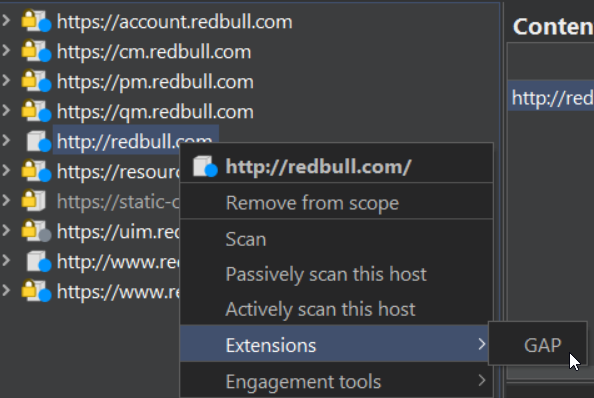
  1. Just select a target in your Burp scope (or multiple targets), or even just one subfolder or endpoint, and choose extension GAP:

Or you can right click a request or response in any other context and select GAP from the Extensions menu.
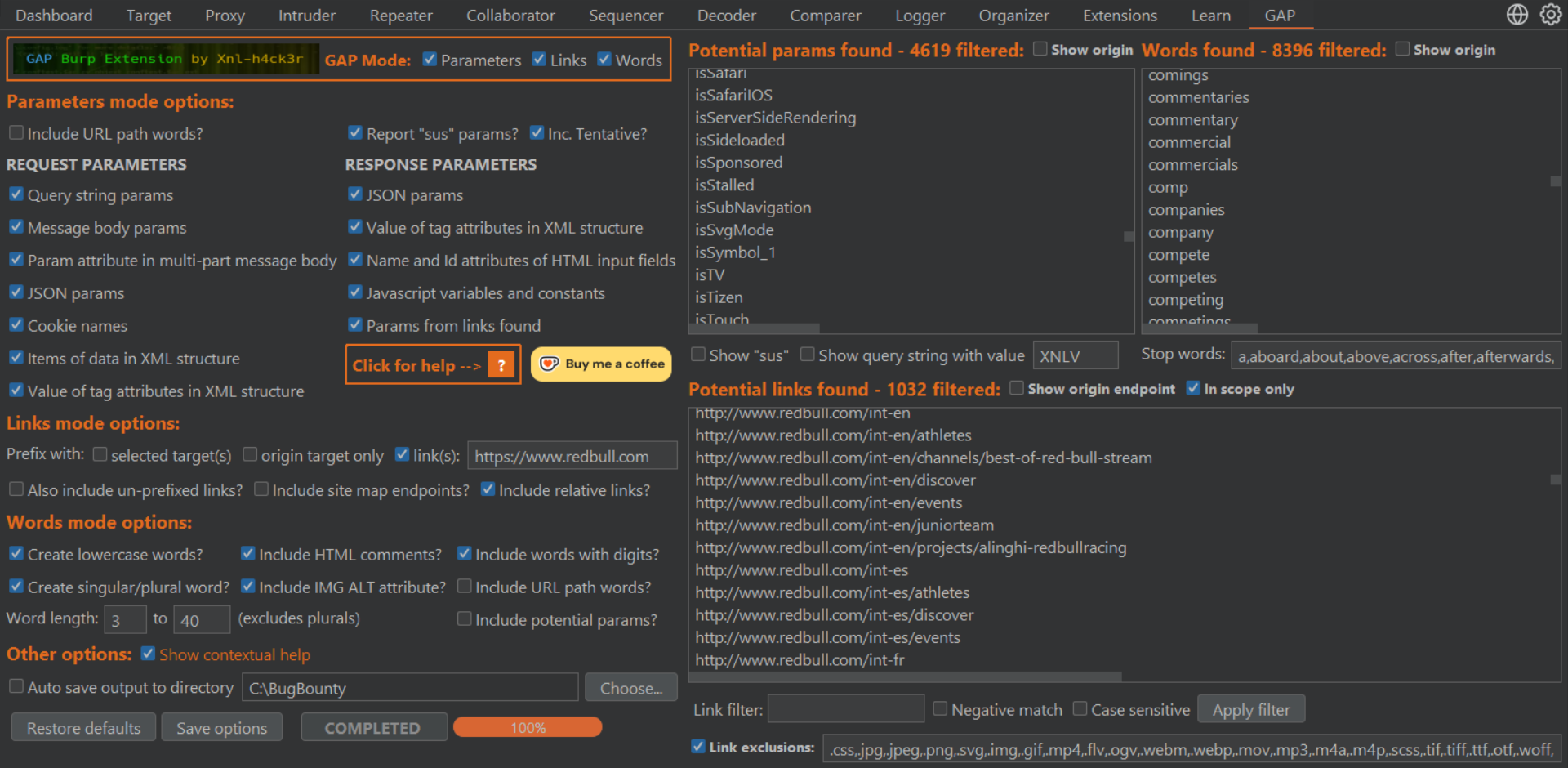
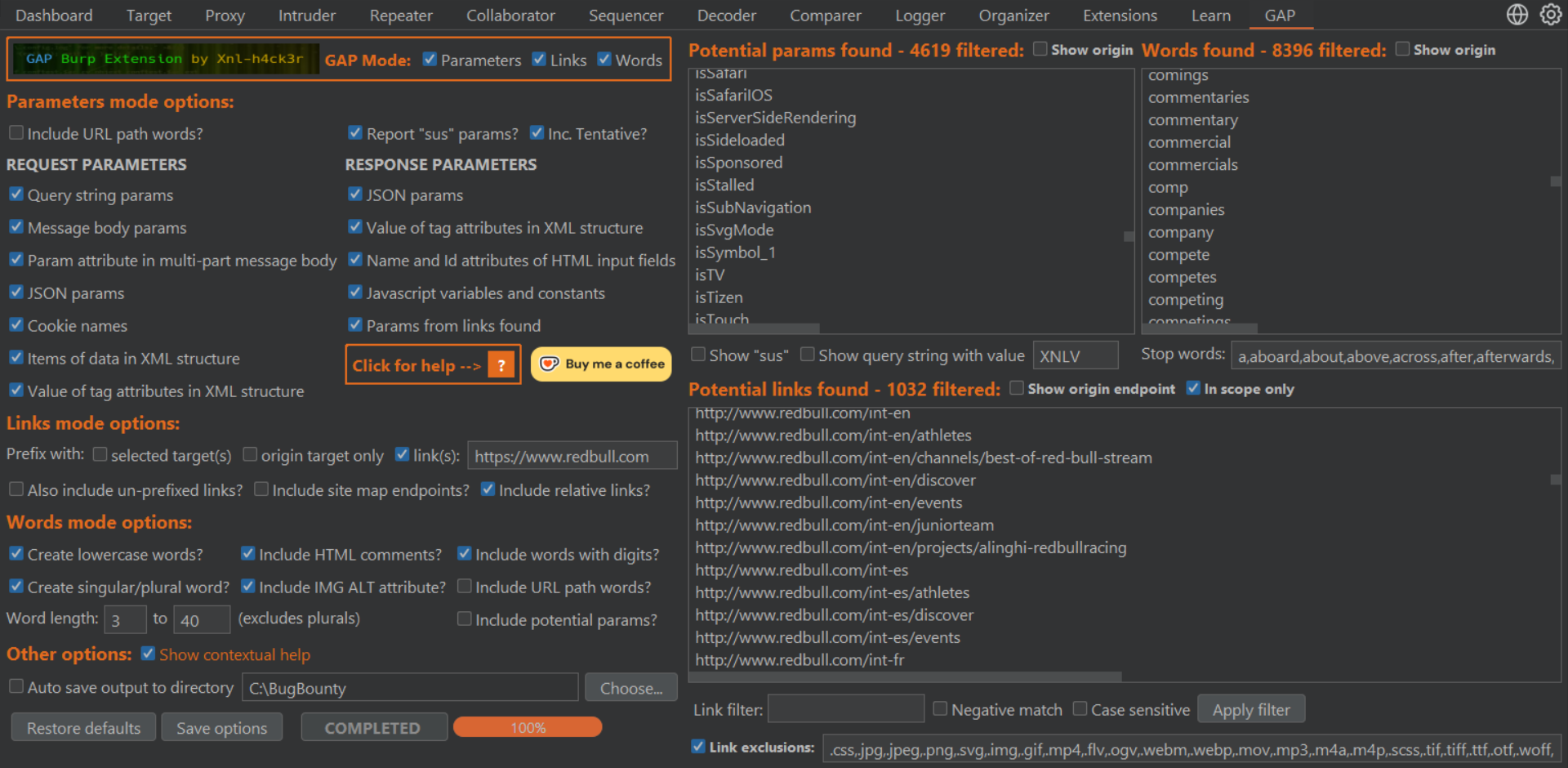
  1. Then go to the GAP tab to see the results:

IMPORTANT Notes

If you don't need one of the modes, then un-check it as results will be quicker.

If you run GAP for one or more targets from the Site Map view, don't have them expanded when you run GAP... unfortunately this can make it a lot slower. It will be more efficient if you run for one or two target in the Site Map view at a time, as huge projects can have consume a lot of resources. Also, if you run from the Site Map, make sure you have correct Scope set in Burp before you run it.

If you want to run GAP on one of more specific requests, do not select them from the Site Map tree view. It will be a lot quicker to run it from the Site Map Contents view if possible, or from proxy history.

It is hard to design GAP to display all controls for all screen resolutions and font sizes. I have tried to deal with the most common setups, but if you find you cannot see all the controls, you can hold down the Ctrl button and click the GAP logo header image to remove it to make more space.

The Words mode uses the beautifulsoup4 library and this can be quite slow, so be patient!

In Depth Instructions

Below is an in-depth look at the GAP Burp extension, from installing it successfully, to explaining all of the features.

NOTE: This video is from 16th July 2023 and explores v3.X, so any features added after this may not be featured.
GAP Burp Extension

TODO

  • Get potential parameters from the Request that Burp doesn't identify itself, e.g. XML, graphql, etc.
  • Improve link finding regular expressions to eliminate "catastrophic backtracking" or timeout if that occurs.
  • Include the Request/Response markers in the raised Sus parameter Issues if I can find a way to not make performance really bad!
  • Deal with other size displays and font sizes better to make sure all controls are viewable.
  • If multiple Site Map tree targets are selected, write the files more efficiently. This can take forever in some cases.
  • Use an alternative to beautifulsoup4 that is faster to parse responses for Words.

Good luck and good hunting! If you really love the tool (or any others), or they helped you find an awesome bounty, consider BUYING ME A COFFEE! ☕ (I could use the caffeine!)

🤘 /XNL-h4ck3r

Buy Me a Coffee at ko-fi.com

Download Tool

Most Popular

View all →

Discover the most used tools by our community.

  • 1

    OsintHunter

    letox4/osinthunter

    🎯 The ultimate OSINT toolkit: investigation graph, confidence scoring, alias families, map, timeline and reports. 49 modules, 400+ sites, no API keys required.

    795
  • 2

    ghostlock-app

    yukonga/ghostlock-app

    GhostLock One-Tap Execution App (CVE-2026-43499)

    520
  • 3

    ARTEX

    baarai/artex

    LLM multi-agent autonomous penetration testing platform with planner/worker agents, asset and exploration graphs, MITM traffic recording, and vulnerability retesting.

    439
  • 4

    redforge

    cybersecurity91/redforge

    Browser-side red team toolkit with 102 offline tools for recon, payload generation, credential attacks, crypto, encoding and engagement reporting.

    346
  • 5

    looking-glass

    anonghosty/looking-glass

    CSIRT platform that ingests Shadowserver reports into MongoDB and replays them as interactive maps, analysis, findings, advisories and executive dashboards.

    267
  • 6

    CyberStrikeAI

    ed1s0nz/cyberstrikeai

    The system of action for AI-native cybersecurity—where intent becomes governed execution, evidence becomes operational memory, and every operation improves the next.

    264

Explore all tools

Browse our collection of tools

View all tools →







