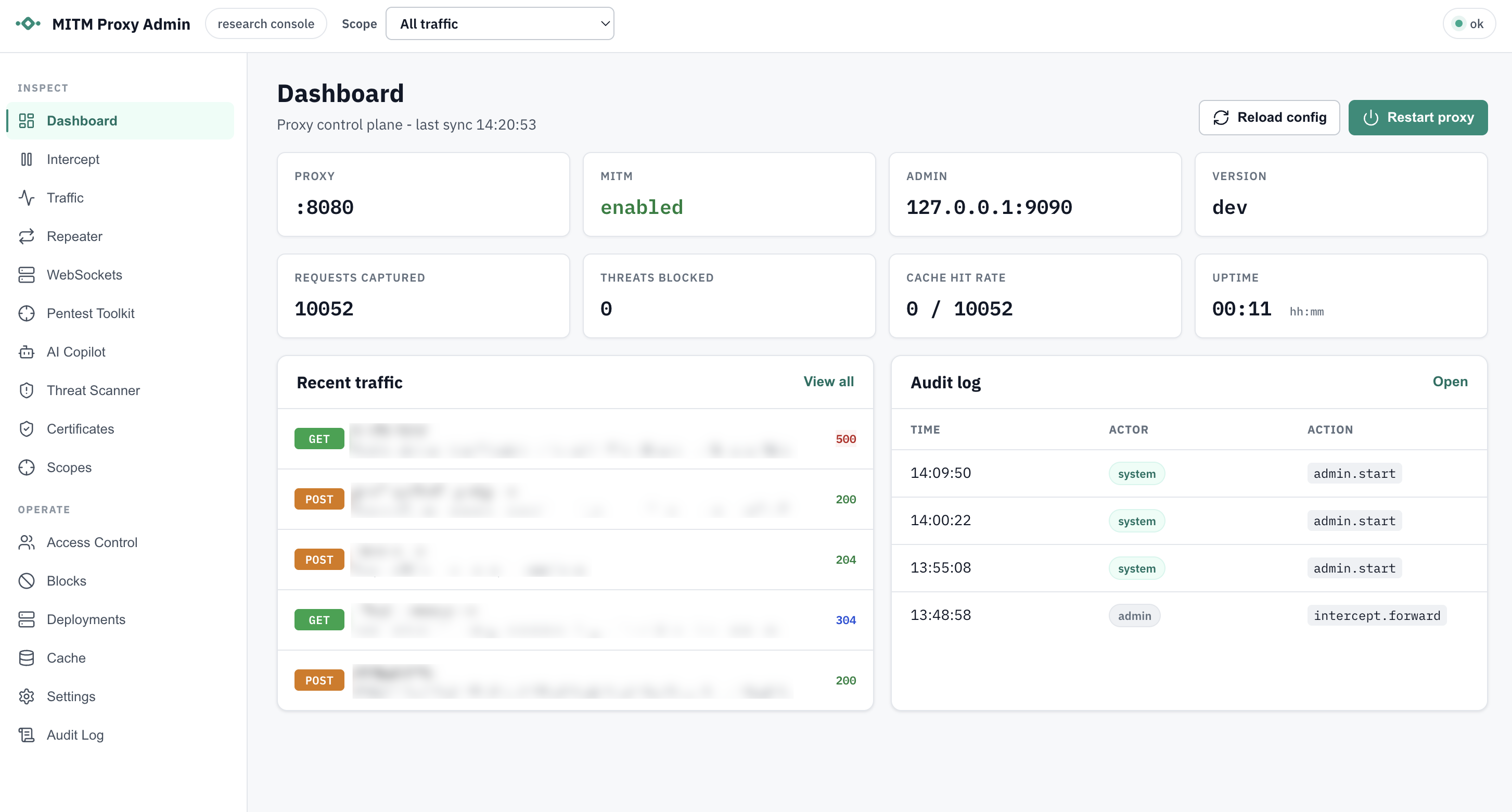

Go-based MITM HTTP/HTTPS proxy with HTTP/2 and HTTP/1.1 interception, local CA/per-host cert generation, CONNECT/WebSocket tunneling, disk caching, admin dashboard, traffic capture, block policies, and optional AI-backed threat scanning with redaction, quarantine, and audit logging.

A lightweight, developer-friendly Man‑in‑the‑Middle (MITM) HTTP/HTTPS proxy written in Go. It supports HTTP/1.1 and HTTP/2, CONNECT tunneling, WebSocket tunneling (ws/wss), on‑disk response caching with flexible filters, and live config reloading.


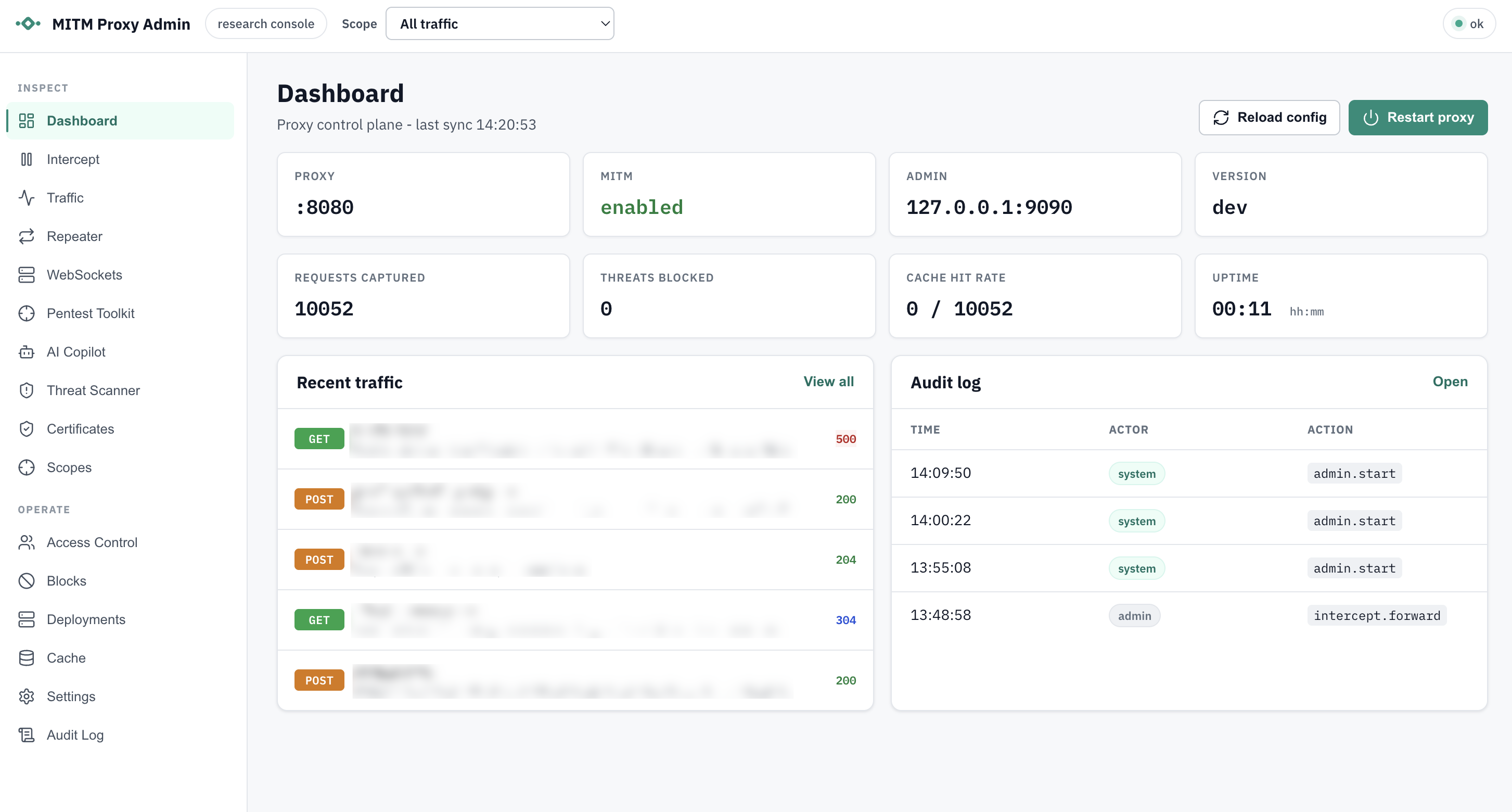
Go MITM Proxy is an intercepting proxy intended for debugging, testing, learning, and controlled interception of HTTP(S) traffic. When MITM is enabled, it dynamically generates per‑host leaf certificates signed by a local CA, allowing the proxy to decrypt and inspect HTTPS traffic. It can also work as a transparent TCP tunnel when MITM is disabled or for excluded domains/ports.
Important: This application performs active Man-in-the-Middle (MITM) interception, including the generation and use of TLS certificates to decrypt HTTPS traffic. Depending on your jurisdiction and network environment, intercepting traffic without clear, prior consent from all affected users may be illegal and can violate privacy, workplace policy, or regulatory requirements.
Before using this software in any environment other than your own local machine:
All users of any network where this proxy may intercept traffic must be clearly informed that HTTP(S) interception and inspection will occur. Consent should be explicit and ideally documented.
Do not run this software on networks you do not own, administer, or have explicit authorization to test or monitor.
Many regions have strict laws governing the interception, logging, and storage of user data (e.g., GDPR, CCPA, wiretap laws). You are responsible for ensuring your use complies with all applicable regulations.
The generated CA private key (usually ca-key.pem) allows the holder to impersonate any domain for users who trust the corresponding certificate.
This proxy is designed for development, debugging, controlled testing, or educational purposes — not for covert monitoring or unauthorized surveillance.
By using this software, you acknowledge and accept full responsibility for ensuring your usage is lawful, ethical, and properly communicated to all affected users.
Prerequisites:
Clone and build:
git clone https://github.com/Welfordian/mitm-proxy.git
cd mitm-proxy
go build ./
This produces a mitm-proxy (or mitm-proxy.exe on Windows) binary in the project root.
./mitm-proxy
On first start, a local CA will be created and saved to ca-cert.pem and ca-key.pem.
Configure your browser or curl to use the proxy at http://localhost:8080.
Trust the generated CA certificate (ca-cert.pem) in your OS/browser to allow HTTPS interception. See Trusting the Local CA.
Visit an HTTPS site through the proxy and observe logs. Use verbose mode for more detail:
./mitm-proxy --verbose
CLI flags override configuration file values where noted.
An example config.json is included in the repo:
{
 "listen_addr": ":8080",
 "proxy_name": "MITM-Proxy",
 "ca_cert_path": null,
 "ca_key_path": null,
 "ca_cert_output_path": "ca-cert.pem",
 "ca_key_output_path": "ca-key.pem",
 "enable_mitm": true,
 "admin_enabled": true,
 "admin_addr": "127.0.0.1:9090",
 "admin_token": "",
 "admin_read_token": "",
 "admin_ui": true,
 "admin_store": "dashboard.db",
 "excluded_domains": [],
 "blocked_ports": [25, 445, 3389],
 "blocked_domains": [],
 "blocked_ips": [],
 "block_action": "deny",
 "block_response_status": 403,
 "traffic_capture": {
   "store_bodies": false,
   "max_body_bytes": 32768,
   "redact_bodies": true,
   "store_headers": true,
   "redacted_headers": ["Authorization", "Cookie", "Proxy-Authorization", "Set-Cookie", "X-Api-Key"],
   "store_cookies": true,
   "redacted_cookies": []
 },
 "proxy_auth": {
   "enabled": false,
   "realm": "MITM Proxy",
   "require_auth_for_loopback": false,
   "default_action": "allow"
 },
 "verbose_logging": true,
 "log_requests": true,
 "max_idle_conns": 200,
 "idle_conn_timeout_seconds": 90,
 "tls_handshake_timeout_seconds": 10,
 "min_tls_version": "1.2",
 "tls_next_protos": ["h2", "http/1.1"],
 "cache": {
   "enabled": true,
   "directory": "/var/cache/mitm-proxy",
   "include_domains": [],
   "exclude_domains": [],
   "include_extensions": ["jpg", "png", "webp", "css", "js"],
   "exclude_extensions": [],
   "ttl": 3600
 }
}


