 veggiedefender/browsertunnel
Surreptitiously exfiltrate data from the browser over DNS



Browsertunnel is a tool for exfiltrating data from the browser using the DNS protocol. It achieves this by abusing dns-prefetch, a feature intended to reduce the perceived latency of websites by doing DNS lookups in the background for specified domains. DNS traffic does not appear in the browser's debugging tools, is not blocked by a page's Content Security Policy (CSP), and is often not inspected by corporate firewalls or proxies, making it an ideal medium for smuggling data in constrained scenarios.
It's an old technique—DNS tunneling itself dates back to the '90s, and Patrick Vananti wrote about using dns-prefetch for it in 2016, but as far as I can tell, browsertunnel is the first open source, production-ready client/server demonstrating its use. Because dns-prefetch does not return any data back to client javascript, communication through browsertunnel is only unidirectional. Additionally, some browsers disable dns-prefetch by default, and in those cases, browsertunnel will silently fail.
The project comes in two parts:
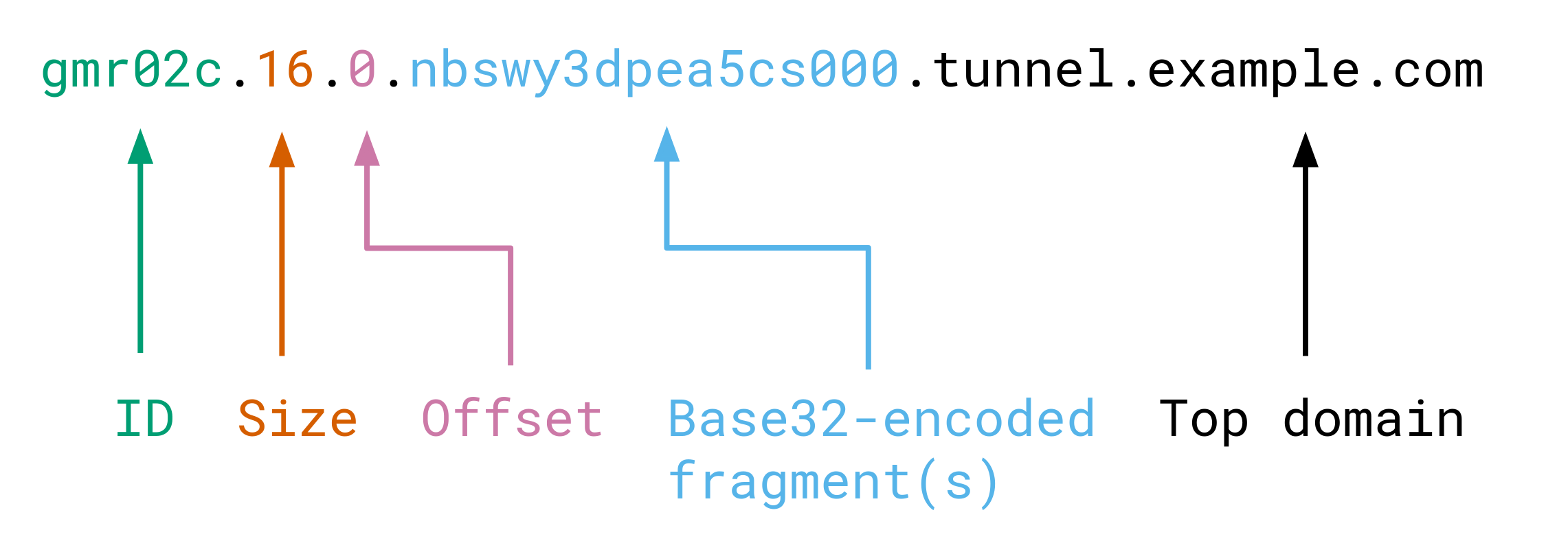
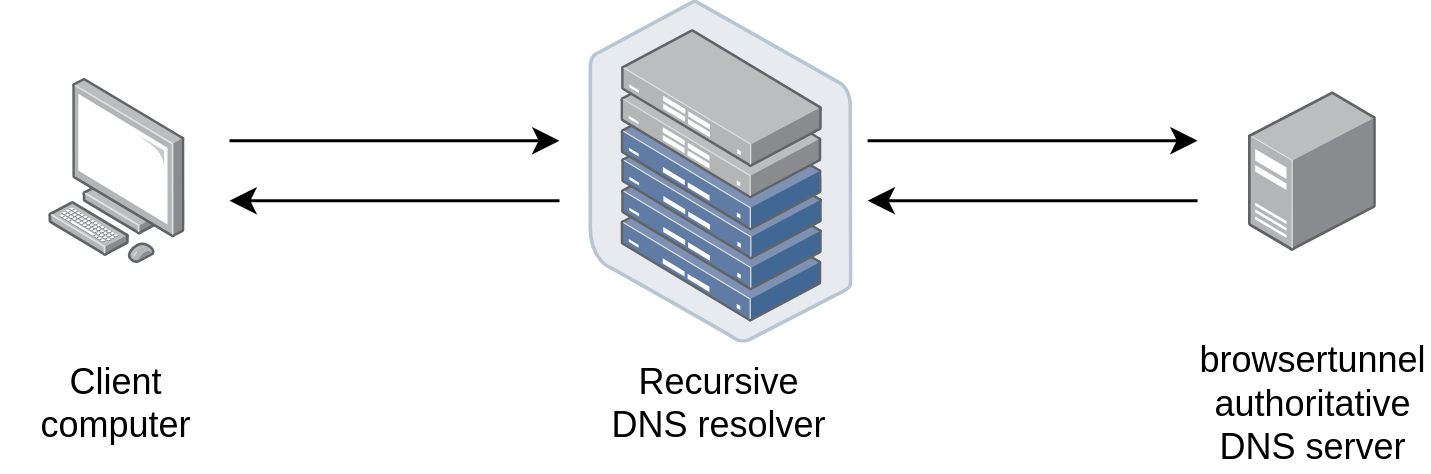
html/ folder, encodes and sends messages from the client side.Browsertunnel can send arbitrary strings over DNS by encoding the string in a subdomain, which is forwarded to the browsertunnel server when the browser attempts to recursively resolve the domain.

Longer messages that cannot fit in one domain (253 bytes) are automatically split into multiple queries, which are reassembled and decoded by the server.

First, set up DNS records to delegate a subdomain to your server. For example, if your server's IP is 192.0.2.123 and you want to tunnel through the subdomain t1.example.com, then your DNS configuration will look like this:
t1		IN	NS	t1ns.example.com.
t1ns		IN	A	192.0.2.123
On your server, install browsertunnel using go get. Alternatively, compile browsertunnel on your own machine, and copy the binary to your server.
go get github.com/veggiedefender/browsertunnel
Next, run browsertunnel, specifying the subdomain you want to tunnel through.
browsertunnel t1.example.com
For full usage, run browsertunnel -help:
$ browsertunnel -help
Usage of browsertunnel:
  -deletionInterval int
    	seconds in between checks for expired messages (default 5)
  -expiration int
    	seconds an incomplete message is retained before it is deleted (default 60)
  -maxMessageSize int
    	maximum encoded size (in bytes) of a message (default 5000)
  -port int
    	port to run on (default 53)
For more detailed descriptions and rationale for these parameters, you may also consult the godoc.
Finally, test out your tunnel! You can use my demo page here or clone this repo and load html/index.html locally. If everything works, you should be able to see messages logged to stdout.
For real-world applications of this project, you may want to fork and tweak the code as you see fit. Some inspiration:






