
Skip to content
KitploitKITPLOIT
ToolsBlog
Submit
ToolsBlog
Submit

Hacking, PenTest, and Cybersecurity Tools for Your Security Arsenal!

Kitploit is a directory of hacking, cybersecurity, and pentesting tools. Discover the latest project updates to find vulnerabilities, analyze systems, automate testing, and strengthen your security.

··Feeds·Contact·Privacy·© 2026 Kitploit

Tool Directory

Categories

View all categories
Loading categories
drift-node-sdk — Node.js SDK for capturing and replaying API calls made to/from your service | Kitploit
Tools/GitHubGitHub/use-tusk/drift-node-sdk
Scripting & AutomationAPI Security TestingUtilities & Frameworks
GitHubuse-tusk/drift-node-sdk

drift-node-sdk

Node.js SDK for capturing and replaying API calls made to/from your service
View RepositoryWebsite
17363 months agoReviewed by Kitploit

Most Popular

View all →

Discover the most used tools by our community.

Explore all tools

Browse our collection of tools

View all tools →
Share

Tusk Drift Banner

npm version License: Apache 2.0 GitHub last commit Tusk X account Tusk Community Slack

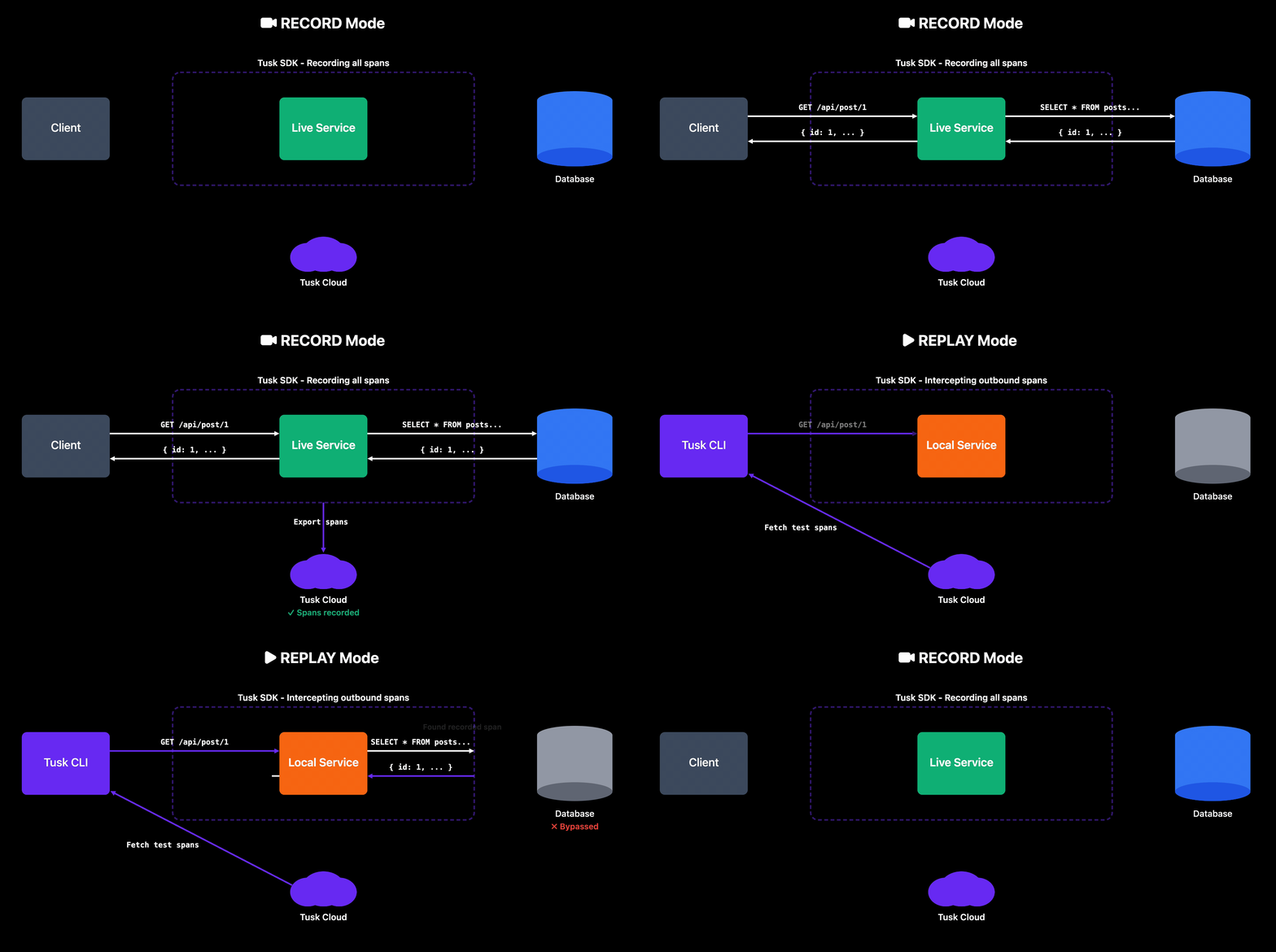
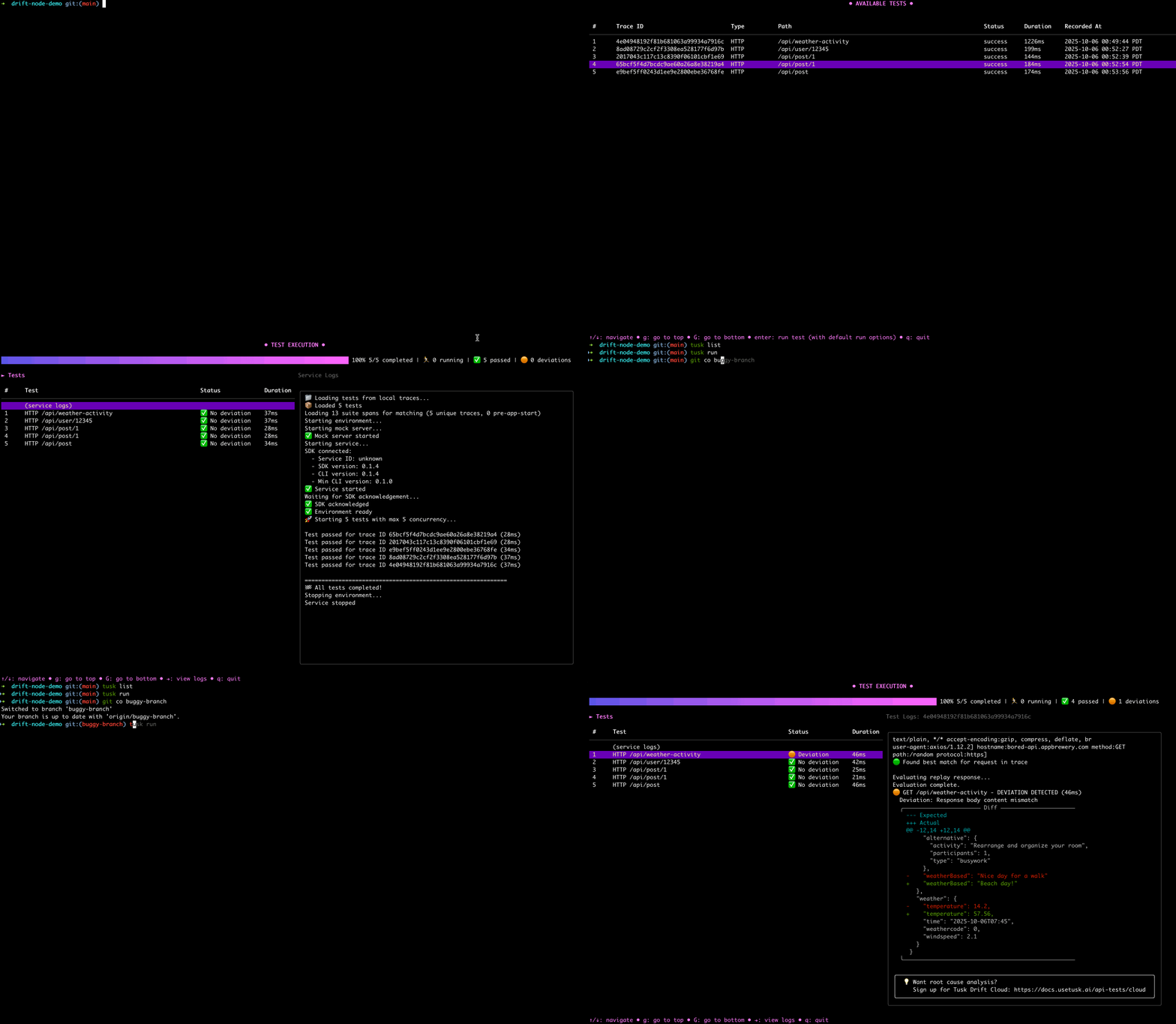
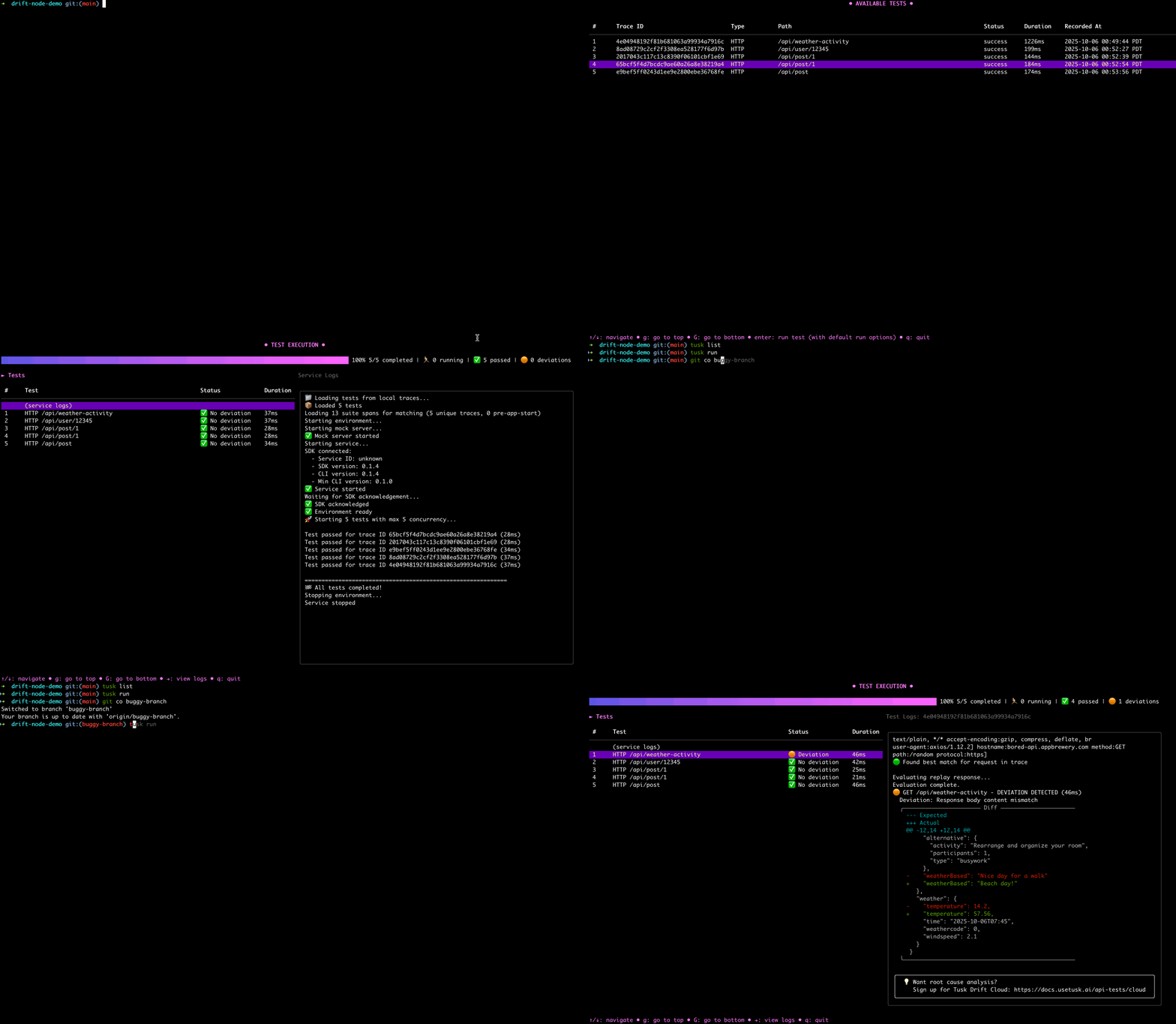
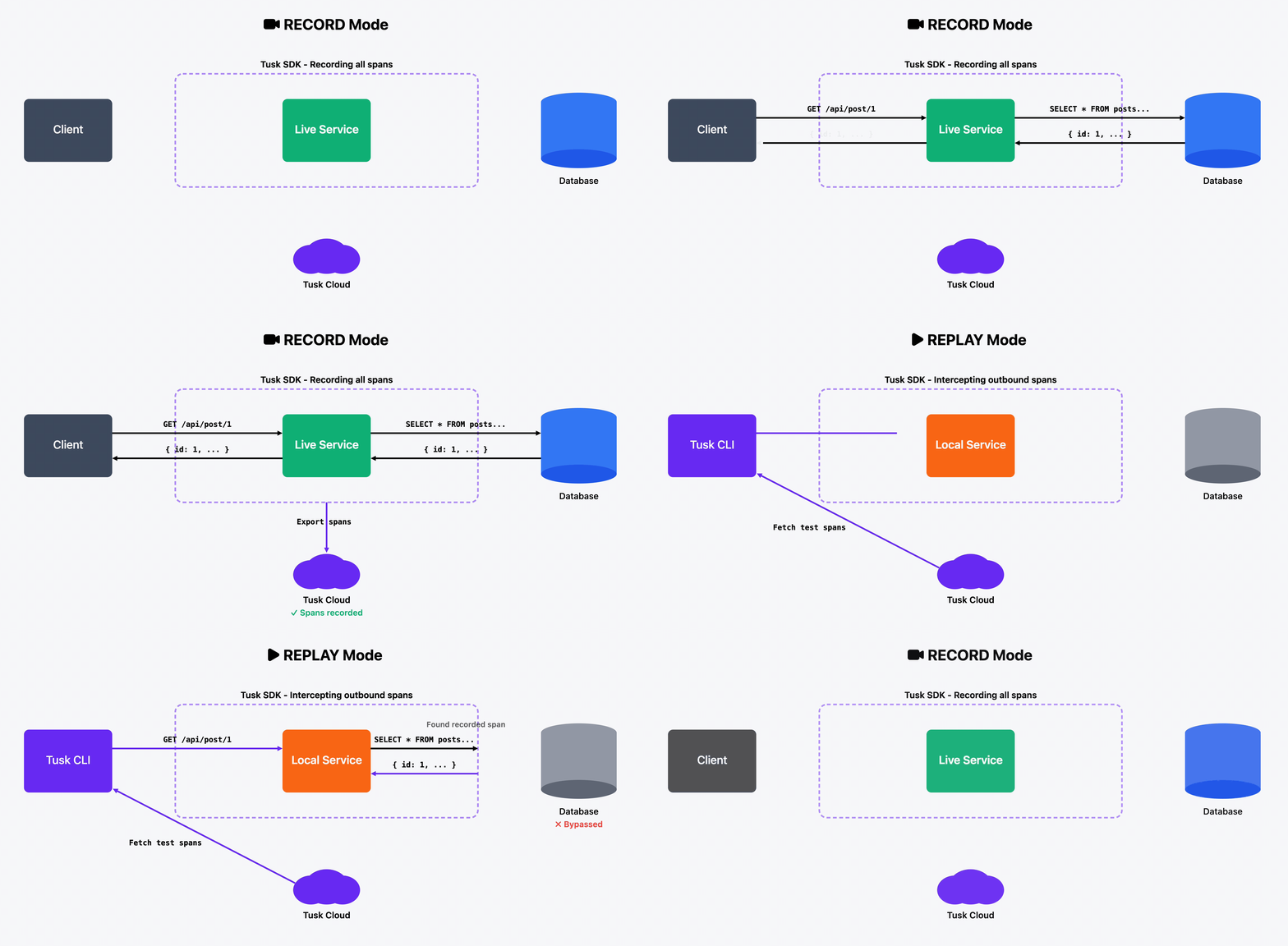
The Node.js Tusk Drift SDK enables fast and deterministic API testing by capturing and replaying API calls made to/from your service. Automatically record real-world API calls, then replay them as tests using the Tusk CLI to find regressions. During replay, all outbound requests are intercepted with recorded data to ensure consistent behavior without side-effects.

Demo

Try it on a demo repo →

Documentation

For comprehensive guides and API reference, visit our full documentation.
SDK Guides

  • Initialization Guide - Set up the SDK in your Node.js application
  • Environment Variables - Environment variables reference
  • Quick Start Guide - Record and replay your first trace
  • Troubleshooting Guide - Common issues and solutions

Tusk Drift Animated Diagram Tusk Drift Animated Diagram

Requirements

Tusk Drift currently supports the following packages and versions:

  • HTTP/HTTPS: All versions (Node.js built-in)
  • GRPC: @grpc/[email protected] (Outbound requests only)
  • PG: [email protected], [email protected]
  • Firestore: @google-cloud/[email protected]
  • Postgres: [email protected]
  • MySQL: [email protected], [email protected]
  • MongoDB: [email protected]
  • Redis: [email protected] (@redis/[email protected],5.x)
  • IORedis: [email protected]
  • Upstash Redis: @upstash/[email protected]

If you're using packages or versions not listed above, please create an issue with the package + version you'd like an instrumentation for.

Installation

Step 1: Install the CLI

First, install and configure the Tusk Drift CLI by following our CLI installation guide. The CLI helps set up your Tusk configuration file and replays tests.

The wizard will eventually direct you back here when it's time to set up the SDK.

Step 2: Install the SDK

After completing the CLI wizard, install the SDK:

root@kitploit:~
npm install @use-tusk/drift-node-sdk

Step 3: Initialize the SDK for your service

Refer to our initialization guide to set up the SDK for your service.

Step 4: Run Your First Test

Follow along our quick start guide to record and replay your first test!

Troubleshooting

Having issues?

  • Read our troubleshooting doc
  • Create an issue or reach us at [email protected].

Community

Join our open source community on Slack.

Contributing

We appreciate feedback and contributions. See CONTRIBUTING.md.

License

This project is licensed under the Apache License 2.0 - see the LICENSE file for details.

Download Tool
  • GraphQL: [email protected]
  • Prisma: [email protected]
  • JSON Web Tokens: [email protected]
  • JWKS RSA: [email protected]