
Skip to content
KitploitKITPLOIT
ToolsExploitsBlog
Log in
Submit
ToolsExploitsBlog
Submit

Hacking, PenTest, and Cybersecurity Tools for Your Security Arsenal!

Kitploit is a directory of hacking, cybersecurity, and pentesting tools. Discover the latest project updates to find vulnerabilities, analyze systems, automate testing, and strengthen your security.

FeedsContactPrivacy© 2026 Kitploit

Tool Directory

Categories

View all categories
Loading categories
Sooty — The SOC Analysts all-in-one CLI tool to automate and speed up workflow. | Kitploit
Tools/GitHubGitHub/theresafewconors/sooty
OSINT (Open Source Intelligence)ReconnaissanceHash AnalysisInformation GatheringPhishingUtilities & FrameworksThreat IntelligenceDNS Analysis
GitHubtheresafewconors/sooty

Sooty

The SOC Analysts all-in-one CLI tool to automate and speed up workflow.

View Repository
1.5k223532 years agoReviewed by Kitploit

Most Popular

View all →

Discover the most used tools by our community.

Explore all tools

Browse our collection of tools

View all tools →
Share

Generic badge PRs Welcome GitHub contributors Generic badge Hits Docker

Overview

Sooty is a tool developed with the task of aiding SOC analysts with automating part of their workflow. One of the goals of Sooty is to perform as many of the routine checks as possible, allowing the analyst more time to spend on deeper analysis within the same time-frame. Details for many of Sooty's features can be found below.

Sooty is now proudly supported by Tines.com! The SOAR Platform for Enterprise Security Teams.
Contents

  • Current Features
  • Requirements & Installation
  • Development
  • Changelog
  • Roadmap
  • Contributors

Sooty can Currently:

  • Sanitise URL's to be safe to send in emails
  • Perform reverse DNS and DNS lookups
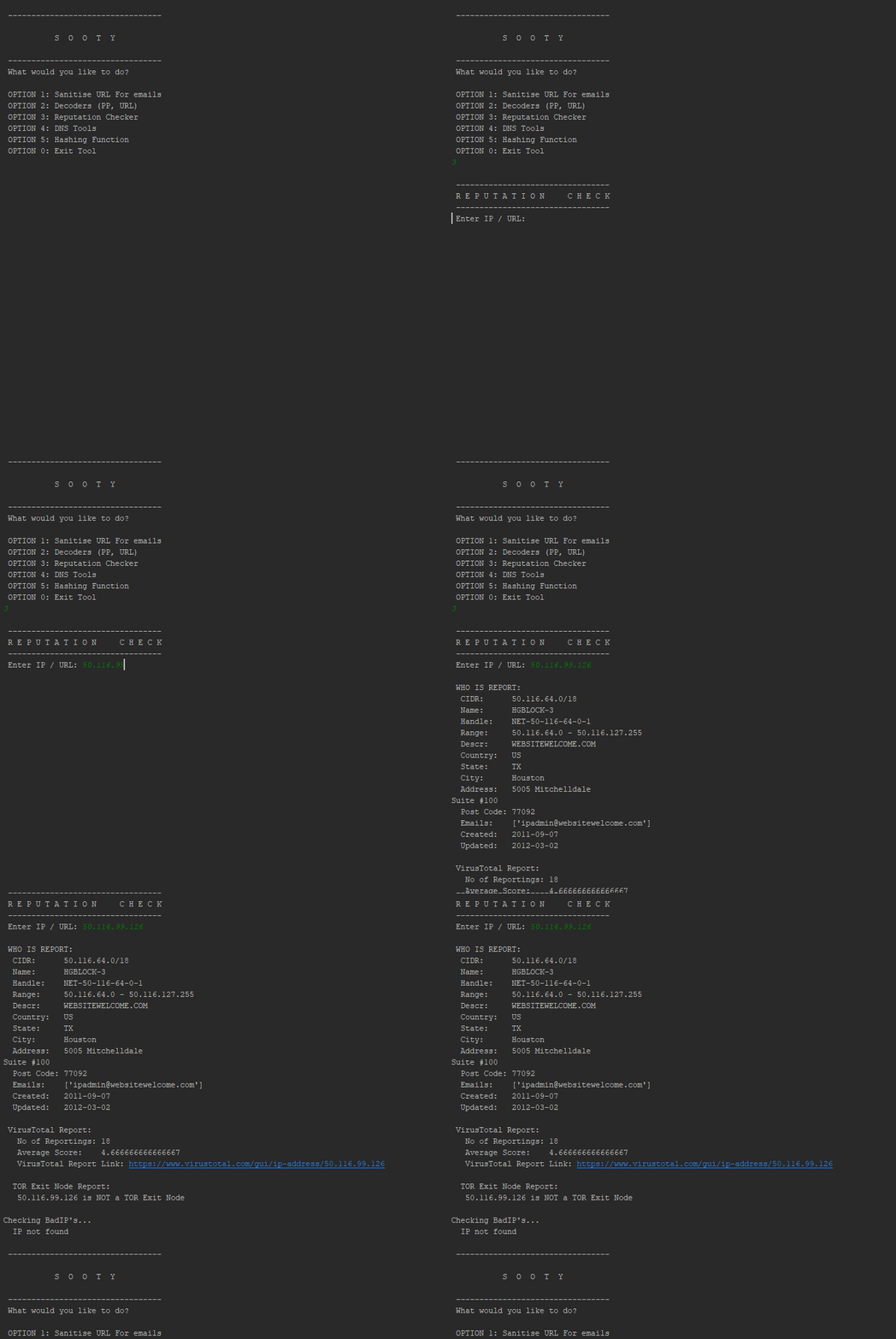
  • Perform reputation checks from:
    • VirusTotal
    • BadIP's
    • Abuse IPDB
  • Identify if an address is potentially malicious, used for spam, web bots:
    • Botvrij.eu
    • myip.ms
    • Firehol
  • Check if an IP address is a TOR exit node
  • Decode Proofpoint URL's, UTF-8 encoded URLS, Office SafeLink URL's, Base64 Strings and Cisco7 Passwords.
  • Get file hashes and compare them against VirusTotal (see requirements)
  • Perform WhoIs Lookups
  • Check Usernames and Emails against HaveIBeenPwned to see if a breach has occurred. (see requirements)
  • Simple analysis of emails to retrieve URL's, emails and header information.
  • Extract IP addresses from emails.
  • Unshorten URL's that have been shortened by external services. (Limited to 10 requests per hour)
  • Query URLScan.io for reputation reports.
  • Analyze email addresses for known malicious activity and report on domain reputation utilising EmailRep.io
  • Create dynamic email templates that can be used as a base for phishing triage response.(.msg only, .eml coming in future update)
  • Perform analysis enrichment on phishing mails using the HaveIBeenPwned database, and can identify if an email address has been compromised in the past, when it happened and where the breach occurred. (Requires API Key).
  • Submit URL's to PhishTank. (see requirements)
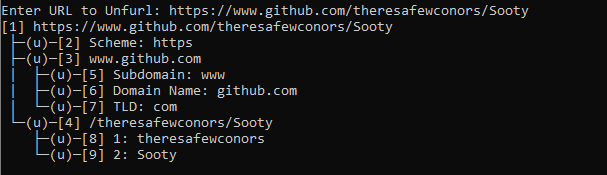
  • Unfurl URL's via the CLI version of Unfurl.
  • See below for a full list and layout of currently available tools:
└── Main Menu
   ├── Sanitize URL's for use in emails
   |  └── URL Sanitizing Tool
   ├── Decoders
   |   ├── ProofPoint Decoder
   |   ├── URL Decoder
   |   ├── Office Safelinks Decoder
   |   ├── URL Unshortener
   |   ├── Base 64 Decoder
   |   ├── Cisco Password 7 Decoder
   |   └── Unfurl URL
   ├── Reputation Checker
   |   └── Reputation Checker for IP's, URL's or email addresses
   ├── DNS Tools
   |   ├── Reverse DNS Lookup
   |   ├── DNS Lookup
   |   └── WhoIs Lookup
   ├── Hashing Functions
   |   ├── Hash a File
   |   ├── Hash a Text Input
   |   ├── Check a hash for known malicious activity
   |   └── Hash a file and check for known malicious activity
   ├── Phishing Analysis
   |   ├── Analyze an Email
   |   ├── Analyze an email address for known malicious activity
   |   ├── Generate an email template based on analysis
   |   ├── Analyze a URL with Phishtank
   |   └── HaveIBeenPwned Lookup
   ├── URL Scan
   |   └── URLScan.io lookup
   ├── Extra's
   |   ├── About
   |   ├── Contributors
   |   ├── Version
   |   ├── Wiki
   |   └── Github Repo
   └── Exit

Requirements and Installation

  • Python 3.x
  • Install all dependencies from the requirements.txt file. pip install -r requirements.txt
  • Launch the tool by navigating to the main directory, and executing with python Sooty.py, or simply Sooty.py
  • Several API Keys are required to have full functionality with Sooty. However, it will still function without these keys, just without the added functionality they provide. Links are found below:
    • VirusTotal API Key
    • URLScan.io API Key
    • AbuseIPDB API Key
    • HaveIBeenPwned API Key
    • PhishTank API Key
    • EMAILREP API KEY
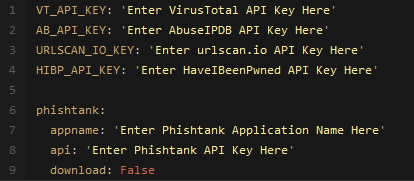
  • Replace the corresponding key in the example_config.yaml file, and rename the file to config.yaml, example layout below:
  • For PhishTank support, an unique app name is also required as an additional field. Simply update the config.yaml file with your unique name.

Launch with Docker

  • docker build -t sooty . && docker run --rm -it sooty

Development

Want to contribute? Great!

Download Tool