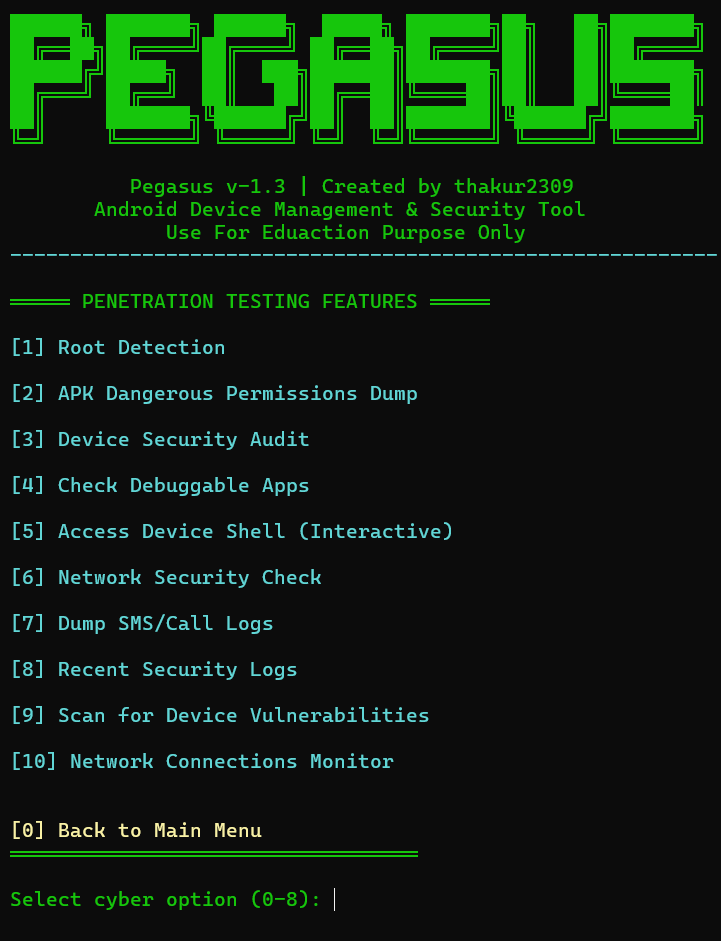


Python ADB-based Android device management and security audit toolkit with an interactive menu for root detection, permission dumps, debuggable app scanning, log and contact extraction.
██████╗ ███████╗ ██████╗  █████╗ ███████╗██╗   ██╗███████╗
██╔══██╗██╔════╝██╔════╝ ██╔══██╗██╔════╝██║   ██║██╔════╝
██████╔╝█████╗  ██║  ███╗███████║███████╗██║   ██║███████╗
██╔═══╝ ██╔══╝  ██║   ██║██╔══██║╚════██║██║   ██║╚════██║
██║     ███████╗╚██████╔╝██║  ██║███████║╚██████╔╝███████╗
╚═╝     ╚══════╝ ╚═════╝ ╚═╝  ╚═╝╚══════╝ ╚═════╝ ╚══════╝
Android Device Management & Security Audit Tool





🛡️ For Educational & Personal Use Only
Use only on devices you own or have explicit written permission to access.
Features • Screenshots • Installation • Usage • Device Setup • Changelog • License
🔐 Licence key - FIREWALLBREAKER
📌 Instagram Username sudo_xploit
Pegasus is a powerful Python-based Android Device Management and Security Audit tool built on top of ADB (Android Debug Bridge). It provides an interactive, color-coded terminal menu to remotely manage, monitor, analyze, and audit Android devices — entirely from your PC, with no third-party app required on the phone.
| Audience | Use Case |
|---|---|
| 🧑💻 Android Developers | Quick device control and log monitoring during development |
| 🔐 Security Researchers | Audit and assess your own device's security posture |
| 🎓 Students | Learn Android internals, ADB commands, and mobile security |
| 🖥️ Power Users | Manage and control phones wirelessly over Wi-Fi |
| Option | Feature | Description |
|---|---|---|
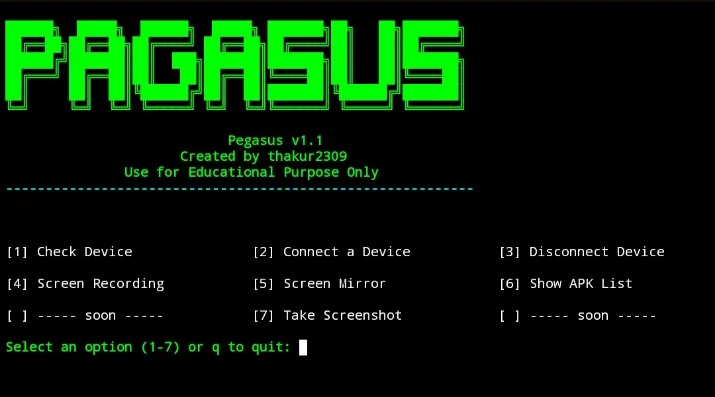
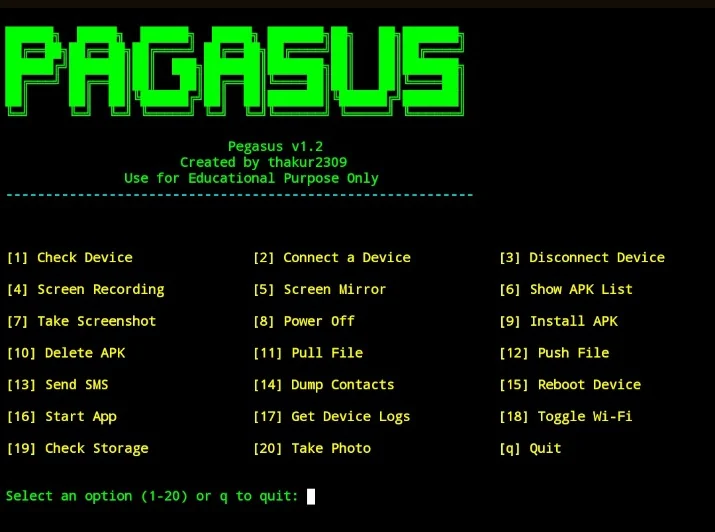
| 1 | Check Device | View model name, Android version, and battery level |
| 2 | Connect Device | Connect via USB or wirelessly over Wi-Fi (TCP/IP) |
| 3 | Disconnect Device | Cleanly disconnect wireless ADB sessions |
| 4 | Screen Recording | Record device screen and auto-pull to your PC |
| 5 | Screen Mirror | Live real-time screen mirroring via scrcpy |
| 6 | Show APK List | List all installed packages, export clean list to file |
| 7 | Take Screenshot | Capture and pull screenshot instantly |
| 8 | Power Off | Remotely power off the device |
| 15 | Reboot Device | Remotely reboot the device |
| 18 | Toggle Wi-Fi | Enable or disable device Wi-Fi remotely |
| 19 | Check Storage | View storage usage in human-readable format |
| 20 | Take Photo | Trigger camera, capture photo, and auto-pull to PC |
| 21 | Troubleshoot | Kill and restart ADB server for connection issues |
| 23 | Connection History | View session connect/disconnect timestamps |
| Option | Feature | Description |
|---|---|---|
| 9 | Install APK | Sideload and install any .apk from your PC |
| 10 | Delete APK | Uninstall any package by its package name |
| 16 | Start App | Launch any installed application remotely |
| Option | Feature | Description |
|---|---|---|
| 11 | Pull File | Copy any file from device storage to PC |
| 12 | Push File | Copy any file from PC to device storage |
| Option | Feature | Description |
|---|---|---|
| 13 | Send SMS | Open SMS intent with pre-filled number and message |
| 14 | Dump Contacts | Extract contacts (Name + Number), save to .txt |
| 17 | Get Device Logs | Pull full logcat dump and save locally |
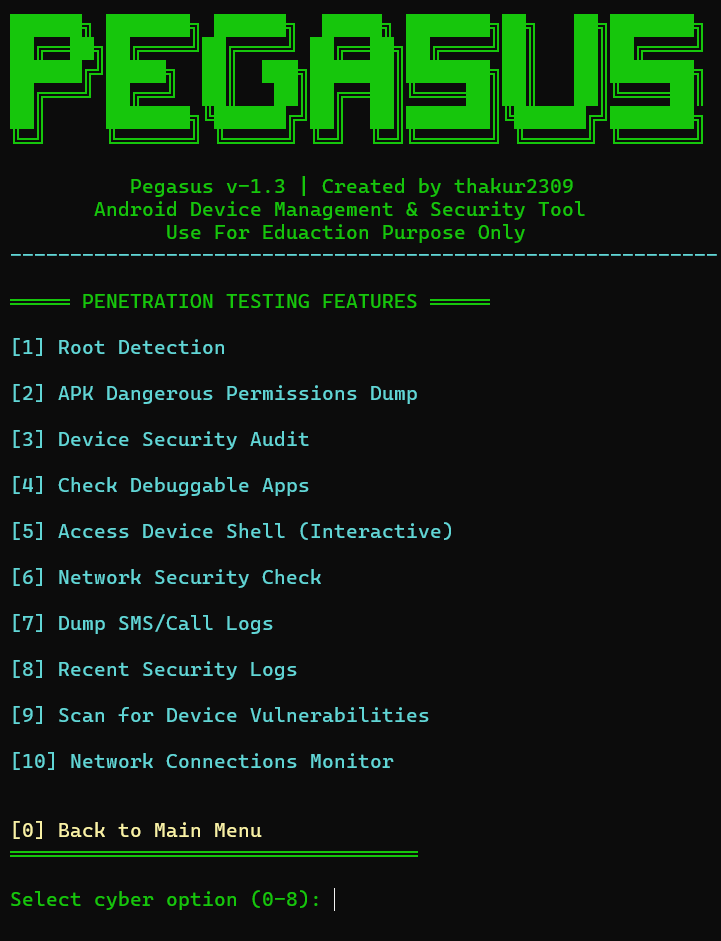
Unlocks a dedicated penetration testing and security audit submenu.
| Sub-Option | Feature | Description |
|---|---|---|
| 1 | Root Detection | Detect if device has been rooted via multiple methods |
| 2 | APK Permissions Dump | List all dangerous permissions granted per installed app |
| 3 | Device Security Audit | Check patch level, encryption state, and build tags |
| 4 | Debuggable Apps Scanner | Identify debug-enabled apps (common security risk) |
| 5 | Interactive ADB Shell | Open a live terminal shell session on the device |
| 6 | Network Security Check | Inspect Wi-Fi security type + optional nmap scan |
| 7 | Dump SMS / Call Logs | Export messages and call records to .txt files |
| 8 | Security Log Filter | Filter logcat for permission denials and security events |
| 9 | Vulnerability Scanner | Compare patch date against known risk threshold |
| 10 | Network Connections Monitor | View active network connections via netstat |
| Platform | Command |
|---|---|
| Ubuntu / Debian / Kali | sudo apt install -y python3 adb scrcpy git && git clone https://github.com/thakur2309/PAGASUS-PRO.git && cd PAGASUS-PRO && pip3 install -r requirements.txt && python3 pegasus_v_1.3.py |
| Arch / Manjaro / BlackArch | sudo pacman -S python android-tools scrcpy git && git clone https://github.com/thakur2309/PAGASUS-PRO.git && cd PAGASUS-PRO && pip install -r requirements.txt && python3 pegasus_v_1.3.py |
| macOS | brew install python android-platform-tools scrcpy git && git clone https://github.com/thakur2309/PAGASUS-PRO.git && cd PAGASUS-PRO && pip3 install -r requirements.txt && python3 pegasus_v_1.3.py |
| Windows | Install Python + ADB manually (see guide below), then: git clone https://github.com/thakur2309/PAGASUS-PRO.git && cd PAGASUS-PRO && pip install -r requirements.txt && python pegasus_v_1.3.py |
| 📱 Termux (Android) | pkg update && pkg install python git android-tools && git clone https://github.com/thakur2309/PAGASUS-PRO.git && cd PAGASUS-PRO && pip install -r requirements.txt && python pegasus_v_1.3.py |
Step 1 — Update system packages
sudo apt update && sudo apt upgrade -y
Step 2 — Install Python 3
sudo apt install python3 python3-pip -y
Step 3 — Install ADB
sudo apt install adb -y
Step 4 — Install scrcpy (optional — for Screen Mirror)
sudo apt install scrcpy -y