
 snovvcrash/divideandscan
Divide full port scan results and use it for targeted Nmap runs


Divide Et Impera And Scan (and also merge the scan results)




NixOS |  |
|---|---|
| NixOS | offsec.tools |
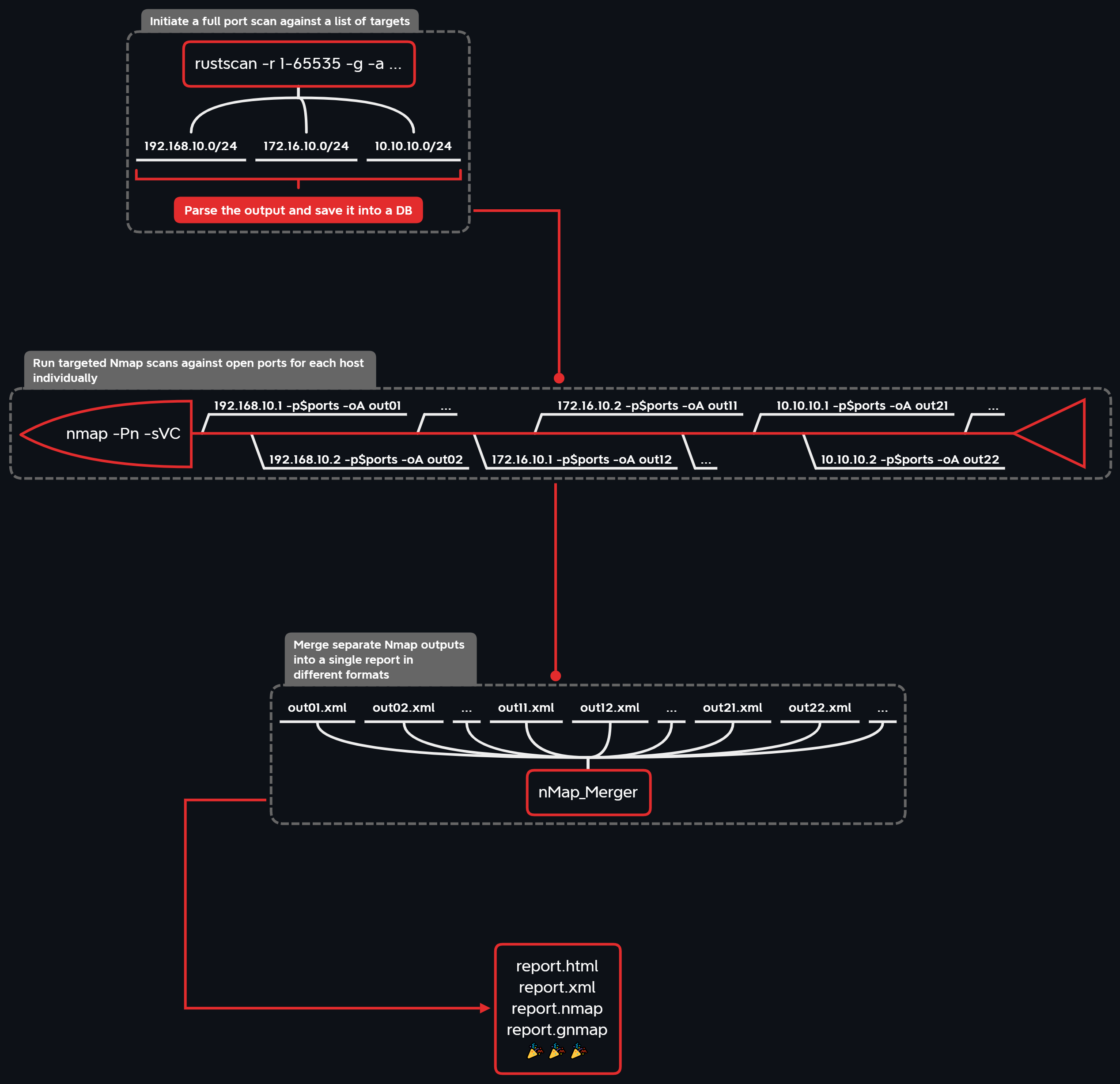
DivideAndScan is used to efficiently automate port scanning routine by splitting it into 3 phases:
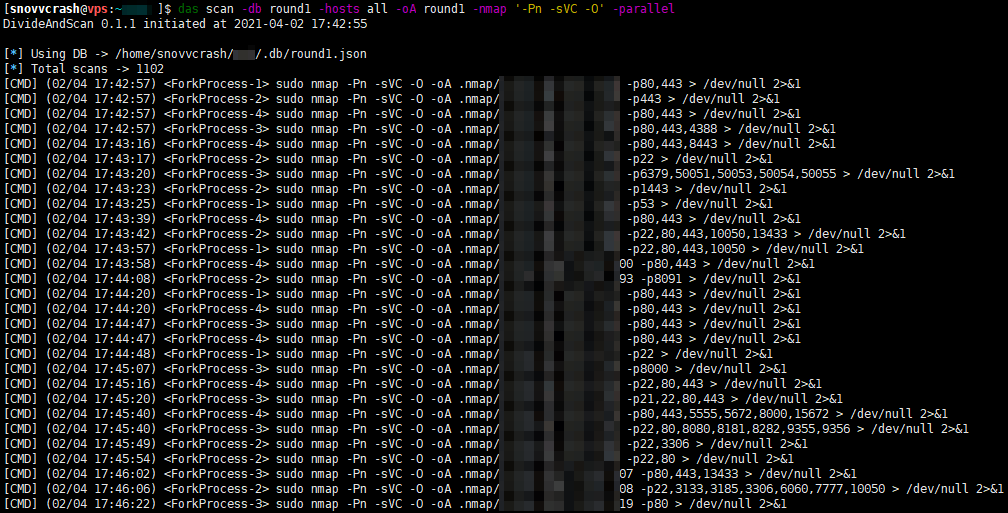
For the 1st phase a fast port scanner* is intended to be used, whose output is parsed and stored in a single file database (TinyDB). Next, during the 2nd phase individual Nmap scans are launched for each target with its set of open ports (multiprocessing is supported) according to the database data. Finally, in the 3rd phase separate Nmap outputs are merged into a single report in different formats (XML / HTML / simple text / grepable) with nMap_Merger. The visualization portion is provided by DrawNmap.
Potential use cases:
* Available port scanners:
DISCLAIMER. All information contained in this repository is provided for educational and research purposes only. The author is not responsible for any illegal use of this tool.
To successfully divide and scan we need to get some good port scanning tools (in the examples below GitHub releases are grabbed via eget).
📑 Note: if you don't feel like messing with dependecies on your host OS, skip to the Docker part.
sudo apt install nmap xsltproc -y
sudo nmap --script-updatedb
pushd /tmp
wget https://github.com/ivre/masscan/archive/refs/heads/master.zip -O masscan-master.zip
unzip masscan-master.zip
cd masscan-master
make
sudo make install
popd && rm -rf /tmp/masscan-master*
eget -t 2.0.1 -a amd64 RustScan/RustScan --to /tmp/rustscan.deb
sudo dpkg -i /tmp/rustscan.deb && rm /tmp/rustscan.deb
sudo wget https://gist.github.com/snovvcrash/8b85b900bd928493cd1ae33b2df318d8/raw/fe8628396616c4bf7a3e25f2c9d1acc2f36af0c0/rustscan-ports-top1000.toml -O /root/.rustscan.toml
sudo mkdir /opt/naabu
sudo eget -s linux/amd64 projectdiscovery/naabu --to /opt/naabu
sudo ln -sv /opt/naabu/naabu /usr/local/bin/naabu
sudo mkdir /opt/nimscan
sudo eget -a NimScan elddy/NimScan --to /opt/nimscan
sudo ln -sv /opt/nimscan/nimscan /usr/local/bin/nimscan
sudo mkdir /opt/sx
sudo eget -s linux/amd64 v-byte-cpu/sx --to /opt/sx
sudo ln -sv /opt/sx/sx /usr/local/bin/sx
sudo mkdir /opt/pd
sudo eget -s linux/amd64 projectdiscovery/dnsx --to /opt/pd
sudo ln -sv /opt/pd/dnsx /usr/local/bin/dnsx
DivideAndScan is available on PyPI as divideandscan, though I recommend installing it from GitHub with pipx in order to always have the bleeding-edge version:
~$ pipx install -f "git+https://github.com/snovvcrash/DivideAndScan.git"
~$ das
There's also a release packed with shiv (large file size though):
# shiv -e das.divideandscan:main -o das.pyz divideandscan
~$ wget https://github.com/snovvcrash/DivideAndScan/releases/latest/download/das.pyz && chmod +x das.pyz
~$ ./das.pyz
For debbugging purposes you can set up a dev environment with poetry:
~$ git clone --recurse-submodules https://github.com/snovvcrash/DivideAndScan
~$ cd DivideAndScan
~$ poetry install
~$ poetry run das
📑 Note: DivideAndScan uses sudo to run all the port scanners, so it will ask for the password when scanning commands are invoked.
You can run DivideAndScan in a Docker container as follows:
~$ docker run --rm -it --name das -v ~/.das:/root/.das -v `pwd`:/app -p 8050:8050 snovvcrash/divideandscan
Since the tool requires some input data and produces some output data, you should specify your current working directory as the mount point at /app within the container. Also publishing port 8050 on host allows to access the Dash app used for Nmap reports visualization.
You may want to set an alias to make the base command shorter:
~$ alias das='docker run --rm -it --name das -v ~/.das:/root/.das -v `pwd`:/app -p 8050:8050 snovvcrash/divideandscan'
~$ das
|
Provide the |
