
Skip to content
KitploitKITPLOIT
ToolsExploitsBlog
Log in
Submit
ToolsExploitsBlog
Submit

Hacking, PenTest, and Cybersecurity Tools for Your Security Arsenal!

Kitploit is a directory of hacking, cybersecurity, and pentesting tools. Discover the latest project updates to find vulnerabilities, analyze systems, automate testing, and strengthen your security.

··Feeds·Contact·Privacy·© 2026 Kitploit

Tool Directory

Categories

View all categories
Loading categories
cdn-ip-scanner — Web-based scanner that discovers fast, low-latency CDN IP addresses from Cloudflare, Fastly and other providers using multi-threaded 5-attempt verification and V2Ray config testing. | Kitploit
Tools/GitHubGitHub/shahinst/cdn-ip-scanner
ReconnaissanceNetwork MappingScripting & AutomationInformation GatheringNetwork SecurityPrivacyUtilities & FrameworksAnti-Bot
GitHubshahinst/cdn-ip-scanner

cdn-ip-scanner

Web-based scanner that discovers fast, low-latency CDN IP addresses from Cloudflare, Fastly and other providers using multi-threaded 5-attempt verification and V2Ray config testing.


View Repository
1131092 months agoReviewed by Kitploit

Most Popular

View all →

Discover the most used tools by our community.

Explore all tools

Browse our collection of tools

View all tools →
Share

CDN IP Scanner Logo

CDN IP Scanner V2.0

High Accuracy • Ultra Fast • AI Powered

Release Stars License Downloads

English • فارسی • Download • Donate


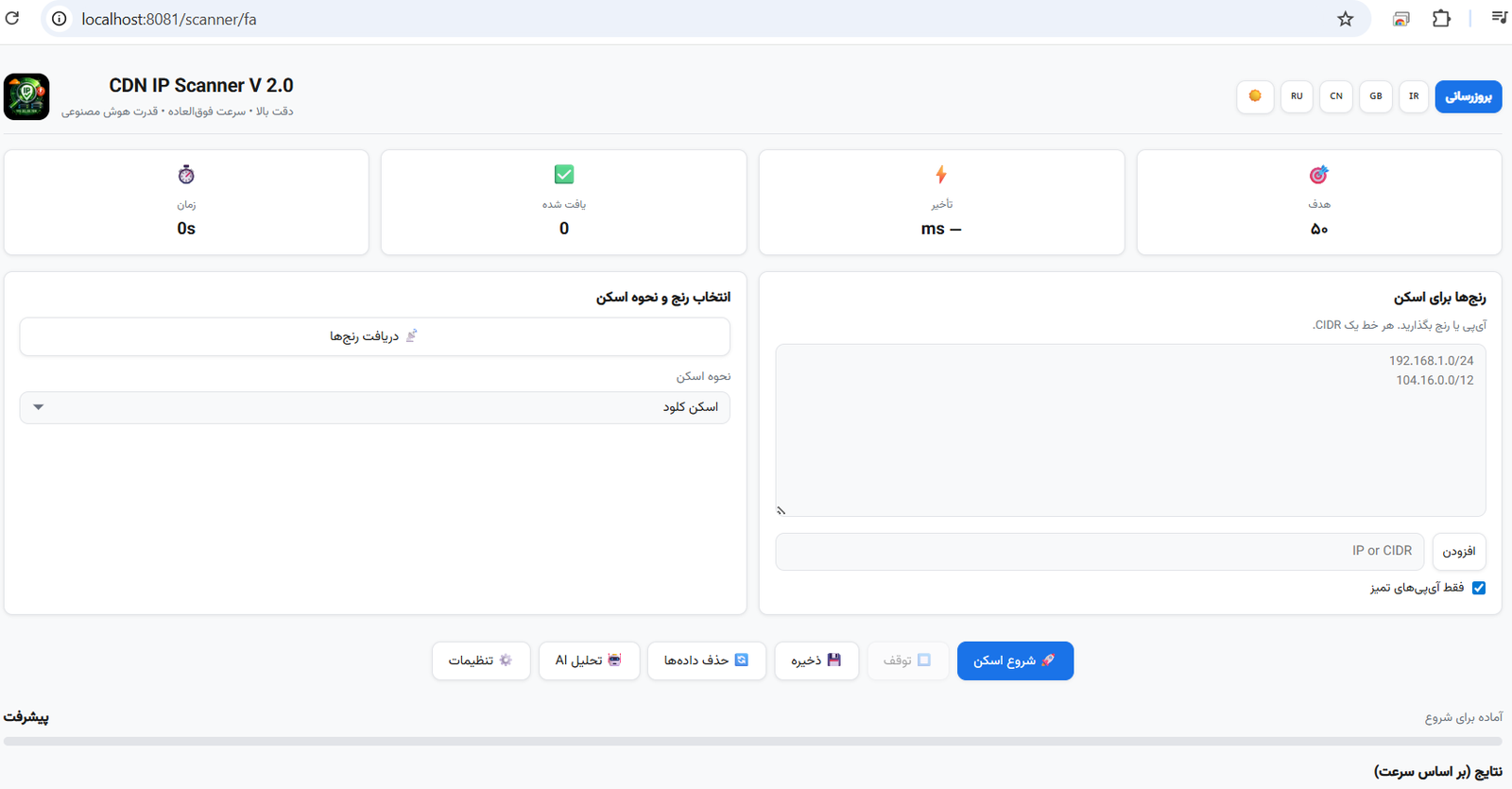
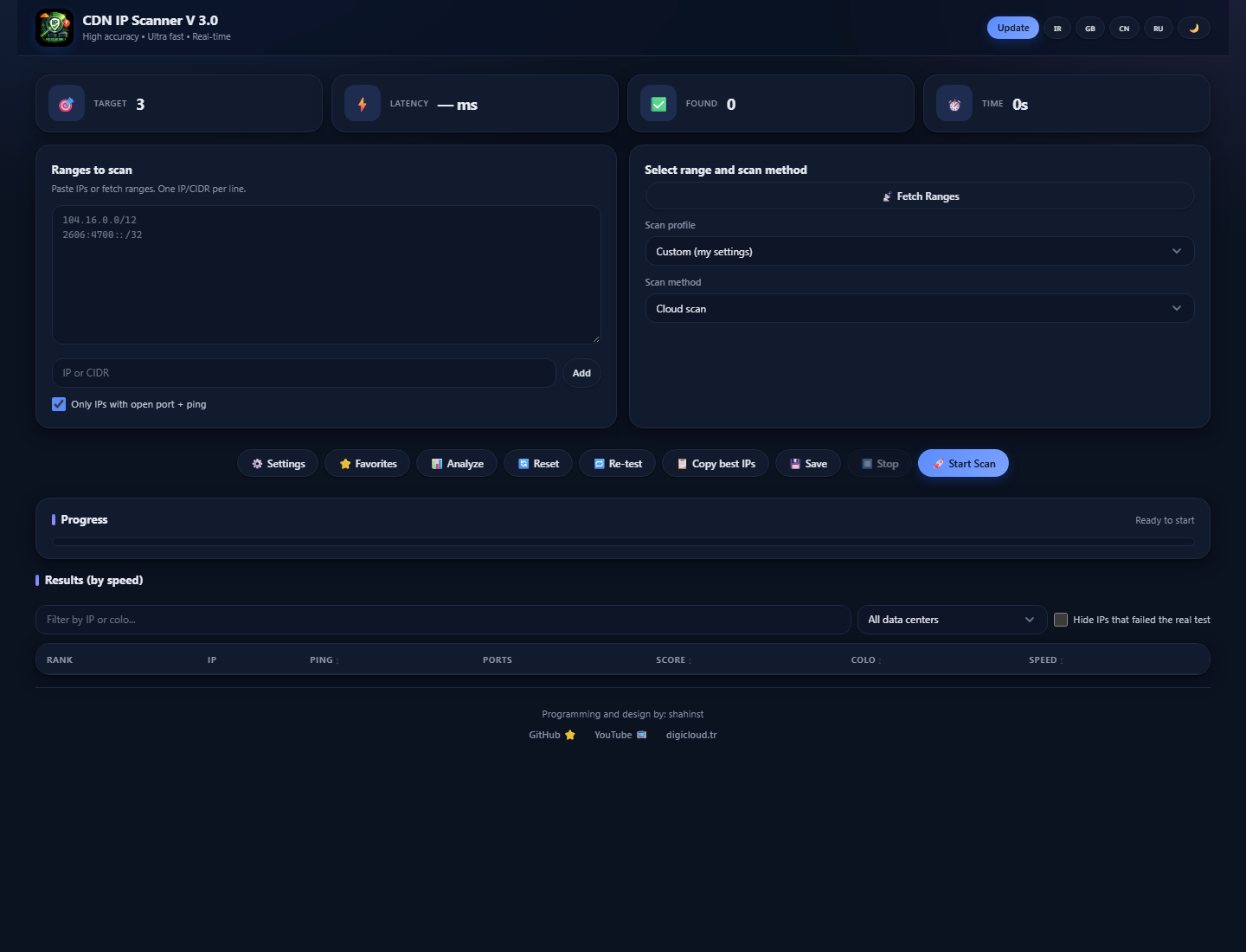
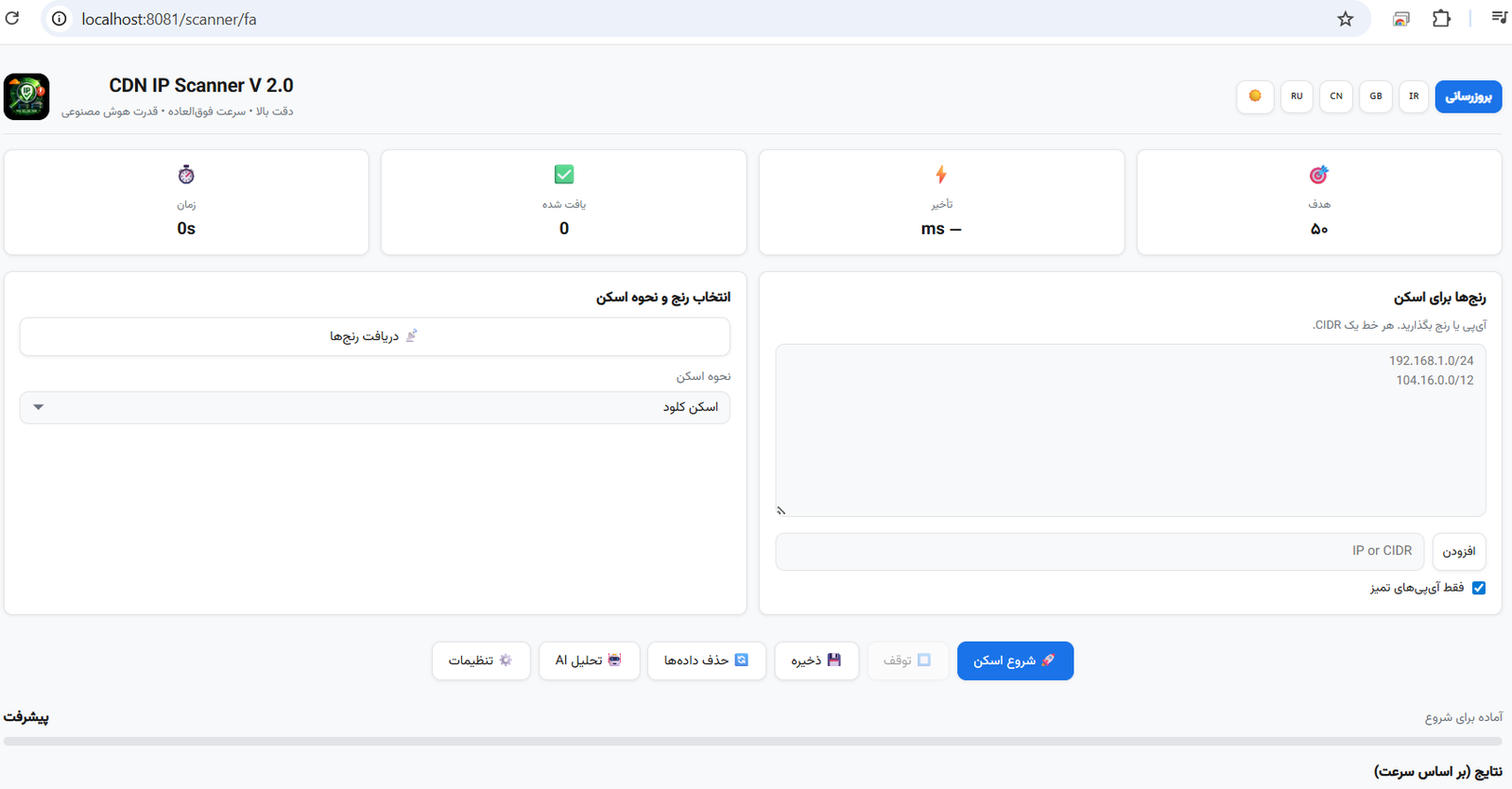
CDN IP Scanner - Application Interface


🇬🇧 English

What is CDN IP Scanner?

CDN IP Scanner is a powerful, web-based tool for scanning and finding the fastest CDN (Content Delivery Network) IP addresses. It helps users discover clean, low-latency IPs from providers like Cloudflare, Fastly, and other CDN networks.

The scanner uses a proven 5-attempt verification method with /cdn-cgi/trace endpoint checking, ensuring only genuinely responsive IPs are reported. Combined with AI-powered optimization and multi-threaded scanning, it delivers results faster and more accurately than any other tool.

Key Features

How It Works

root@kitploit:~
1. Fetch CDN IP ranges (or paste your own)
2. Select scan method (Cloud / Operator / V2Ray)
3. Configure target count, ping range, ports
4. Click "Start Scan"
5. Watch results appear in real-time
6. Export or copy the best IPs

Scan Methods

  • Cloud Scan — Direct CDN IP scanning with TCP pre-filter + 5-attempt HTTP verification
  • Operator Scan — Test which CDN IPs work best on your specific ISP/operator
  • V2Ray Scan — Paste a V2Ray config and find working IPs for it automatically

System Requirements

PlatformRequirement
WindowsWindows 10/11 (64-bit) — No installation needed
LinuxUbuntu 20/22/24, Debian 10+, CentOS 7+, RHEL, Rocky, Alma, Fedora
macOSmacOS 11+ (Big Sur, Monterey, Ventura, Sonoma, Sequoia)

📥 Download / دانلود

You can download pre-built versions for all platforms from the Releases page:

⬇️ Download from Releases


🐧 Install on Linux (from Source)

The source code on GitHub is designed for Linux server deployment. Follow these steps:

Quick Install (One Command)

root@kitploit:~
# Clone the repository
git clone https://github.com/shahinst/cdn-ip-scanner.git

# Enter the directory
cd cdn-ip-scanner

# Run the smart installer
sudo bash install.sh

What the Installer Does

The installer is fully interactive and will:

  1. Detect your OS — Ubuntu, Debian, CentOS, RHEL, Rocky, Alma, Fedora
  2. Ask for panel credentials — Username & password for web access
  3. Ask for hostname — Domain name or server IP
  4. Install all dependencies — Python, Nginx, SSL, and all packages
  5. Setup SSL — Let's Encrypt for domains, self-signed for IPs
  6. Configure Nginx — Reverse proxy with Basic Auth protection
  7. Create systemd service — Auto-start on boot
  8. Configure firewall — Open ports 80 and 443
  9. Show access details — URL, username, password

After Installation

root@kitploit:~
# Check status
systemctl status cdn-ip-scanner

# View logs
journalctl -u cdn-ip-scanner -f

# Restart
systemctl restart cdn-ip-scanner

# Uninstall
bash /opt/cdn-ip-scanner/uninstall.sh

Manual Installation (Advanced)

root@kitploit:~
git clone https://github.com/shahinst/cdn-ip-scanner.git
cd cdn-ip-scanner
python3 -m venv venv
source venv/bin/activate
pip install -r requirements.txt
python run.py --port 8080

🎬 Video Tutorial

Watch the full installation and usage tutorial on YouTube:

Watch the full video here


🇮🇷 فارسی

CDN IP Scanner چیست؟

CDN IP Scanner یک ابزار قدرتمند و تحت وب برای اسکن و پیدا کردن سریع‌ترین آی‌پی‌های CDN (شبکه توزیع محتوا) است. این ابزار به کاربران کمک می‌کند تا آی‌پی‌های تمیز و با تأخیر پایین از ارائه‌دهندگانی مانند Cloudflare، Fastly و سایر شبکه‌های CDN را پیدا کنند.

اسکنر از یک روش تأیید ۵ مرحله‌ای اثبات‌شده با بررسی endpoint مسیر /cdn-cgi/trace استفاده می‌کند و فقط آی‌پی‌هایی که واقعاً پاسخ‌گو هستند را گزارش می‌دهد. همراه با بهینه‌سازی هوش مصنوعی و اسکن چندنخی، نتایج را سریع‌تر و دقیق‌تر از هر ابزار دیگری ارائه می‌دهد.

ویژگی‌های کلیدی

نحوه کار

root@kitploit:~
۱. دریافت رنج آی‌پی‌های CDN (یا قرار دادن دستی)
۲. انتخاب روش اسکن (کلود / اپراتور / V2Ray)
۳. تنظیم تعداد هدف، محدوده پینگ، پورت‌ها
۴. کلیک روی "شروع اسکن"
۵. مشاهده نتایج به صورت لحظه‌ای
۶. خروجی گرفتن یا کپی بهترین آی‌پی‌ها

روش‌های اسکن

  • اسکن کلود — اسکن مستقیم آی‌پی CDN با پیش‌فیلتر TCP و تأیید HTTP پنج‌مرحله‌ای
  • اسکن اپراتور — بررسی اینکه کدام آی‌پی‌های CDN روی اپراتور شما بهتر کار می‌کنند
  • اسکن V2Ray — کانفیگ V2Ray خود را قرار دهید و آی‌پی‌های فعال را به صورت خودکار پیدا کنید

📥 دانلود

نسخه‌های آماده برای همه پلتفرم‌ها از صفحه Releases قابل دانلود هستند:

⬇️ دانلود از Releases


🐧 نصب روی لینوکس (از سورس)

کد منبع موجود در گیت‌هاب برای استقرار روی سرور لینوکس طراحی شده است:

نصب سریع (یک دستور)

root@kitploit:~
# کلون مخزن
git clone https://github.com/shahinst/cdn-ip-scanner.git

# ورود به دایرکتوری
cd cdn-ip-scanner

# اجرای نصب‌کننده هوشمند
sudo bash install.sh

نصب‌کننده چه کارهایی انجام می‌دهد

  • تشخیص سیستم‌عامل — اوبونتو، دبیان، سنت‌اواس، RHEL، راکی، آلما، فدورا
  • اطلاعات ورود پنل — نام کاربری و رمز عبور را می‌پرسد
  • آدرس هاست — نام دامنه یا آی‌پی سرور را می‌پرسد
  • نصب وابستگی‌ها — پایتون، انجین‌ایکس، SSL و همه پکیج‌های مورد نیاز
  • نصب SSL — Let's Encrypt برای دامنه، self-signed برای آی‌پی
  • پیکربندی انجین‌ایکس — ریورس پراکسی با محافظت Basic Auth
  • سرویس systemd — شروع خودکار هنگام بوت سرور
  • تنظیم فایروال — باز کردن پورت‌های ۸۰ و ۴۴۳
  • نمایش اطلاعات دسترسی — آدرس پنل، نام کاربری و رمز عبور

پس از نصب

root@kitploit:~
# بررسی وضعیت
systemctl status cdn-ip-scanner

# مشاهده لاگ
journalctl -u cdn-ip-scanner -f

# ریستارت
systemctl restart cdn-ip-scanner

# حذف
bash /opt/cdn-ip-scanner/uninstall.sh

🎬 آموزش تصویری

آموزش کامل نصب و استفاده از برنامه را در یوتیوب ببینید:

📺 مشاهده در یوتیوب


🛠 Tech Stack


📁 Project Structure

root@kitploit:~
cdn-ip-scanner/
├── run.py                  # Application entry point
├── install.sh              # Smart Linux installer
├── requirements.txt        # Python dependencies
├── version                 # Version file
└── app/
    ├── __init__.py         # Flask app factory
    ├── config.py           # Configuration
    ├── models.py           # Database models
    ├── routes/
    │   ├── api.py          # REST API + scan logic
    │   └── main.py         # Page routes
    ├── scanner/
    │   ├── core.py         # Scan engine (5-attempt verification)
    │   ├── range_fetcher.py # CDN range fetcher (multi-source)
    │   ├── operators.py    # ISP operator definitions & fetch
    │   ├── v2ray.py        # V2Ray config parser & scanner
    │   └── ai_optimizer.py # AI-powered range optimization
    ├── static/
    │   ├── css/style.css   # Modern responsive design
    │   ├── js/app.js       # Frontend application
    │   ├── font/           # Vazirmatn (Persian) + FontAwesome
    │   └── img/logo.png    # Application logo
    └── templates/
        ├── base.html       # Base template
        ├── index.html      # Language selection page
        └── scanner.html    # Main scanner interface

🤝 Contributing

Contributions are welcome! Please feel free to submit a Pull Request.

  1. Fork the repository
  2. Create your feature branch (git checkout -b feature/amazing)
  3. Commit your changes (git commit -m 'Add amazing feature')
  4. Push to the branch (git push origin feature/amazing)
  5. Open a Pull Request

💰 Donate / حمایت مالی

اگر این پروژه برای شما مفید بود، می‌توانید از طریق ارسال USDT از توسعه‌دهنده حمایت کنید.

If this project is useful to you, you can support the developer by sending USDT:

USDT (TRC20) — Tron Network

root@kitploit:~
TB3aXqkMioddzcgtqPfeBFthYUY9tj9kbs

USDT (ERC20) — Ethereum Network

root@kitploit:~
0xd907642587cd654830F9C7bcc8084c8dF5B82713

Thank you for your support! Every donation helps keep this project alive and maintained. 🙏

از حمایت شما سپاسگزاریم! هر کمکی به ادامه حیات و نگهداری این پروژه کمک می‌کند. 🙏

📄 License

This project is open source and available under the MIT License.


👨‍💻 Author

shahinst

  • GitHub: @shahinst
  • YouTube: @shaahinst
  • Website: digicloud.tr

If you find this project useful, please give it a ⭐ on GitHub!

اگر این پروژه برای شما مفید بود، لطفاً یک ⭐ در گیت‌هاب بدهید!

Download Tool
FeatureDescription
Multi-Source Range FetchingFetch CDN IP ranges from Cloudflare API, ASN, GitHub, Fastly verified list
5-Attempt VerificationEach IP is tested 5 times with connection reuse — minimum 3/5 success required
Real-Time ResultsResults appear instantly via WebSocket as each IP is found
Operator DetectionTest CDN IPs against Iranian (Irancell, MCI, Rightel, Shuttle), Chinese, and Russian operators
V2Ray Config SupportParse and test vless://, vmess://, trojan:// configs with automatic IP replacement
4 Speed ModesHyper (20%), Turbo (40%), Ultra (60%), Deep (80%) — control resource usage
AI OptimizationSmart IP sampling and range prioritization for faster discovery
Multi-LanguageFull support for English, فارسی (Persian), 中文 (Chinese), Русский (Russian)
Dark/Light ThemeBeautiful modern UI with dark mode support
Export ResultsSave results as JSON, Excel (.xlsx), or Text (IPs only)
Ping & Port FilteringFilter results by ping range and specific open ports
Auto-UpdateCheck for updates and install directly from the app
Scan LoggingReal-time scan log with DEBUG mode for troubleshooting
Stop AnytimeResponsive stop button that halts scanning within 2 seconds
PlatformFileDescription
WindowsCDN-IP-Scanner.V2.0.Windows.zipStandalone exe — just extract and run, no Python needed
MacCDN-IP-Scanner.V2.0.Mac.zipBuild kit — run build.sh on Mac
SourceSource code (zip/tar.gz)Main source code for developers
ویژگیتوضیحات
دریافت رنج از چندین منبعدریافت رنج آی‌پی CDN از API کلودفلر، ASN، گیت‌هاب، فستلی
تأیید ۵ مرحله‌ایهر آی‌پی ۵ بار با استفاده مجدد از اتصال تست می‌شود — حداقل ۳ از ۵ موفقیت لازم است
نتایج لحظه‌اینتایج از طریق WebSocket بلافاصله پس از پیدا شدن هر آی‌پی نمایش داده می‌شود
تشخیص اپراتورتست آی‌پی‌های CDN روی اپراتورهای ایرانی (ایرانسل، همراه اول، رایتل، شاتل)، چینی و روسی
پشتیبانی V2Rayپارس و تست کانفیگ‌های vless://، vmess://، trojan:// با جایگزینی خودکار آی‌پی
۴ حالت سرعتهایپر (۲۰%)، توربو (۴۰%)، اولترا (۶۰%)، دیپ (۸۰%) — کنترل مصرف منابع
بهینه‌سازی هوش مصنوعینمونه‌برداری هوشمند و اولویت‌بندی رنج برای کشف سریع‌تر
چندزبانهپشتیبانی کامل از فارسی، English، 中文، Русский
تم تاریک/روشنرابط کاربری مدرن و زیبا با پشتیبانی حالت تاریک
خروجی نتایجذخیره نتایج به صورت JSON، اکسل (xlsx.) یا متن (فقط آی‌پی)
فیلتر پینگ و پورتفیلتر نتایج بر اساس محدوده پینگ و پورت‌های باز خاص
بروزرسانی خودکاربررسی و نصب بروزرسانی مستقیم از داخل برنامه
لاگ اسکنلاگ لحظه‌ای اسکن با حالت DEBUG برای عیب‌یابی
توقف فوریدکمه توقف که اسکن را ظرف ۲ ثانیه متوقف می‌کند
پلتفرمفایلتوضیحات
ویندوزCDN-IP-Scanner.V2.0.Windows.zipفایل exe مستقل — فقط استخراج و اجرا کنید، نیاز به پایتون نیست
مکCDN-IP-Scanner.V2.0.Mac.zipکیت ساخت — فایل build.sh را روی مک اجرا کنید
سورسSource code (zip/tar.gz)کد منبع اصلی برای توسعه‌دهندگان
ComponentTechnology
BackendPython 3, Flask, Flask-SocketIO, gevent
FrontendVanilla JS, CSS3 (custom design)
DatabaseSQLite (default) / MySQL / MariaDB
WebSocketSocket.IO (real-time results)
Web ServerNginx (reverse proxy)
ScanningThreadPoolExecutor, /cdn-cgi/trace verification
Exportopenpyxl (Excel), JSON, Plain Text