
Skip to content
KitploitKITPLOIT
ToolsExploitsBlog
Log in
Submit
ToolsExploitsBlog
Submit

Hacking, PenTest, and Cybersecurity Tools for Your Security Arsenal!

Kitploit is a directory of hacking, cybersecurity, and pentesting tools. Discover the latest project updates to find vulnerabilities, analyze systems, automate testing, and strengthen your security.

FeedsContactPrivacy© 2026 Kitploit

Tool Directory

Categories

View all categories
Loading categories
Quiksand-CVE-2023-24012 — Proof-of-concept demonstrating a permission bypass in ROS 2 SROS2 security framework, allowing unauthorized topic subscription via modified permissions files. | Kitploit
Tools/GitHubGitHub/safelock-d2e/quiksand-cve-2023-24012
Embedded Systems SecurityPrivilege EscalationIoT SecurityVulnerability AnalysisExploitationPenetration Testing
GitHubsafelock-d2e/quiksand-cve-2023-24012

Quiksand-CVE-2023-24012

Share

Proof-of-concept demonstrating a permission bypass in ROS 2 SROS2 security framework, allowing unauthorized topic subscription via modified permissions files.

View Repository
2308 months agoNot yet reviewed

DDS Security Test

ROS 2 DDS security research test environment, based on ROS 2 Foxy.

Project Introduction

This project demonstrates a privilege escalation vulnerability in the ROS 2 SROS2 security framework. By modifying signed permission files, an attacker can cause a node to subscribe to topics it should not be allowed to subscribe to.

Environment Requirements

  • Docker

Quick Start

Build Image

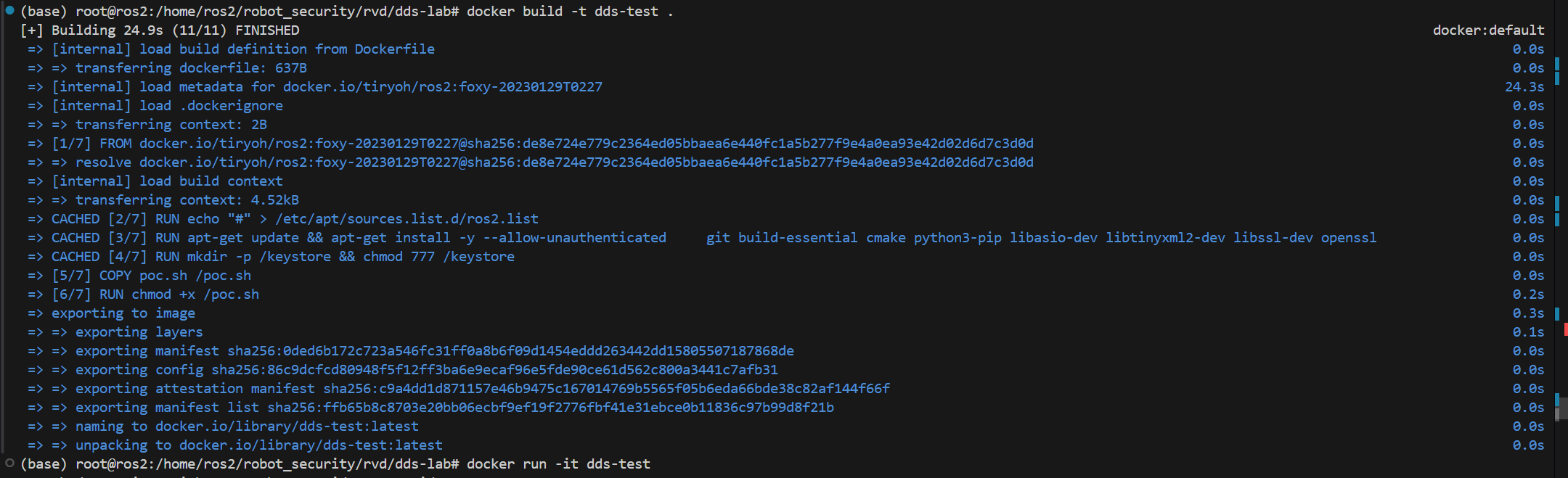
docker build -t dds-test .

Run PoC

docker run -it dds-test ./poc.sh

PoC Script Description

The poc.sh script performs the following steps:

  1. Create keystore - Generate keys and certificates for talker and listener using the ros2 security tool
  2. Create correct permissions - Configure talker to publish on chatter topic, listener can only subscribe to something_else topic
  3. Run normal communication - Verify nodes can communicate normally under correct permissions
  4. Create malicious permissions - Demonstrate how an attacker modifies permission files to allow listener to subscribe to chatter topic
  5. Run malicious communication - Verify that after applying malicious permissions, the node can subscribe to topics it originally had no access to

Key Files

  • Dockerfile - ROS 2 Foxy environment configuration
  • poc.sh - PoC demonstration script

Reproduction Demo

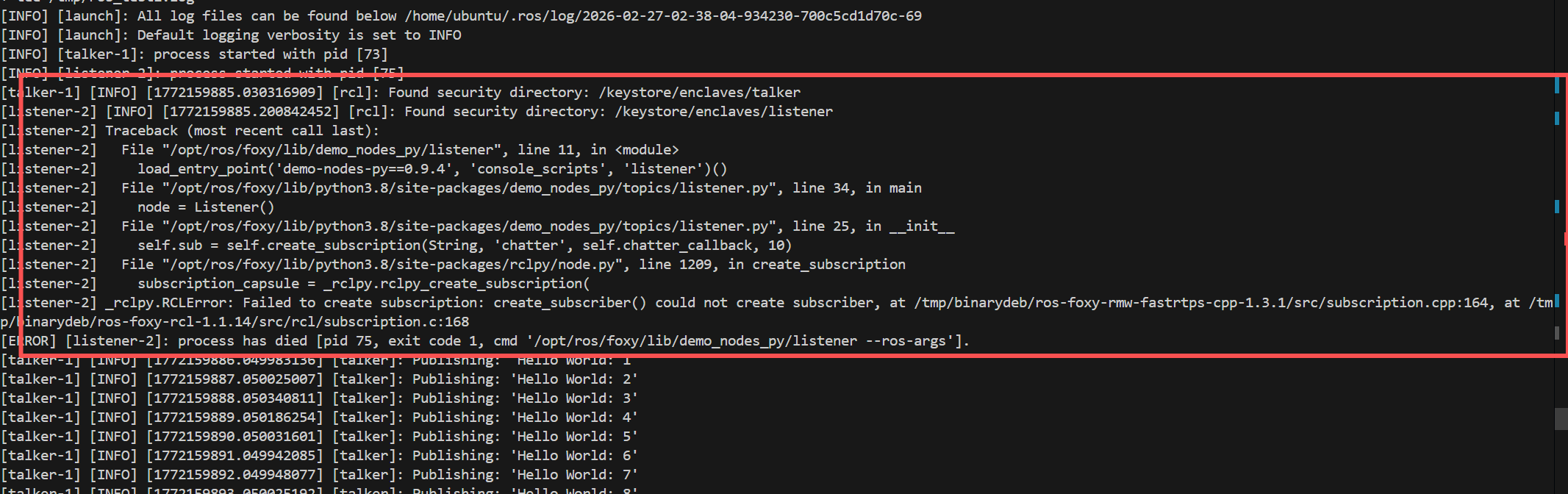
Build and run Docker vulnerability environment alt text

Run PoC alt text

PoC Running Configuration file description: alt text

Normal Situation alt text listener cannot receive messages published by talker

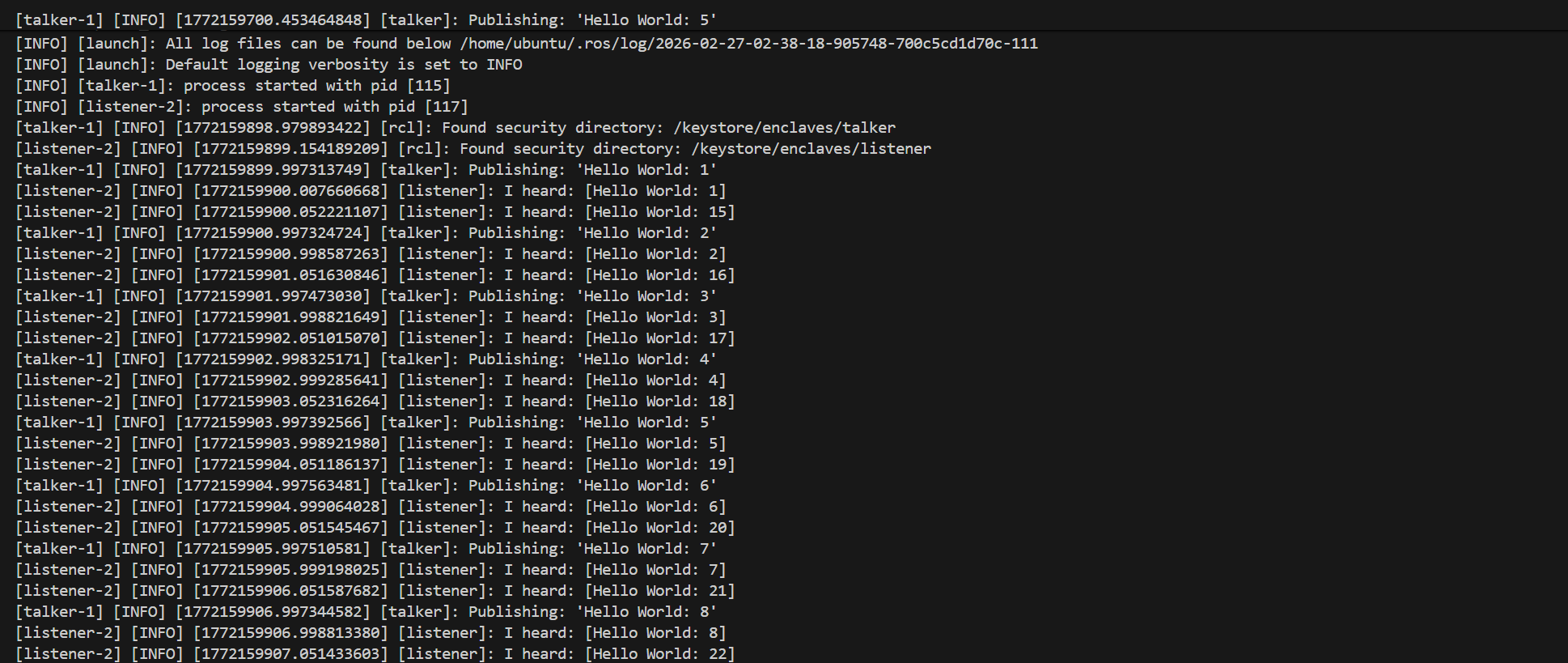
Start Attack

Effect alt text listener can receive messages published by talker

References

  • ROS 2 SROS2 Documentation
Download Tool

Most Popular

View all →

Discover the most used tools by our community.

  • 1

    OsintHunter

    letox4/osinthunter

    🎯 The ultimate OSINT toolkit: investigation graph, confidence scoring, alias families, map, timeline and reports. 49 modules, 400+ sites, no API keys required.

    938
  • 2

    ghostlock-app

    yukonga/ghostlock-app

    GhostLock One-Tap Execution App (CVE-2026-43499)

    556
  • 3

    redforge

    cybersecurity91/redforge

    Browser-side red team toolkit with 102 offline tools for recon, payload generation, credential attacks, crypto, encoding and engagement reporting.

    352
  • 4

    ARTEX

    baarai/artex

    LLM multi-agent autonomous penetration testing platform with planner/worker agents, asset and exploration graphs, MITM traffic recording, and vulnerability retesting.

    343
  • 5

    looking-glass

    anonghosty/looking-glass

    CSIRT platform that ingests Shadowserver reports into MongoDB and replays them as interactive maps, analysis, findings, advisories and executive dashboards.

    336
  • 6

    CyberStrikeAI

    ed1s0nz/cyberstrikeai

    The system of action for AI-native cybersecurity—where intent becomes governed execution, evidence becomes operational memory, and every operation improves the next.

    291

Explore all tools

Browse our collection of tools

View all tools →